
This item is no longer available.
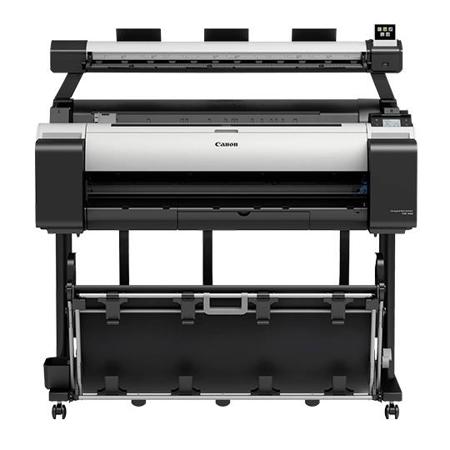
The Canon imagePROGRAF TM-300 MFP L36ei, large format imaging system is an affordable scan-to-copy/file system for low-volume and entry-level users. With a 36" wide scanner the TM-300 MFP L36ei is ideal for low-volume subcontractors, primary education, design offices, architectural firms and reproduction businesses. The lightweight scanner and compact design allow for easy installation in even the smallest environments. The user-friendly control panel has picture icons for easy identification of the scanner operations. Simply scroll left or right to view the different icons, make your selection and press the Green Button!
This system is for those who do not require the advanced functionality of the MFP T36 imaging system. The new Lei Series complements the current MFP T36 product line by providing a product that offers basic scan-to-copy capabilities at an affordable price.
Offering more than just the scan-to-copy functionality, this imaging system gives you the ability to scan to USB, scan to copy and archive, scan to multipage PDF and scan to your PC as well as reduce and enlarge images. With three different quality modes available, you can choose Draft, Standard or Best mode based on the scan/print you are creating.
The TM-300 MFP L36ei is an affordable solution for providing easy-to-use scan-to-copy/file capabilities for the entry-level user. Designed for simple operation, this MFP has intuitive hardware and software making the learning curve minimal for those new to large format scanning. A versatile system built for the way you work, the imagePROGRAF TM-300 MFP L36ei includes:
• L36ei Scanner
• TM-300 36-inch Pigment Ink Printer
The TM-300 system comes available with user-friendly software solutions ready to meet your printing needs. Direct Print & Share, Canon's cloud portal solution and batch printing software, is available as a download and allows for files to be uploaded, downloaded, shared and printed from almost anywhere in the world! Also available is Free Layout Plus - this print utility lets you nest, tile and create custom layouts before printing your files. You can also use the plug-in feature to print directly from Microsoft Office programs.
The Accounting Manager software (PC only) allows you to track job costs, while the Print Plug-in for Microsoft Office enables for documents created with Word, Excel or PowerPoint to be easily printed in large format. Creating custom signage has never been easier with Canon's included PosterArtist Lite poster creation software, this easy-to-use software will have you creating professional large format prints quickly in just four easy to follow steps.
L36ei Scanner
The L36ei scanner incorporates a SingleSensor assembly technology, which helps provide consistent and better color accuracy with more detail in the shadows and highlights than a staggered CIS array scanner.
• Touch Screen Operation Panel
• 600 dpi optical resolution
• Image scanning of up to 36" wide, fits documents 38" wide
• Scanning speed of up to 3 inches per second monochrome, 1 inch per second color
• Scan length of up to 109"
• 3 Quality Modes: Draft, Standard and Best
• Scan documents up to .5 mm thick
• Face up / Rear exit
• Straight paper path
The L36ei scanner contains a single component image sensor that is the full width of the scanner and has long life LED Bi-directional illumination. Full width image capture, as opposed to time delayed scanning of separate sections, means less risk of misalignment of scan data. LED's require virtually no warm up time and provide a wide and consistent color gamut, with low power consumption and less potential for shadowing at creases or folds.
TM-300 Large Format Printer
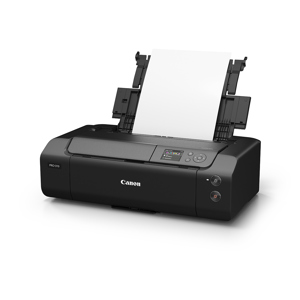
The TM Series is redefining what a Large-format printer is capable of. The TM-300 printer is not only ideal for printing technical documents, CAD drawings and GIS maps, but also posters, signage and displays with the use of Canon's LUCIA TD water resistant pigment ink. Built with Canon developed technologies; 5-color LUCIA TD pigment ink, PF-06 print head, L-COA PRO image processor, along with a clear, intuitive operation panel and nearly 60% quieter than previous models, this printer is an easy choice for the architectural, engineering and construction industries as well as office environments.
LUCIA TD Pigment Ink Set
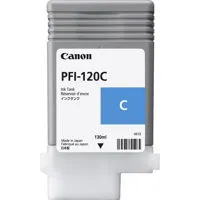
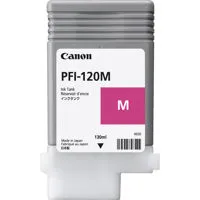
The TM-300 device features an all-new 5-color TD pigment ink set. This ink was formulated to produce fine lines and sharp text on both inkjet and non-inkjet paper. Combine this pigment ink with water resistant media and you have a printed drawing that can withstand many outdoor conditions, especially outdoor job sites such as construction sites. Available in 130 ml or 300 ml ink tanks. 490 ml of ink ships standard with the TM-300.
Fast Printing
With faster printing of multipage files, the TM Series can print up to 144 D sized prints per hour!
Security Feature
The TM Series large-format printers come equipped with several security features designed to help prevent leaks of confidential information:
Secure Communication
• 802.1x Authentication
• SNMPv3
• SSL/TLS
• IPSec
Functionality Restrictions
• Panel Lock by Remote UI
• Remote UI Multilevel
• Hide IP From Panel
• Panel Access Control
• Job Storage and PIN Printing
Secure Storage
• Secure Disc Erase (Conforms to U.S. Department of Defense standard DoD5220.22-M)
The following functions can be disabled in administrator mode:
• Direct USB Thumb Drive Printing
• Internet Connection
• FTP and Telnet communication protocols
• Job Log Look-up
Quiet Operation
The TM-300 is well suited for busy office environments as it is 60% quieter than previous imagePROGRAF printers and offers less distraction in the workplace.
Operation Panel
The TM-300 features a 3" color touchscreen operation panel making it easy to view printer information as well as perform simple operations.
Small Footprint
A good fit for small offices, the compact TM-300 has a small footprint for a 24-inch large format aqueous inkjet printer.
Wi-Fi Compatible
Printing jobs quickly is critical on the work site and in the office. The Wi-Fi connectivity can transfer technical drawing files and help speed up your workflow- perfect for high-volume printing. No Wi-Fi router is needed, which can provide greater freedom during installation.
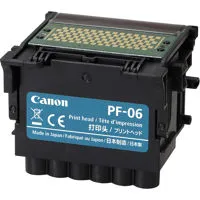
Print Head PF-06
The 6-channel PF-06 Print Head is engineered to work with the printer's high-speed carriage and high-frequency ink ejection to help facilitate fast printing. This printer boasts Canon's print-head technology that lays down ink with outstanding speed and accuracy. The PF-06 print head incorporates a nozzle orifice shape to help minimize mist spray, producing clean lines and text. The high-precision, high-density print head, with a total of 15,360 nozzles, lays down 5 picoliter-size ink droplets that help produce sharp detail and excellent image quality. The result is consistently accurate 2400 x 1200 dpi output (max.) with fine lines that are accurate to +/-0.10% and as thin as 0.02mm.
Sub Ink Tank System
The Sub-Ink Tank System allows virtually all of the available ink in a tank to be used before having to replace it, helping to eliminate wasted ink. The empty tanks can also be replaced on-the-fly without stopping the printer. This is extremely useful during your long print jobs.
Software
Direct Print & Share
Sharing ideas has never been easier with Canon's Direct Print & Share software. Direct Print and Share is a cloud portal and batch printing solution that helps you to expand your printing workflow. This software allows you to upload documents to your cloud account using any WebDAV compliant cloud service and print the uploaded documents from almost anywhere. Easily share and/or print .cpfx PosterArtist, PDF, TIFF, JPEG and HP-GL/2 files, through the user-friendly interface.
In addition, you can set-up hot folders on your desktop by clicking the Shortcut Print feature. Then drag and drop the files you wish to print into these folders and the job will start automatically. You can even set up multiple folders, each with their own customized settings, allowing for multiple jobs to be run with ease. Thumbnail previews of multipage images and multipage printing of PDFs can also be done with this software.
The Windows driver and Macintosh driver incorporate simplified page setup options, one-touch borderless printing, expanded color settings and much more into a printer driver that is intuitive and easy-to-operate while still giving even the most advanced users the tools needed to help stay productive.
The Real Preview feature helps ensure that the print setting and the layout on the roll paper is correct by providing users with real time preview, allowing them to change the print setting even after clicking on "print." The Free Layout Tool enables nesting and custom layouts of images or files of nearly any type (available for both the Windows driver and Mac driver).
Free Layout Plus
New! Nest, tile and create custom layouts before printing your files with this print utility. Use the plug-in feature to print directly from Microsoft Office programs.
• Log Recording Time
• Job Name
• Client Job ID
• Client Job Submission Time
• Job Execution Time
• Job Completion Time
• Job Completion State
• Media Type
• Number of completed pages
• Media consumption area per j