Orders placed during Passover Holiday (Wed 4/1 after 4PM ET – Thurs 4/9) will ship Fri 4/10. View our holiday shipping schedule.

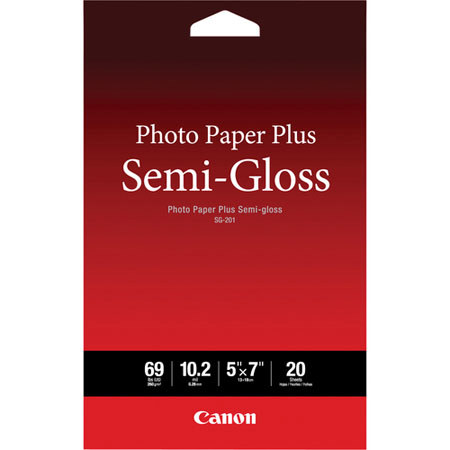
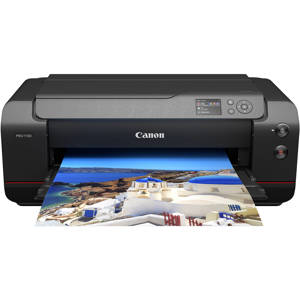
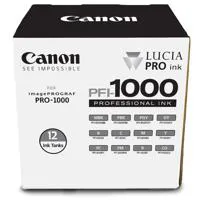
Canon imagePROGRAF PRO-1000 17" Pro Inkjet Photo Printer with 8 PFI-1000 Inks Black, Cyan, Magenta, Yellow, Gray, Red, Blue, Chroma Optimizer, SG-201 Inkjet Paper, 5x7", 20 Sheets

SKU: ICAPZPRI

This item is no longer available.

Recommended Alternatives

Overview
Compare
Accessories
Specs
Protection
Q&A

Questions & Answers

FAQ

What is the resolution of the Canon imagePROGRAF PRO-1000 Professional Inkjet Printer?

The Canon imagePROGRAF PRO-1000 Professional Inkjet Printer is capable of producing prints with a maximum resolution of 2400 x 1200 dpi.

What kind of ink system does the Canon imagePROGRAF PRO-1000 Professional Inkjet Printer use?

The Canon imagePROGRAF PRO-1000 uses an 11-color plus Chroma Optimizer ink system, which includes matte black, photo black, gray, photo gray, red, blue, magenta, photo magenta, cyan, photo cyan, yellow, and Chroma Optimizer.

What software is included with the Canon imagePROGRAF PRO-1000 Professional Inkjet Printer?

The Canon imagePROGRAF PRO-1000 comes with Print Studio Pro v 2.0 software, which is a plugin for Adobe Photoshop, Adobe Lightroom, and Canon Digital Photo Professional software.

What is the purpose of the two-way vacuum paper feeder in the Canon imagePROGRAF PRO-1000 Professional Inkjet Printer?

The two-way vacuum paper feeder in the Canon imagePROGRAF PRO-1000 helps keep media flat and even, enhancing the accuracy of ink ejection and print quality.

Can I switch between different media types without changing nozzles on the Canon imagePROGRAF PRO-1000 Professional Inkjet Printer?

Yes, the Canon imagePROGRAF PRO-1000 has dedicated nozzles for Photo Black and Matte Black inks, allowing you to switch from glossy to fine art media without any changes or waste.

Reviews about this item

Review Summary

2025-06-11T20:00:00

Rated 1 out of 5

Do not buy

Bought a year and a half ago. Worked fine for the first few months, but after that it was constant issues. Printing with improper colors, streaks on prints, consistent error messages. This unfortunately, has been the most frustrating printer experience I've had.

ChrisHallPhotoATX

2024-09-07T20:00:00

Rated 5 out of 5

Produces Award-Winning Prints

I bought this more than 4 years ago and it is still performing as well as it did the first day. I found the Canon Pro 1000 much more easy to set up & stay set up than competitors that became fussy.

TCofLB

2024-08-14T20:00:00

Rated 1 out of 5

Always an issue!!!

I purchased this product a few years ago, while the print quality is good....if you don't use this everyday, DO NOT PURCHASE! Almost everytime I have had to print something I have had an error message and had to call or do research to figure out how to make it print. What a waste of money!!!

Dbl_D

2024-08-02T20:00:00

Rated 5 out of 5

Pure Printer Bliss

If my pro 1000 never makes another print I will gladly buy another. Easy to setup and absolute joy to own. Average 100 medium to large prints a month. Thank you Canon.

Benfromben

2024-06-23T04:49:38

Rated 5 out of 5

Awesome color and consistency

Could not be more happy with this printer. Purchased it at WPPI from Adorama and had it shipped to my house. The color and quality is incredible and consistent. All though it is not made for package printing I just finished 155 orders for my baseball teams. The prints included double sided cards that lined up and printed content. Only changed five colors and still running on set up cartridges for the rest. As a person who ran a professional lab in Las Vegas for 12 years this is a great at home plus printer for any photographer.

Laurence H.

2024-05-22T20:00:00

Rated 5 out of 5

Outstanding Printer

I bought my 1st PIXMA Pro 1000 almost 10 years ago. I recently bought an imagePROGRAF Pro 1000 and gave my old printer to my daughter. It is still going strong. This is an outstanding photo printer. I cannot say enough about it. It is maybe a bit heavy on the ink usage, I think that is a fairly common complaint, but the quality of the images that it produces outweigh the ink costs, at least for me. I just used it to print a 17" x 44" canvas print to make a canvas wrap. Stunning! This printer never ceases to impress me.

KWJ

2024-04-25T08:31:45

Rated 5 out of 5

Printer

Only made a few prints so far, but the print quality is fantastic.

Mark C.

2024-04-02T14:51:21

Rated 5 out of 5

Great color quality.

Love the new printer. The only draw back is in the software. It would be great to see 11x14 and 16x 20 full bleed printing added as options. I have found a work around for my desired sizes and the print quality is great. It wastes much less ink than other printers I have used in the past. It was easy to set up and get running.

LAURENCE H.

2024-03-18T20:00:00

Rated 5 out of 5

Great printer

This is my second Pro-1000 in 9 years. Exceptional prints. Bit of an ink guzzler but the print quality is worth it to me. Save your print jobs and do them all at once versus rebooting each time you print. This will save a lot of ink. Tthere are times that I have gone months without printing and this printer does not skip a beat. Wish they still made a 24 inch wide Lucia ink printer.

Knips54

2024-03-13T20:00:00

Rated 2 out of 5

Won't print with a low ink warning

Love the prints but it socks ink. AND worse I can't get it to print with low ink pre-warnings (before unknowns out. So expensive!

RobertaK

2024-02-19T19:00:00

Rated 3 out of 5

Needs an upgrade

Ordered and returned; not having 11x14 in the options - one of the most popular sizes - is mind numbing; not having borderless prints throughout all sizes is also confusing. It's time to catch up with everyone else Canon, because the colors and print quality are far better than the Epson, but their model has both those options - and they're both a necessity. No, printing larger and cutting down is not an option, that's wasting my time.

MJ73

2024-01-30T19:00:00

Rated 5 out of 5

Best Purchase

I recommend to anyone taking their art or photography to next level with self printing . I've paid enough outsourcing prints to own about 10 of these machines for med sized prints. I finally just wanted to do it myself . I'll get the larger model my next go round in about a year but I love the quality of these .

Bwest

2023-12-16T19:00:00

Rated 4 out of 5

One of the best photo printers on the market.

A very nice printer that outputs high quality but the only issue is if you don't print regularly you will have a lot of wasted ink and a filled up waste tray. This printer is over 10 years old and wondering when Canon will come out with a new one.

EugeneL

2023-12-11T19:00:00

Rated 5 out of 5

Larger prints and better software perfect match

I've owned the previous model and I upgraded to this model love the option to print larger 17x22 prints breath taking, the new software and the ink tanks do come at a premium but the images are breath taking.

Clevecorye

2023-12-04T19:00:00

Rated 5 out of 5

I have had this printer for 4 years

I have had this printer for four years +. It is an excellent printer. Reliable, great prints, and never had any technical issues to date. I would say this is a printer for a professional or very serious amateur. You have to understand color and B&W pipelines, calibration, paper, etc etc; this printer is not a plug it in and start printing printer. I have also found the ink sets, while expensive, produce many prints.

R2C

2023-12-04T19:00:00

Rated 5 out of 5

3 years and going strong!

I use Qimage Ultimate to print at least once a week using regular paper. Printing on photo paper as needed. Absolutely no issues over this time. Wish the inks were cheaper of course or at least competitive with competitors. Twenty dollars per cartridge as a premium for OEM ink is way to steep when ink is available from STS, for example. I would buy this printer again.

drdvde

2023-12-03T19:00:00

Rated 5 out of 5

Best Printer for quality prints

I am always amazed at the quality of print making and the ease of setup and use. My best decision yet in photography equipment.
Al W.

2023-12-01T19:00:00

Rated 1 out of 5

Wasted Ink

I've spent countless hours trying to get a print that looks similar to my BenQ271. The amount of ink it sends to the maintenance cartridge is unconscionable. Way to expensive to operate.

JimH250

2023-11-20T19:00:00

Rated 5 out of 5

trust.

worth the money and space, rarely needs refills at all.

kaderr

2023-11-08T19:00:00

Rated 4 out of 5

If it was borderless, would have been much better.

I have the EPSON P800 and was looking to upgrade per se, bought this not realizing it did not print borderless 16x20, which we absolutely need in our business! Had to return it because of this, the site we bought it from was not very clear that it wasn't borderless at larger sizes. If it was, the P800 would have been out the door - comparing prints the Canon just flat out looked better and more natural on the same papers. The prints we do get autographed, on the Epson there's streaks for some odd reason no experts have been able to figure out why, they were there on the Canon as well but far less noticeable. If it was borderless throughout would have been exactly what we wanted, unfortunately it's not. Had zero issues others here have mentioned.

MJ P.

2023-10-30T20:00:00

Rated 5 out of 5

I love this printer!

I have owned this printer for 7 years and it's still one of the best things I ever got for my work and my creative art.

Sue P.

2023-09-09T20:00:00

Rated 2 out of 5

Great Prints. Highly unreliable hardware.

This printer produces outstanding photographic prints in a wide range of sizes. It is the buggiest, most unreliable piece of hardware that I have ever owned. It seems to have a problem every time I send it a print job. My favorite is the one that requires you to cold re-boot the printer or call service. The error messages are cryptic and give you literally no use guidance on what the problem is or what to do about it. Canon needs to do a lot more in the area of design for usability and product reliability in their next version of this printer.

TFox

2023-08-05T20:00:00

Rated 1 out of 5

I like the title from the previous guy... expensive garbage!

Imagine... a printer with awesome drivers and utilities and PnP capabilities! If that's what you imagine, you should wake up now. This printer is extremely frustrating to register, get on the network (fixed with a firmware upgrade... thanks for letting us know Canon) and to just... print at all.. I would not recommend this printer nor Canon. While the printer hardware may be decent, the software and drivers make it completely unusable.

Sam1234

2023-07-29T20:00:00

Rated 5 out of 5

The PRO-1000 is what I was hoping it would be!

Printer is easy to use, reproduces, beautiful images, and is surprisingly fast.

Frances H.

2023-07-11T16:47:27

Rated 5 out of 5

great printer, recommend it highly

Great printer, get it while you can, I purchased this printer as a spare to the one I have.

mohammad a.

2023-06-22T20:00:00

Rated 5 out of 5

In love!

I absolutely love the quality of the prints! Better than I can have printed for me. I have complete control over my prints without the wait!

TommyW

2023-04-03T20:00:00

Rated 5 out of 5

So far am happy with this printer

Great printer as far as the prints but slow to print

CRccp

2023-03-29T20:00:00

Rated 1 out of 5

Expensive garbage

If you are thinking about buying this clunker, research error 7400 and what help Canon gives.

David C.

2022-12-31T18:54:17

Rated 5 out of 5

Well worth the price!

I was waiting for a printer update from Canon but needed a printer sonner than later. This printer is large, but prints beautifully! I did change the power settings to not power off in order to save on wasted ink. Everything I have printed so far has been perfect. In fact, the prints were so good, it showed me flaws in my images that I missed during editing on my large monitor. All I can say is ... "wow!"

STEVEN W.

2022-10-27T20:00:00

Rated 4 out of 5

VERY GOOD PHOTO PRINTER FOR FUSSY PHOTOGRPAHERS BUT NOT SPEEDY.

i came from a love hate relationship with my old printer from another brand. It gave great prints in the 16"x20" and 11"x14" sizes I print for exhibition and sale. But it had issues with clogging print head even with frequent use....and worse of all when the print head goes bad it is a door stop since you can't get replacement heads. I tried to get a new printer after the old one died in the middle of the Pandemic and turned out no one was getting them due to chip shortage. I had to revert to a old reliable cheapy that only printed 8 1/2"x11" max....or go to a print shop. I really needed to regain control of the printing quality of my prints so finally decided to get the PRO-1000. I was worried that it might have some issues but turns out it works perfectly. Of course the first ink tanks fill up the feed tubes and mechanism so once done you have about 35% fill left for all tanks. So plan on getting a second set of inks before long. That being said the amount of ink it does use per print is minimal so the reports of it drinking ink is not true The other trick is to turn OFF the automatic shut down to avoid it going through a cleaning routine frequently and wasting ink. What I do is print a tiny test pattern or print every few days when I won't be doing regular printing...this also keeps the printer from going through needless cleaning cycles. Compared to my old printer the prints may be a tiny bit better but not night and day difference. While the Canon papers are fine, i already had some rolls of my favorite luster type paper from another supplier. i found that it was easy to cut 16"x20" sheets from that roll and feed them through the rear manual feed. Just take the time to make sure they are fed in and kept aligned. I have had no problem with jamming, skewed printing, roller marks on paper, etc. I like the vacuum feed which seems to do a good job of feeding the paper and keeping it flat. I considered the larger printer that can use roll paper but my work load wouldn't support the cost. It is faster printing (twice as fast) than my old printer but still i wouldn't recommend it if you need a high output fast machine. I am an astro photographer as well as a photographer with many years in commercial, wedding, product, auto racing, and art photography but now mostly retired other than the astrophotos. The printer gives beautiful, accurate color and fine detail in my work so have no problem recommending it for others. I left off the last star in my rating since I don't yet know how reliable it will be or if it will require needless fussing to keep it working, but thus far it sees to be a more well thought out and engineered machine than my old printer. It is a good match for those who value a fine ultra high quality print at the expense of really fast high volume output. Figure less than a 5 minute print time for a 16"x20" print.

Astro B.

Select a plan in the Add Protection section above and purchase with this product by clicking “Add to Cart”.

image-protection

TRUSTED PROTECTION PLANS, EXCEPTIONAL SERVICE.

Invest In Your Gear and Peace Of Mind!

Accidents happen where life happens. Protect your favorite Adorama products and purchase a protection plan to stay covered from accidental damage, mechanical or electrical failure, and more.

Repair or Replacement

Repair or Replacement

If we can’t fix it, we’ll replace it at no additional cost.

Accidental Damage

Accidental Damage

Protect your product from drops, spills, and more.

Peace of Mind

Peace of Mind

Enjoy your gear without fear. We have you covered!

Malfunction Protection

Malfunction Protection

When regular use of your product over time results in mechanical or electrical failure.

Zero Deductible

Zero Deductible

We will never charge you a deductible after the purchase of a plan.

Customer-Focused Support

Customer-Focused Support

Our claims process is simple & easy and our customer service team is happy to help.

Adorama Protect powered by Extend is available for purchase to customers in the United States. Not available for purchase Internationally or in U.S. Territories.

warranty-logo

Protect your product against accidents, breakage and more!

CarePAK PLUS provided through Canon offers protection from accidental damage such as drops, spills, power surges, and more including normal wear and tear, beyond the standard warranty period.

SELECT YOUR PROTECTION PLAN:

Canon imagePROGRAF PRO-1000 Specifications

  • Printer Technology

    FINE: Full-Photolithography Inkjet Nozzle Engineering

  • Head Configuration

    12 Ink Integrated Type (4 Ink Chips x 3)

  • Nozzle Pitch

    600 dpi x 2

  • Nozzle Configuration

    1,536 Nozzles x 12 Inks, Total: 18,432

  • Droplet Size

    4 Picoliters per Ink

  • Maximum Print Resolution

    Color: Up to 4800 x 2400 dpi4
    Black: Up to 4800 x 2400 dpi4
    Up to 2400 x 1200 dpi

  • Print Speed

    17 x 22" Bordered Photo (Color): Approx. 4 minutes 10 seconds
    13 x 19" Bordered Photo (Color): Approx. 2 minutes 30 seconds

  • Ink Information

    Type: Pigment Based LUCIA PRO Ink Technology
    Tank Fill Volume: 80 ml

  • Ink Tanks Included

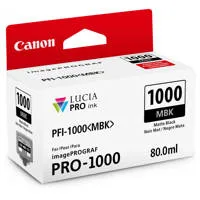
    PFI-1000 Matte Black (80 ml)
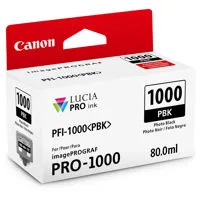
    PFI-1000 Photo Black (80 ml)
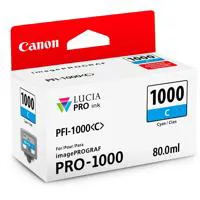
    PFI-1000 Cyan (80 ml)
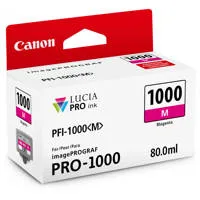
    PFI-1000 Magenta (80 ml)
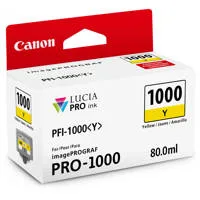
    PFI-1000 Yellow (80 ml)
    PFI-1000 Photo Cyan (80 ml)
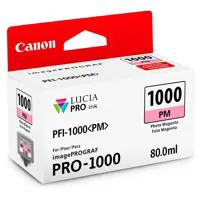
    PFI-1000 Photo Magenta (80 ml)
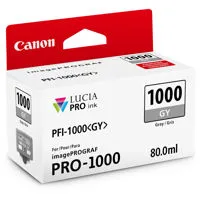
    PFI-1000 Gray (80 ml)
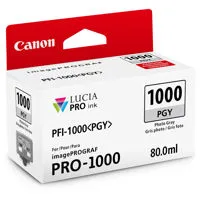
    PFI-1000 Photo Gray (80 ml)
    PFI-1000 Red (80 ml)
    PFI-1000 Blue (80 ml)
    PFI-1000 Chroma Optimizer (80 ml)

  • Print Features

    AirPrint, Borderless Printing, Canon PRINT app, Grayscale Photo Printing, PhotoPrinting, Wireless PictBridge, Wireless Printing, Pro Gallery Print, PIXMA Cloud Link

  • Interfaces

    Hi-Speed USB 2.0
    Ethernet (10/100Base -T/TX)
    PictBridge (Wireless LAN)
    Wireless LAN (IEEE 802.11b/g/n)

  • Paper Feed Method

    Rear Tray and Manual Feed Slot

  • Media Sizes

    (All Media Sizes Capable of Borderless Printing)
    17 x 22", 14 x 17", 13 x 19", 11 x 14", 10 x 12", 8.5 x 11", 8 x 10", 5 x 7", 4 x 6"

  • Printable Paper Length

    Maximum: Rear Tray: 23.4 in.
    Manual Feed Slot: 23.4 in.
    Minimum: Rear Tray: 5.0 in.
    Manual Feed Slot: 10.0 in.

  • Media Thickness

    Rear Tray: Maximum 0.3mm
    Manual Feed Slot: 0.1 - 0.7mm

  • OS Compatibility

    Mac: Mac OS X v10.7.5 10.10.x
    Windows: Windows 10, Windows 8, Windows 8.1, Windows 7, Windows 7 SP1, Windows Vista SP1, Vista SP2, Windows Server 2012, 2012 R2, 2008, 2008 R2
    Mobile Operating Systems: iOS, Android

  • General Features

    12 Individual Ink Tanks
    Advanced Pattern Print
    Index Print
    Fine Art Paper Support
    L-COA PRO Image Processing Engine
    Non-Firing and Compensation Function
    Real Time Control of Ink Ejection
    Air Feeding System
    Color Density Sensor
    Calibration Link
    Contrast Reproduction

  • Acoustic Noise Level

    Approx. 41.0 dB (A)

  • Printer Memory

    1GB (Standard)

  • Display

    3.0" LCD

  • Software Included

    Setup Software & User's Guide CD-ROMimagePROGRAF PRO-1000 Printer Driver
    Print Studio Pro v 2.018

    Management Tools:
    Quick Utility Toolbox
    Media Configuration Tool
    Accounting Manager
    Device Management Console

  • Input Voltage

    100V-240V

  • Certifications

    Rated EPEAT Silver
    Energy Star Certified
    RoHS Directive Certification

  • Power Consumption

    Maximum: 37 W
    Standby: 2.5 W
    Power Off: 0.4 W

  • Operating Environment

    Temperature: 59 - 86-degrees F (15 - 30-degrees C)
    Relative Humidity: 10 - 80% (No Condensation)

  • Storage Environment

    Temperature: 32 - 104-degrees F (0 - 40-degrees C)
    Relative Humidity: 5 - 95% (No Condensation)

  • Dimensions (WxDxH)

    28.5 x 17.0 x 11.2" (72.39 x 43.18 x 28.45cm)

  • Weight

    70.5 lbs (31.98kg)

  • UPC Codes

    192223180987 | 013803257601 | 013803262131 | 013803262179 | 013803261325 | 013803261332 | 013803262247 | 013803262285 | 013803262308 | 013803262322 | 013803138948

40 Accessories for Canon imagePROGRAF PRO-1000 17" Pro Inkjet Photo Printer with 8 PFI-1000 Inks Black, Cyan, Magenta, Yellow, Gray, Red, Blue, Chroma Optimizer, SG-201 Inkjet Paper, 5x7", 20 Sheets

  • All Accessories (40)
  • Ink & Toner (13)
  • Maintenance Tank (1)
  • Photo Paper (7)
  • Cutters & Trimmers (5)
  • Storage & Presentation (2)
  • Envelopes & Protectors (1)
  • Cleaning Accessories (1)
  • Gloves (3)
  • Cables & Adapters (2)
  • Copy Paper (1)
  • PrintHead (1)
  • Extended Warranty (3)

About Canon imagePROGRAF PRO-1000

FEATURED REVIEWS

Exceeds My Expectations

By GLRPHD

As a professional photographer whose primary clientelle purchase images for publication in glossy magazines, it is essential for me to know that the image files submitted to the editors will meet or exceed their expectations for color and resolution. Having a quality on-site printer is a basic requirment of my business. My last printer was the HP Pro B9180 which served me well for eight years (it appears I was fortunate to have purchased one of the good ones). But when the HP began to fail I ...

View full Review

WOW!

By BarryB

Purchased a few weeks ago and have only done a few prints but all I can say is WOW! I compared the prints from the Pro-1000 vs. my older Pro100 and the difference is very noticeable and my client's love the output. Built like a tank - and their customer support is outstanding - recommended without hesitation.

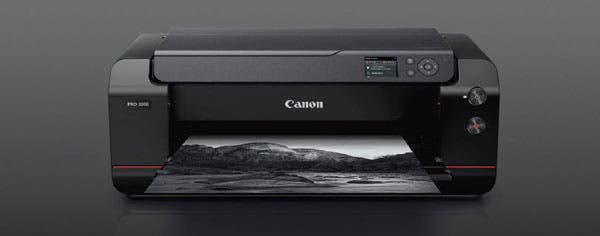
It's time to elevate your printing experience with the Canon imagePROGRAF PRO-1000 Professional Inkjet Printer. This 17-inch, large format printer is a powerhouse of technological advancements, designed to deliver stunning, high-quality images that satisfy even the most discerning photographers.

The imagePROGRAF PRO-1000 is equipped with a new print head that is 50% larger than its predecessor, the Canon PIXMA PRO-1. This expanded print head houses a staggering 18,432 nozzles for each of its 12 channels, ensuring faster print speeds without compromising on high-resolution prints. The printer's sophisticated real-time ink ejection system maintains a consistent print head temperature, ensuring uniform ink droplets and reducing clogs, cleaning cycles, and wasted ink.

The printer's LUCIA PRO 11-color plus Chroma Optimizer ink system is a game-changer for photographers seeking the highest quality prints. This system allows for denser droplets to be applied to the media, resulting in an increased color gamut and gloss uniformity. It also introduces an improved level of black density, achieving deep, rich blacks and incredibly fine shadow detail in darker areas.

The imagePROGRAF PRO-1000 is designed for seamless transitions between media types. With dedicated nozzles for Photo Black and Matte Black inks, you can switch from glossy to fine art media without any changes or waste. The printer's ink system includes a range of colors, from matte black, photo black, gray, photo gray, red, blue, magenta, photo magenta, cyan, photo cyan, yellow, and Chroma Optimizer.

The printer's new processing engine, L-COA PRO, controls the balance of inks and the precise placement of ink droplets, calculating the best results for each print mode and media. This, combined with an internal 1GB of memory, enables high-speed processing of massive volumes of image data for demanding workflows.

The imagePROGRAF PRO-1000 also features a two-way vacuum paper feeder, which keeps media flat and even, enhancing the accuracy of ink ejection. The printer's built-in calibration function helps prevent variability of color output, ensuring consistency in colors from one PRO-1000 printer to another.

Enhancing the user experience with the imagePROGRAF PRO-1000 is the intuitive software solution of Print Studio Pro v 2.0. This plugin for Adobe Photoshop, Adobe Lightroom, and Canon Digital Photo Professional software easily exports files directly to the printer. With 16-bit processing capabilities, fine details are dramatically improved, and a highly accurate reproduction of the original captured image can be reproduced.

The imagePROGRAF PRO-1000 is not just a printer; it's a comprehensive solution for professional photographers, graphic designers, and anyone who values high-quality, detailed prints. Experience the difference with the Canon imagePROGRAF PRO-1000 Professional Inkjet Printer.

Canon imagePROGRAF PRO-1000 Features

  • ANTI-CLOGGING TECHNOLOGY: The FINE print head institutes a tubular ink delivery system. This generates faster print speeds and reduces the possibility of clogging. Additionally, ink ejection conditions are precisely checked with sensors, and if a clog is detected, another nozzle automatically provides backup.
  • SMARTER NOZZLES: Engineered with 18,432 nozzles and sensors that continuously monitor status and deliver optimum results.
  • AIR FEEDING SYSTEM: The Canon Air Feeding System prevents each page from skewing for accurate ink placement, regardless of paper type. A series of openings located on top of the platen vacuum-grip the paper as it feeds through the printer. The Air Feeding system creates a printing environment that keeps a height between the print head and the media
  • SKEW CORRECTION: Skew Correction function guarantees that all types of paper, including thick fine art type papers, can be fed without the need for reprints.
  • The LUCIA PRO 11-COLOR PLUS CHROMA OPTIMIZER INK SYSTEM: Denser droplet placement provides a broader color gamut and improved gloss uniformity for superb glossiness and anti-bronzing. Incredibly accurate color reproduction, outstanding image clarity, and enhanced detail in darker areas distinguish each print.
  • 11-INK SYSTEM PLUS CHROMA OPTIMIZER: Utilizing new pigment ink with modified compositions and new colors, LUCIA PRO INKS have enabled a broader color gamut and greater shadow detail reproduction in dark areas.
  • LUCIA PRO INKS: Increased density of ink on the paper improves color gamut. - Even light reflection contributes to improved glossiness and image clarity. - Contributes to anti-bronzing on glossy paper.
  • FAST PHOTO PRINTING: At the heart of the imagePROGRAF PRO-1000 is a 1.28" wide print head. Expanding the printing area by 50% with each movement of the print head, print speeds are drastically improved. This increases your productivity through efficient high-speed printing.
  • L-COA PRO: This high-precision control engine performs the high-speed processing of massive volumes of image data, generates the printing data, and controls the optimal ink layout for the purpose of achieving high resolution prints. It represents the brain of the imagePROGRAF Pro-1000.

Product Documents

User Manual

Key Features

  • Professional-grade 17-inch inkjet printer with advanced technology for high-quality prints
  • LUCIA PRO 11-color plus Chroma Optimizer ink system for increased color gamut and gloss uniformity
  • Seamless transitions between media types with dedicated nozzles for Photo Black & Matte Black inks

What's in the box:

  • Canon imagePROGRAF PRO-1000 Printer
  • Document Kit
  • 12x Ink Tanks (See Specifications for Details)
  • Maintenance Cartridge: MC-20
  • Power Cord
  • Print Head
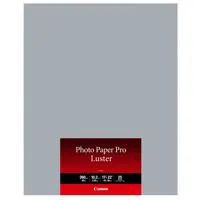
  • 5 Sheets Photo Paper Pro Luster LU-101 (8.5x11 ")
  • Canon 1 Year Limited Warranty
  • PFI-1000 Matte Black ink
  • PFI-1000 Magenta ink
  • PFI-1000 Cyan ink
  • PFI-1000 Yellow ink
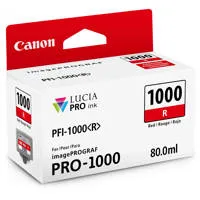
  • PFI-1000 Gray Ink
  • PFI-1000 Red Ink
  • PFI-1000 Blue In
  • PFI-1000 Red Ink
  • PFI-1000 Chroma Optimizer Ink
  • Plus Semi-Gl