+7
more
more

This item is no longer available.
Review Summary
2022-04-18T20:00:00
I bought this printer and it worked fine until I had to replace the cartridges. I bought Canon replacement cartridges put them in, did the head alignment, did the head cleaning, but it won't print. I used an entire set of cartridges cleaning or aligning the print head value and the only thing it will print is a very very light gray or color. I went out and bought a generic replacement set of cartridges and it still won't print. So basically I paid for a single-use printer and it's been a bunch of money trying to get it to work again. This printer was replacement for the first Canon printer I bought that did the exact same thing. I guess it's my fault for buying another Canon. It's no longer under warranty so I basically get to go out and buy another printer so I can continue work. So in short, every Canon printer I've purchased is only works until you replace the cartridges.
Seth

2021-10-01T20:00:00
I have had the pritnter for 2 years. It suddenly stop printing despite a new laptop. It will not connect to wifi and I cannot get the drivers to operate. The strange thing is my previous cheaper wired printer lasted for several years. This printer will at last make copies. NOTHIG ELSE
baby s.
2021-08-08T20:00:00
I would not recommend this printer. If a cartridge is not present, you cannot perform any other tasks like scanning. You have to put a cartridge in all locations before you are able to proceed. You cannot print with black only.
DoNotBuy
2021-07-23T20:00:00
This printer takes an extremely long time to connect wirelessly to my computers. Other companies High Printers are seamless, their printers just appear on my Surface Pro or Mac without following the instructions and calling my internet provider. But this TR7500 doesn't and it's frustrating and has left me with a bad taste in my mouth. It works when you connect the USB but not wirelessly. The quality is good but time spent getting it to connect is very long. There's no customer support for the TR according to the website. I won't recommend this based the fact it doesn't connect wirelessly in a fast time frame.
SloWirelessConnections
2021-06-01T06:26:59
Prints quickly and very clearly
CRAIG K.
2021-05-05T20:00:00
I've owned this for about 3 months now. I waited almost 6 months for it to become available as all retail outlets were out of stock. So far this has been a huge, and I mean huge improvement from my old Epson which was about 8 years old. No problems printing. The main reson I selected this model is due to needing a fax machine. Excellent print quality as you would expect from Canon. The only reason I didn't give five stars is the configuration of the print trays is a bit awkward. But something I can definitely live with.
Momof3nTN
2021-03-25T23:06:39
EXCELLENT PRINTER: Ridiculous how many people either are "fibbing" or just not savvy enough to follow directions....(YES - start up manual gives FULL instructions on setting up using an IPAD, Phone, Etc. I set up on my PC, IPAD and phone with ZERO glitches! But again, I can follow instructions and my Wi-Fi works well. Photos are above expectations....SEE Reviews elsewhere.....Always very good to great for photo's. This is NOT slow at all (as one reviewer posted - sigh) I print quickly from IPAD and PC. The app is slower (NOT Slow) on my phone. LOVE the ADF because I DO print large quantities and definitely need this. I also really like how compact this is. Some say it appears flimsy. It is much thinner plastic than printers from the past. (What else is new)! But my 4 year old was banging HARD on the closed cover - not a scratch. I have no doubt it will hold up better than it appears! AND Cannon tech support was GREAT! (I wanted to change some of spec with photo printer - not recommended for most) and they were great!!!! Also - has TWO paper holders - front and rear! BTW: I paid $249 for this back in December 2020 (dumb time to buy a printer I now realize) and the price was $249 Everywhere.....Now it's down to $179 (4-21) as the newer models make their way to stores. JUMP on this at the $179 price. You cannot find ANY "small office" printer out there that does the same as this for under $350 and ADF? Forget it - only available on higher end now a days! BTW: If I could talk to the people giving low star reviews I GUARANTEE they never bothered to CALL Cannon to see IF they had a "bad" printer....it DOES happen!!!!
NanDrew
2021-02-03T19:00:00
Extremely slow. Print jobs jam. Such a waste of time!!!!
Margo P.
2021-01-01T14:01:11
Love this printer all in one access and easy connectivity.
MICHAEL B.
2020-12-16T19:00:00
Very slow Loses connectivity Printer menu does not allow for multiple page scanning It does not scan most of the times Not enough setup options Do not buy
Venny
2020-11-21T19:00:00
If you want to use this printer for a long time this is not the printer for you. Error for M ink showed up preventing use of printer.
ATF
2020-11-02T19:00:00
There is almost always something strange about how this prints. I have to turn word docs into PDFs to get expected outcomes.
NLD
2020-10-02T20:00:00
Read carefully. This has automatic document feed and duplex scan and copy, but the two-sided functions are MANUAL; that is, you have to put the documents in the ADF, scan, and then invert the stack of papers and re-insert them into the ADF. This is a significant drawback. I didn't notice that it was MANUAL duplex, so I was disappointed when I started using it. Other than that, this has performed quite well. And the fact that Canon provides US-based phone support, and that they are competent, is a great asset.
metzmatt
2020-08-21T20:00:00
This printer was fairly easy to set up wirelessly. It had a option to pair it to specific devices only, but provided no directions on how to do it. It seemed that this was an unnecessary waste of time. It feeds out more sheets of paper than just the printed copy; I am still trying to remedy that.
Martha L.
2020-08-02T20:00:00
Works perfectly, is affordable, and a breeze to connect! I have zero complaints.
J H.
2020-07-04T20:00:00
This was a replacement for my student daughter who is away. I checked with her and she reports she really likes the printer, although she hasn't quite mastered the feeder. I personally have an older Canon printer that has the ability to print on CD/DVD disks. I would miss that feature in this printer, but for her it's just perfect.
IMDIDOC
2020-06-22T20:00:00
Shipping took extremely long and the printer loses connection easily when connected to the app.
M_manivanh
2020-06-15T13:05:24
Printer working very well. Much better than my old printer that would not print after being idle for 4 or 5 days.
ART B.
2020-04-21T20:00:00
It is a great printer outside of having to replace ink about once a month and that is with barely using it.
Twinmom86
2020-04-16T20:00:00
I did not enjoy using the printer because excessive ink consumption appeared to have been built into it. To make matters worse, its original ink purchased from Best Buy or any other recognized dealer were rejected. Its malfunctioning features are so discouraging that I had to abandon it together with more than $200 worth of ink.
Mike 2.
2020-04-09T20:00:00
With the print, copy and scan features, along with reliable (never jam or rip two sided printing - this is the best choice for lower cost all-in-one printer. I also like that it automatically wakes up from "off" when a job is sent from my Iphone or computer.
Workfromhomealot
2020-03-14T20:00:00
4 star rating simply because I have just begun to use the TR7520 printer. I am pleased with it's operation. I did have problems getting it attached thru my home network and not sure why but it is operational now. It I had to find something that was not 4 start it would be the very light weight plastic parts. Time will tell how they will weather normal usage.
vabege
2020-01-13T19:00:00
After a month with my new Canon TR7520, I am pleased. It is so much better the the HP inkjet that it replaced: No glitches, no problems, does what I need to do.
GeorgeW
2019-12-27T19:00:00
This copier does exactly what I bought it for. It copy’s off my iPhone but haven’t tried to print pictures yet.
Jack B.
2019-11-01T20:00:00
I bought this thinking that Canon is a big brand and that this would be a good printer. After literally hours of trying to get it to connect to my network, it still will not print a test page (or anything else, for that matter. Nothing but trouble and frustration. This is going back to the store!
Teedoff
2019-10-03T20:00:00
Only down fall is I ordered the ink in the mail thing.. i really wanted that. And i didnt know i couldn't get it till i went back to look for email on it.
Robin a.
2019-08-26T20:00:00
Works perfectly for my daughter going off to college
Satisfy b.
2019-08-20T20:00:00
I bought this to replace my old Canon that I loved, this one is a difficult to set up and works intermittently. I set up printers at work all the time. Very dissapointing.
Ack59
2019-08-16T20:00:00
I tried to install the printer (basic setup and couldn't get the first phase. It tells me that I have a paper jam but there is none. I tried everything possible and still, I get the error message.
Evey9
2019-05-16T20:00:00
I previously had purchased a printer---I think it is more discrete not to mention the brand name---which was a really defective device, I deliberately chose Canon for its brand name and made a point of looking at the reviews of what people who purchased it had to say about. I have now installed my printer and have it up and operating and so far my impression is that it s reliable and will do excactly what I need it to do and do it well.
kman

Accidents happen where life happens. Protect your favorite Adorama products and purchase a protection plan to stay covered from accidental damage, mechanical or electrical failure, and more.

If we can’t fix it, we’ll replace it at no additional cost.

Protect your product from drops, spills, and more.

Enjoy your gear without fear. We have you covered!

When regular use of your product over time results in mechanical or electrical failure.

We will never charge you a deductible after the purchase of a plan.

Our claims process is simple & easy and our customer service team is happy to help.
Adorama Protect powered by Extend is available for purchase to customers in the United States. Not available for purchase Internationally or in U.S. Territories.
Browse our FAQ

CarePAK PLUS provided through Canon offers protection from accidental damage such as drops, spills, power surges, and more including normal wear and tear, beyond the standard warranty period.
AirPrint, Auto 2-Sided (Duplex) Printing, Auto Photo Fix II, Bluetooth Printing, Borderless Printing, Business Card Printing, Canon PRINT app, Document Printing, Document Removal Reminder, Easy PhotoPrint+, Google Cloud Print, Message In Print, Mobile Device Printing, Mopria Device Printing, My Image Garden, Photo Printing, PIXMA Cloud Link, Quite Mode, Square Media Printing Support, Wireless PictBridge, Wireless Printing
4" x 6" Photo: Approx. 37 seconds (Borderless)
ESAT (Black): Approx. 15.0 ipm
ESAT (Color): Approx. 10.0 ipm
Color: 3,072 / Pigment Black: 1,024 / Total: 4,096
Up to 4800 x 1200 dpi
4" x 6", 5" x 7", 8" x 10", Letter, Legal, U.S. #10 Envelopes
Plain: Plain Paper, High Resolution Paper
Glossy: Photo Paper Plus Glossy II, Photo Paper Glossy
Semi-Gloss: Photo Paper Plus Semi-Gloss, Photo Paper Pro Luster
Matte: Matte Photo Paper
Envelope: U.S.# 10 Envelope
Rear Paper Tray: 100 Sheets of Plain Paper
OR Photo Paper: 20 Sheet s of 4x6" / 10 Sheets of 5x7"
Front Paper Cassette: 100 Sheets of Plain Paper
4-on-1 / 2-on-1 Copy, Auto Exposure Copy, Borderless Copy, Collated Copy (ADF Only), Document Removal Reminder, Fit-to-Page, Frame Erase Copy, ID Card Copy, Manual 2-Sided Copy With ADF, Photo Fade Restoration, Preset Copy Ratios, Standard Copy, Two-Sided Copy
FCOT (Color): Approx. 19 seconds
25% - 400%
Auto Scan Mode, Attach to Email, Document Removal Reminder, Multi-Page PDF, Save to PC, Scan to Canon PRINT app , Wireless Scanning
Flatbed & ADF (Auto Document Feeder)
Contact Image Sensor (CIS)
1200 x 2400 dpi (Optical)
19,200 x 19,200 dpi (Interpolated)
48-bit internal/24-bit external
Flatbed: 8.5" x 11.7" (A4/Letter)
ADF: 8.5" x 14.0" (Legal)
20 Sheets of Plain Paper / 5 Sheets of Legal Size Paper
Answering Machine Connectivity, Caller Rejection, Check RX Fax Info., Dial Search, Extra Fine Mode, Fax Reception Reject, Fax Number Re-Entry, Memory Transmission, Redial, Remote Reception
Up to 33.6 Kbps (Super G3 Color Fax)
Black: Approx. 3 seconds per page
Color: Approx. 60 seconds per page
Approx. 250 pages
99 Locations
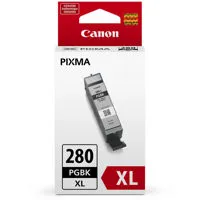
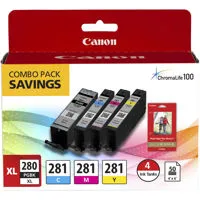
PGI-280 Pigment Black Ink
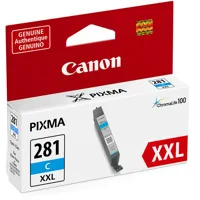
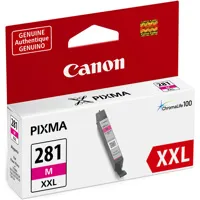
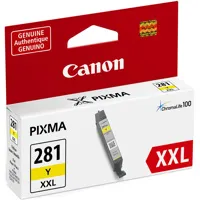
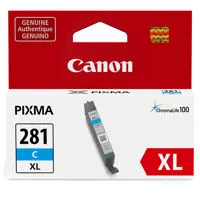
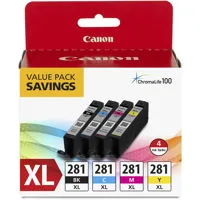
CLI-281 Dye Based Inks
PGI-280 PGBK - 18.5 ml (XL) - 11.2 ml (Std.) - 25.7 ml (XXL) -
CLI-281 BK, C, M, Y - 5.6 ml (Std.) - 8.3 ml (XL) - 11.7 ml (XXL)
Chromalife100; 100 Years Album life, 30 Years of Light Fastness, 20 Years of Gas Fastness
Hi-Speed USB
PictBridge (Wireless LAN)
Wireless LAN (IEEE 802.11b/g/n)
Bluetooth 4.0 LE (Low Energy
3.0" LCD Touchscreen, 5-Color Individual Ink System, Auto Power On/Off, Canon PRINT app4, CREATIVE PARK PREMIUM21, Energy Star½ Certified, PIXMA Cloud Link
Windows:
Windows½ 10, Windows 8.1, Windows 7 SP1
Mac:
Mac OS X v10.10.5 - macOS v10.12 (Sierra)
Mobile Operating Systems:
iOS½, Android, Windows 10 Mobile, and Amazon Fire devices25
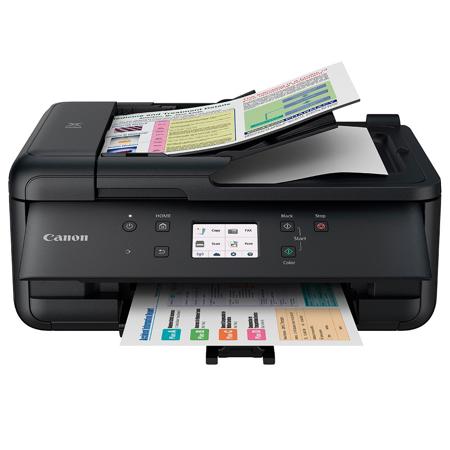
PIXMA TR7520 Wireless Home Office All-In-One
Printer Driver
Scan Utility
Master Setup
My Image Garden
Creative Filters, Full HD Movie Print26, Image Correction/ Enhance, Image Cropping, Red Eye Correction, and scanning are accessed through My Image Garden
Quick Menu
Canon PRINT App
Printer Dimensions Closed
17.3 (W) x 13.8 (D) x 7.5" (H)
Printer Dimensions with Paper Installed (Cassette)
17.3 (W) x 14.4 (D) x 7.5" (H)
Box Dimensions
20.2 (W) x 10.4 (D) x 20.7" (H)
Printer Weight - 17.3 lbs
Box Weight - 22.7 lbs
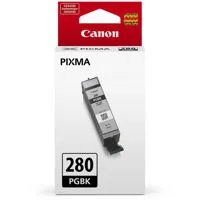
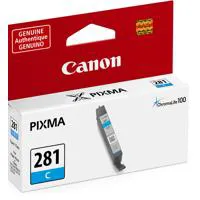
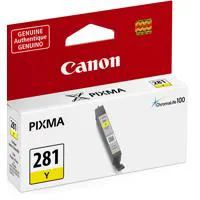
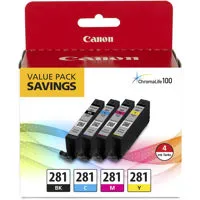

THE PERFECT HOME OFFICE PRINTER THAT'S JUST THE RIGHT SIZE
A home office printer should make getting work done easier and the PIXMA TR7520 does just that. It's made to handle large workloads efficiently from printing, scanning and faxing documents quickly. It's ready to print sharp text documents and great looking photos thanks to a quick 5-Color Individual Ink System, and has both a front paper cassette and rear paper tray. Not only is the PIXMA TR7520 quick it's also connected, you can easily print from all your devices through Wi-Fi1, Bluetooth, or even the Cloud with the use of the 3.0" LCD Touchscreen. With the PIXMA TR7520 you'll see why it's the perfect home office printer that's just the right size.
FUNCTIONALITY & VERSATILITY
Designed to meet all your needs, from scanning and faxing, a 5-Color Individual Ink System for great-looking documents and plenty of connectivity options the PIXMA TR7520 has you covered.
ENHANCED CONNECTIVITY
Connect your smartphone, tablet and all your favorite devices with ease! Print hassle free whether from the Cloud3, through Bluetooth , from social media or on the go!
POWERFUL YET COMPACT
The PIXMA TR7520 is the compact Wireless Home Office All-In-One that fits perfectly anywhere in the home or office, is simple to use, and delivers outstanding results every time
CONVENIENCE BUILT-IN
With intuitive features like the 3.0" LCD Touchscreen, a 20 sheet ADF and Auto Power On/Off, it's clear to see why the PIXMA TR7520 makes printing, copying, scanning and faxing quick and easy.