2018-12-05T19:00:00
Rated 1 out of 5
Great printer when it works
I purchased this printer a year ago, and last week it stopped working. Every page is blank, and tech support isn't able to help. Now I have to buy a replacement.. I will unfortunately never buy another Canon product again because of my expierience with the TS9020.
IndustryAnalystChris
Originally posted at

2018-06-26T20:00:00
Rated 1 out of 5
Complete fail
Poor - No, Worse Than Poor
I used this printer (after finally getting it set-up with Canon Support Help for about a month. It Stopped printing and nothing would get it to restart. Decided was bad investment - stuck it into closet. I recently gave it to a professional techie - he got it to print (using the WiFi) but now again (two days later) will not print!!! So many screens on printer to scroll through, none are helpful. I have deleted & reinstalled & updated drivers - frustrated. What a waste of money!
Shyrn
Originally posted at
2018-04-26T20:00:00
Rated 5 out of 5
Fantastic Quality and Value
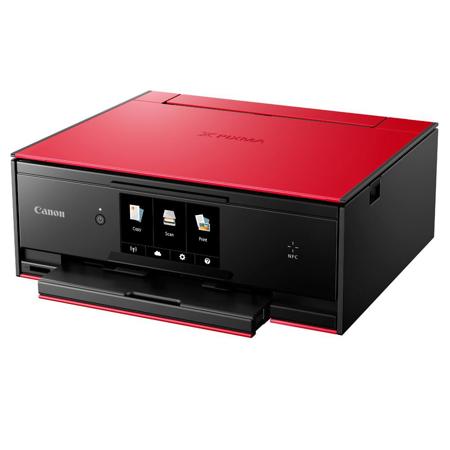
Unlike other reviewers who tested , full paying customer here , just got yesterday on Amazon in the red. First of all it is beautiful and needed to look stylish in an open plan apartment. Easy to set up , connected with i phones , I pad and mac very easily. Nice screen size , good print quality and speed. Very happy . Got a little bundle of photo paper with it ( nice ) just need to buy more for photos now.
NYCMSMC
Originally posted at
2018-02-13T08:46:02
Rated 4 out of 5
Canon PIXMA opinion
No nonsense machine. Does everything well.
richard m.
2018-02-11T07:43:42
Rated 4 out of 5
It prints, copies, and scans with great result; but a few bones to pick
I don't like continuous wifi in my home (I acknowledge the power button) so I was looking for a usb port like it said it had, and like the symbol near the LAN port said was there, but there was some other port there, no USB. Luckily I had a spare ethernet cable and did a wired LAN connection. Also, you guys should've programmed this thing to auto-retract after printing, I have it on the auto-retract and it hasn't retracted regardless of where the lcd display is set. Otherwise, this thing is stylish, feature loaded, and produces quality results regardless of profession.
Jason W.
2018-02-04T09:29:46
Rated 4 out of 5
Excellent printer/scanner for the money. If only it had a doc feeder.
Seems flimsy, but full-featured, light and prints and scans well. Easily a great buy for the money.
Norman L.
2018-01-30T10:27:58
Rated 5 out of 5
Great printer for price
Great price
Bradley R.
2018-01-30T09:54:19
Rated 4 out of 5
Average satisfaction
It’s a good choice but I felt the size was on the bigger side a bit.. Tried printing photos. Copies and it was perfect.. Could have given more free glossy sheets?? because other sellers provide 100 sheets minimum free
Ganesh J.
2018-01-24T17:04:37
Rated 5 out of 5
Very quiet operation
The TS9020 has many good features: 1) Two paper trays. Rear tray (is convenient for changing paper types often. 2) The ink tanks are large. 3) Easy to set up on home wireless network--Typing the password for the wireless router on the printer display pseudo keyboard was very easy and fast. 4) Very quiet operation.
James F.
2018-01-17T17:29:25
Rated 4 out of 5
PIXMA TS9020 almost perfect for price point
this printer hooks up easily with wi-fi... the first prints have been a little raggedy but i suspect when the nozzles are cleared out that will be okay.
joel p.
2018-01-17T15:45:36
Rated 5 out of 5
nicely featured solid printer now for a great price too
my needs are simple and probably common. Need a printer that seemingly prints nice photos for the occasional need to print a photo and otherwise works well printing some docs, and bonus to be able to scan in stuff (who doesn't get hit needing to scan something to provide FSA receipt proof, etc?). In my particular case, also needed to have a solid install for linux/ubuntu, and Canon does offer that and it works well. It says it comes with fulll carts (not many brands/models do that anymore). I'm very happy with the value especially now at the sale/clearance pricing!
Jeff O.
2017-02-28T19:00:00
Rated 4 out of 5
Great But Definitely Favors Quality Over Quantity
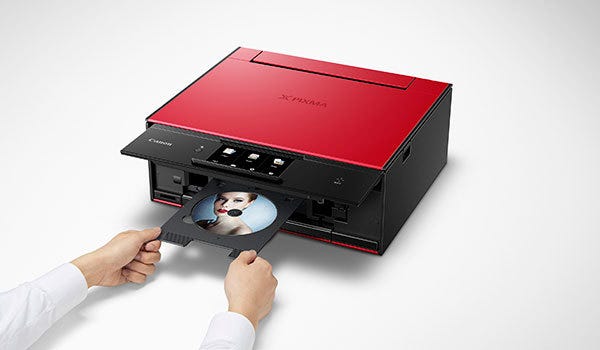
Hello, all! Recently I was granted the opportunity to try one of Canon`s latest printers, the PIXMA TS9020 and, in exchange for my honest review, the right to keep the product. This is not my first Canon printer (I have been instructed that I can make comparisons but not name previously owned printers outright or actual numerical costs), already having one in the household before the TS9020 arrived, and it has served us well (at least 5 years). I have a very high regard for Canon products in general, and so my expectations of this printer were favorable.
First things first. A lot has changed since the purchase of my previous printer. The TS9020 has a lot of nifty modern features including a touchscreen interface (complete with responsive visual instructions during printer installation and setup) and the ability to connect to your computer(s) wirelessly via router or wired by LAN. That said, I decided to go with the traditional USB connection mostly because I thought it would keep communication between printer and desktop as simple as possible.
Installation is pretty straightforward. There are some steps that are confusing at first but once you get through them it starts to make sense. As mentioned above, you have three ways to set up your printer`s connection to your computer (the internet-based ways also offering connectivity with your smartphone). And, if you decide to go USB, you can use the installation disc that comes with the printer or you can go online. They really covered their bases with this to make sure you have the greatest of ease installing the TS9020.
The printer itself is surprisingly compact compared to my previous Canon. That said, it also feels a bit more delicate (and given all the shiny new features, that makes a fair bit of sense). This printer uses a six-cartridge setup, with gray, magenta, yellow, cyan, and two shades of black ink to cover the range of colors you need and to create incredibly crisp images. Just the test print images alone showcase the power of this setup (although it seems like the test images also consume a fair bit of ink from all the cartridges). I hope that this is not the trend for more basic printing purposes). It can copy, print or scan, much like its predecessor, but loses the ability to fax (not that faxing is that big of an issue these days).
I`d argue that the most convoluted part of installation and the general use of this printer (even more so than maintaining the six cartridges over time) is the mere implementation of paper. Every time you want to put paper in, you`ll need to pull out the cassette, unlock the cassette to slide the tray out wide enough to fit your paper, lock the cassette again, slide it in again and let the printer register the size and type of paper you`re printing with (this final part can be turned off in the settings). I`ve also had some issues with putting a stack of paper in the cassette only for the page I wanted to print to come out with several other pages beneath it (to be fair, they aren`t inked on). Maybe I just haven`t gotten the use of the cassette down properly just yet, but the basic action of reloading paper has never been this complicated for any printer I`ve used.
I will also say that its printing speed is a bit slow, not so much once it starts printing (which is quite fast) but in how long it takes to process that something is to be printed in the first place.
As far as the retail price point goes (I was allowed to keep this printer for free at the cost of this review), the TS9020 has a moderate but not oppressive base cost, given its printing quality, flexibility and features. I do fear that long-term maintenance will be more disagreeable though. I do not know how much each individual ink cartridge will cost, but I can imagine it getting pretty hefty maintaining their combined costs if you intend to use this often.
It`s a solid printer that I`d whip out for extra special quality. A bit too extravagant for my tastes, but what it does it does very well. However, for everyday mass-printing, I'd probably not turn to this one.
truefire
Originally posted at
2017-02-10T19:00:00
Rated 5 out of 5
Excellent, high quality printer!
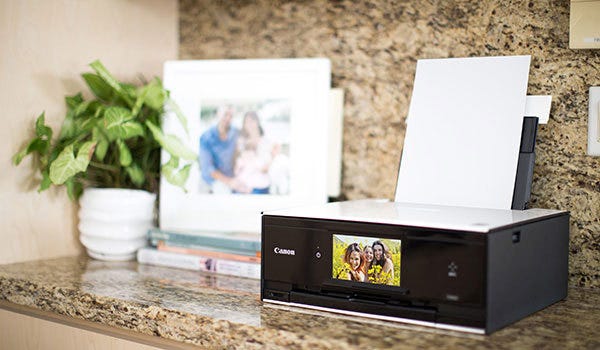
I received this as a sample product and can honestly say that I like this printer better than my current one. The print quality is OUTSTANDING as we used it for copying glossy Christmas cards, printing photos, and everyday printing. I also liked using the envelope feature, which is pretty easy to use once I learned which way to put the envelope. No more printing on a label, just the envelope. I do like that I can use the back tray to keep photo paper and the bottom tray to keep regular paper. Would highly recommend as we will be keeping this printer and getting rid of our other one.
Ryan B.
Originally posted at
2017-02-06T19:00:00
Rated 5 out of 5
Easy to use - great quality
I was sent a free sample to test, and love this printer! Incredibly easy to install all of the ink, with step by step instructions on the digital pad. They have little videos showing what to do and you can watch them over and over if you need to before moving to the next step. It prints a quality picture and I love the wireless printing feature.
Brandi N.
Originally posted at
2017-02-05T19:00:00
Rated 3 out of 5
Modern Tech
I received a free sample of a canon pixma ts9020 to review and so far I have mixed feelings towards it. The set up was fairly easy to understand. I had no problems at all. However I have not been able to print anything. I keep getting the same error "printer not responding". I've restarted my computer and still no success. I tried to print a image saved on my computer on plain paper in black and white. One feature that would greatly improve the product is to have a automatic troubleshoot window pop up to try to find out why it's not printing the image. Overall I'm satisfied with the free sample of the pixma ts9020 but I will greatly satisfied once I can get it to actually print
Tee
Originally posted at
2017-02-01T19:00:00
Rated 5 out of 5
Small footprint, fast printing, easy to connect.
This printer is pretty impressive. I was able to unpack, install the cartridges, connect to my wi-fi and print in about 15 minutes.
Installation:
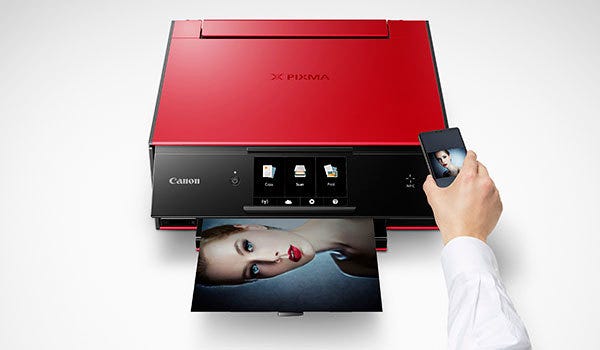
The instructions were very easy to follow. There were lots of photo diagrams if that's your thing. There are multiple ways to get the printer online, via the Canon app on your phone, USB, or wired. I used the Canon app for Iphone. I was already familiar as I have a Canon printer already. Set-up was painless and easy as pie. I had no issues finding the wireless connection.
Size/Visual Aesthetics:
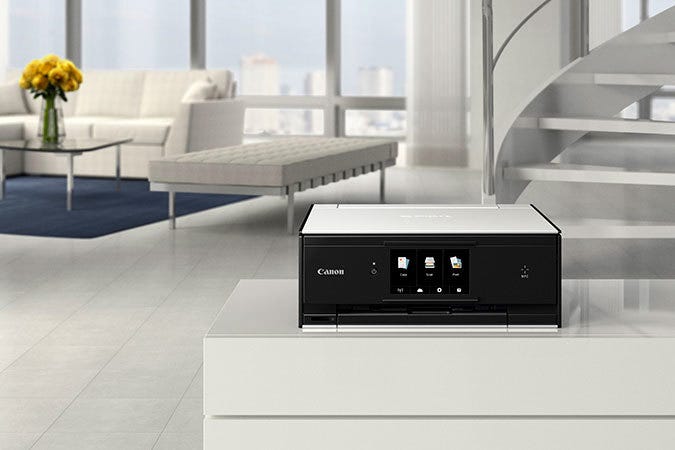
The printer has a fairly small footprint for a multi-function printer. I would say it's about 20% smaller than the one I use now. It's glossy and looks really jazzy. I LOVE the touchscreen and how user friendly/simple it is.
Speed:
I was able to print good quality photos in seconds. Unfortunately I did not have any photo quality paper so I cannot attest to how well it would work on photo paper but I chose to print photos so I can assess the color print quality and I approve. My expectation is that the printing would also work well on photo paper.
Ease of Use:
A+ I like that the paper is inside of the actual printer, this speaks to the compactness of this printer. When you print the front side of the printer lifts to allow for your printed item to be dispensed. I like bells and whistles so this appeals to me.
I was doing a good amount of comparison because my daily printer is also a Canon--Pixma MG5520 which I love and is extremely easy to use. So the bar was set pretty high for me. I am happy to say this printer met and exceeded my expectations.
This printer was provided to me for honest evaluation and unbiased review. All opinions are based on my own experience.
Ronnetta Y.
Originally posted at
2017-01-28T12:39:37
i really like the printer, the only thinkg i had a problem with was loading the paper.
linda b.