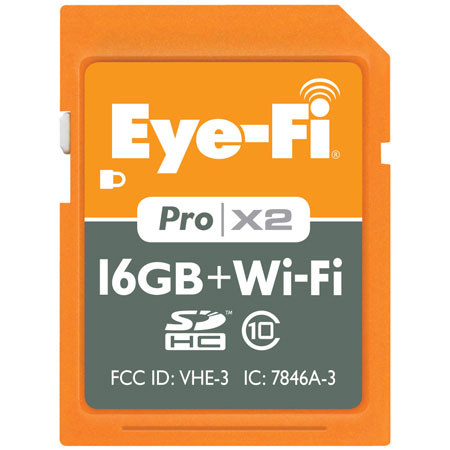
Eye-Fi Pro X2 16GB WiFi Class 10 SDHC Memory Card - write speeds of 22MBps
SKU: ICDEFP2X16G
This item is no longer available.
Share:
Overview
Compare
Learn
Specs
Protection
Reviews about this item
Review Summary
2015-04-22T21:00:00
Rated 1 out of 5
No OS X 10.10.3 support for Photo app.
Eye-Fi Center does not support transferring files from the X2 card to the Apple Photo application (OS x 10.10.3).
JAMES A.
2014-09-23T21:00:00
Rated 1 out of 5
Its like and i-SDHC card
Horrible, need to activate and register everything to do anything at all! I can even use it as a normal SD card case it won't work with other SD card readers. Its honestly just going into the trash can as to not frustrate other photogs. Its just a huge frustration cause its so locked down its like an apple product.
Maxpower
2014-07-27T21:00:00
Rated 4 out of 5
Not bad at all!
I use this in my 5D MKIII to tether wireless for client image review during shoots. It's not perfect but it works pretty well and I can't say it provides any greater issue than tethering did.
MICHAEL P.
2014-04-28T21:00:00
Rated 5 out of 5
ample memory card
I use this card as my primary memory card in my DSLR. 16 gb allows for a lot of shots before mandatory offload (I shoot in RAW). There seems to be some issues i have to resolve when you use more than one (storage logistics).
RAYMOND T.
2014-04-21T21:00:00
Rated 4 out of 5
Works well as advertised, but...
I bought this to use with a Nikon D7000 because I got interested in tethered image transfer. The card is used in the 2nd slot to send JPGs to Adobe Lightroom. Transfer is reasonably fast, but honestly, I don't think I'll use it that much for studio work because wired tethering works very quickly sending RAW files; I'm always well with 16 feet from my Win 7 PC. Even though Eye-Fi works well, keep in mind that it does drain battery power pretty quickly. Had I been aware of that, I might not have spent the money.
STAN L.
2014-04-07T21:00:00
Rated 4 out of 5
I would buy this product again and again
Bought this for use with my new Nikon D7100 camera. So far this product seems to work fine with this camera sending photos to my iPad4 vis the direct connect method. However, I have not yet been been successful in setting up this card to send photos over my house LAN to my Mac Mini desktop. Must be my lack of understanding and I will keep at it.
Doug G.
2014-03-26T21:00:00
Rated 4 out of 5
Works well once set up.
Once set up transfer of JPG files from Canon 5DIII to Kindle HDX is quick. Good for confirmation of focus and fun to see pictures right away. On initial setup- it was working - then stopped after redoing the setup it seems stable.
D
2014-03-03T19:00:00
Rated 4 out of 5
EYE-FI Memory Card
The card loads well to Facebook as described
The A.
2014-03-02T19:00:00
Rated 4 out of 5
Great, works well. Fast, easy to use.
Well thought-out product. Could use a larger capacity card like 64GB (wish list?). Also it tends to gag on RAW and video files so best to use for JPEGs and keep the RAW files to the main CF card but I love it. It takes the place of connecting wires to upload to PC and it wonderful for sharing previews at weddings etc.
MARK L.
2014-01-13T19:00:00
Rated 4 out of 5
So Far So Good
I'm giving it a 4 because I haven't explored all aspects of the product. Right now I have a Nikon d800 which has no WIFI capabilities. While I shoot raw files, I also wanted the capability to send jpegs to my wife who occasionally wants shots that I take regardless of whether I have done any post processing on them. Than't fine by me and this makes that happen. Yes, it's not instantaneous, but it gets the job done within a minute and as long as I have my smartphone with me I can transfer the jpeg to her or send it to Flickr and she can go there. All in all this is what I wanted.
Life's E.
2013-12-28T19:00:00
Rated 2 out of 5
Too slow to replace a USB tether cable
I was really hoping to be able to replace my USB tether cable with the Eye-Fi Pro X2. I set my D600's second card slot to JPEG Basic but the transfer still took 12 to 18 seconds to view the images on my laptop. I tried uploading to both Lightroom 5 and ViewNX 2, but the transfer was still too slow to use for shooting active kids or even family shoots. I heard great things about the transfer rate of this new Eye-Fi Pro X2 card, but for me it is back to the USB cable.
Steve
2013-12-07T19:00:00
Rated 5 out of 5
Does what it claims to do!
Stream to computer as you push the shutter and/or stream to the a personal cloud. Adjust target computer/handheld device easily.
Mikee
2013-11-25T19:00:00
Rated 4 out of 5
Easy to use
Works much better than the older versions. Set up was easy, I use it between my Fuji X-Pro1 and iPhone or IPad. Once in a while if I turn the camera off by accident it will lose the connection and I have to reboot the whole thing. But all in all it works well and works great when sending to the computer.
NYPPA m.
2013-09-25T21:00:00
Rated 5 out of 5
Exceptional
Fast transfer to computer as well as to mobile device. Everything as advertised and more. Simple to use and setup. Small storage by itself, but when using the endless memory feature it isn't a problem.
STEVEN S.
2013-09-16T21:00:00
Rated 5 out of 5
The Eye-Fi Pro X2 works very well
The transfer worked well. Just make sure the Wi-Fi signal is strong.
HotShot70
2013-09-09T21:00:00
Rated 5 out of 5
AAAAAA++++
I use it everyday and it posts the images as you shoot. I use it on a Sony and a Nikon body and it works seamlessly! Will buy another one!
Troi
2013-09-02T21:00:00
Rated 4 out of 5
My eye on Wifi
We use this in a specific set-up for a specific purpose: onsite printing. The kit: Nikon D80 (hush - I have the D700 and D3, but they don't accept a solid Wifi solution) laptop Photo Party Upload software ipad printing to a DNP DS40 it is all good!
PATRICK W.
2013-07-15T21:00:00
Rated 5 out of 5
Eye-Fi Pro X2 + CF Adapter = Awesome!
I have a Nikon D200 and have always wanted to use an Eye-Fi card but held off because my research on Eye-Fi's website stated that Eye-Fi cards would not work in CF adapters / my camera. I have been contemplating a camera upgrade in the near future and decided to take a chance in the mean time and buy the Eye-Fi Pro X2 and the "Adorama Secure Digital (SD or SDHC) to CompactFlash Memory Card Adapter..4th generation by Adorama" to see if it would work in my camera and it did! Less than 15 minutes after opening the box I was transferring photos to my iPhone. Simply fantastic! Transfer speed isn't lightning fast, but the ability to send photos to my iPhone while out and about is simply amazing.
Trinity
2013-07-02T21:00:00
Rated 4 out of 5
Great for "tethered" shooting to IPAD
The product works exactly as expected. however, you need to consider that filesize will affect speed: The Raw file size and type will take longer to wirelessly upload. To make this a viable solution for shooting tethered with reasonable speeds, i need to reduce the quality of my secondary slot (where this card sits on my camera) to Basic Jpeg. on a 24 MP D600, this takes about 5 seconds the first shot and about 3-4 seconds every shot there after. Which is not much slower than my strobe recycle time anyway. This is the only area that could use improvement. setup was easy. you should update the firmware on it as soon as you get it which it does automatically. If you are shooting smaller cameras or using this for a different purpose, i'm sure it will meet or exceed your needs.
diego
2013-07-01T21:00:00
Rated 4 out of 5
Works as advertised
I received the product the first time from Adorama, it was damaged. I filled out the form, returned the product, and got a replacement without hassles. Anyway, after getting the product the second time, it was very easy to setup. Since I always shoot RAW, it was very slow at first to transfer the RAW files from Nikon D800 to the iPad3 because the RAW files are 36MB each. So I changed the settings on the camera to RAW + JPEG and set the EyeFi card to be used as JPEG overflow. Boy, that works great since I have my RAW files on the CF card and the JPEG on the EyeFi card. The images transfer much faster and I can see them in full screen. I highly recommend this product for anyone who wants to see the pictures right after they are taken because the 3" screen is not enough. I had numerous times where the pictures looked ok on the camera screen but not ok when I view them on my laptop. So the Eyefi is great for quick view.
BRUCE L.
2013-06-16T21:00:00
Rated 1 out of 5
Not much success, lots of frustration
First, you MUST use the included card reader to make changes to settings. You cannot make changes on the fly. Second, the cards are SLOW, expect your buffer to fill up, camera freeze & camera errors. I consistently had errors show on my Nikon's LCD with this card. Third, you must pay extra for storage at the eye-fi site (for more than 7 days) & you must pay extra to have the cards use free public wi-fi (unless you configure each AP individually). Fourth, I configured it so that I would receive a text message when my files were uploaded, as a confirmation - it worked for the first few days, then I would get the text message the following day, then they stopped coming at all. I sold mine, these cards proved to be more frustrating than helpful. Sometimes they would upload perfectly, but not always. More often than not I would have to restart the eye-fi software to spur on an upload. Overall, it felt klunky & archaic to use. I felt as though I had to babysit this thing & was never really sure if it was working or not. I would go to the eye-fi website and no pictures would be there, so I would have to go nearer my laptop & re-start the eye-fi helper application. Save your time, money & sanity - get the wi-fi transmitter for your camera or keep doing it the 'old fashioned' way with a card reader. I had high hopes for this thing - but the technology just isn't up par.
Stardan
2013-05-27T21:00:00
Rated 4 out of 5
Works but infrastructure is confusing
The Eye-fi card in my NEX-7 works very well. The geocoding is good and transfer is pretty fast. The issue is where do the pictures go? I set up directories and the pictures arrive there but nothing goes to Flickr except videos (go figure). The documentation is pretty complete but not easy to comprehend and I am an IT professional. Suggestion would be to have a map of where the pics and video goes and a flow chart/step by step.
ParkerPixels
2013-05-06T21:00:00
Rated 5 out of 5
Way cool
works perfect to transfer images wireless to an ipad for review on a larger screen in the hands of anyone and for looking at focus on a larger screen for the critical portraits where selective focus is a must!!!
AARON H.
2013-04-22T21:00:00
Rated 5 out of 5
Game Changer for Event Photography
I use this card in the SD Slot of my 5D Mark 3. I use it to stream a reduced sized image to my iPad for quick review, editing and posting to social services. I used it once at Wedding recently. I could hear the cheering from the table that had the iPad as images were being populated soon after taking them. For street photography this is fun as well as you can stream photos to your iPhone, edit them and post to the net.
DAVID O.
2013-04-22T21:00:00
Rated 5 out of 5
Great Product
The speed is fast enough for me and I shoot sports. My wife likes to view them after I shoot but I am still using the camera so this solves that issue. Highly recommend if you camera is not able to use Nikons Wi-Fi adapter
krs_2007
2013-04-01T21:00:00
Rated 4 out of 5
Cool tech
Love this card. Upload / Transfer process is slightly clunky, but way more direct than using a card reader and copying to my pc.
ANDREW R.
2013-03-25T21:00:00
Rated 5 out of 5
Wireless Raw files
Love the card, it is great for transferring photos from camera to computer! Not the fastest card, but the wireless to computer is well worth the wait.
ALEX M.
2013-02-11T19:00:00
Rated 3 out of 5
Getting better
This is my second attempt w/ an Eye fi card. The first time I couldn't get it to work at all w/ Nikon. This one works as advertised, but only within 4' of my laptop in direct mode. I'm not sure if the problem is the card itself, or signal blocking by the Nikon body. Laptop has no other range problems. I have a new tablet arriving soon. I'll be able to compare performance between the two.
WILLIAM B.
2013-01-28T19:00:00
Rated 4 out of 5
Eye-Fi Pro X2 16GB WiFi card
Bought this so my senior moms could watch the photos on the iPad during the shoot. I set the file size on the WiFi card to a small jpg size so it would transfer quicker. The photos look great in full screen mode on the iPad.
Tim S.
2013-01-17T19:00:00
Rated 4 out of 5
Works once you figure it out
I had to read several different forum posts to configure with iPad and pull the husband in to help but we finally got it working. Tip: On an iPad, when in Wifi settings, if the gear is spinning you are connected. It will not stop spinning ever but it will transfer photos in this mode.
petitesbijoux
Eye-Fi Pro X2 SD Memory Card Specifications
Related Articles & Videos

Best Father's Day Gifts for the Photographer Dad
A great dad puts his family’s needs before his own. This is the time of year where all those fortunate enough to celebrate Father’s Day with their dad should remember all the cool toys he got you and get dad a cool toy of his own...

8 Useful Photo Accessories for Baby Photography
If you are a new parent or are looking for a great photographic gift for friends or family with a new arrival, here are some gift ideas that won’t break the bank but will help you make better baby pictures.
About Eye-Fi Pro X2 SD Memory Card
• Instantly upload directly from your camera anywhere with the Eye-Fi Pro X2 16GB.Experience Class 10 read and write speeds coupled with built-in wireless transfer capabilities. The Eye-Fi Pro X2 stores photos (JPEG, RAW) and videos like a traditional SDHC memory card, and enables instant transfers from your camera to your iPhone, iPad, or Android.
• Automatically back up and organize media on your computer and share on your favorite sharing site. Lifetime, automatic Geotagging makes mapping memories a breeze. With Endless Memory Mode, you'll never have to worry about missing another shot. Get the Eye-Fi Pro X2 16GB SDHC memory card.
•