This item is no longer available.
Instant Photo Transfer from CF Cameras
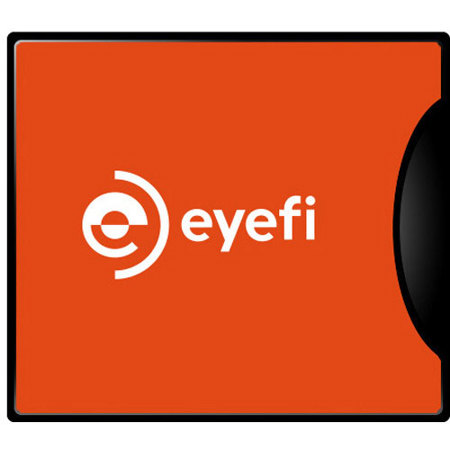
Preview shots with clients and share memories with friends and family without having to wait. Simply use the Eyefi Mobi WiFi SD card along with a CF adapter certified by Eyefi to work in CF Type II cameras and send photos to your smartphone, tablet, desktop or laptop computer as you take them.
WiFi Signal Strength
Eyefi has worked with the manufacturer to create a CF card with a plastic casing to support a strong WiFi signal range. Plastic casing prevents unnecessary shielding found in traditional metal-cased CF adapters giving you a stronger WiFi signal range. Of course range will vary. The further away you are from the mobile device or the computer, the slower the transfer. Experiment and let us know your results.
Write Speeds
Write speeds are based on your camera. Eyefi Mobi is a Class 10 card that can sustain 23 MBps write speed in SDHC cameras. Please note that it will have slightly slower write speeds when used with the CF adapter as the CF adapter will convert from CF commands to SDHC commands. Tested in a Canon 50D with the CF adapter, the write speed was 17.4 MBps. To experience the fastest write speeds, don't forget to format the card when you first start using it, and always format the card before an important shoot. Remember, camera manufacturers format cards in a slightly different ways so be sure to format your Eyefi Mobi card in the camera it's going to be used in before you shoot.
JPEG + RAW Write Support
With Eyefi Mobi you can shoot RAW + JPG. JPEG files transfer to your phone or tablet instantly so you can preview your photos as you take them without consuming space on your device. Transfer the RAW files to your computer at your convenience via a card reader or cable.
Camera Support
The CF adapter works in both UDMA and non-UDMA cameras. Please see below for a list of supported camera models and for tips on how to use the adapter with certain cameras.
Tips for iPad and iPhone Users
iPhones and iPads sometimes have difficulty automatically connecting to the wireless network that Eyefi Mobi cards create because Apple specifically prevents non-Apple apps from changing your iPhone or iPad's wireless networks.