2012-03-05T19:00:00
Rated 5 out of 5
nice idea
If you use CF cards this is good to buy. CF cards are sometimes harder to find and in limited selection. However, SD cards can be found in bigger variety. It works fine.
James S.
2011-09-12T21:00:00
Rated 5 out of 5
Works perfectly
Only have to carry one type of card when traveling with cameras that use SD and CF cards.
jw
2011-09-03T21:00:00
Rated 5 out of 5
I can use SD card in my 40D or Rebel XT.
It great ,I do not have to buy CF cards.Use in my Canon 40D or Canon Rebel XT.
RICHARD G.
2009-07-09T21:00:00
Rated 4 out of 5
Decent piece, seems to work fine
Bought this piece to be more portable. Seems to work fine. Haven't used it enough to really run it thought its paces but it works. From reading other reviews it sounds like it works better than the other brand.
CHRIS H.
2009-06-09T21:00:00
Rated 5 out of 5
works like it should
Used with cheaper hi-capacity SD cards in a Sound Devices 744T recorder's CF slot.
daigoro
2009-05-03T21:00:00
Rated 5 out of 5
only have to carry SD cards !!
when i use my G9 & rebel XT all i have to carry is SD cards !!
RICHARD G.
2009-02-26T19:00:00
Rated 5 out of 5
Great adapter
Great little adapter. I just returned from vacation and took about 400 pictures. This device allowed me to use a 16 G byte SD card in my camera which is Compact Flash.
Shooterscooter
2009-02-06T19:00:00
Rated 5 out of 5
Adapt SDHC Cards to Your CF Equipment
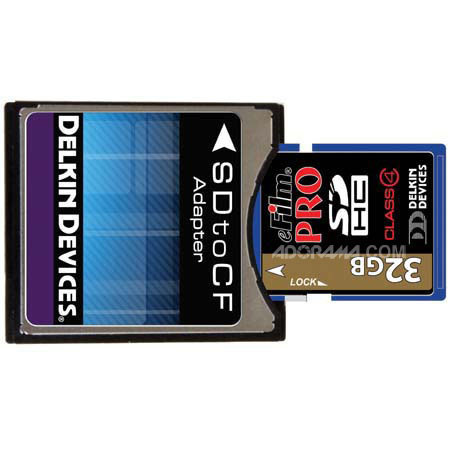
As promised, the Delkin Adapter allows the use of SD and SDHC memory cards in devices designed for Compact Flash Memory. In my case I am able to use some 4gig Sandisk Ultra II SDHC cards in my Canon 40D. It works great and reliably for normal shooting but I have not tested the speed at high frame rates where I usually use fast CF cards. It also allows my Dell Axim x51v and my Wolverine MVP9080 to read and write to SDHC. My current versions of these devices do not normally support SDHC. The Delkin adapter seems to be very well made with a spring type push-in pop-out card release. The card slot is in the side of the adapter and not on the opposite edge from the camera interface connector therefore the adapter must be removed completely from the camera before changing out the SDHC card. This is a well made solution to using SDHC cards in other equipment and very reasonably priced at Adorama.
Robert M.