2026-02-14T19:00:00
Rated 1 out of 5
Zero stars. Not recommended.
I have been a happy user of an Epson printer from 10 years ago. That printer finally died. I bought a top of the line ET15000 and it is a nightmare to install. Some steps are required due to the ink tank approach. But other steps are entirely unnecessary roadblocks. When you first turn on the printer, after some steps you get to a screen that does not allow you to proceed further. I had to buy a USBB cable, install software on my laptop, and only then able to go to next step. This is entirely unnecessary. I also don't want to install software that is low-quality and potentially virus-ridden. Zero Stars. I am at my wit's end and probably going to return this printer.
sagem
Originally posted at

2026-02-13T19:00:00
Rated 1 out of 5
Inability to scan results in printer being useless
I bought this two days ago - cannot scan from printer connected via Ethernet to desktop. Contacting support is only done via email and instructions have not resolved the issue. Apparently the only scanning to be done can be done with cell phone options.... The printer certainly doesn't constitute a business or "high end" home printer.
CTL2026
Originally posted at
2026-01-26T19:00:00
Rated 1 out of 5
Bad Printer
I purchased an ET 15000, and after 3 months of using it, It stopped working, I got an error code 031006. Buy at your own risk, it's a terrible printer
Tim39042
Originally posted at
2026-01-19T19:00:00
Rated 5 out of 5
Great printer
Excellent printer
Jlindsay
Originally posted at
2025-12-14T19:00:00
Rated 5 out of 5
Upgraded my Epson Printer and happy I did.
Upgraded my Epson Printer with the ET-15000 all in one. I like the extra features and more paper size options. It was a bit challenging to get through the setup, but I accomplished that without having to call for support. I like that the size is on the smaller side, especially with handling legal size paper and I can now manually feed 13X"19" paper for creative projects. I had a simple small eco-tank printer and love the savings on ink so also delighted to find this ET-15000 smaller footprint more options printer that fit in the exact same place as my old printer.
lamingus
Originally posted at
2025-12-06T19:00:00
Rated 2 out of 5
Does not last
Purchased this and lasted a year. Now I can not get my print without lines.I have done at least 20 print nozzle cleanings and a few power cleanings
Lilfred
Originally posted at
2025-11-03T19:00:00
Rated 1 out of 5
Epson ET-15000: Built to Self-Destruct?
My husband gifted me this printer for Christmas in December 2023. I printed for the first time on January 2, 2024 (that date is logged every time you run a print head nozzle check). Fast forward to October 13, 2025-less than two years later-the printer began printing wildly inaccurate colors. Blacks and grays came out purplish, magenta looked like a dull brick red, cyan resembled the iPhone text bubble blue, and yellow was a faded pastel.
I contacted Epson a few days later. They asked me to send photos of the failed prints, the ink bottles, the tank window, and the ink lines. To photograph the ink lines, I had to partially disassemble the printer-something I was uncomfortable doing. Still, I complied. I sent everything they requested, including proof of purchase.
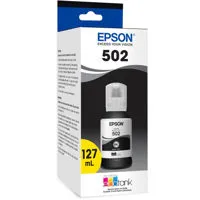
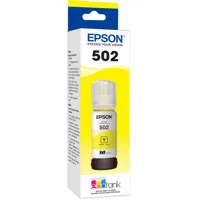
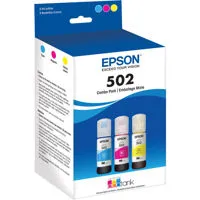
Their response? My printer was out of warranty. They claimed I had used third-party ink, which supposedly caused pigment to appear in the ink lines. This was despite the fact that I showed them the nearly empty bottles-genuine Epson 502 originals. Once they decided I'd used "unauthorized ink," they refused to help further. No advice. No repair options. Just a suggestion to contact Amazon.
Amazon, of course, said I was outside the 30-day return window and redirected me back to Epson. So now I'm stuck with a $600 printer that's barely a year old and completely unusable.
Epson did provide contact info for a few repair shops. Two no longer service the ET-15000, and the third never answered the phone. If the issue truly stems from "pigmented ink," why not let me purchase replacement ink lines? Or better yet, the ink dampers-something I learned about from a Facebook support group-likely need replacing too. But Epson doesn't sell those parts. In fact, they've made it nearly impossible to obtain any meaningful replacement components beyond a few select items on their website.
I even offered to ship the printer to them and pay for repairs. They refused.
So here I am, with a $600 paperweight and no support from the company that built it. Epson's refusal to stand behind their product or offer a path to resolution is beyond disappointing. And let's be honest-this review won't reach anyone in corporate, the CEO, or even the VP. Because to them, my $600 means nothing.
Do yourself a favor: skip Epson. Buy an HP or Brother instead.
Jennifer B.
Originally posted at
2025-10-29T20:00:00
Rated 1 out of 5
Quality has fallen off a cliff.
I have had a total of 5 of these units. All of them, except the first one, have died in under a year. I have 2 that have been replaced by Epson, and a third that is supposed to be replaced, but have yet to receive it. That printer I had to pay to have them ship, 12 days ago, and they have yet to actually ship it. That unit was a replacement printer, that was replaced due to software crashing on the printer, and no longer connecting. The new printer lasted 2 months, and did the same thing. Last night, I had my 4th of these machines fall apart, literally. I was printing, and heard a rattle. I opened up the unit, to find 2 of the rollers had fallen apart, and were rolling around inside the printer. The head jammed, and now the printer does not work. Customer service has been subpar, stating that the unit will be shipped overnight, as soon as it can... 2 weeks later. I can understand 1 unit having issues, but 5 of 5 having issues is ridiculous. Avoid this printer.
Chris123
Originally posted at
2025-09-21T20:00:00
Rated 5 out of 5
AWESOME upgrade from Canon
Replacing a 12 year old Canon 8 cartridge photo printer...
Ink by volume about 1/4th the price.
Image side by side cannot tell!
Like anything else, takes a reasonable amount of time to set up and learn but after that, a SNAP!
Not cheap, but very happy with my purchase!
Bidco
Originally posted at
2025-09-14T20:00:00
Rated 3 out of 5
black in always has problems
I got this printer 2 years ago and its always having problems with the black ink I lost rewind so many products because of the black ink it. started to look like splashed on sublimation and then it will stop printing black color at all I try every thing on the maintenance I can't no more is my making lose business oreders
rania
Originally posted at
2025-09-05T20:00:00
when it prints, it prints great; but when it doesn't OMG! I've had this printer for almost 2 years now, and it seems to get worse and worse! When it jams, which is all the time, it doesn't start that page over again, so if you don't pay attention, your project will have pages missing. Oh, I'm just so freaking irritated with this junker.
Disgruntled1
Originally posted at
2025-08-15T20:00:00
Rated 1 out of 5
Not reliable print quality.
Terrible quality. less than 25 pages printed and already getting lines. Did the head cleaning, lines are worse. Ugghhh. Found myself using my $89 HP to do a project! Much better quality than this $600 machine. Very frustrated!
CMarie
Originally posted at
2025-07-26T20:00:00
Rated 1 out of 5
Piece of Crap that never worked correctly!
I have had this piece of crap for over 2 years. It has never worked right and I was ever able to even print up a bigger sized photo. Today I could not even print up a single page color document. It kept giving an error message of being out of paper. I took this hunk of junk and Office Spaced it in the driveway. This is the last Epson I will ever purchase. Save yourself the money and just go to Walmart to print up photos and buy a cheaper printer that is not an Epson for everyday stuff!
ArnOh
Originally posted at
2025-07-20T20:00:00
I've only had this printer for about a year and a half, but I really love it. I have had great success with its use, and I probably print about 140 pages a day for my small business which saves me a bundle of cash with the bottled ink vs. buying cartridges. There is no way that it hasn't already paid for itself. I was going over all of the 1-star reviews and maybe they had some trouble a few years ago but my experience has been wonderful. I'm getting my wife to buy one now for her home office.
ThePatchMan
Originally posted at
2025-06-28T20:00:00
Rated 5 out of 5
Great Printer
We were really impressed with the quality of the prints, the speed, how easy it was to set up, how easy it was to connect it to our network and we love that we no longer have to buy cartridges. We have not had a printer for a few years and it was the Eco Tank concept that got us back into owning a printer.
WadeC
Originally posted at
2025-05-01T20:00:00
Rated 1 out of 5
Lame Customer Service
I was about to buy this printer but after seeing all there negative reviews and the lame written responses from Cannon, I can see Cannon does not value customer service. Cannon sees customer service as a as an expense they want to minumize at the cost of legitimate customer issues. Not going to buy from a company that responds to customer complaints by not actually responsding but giving the appearance of responding.
1NoGood
Originally posted at
2025-04-30T20:00:00
Rated 1 out of 5
VERY Frustrated
I had this printer less than 1 yr. I began experiencing problems approximately 6 months ago, and I have been trying to get assistance with my issues. Unfortunately, each individual has not resolved my problem and has given me fly- by- night excuses. I have called several ties and no luck. I have a small business and can't complete my orders. Today, the gentleman told me to hold on and hung up on me. I spent too much money on this printer not to receive help.
td1106
Originally posted at
2025-04-01T20:00:00
Rated 5 out of 5
THE ONE!!
This printer is everything I was looking for and much more! I'm in love!
Yulanda
Originally posted at
2025-03-25T20:00:00
Rated 1 out of 5
Awful, need to power cycle every time you want to print.
Printer sucks. Disconnects from wifi as soon as it goes into sleep mode. Bought this because it looked like the best, and wanted to be able to send prints from wherever, whenever I want from my mobile phone, my laptop, or my wife's laptop, or son's desktop. Doesn't work that way. Gotta turn it off then back on before it'll reconnect to wifi and print remotely. Huge waste of money. Epson needs to figure out how to keep it connected to wifi at all times. If I'm away and need to print, I have to call whoever is at home and ask them to turn off the printer and turn it back on so it'll reconnect and I can print remotely.
JMaas
Originally posted at
2025-02-17T19:00:00
Rated 1 out of 5
Piece of JUNK!!!
I brought this printer two years ago it came with ink in the tank. I called custom service and the solution was troubleshooting and buying a maintenance box and doing a purge print. This is the worse printer I ever purchased. A piece of junk. Call them several times paid 599.00 for something I had never been able to use.
Betty60
Originally posted at
2025-02-11T19:00:00
Rated 1 out of 5
Big problem after not used for 10 months
Works quite well, good photo prints. Seems overly complex, so can be complicated to work, and get specific functions. Used for a year, and after careful transport and a 10 month storage, ink tanks were found to be empty. INK TANKS WOULD NOT FILL, NEW INK BOTTLES WOULD NOT GET INK INTO TANKS. There is no troubleshooting for this.
Zuie
Originally posted at
2025-01-02T19:00:00
Rated 1 out of 5
Not the printer I had hoped
Unfortunately the printer didn't print as rich a black or colors, and din't take card stock well
David R.
Originally posted at
2024-12-27T19:00:00
Rated 1 out of 5
Lousy Interface
The interface via provided software is not straightforward. Not at all happy with it. You should be able to do simple things with little effort but it is complicated and cantankerous. After owing Epson printers for last 20 years, this is going to be my last one.
Isaiah4031
Originally posted at
2024-11-05T19:00:00
Rated 1 out of 5
Don't buy direct from Epson.
I am sure the printer is fine, but the experience buying online direct from Epson should be avoided. The printer did not fit the area, yes I should have measured, but the so called no hassle returns policy meant I had to pay shipping which was around 50% of the printer cost. If buying online buy from Amazon etc
Lcameron
Originally posted at
2024-10-28T20:00:00
Rated 2 out of 5
Not pleased.
I typically love epson ecotank but this printer has been a problem since I set it up. I have called customer service multiple times and they continue to say the same things and only have canned responses.
HYoung
Originally posted at
2024-10-14T20:00:00
Rated 5 out of 5
Costumer service great output.
Yes! I call costumer service to walk me how to print 13"x19" and they output. Very,Very Happy so far.
Cinco E.
Originally posted at
2024-10-08T20:00:00
Rated 1 out of 5
Do not buy epson
worst customer service ever! i paid 600 for a printer and can't even print the size paper that it advertises that it willl print I will NEVER do business with this company again. They want me to spend another 300 making this a 1000 printer that is rediculous
laracroft
Originally posted at
2024-09-23T20:00:00
Rated 4 out of 5
Versatile, reliable printer but not for office groups
We regularly use wax and laser printers but this is our first EcoTank. I have had this printer for more than a year and use it every day for both business and personal things. It is a great printer for an individual who wants versatility. It can print letter, legal and even tabloid. The print quality is more than acceptable and this is the first printer we had had that will print beautiful #10 envelopes.
The negatives are that the 502 ink will run if if it gets wet. It is also somewhat slow in printing and hence not suited for high volume office work. But we have had virtually no problems with blocked print heads, paper jams or mechanical problems. We are seriously considering getting another EcoTank printer with permanent pigment ink.
Bustrader
Originally posted at
2024-09-13T20:00:00
Rated 3 out of 5
Nice printer
I bought an Epson all in one printer, but can't connect to my Chromebook.
Duke352
Originally posted at
2024-08-17T20:00:00
Rated 5 out of 5
Perfect sublimation machine for me!
I bought this machine as a 2nd sublimation printer so I can do larger designs. I've only had a few issues with colour not printing, but that is totally my fault for not running it at least once a week to prevent the specialty ink from blocking the jets. I have now been running this machine for 2 years. LOVE it. Don't really use it for anything else, but I have utilized the ADF feeder for scanning multiple pages. Works well. Just glad I was able to get this before they stopped selling them in our area.
dani0311
Originally posted at