Orders placed during Passover Holiday (Wed 4/1 after 4PM ET – Thurs 4/9) will ship Fri 4/10. View our holiday shipping schedule.

Overview
Compare
Accessories
Specs
Protection
Q&A

Questions & Answers

FAQ

How does the cartridge-free system in the ET-2700 EcoTank printer work?

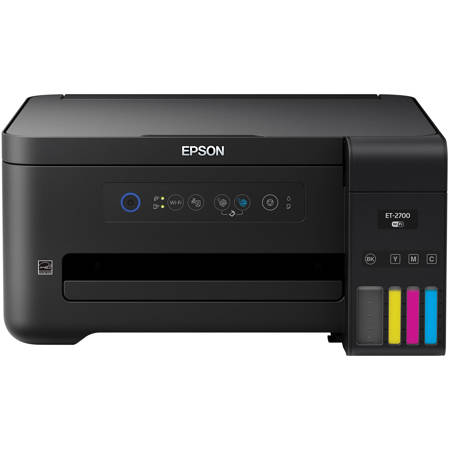
The ET-2700 EcoTank printer uses large, refillable ink tanks instead of cartridges. The printer comes with high-capacity ink bottles that are used to fill these tanks, allowing for a much higher volume of prints before needing to refill.

Can I print from my mobile device with the ET-2700 EcoTank printer?

Yes, the ET-2700 EcoTank printer offers wireless printing capabilities, allowing you to print from tablets, smartphones, and other mobile devices using a variety of applications and services.

Is the Expression ET-2700 EcoTank printer environmentally friendly?

Absolutely. The ET-2700 EcoTank printer is ENERGY STAR qualified, RoHS compliant, and the product is recyclable, making it an eco-friendly choice for your printing needs.

What kind of paper capacity does the ET-2700 EcoTank printer have?

The ET-2700 EcoTank printer has a 100-sheet paper capacity, allowing you to print multiple pages without the need for frequent reloads.

Does the ET-2700 EcoTank printer support color printing?

Yes, the ET-2700 EcoTank printer supports full-color printing, enabling you to print vivid color documents and photos with ease.

Gary G : Can I print wired with laptop as well as wireless with iPhone & iPad?
Gary G : Can I also use it wired with my laptop and also wireless with iPhone & iPad?brian k : I do not use it with apple products, only windows products and I only use the wireless feature.
Donald M : will the 2700 do 2 sided printing?

Reviews about this item

Review Summary

2020-11-16T10:55:40

Rated 5 out of 5

Epson Ecotank

It is a great printer, haven't had any issues.

brian k.

2020-10-13T20:00:00

Rated 5 out of 5

Super simple to operate

Can't remember when I bought the ET-2700 but I am glad that I did. No more buying ink cartridges.

StateCitizen

2020-10-13T20:00:00

Rated 5 out of 5

Epson Printers

I have owned 2 of your printers. I love the ease of operation. I also like your Customer Support.

RAMyint

2020-10-07T20:00:00

Rated 5 out of 5

Love this printer

Easy setup, inexpensive ink that lasts, great features to print from any device. Very happy with this printer.

pupperpawz

2020-09-29T20:00:00

Rated 5 out of 5

paid for itself

i've had the printer for about 2 years and never had to buy ink with my old printer i had to buy a cartridge about every 2 months and at $30 a cartridge i have saved about $360

computer g.

2020-09-28T20:00:00

Rated 5 out of 5

Thanks!.

Love the Ecotank line. Long overdue.

HappyPerson

2020-09-27T20:00:00

Rated 5 out of 5

ET2700

Just got things set up - will do a trial run on some pix to familiarize myself with it.

LittlemanOliver20

2020-07-01T20:00:00

Rated 1 out of 5

Can't make it connect, and NO SUPPORT

I got this ET2700 printer today. Spent almost 3 hours trying to get it to connect, following the instructions supplied and online. No luck. Could not find online support. Hours have been shortened due to COVID, so I guess I'm stuck until monday since it's a holiday weekend. I've been connecting printers for decades and have NEVER had this much trouble getting one to work.

Hosed

2020-05-17T20:00:00

Rated 2 out of 5

99 Yards Then Fumble The Ball

I was so excited when you brought this printer to market. Finally no more having to run to the office supply store in the middle of a print job because I was out of ink. Then the reality set in. This has to be the 5th or 6th Epson printer I've owned. It is BY FAR the most UNRELIABLE I have ever owned. Tech support has never been able to use the OSX Add printer feature through the Epson Driver. It always requires adding a custom manual printer using the IP address for the printer name. The only sure document it will print is a Test Print. Almost every print job is delayed in the spooling process. Almost every print job listed in View Printers/Scanners setting box and just sits there stalled. I have to delete all the print jobs, then restart my computer only to see if the cached print job prints or has to be sent to the printer again. I have talked to Tech Support so many times to clear print jobs and get the printer started again they must roll their eyes when I call. I can't say anything for Windows users, but if you're a MAC user, beware. I will have to rethink buying another Epson Printer when the time comes. Every print job is a gamble - will print or won't it??

athomasimage

2020-05-17T20:00:00

Rated 5 out of 5

Great Product!

Incredible. What took me so long to get this!

hardertpostthisreviewthan

2020-05-15T20:00:00

Rated 4 out of 5

Clear and easy installation!

So far I like it a lot

Jakobus

2020-05-10T20:00:00

Rated 3 out of 5

Once set up works well

The set up was long as the CD that came with the printer did not work. Then the download of the installation files took a long time and with the set up time just over 1.5 hours. The printer finally connected to my WiFi and works.

Lilie 9.

2020-05-07T20:00:00

Rated 5 out of 5

Easy step by step instructions

Just completed the installation, extremely easy. Ink installation the same.

Vocal I.

2020-05-03T20:00:00

Rated 5 out of 5

Easy as Pie

Replaced an older Epson printer with this newer model. Very, very easy to set up and works well. Takes up little room and handles decent amount of paper.

BudPrinter

2020-04-21T20:00:00

Rated 1 out of 5

Great features!!! I love the ink refill.

My printer would not print. Epson sent me a brand new replacement because it was still under warranty.

SheriDB

2020-04-17T20:00:00

Rated 1 out of 5

Wireless not air print

Wouldn’t buy again. Requires you to download epson app., which makes printing difficult. Also extremely slow. Only feature I like is the eco tank

Dan H.

2020-04-13T20:00:00

Rated 1 out of 5

BREAKS EASY ONLY HAD FOR 5 MONTHS 2 BROKE

ONE PRINTER STATES IT NEEDS A PRINT BAD AFTER ONLY 6 MONTHS AND THE OTHER ONE STATES THERE IS A PAPER JAM BUT THERE IS NOT A PAPAER JAM

SNEEZE

2020-04-10T20:00:00

Rated 1 out of 5

Junk

Epson and Windows suck. No longer able to use printer because windows 10 update will not allow my computer to locate the printer even with USB cable it states it's not the target printer so it won't load the firmware. Trashing the printer.

Trash 2.

2020-04-10T20:00:00

Rated 4 out of 5

Uses very little ink

So far I am very happy with this printer. I haven't had it very long but it is working great. Very impressed with the ink supply. Uses very little ink and it is easy to see how much you have used. The only feature that could be improved upon is the scan feature. You can only scan one page at a time, therefore if you have a 3 page document you would be saving each page individually.

Caroline2018

2020-04-09T20:00:00

Rated 1 out of 5

Can’t print via wireless

You are forced to create a fictional email account in order to print from a mobile device. My last Epson did not require this nor does HP. Plus there is lack of technical support on why this situation exists.

dls5450

2020-04-08T20:00:00

Rated 5 out of 5

Good Inkjet Printer

I have owned this printer about two weeks. It is my second ET-2700 printer-scanner. The first one was defective so it had to be returned. That was a bit problematic but I was impressed with how quickly Epson moved to solve the problem. I was sent a return label and I took the printer to the shipping place. I received the new printer within, I think, three days. This is my third Epson printer. The first was an XP-420 printer-scanner and it worked very well and still works well. I bought the new ET-2700 because of the ink feature. If the ink works as well as they claim, I think it will pay for itself within a year or two. I had a problem getting the scan to work. It didn't automatically work just from the setup. Not sure if the problem may have been me. I am not a very techie person. I did, however, solve the problem on my own and have successfully scanned a document I needed to email. The printer is a bit noisy, but it may be it just sounds different and I'm sure I'll get used to it. It prints very quickly and I am very pleased with it. I expect as I get more used to its features I will like it even better.

Pastor R.

2020-03-28T20:00:00

Rated 5 out of 5

EcoTank bottles so easy to pour and use

I bought this printer which was so easy to fill ink tank with bottles. Installation disc was easy to install with my Dell Windows 10 computer. Paper feeder easy to set up for printing.

Moss R.

2020-03-27T20:00:00

Rated 1 out of 5

Printer won't Connect!!!

Just got this. terrible Instructions, useless videos, printer won't connect to iPhone or iPad.

TommyD55

2020-03-20T20:00:00

Rated 2 out of 5

Features Lacking

Bought recently after having good luck with Epson printers in the past. Quality of this product is different and lacking. Literature says will hold 150 pieces of paper. But not internal paper tray as all other Epson products I have used featured. Instead a flimsy flip up at the top tray that requires placing paper on top exposed or as we will do reload every time you print. 20 year old technology. Every Epson have had before double sided printed with ease. Here print side one, reload and print side two. This printer was more than double the cost of the last Espson we purchased but less than half the features. Worst part was descriptions and details gave no clue as to what this lacked. Very disappointed.

disatisfied c.

2020-03-16T20:00:00

Rated 5 out of 5

Easy to set up

I’ve only had it set up for a few days but set up was easy. Seems to print really good. No issues at this time

Claude1947

2020-03-07T19:00:00

Rated 5 out of 5

My Printer

I bought this printer for the savings that I will realize with the eco-tank inks. the old printer was costing me $65 to $70 every 6 weeks. Setup was a breeze. Setup instructions was very clear.

Jro43081

2020-03-07T19:00:00

Rated 5 out of 5

Love it!

Definite improvement over the ET-2600 which was flawless, but this 2700 is even better. Love these printers.

Wizard64

2020-02-24T19:00:00

Rated 5 out of 5

Exactly what I want

Very happy with my new printer /scanner Easy to set up and great pictures

camcraig

2020-02-24T19:00:00

Rated 3 out of 5

5 star print; 1 star installation

I bought this a month ago and it's worked well with printing. However, GETTING it to work and the installation process is tedious and may pose a problem for non-technical folks. Reason: The installation files come in several pieces. Not good. Should be ONE install End of story.

PatYee

2020-02-21T19:00:00

Rated 4 out of 5

Great features

Over all I like the printer what I dont like is if you have used it in a while when you do line be in your printings.

Ladyd

Select a plan in the Add Protection section above and purchase with this product by clicking “Add to Cart”.

image-protection

TRUSTED PROTECTION PLANS, EXCEPTIONAL SERVICE.

Invest In Your Gear and Peace Of Mind!

Accidents happen where life happens. Protect your favorite Adorama products and purchase a protection plan to stay covered from accidental damage, mechanical or electrical failure, and more.

Repair or Replacement

Repair or Replacement

If we can’t fix it, we’ll replace it at no additional cost.

Accidental Damage

Accidental Damage

Protect your product from drops, spills, and more.

Peace of Mind

Peace of Mind

Enjoy your gear without fear. We have you covered!

Malfunction Protection

Malfunction Protection

When regular use of your product over time results in mechanical or electrical failure.

Zero Deductible

Zero Deductible

We will never charge you a deductible after the purchase of a plan.

Customer-Focused Support

Customer-Focused Support

Our claims process is simple & easy and our customer service team is happy to help.

Adorama Protect powered by Extend is available for purchase to customers in the United States. Not available for purchase Internationally or in U.S. Territories.

Epson Expression ET-2700 EcoTank All-In-One Inkjet Printer, Copy, Scan Specifications

  • Printer: Technology

    4-color (CMYK) drop-on-demand MicroPiezo inkjet technology

  • Printer: Minimum Ink Droplet Size

    3 droplet sizes, as small as 3.3 picoliters

  • Printer: Maximum Print Resolution

    5760 x 1440 optimized dpi

  • Printer: ISO Print Speed

    Black: 10.5 ISO ppm
    Color: 5.0 ISO ppm

  • Printer: Language

    ESC/P-R

  • Printer: Software Included

    Epson printer drivers, Epson Scan 2

  • Ink: Type

    EcoTank Ink Bottles

  • Ink: Palette

    Cyan, Magenta, Yellow, Black

  • Ink: Configuration

    4 individual ink bottles

  • Ink: Replacement Ink

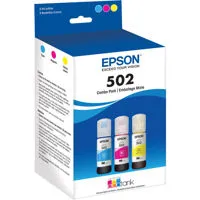
    502 Black Ink Bottle (127mL)
    502 Color (Cyan, Magenta, Yellow) bottle (70mL)

  • Ink: Yield

    502 Black Ink Yield: 7,500 pages
    502 Color (Cyan, Magenta, Yellow) Ink Yield: 6,000 pages

  • Copy: Modes

    Color, Black/White, Draft/Normal

  • Copy: ISO Speed

    Black: 7.7 ISO cpm
    Color: 3.8 ISO cpm

  • Copy: Quantity

    1 - 20 (PC-free)

  • Copy: Maximum Size

    8.5 x 11" (21.59 x 27.94cm) (PC-free)

  • Scanner: Type

    Color flatbed

  • Scanner: Photoelectric Device

    Color CIS line sensor

  • Scanner: Hardware Resolution

    1200 x 2400 dpi

  • Scanner: Maximum Resolution

    9600 dpi interpolated

  • Scanner: Color Bit Depth

    Input: 48-bit color / Output: 24-bit color

  • Scanner: Other Function

    Scan to PC

  • Mobile Printing

    Epson Connect: Epson iPrint App (iOS, Android)
    Other: Android printing, Fire OS printing

  • Standard Connectivity

    Hi-Speed USB
    Wireless (802.11 b/g/n)
    Wi-Fi Direct

  • Paper Handling: PC-Free Paper Support

    Plain (letter, 8.5" x 11", A4)

  • Paper Handling: Paper Sizes

    3.5" x 5", 4" x 6", 5" x 7", 8" x 10", 8.5" x 14", letter, A4, A6, half letter, legal, executive

  • Paper Handling: Maximum Paper Size

    8.5 x 47.2" (21.59 x 119.89cm)

  • Paper Handling: Paper Types

    Plain paper
    Epson Bright White Paper
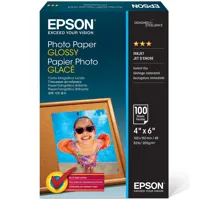
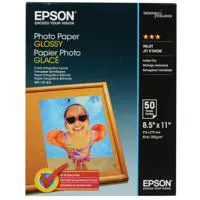
    Photo Paper Glossy
    Premium Photo Paper Glossy
    Presentation Paper Matte
    Premium Presentation Paper Matte
    Premium Presentation Paper Matte Double-sided

  • Paper Handling: Envelope Types

    No. 10
    Plain paper
    Bond paper
    Air mail

  • Paper Handling: Input Paper Capacity

    100 sheets plain paper
    10 envelopes
    20 sheets photo paper

  • Paper Handling: O/P Paper Tray Capacity

    30 sheets plain paper

  • Power: Rated Voltage

    AC 100 - 240V Universal (Automatic)

  • Power: Rated Frequency

    50 - 60 Hz

  • Power: Consumption

    Approx. 12 W ISO 24712 (Standalone copy printing)
    Approx. 0.2 W (Power Off Mode)

  • Power: Rated Current

    0.4 - 0.2A

  • Operating Systems

    Windows 10
    Windows 8, 8.1 (32-bit, 64-bit)
    Windows 7 (32-bit, 64-bit)
    Mac OS X 10.6 - macOS 10.12.x

  • Server Systems

    Windows Server 2003 - Windows Server 2016 (32-bit, 64-bit)

  • Operating Temperature

    10 to 35 deg. C (50 to 95 deg. F)

  • Storage Temperature

    -20 to 40 deg. C (-4 to 104 deg. F)

  • Operating Humidity

    20 - 80% RH

  • Storage Humidity

    5 - 85% RH (no condensation)

  • Sound Level

    Power: 6.4 dB(A)
    Pressure: 51 dB(A)

  • Safety Approvals

    UL60950-1-CAN/CSA-22.2 No. 60950, EMC FCC Part 15 subpart B class B, CAN/CSA-CEI/IEC CISPR 22 class B

  • Dimensions (WxDxH)

    Printing: 14.8 x 22.3 x 10.2" (37.59 x 56.64 x 25.91cm)
    Storage: 14.8 x 13.7 x 7.4" (37.59 x 34.80 x 18.80cm)

  • Weight

    11 lbs (4.99kg)

  • UPC Code

    010343936300

8 Accessories for Epson Expression ET-2700 Wireless EcoTank All-In-One Supertank Inkjet Printer, 5760x1440 dpi, 5.0ppm Color - Print, Copy, Scan

  • All Accessories (8)
  • Ink (3)
  • Copy Paper (1)
  • Cables & Adapters (1)
  • Photo Paper (2)
  • Album Refill Pages (1)

About Epson Expression ET-2700 EcoTank All-In-One Inkjet Printer, Copy, Scan

FEATURED REVIEWS

Quality printer with great print capacity

By Gg18

I have been Epson ET-2700 for almost a week now. My first impression of using the printer has been really good. The printer itself is really compact. Setting up the printer was a breeze. The printer did not require any hardware set up, it was all assembled in the box. The set up required filling up the ink in the tank and priming the printer. Next step in the set up required installing the required drivers on my mac and connecting the printer to the WiFI network. Since the printer does not ha...

View full Review

My Printer

By Jro43081

I bought this printer for the savings that I will realize with the eco-tank inks. the old printer was costing me $65 to $70 every 6 weeks. Setup was a breeze. Setup instructions was very clear.

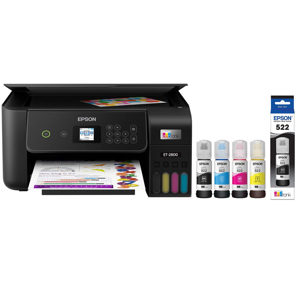
The Expression ET-2700 EcoTank all-in-one offers revolutionary cartridge-free printing with easy-to-fill, supersized ink tanks. It includes up to 2 years of ink in the box. That's an incredible amount of ink - enough to print up to 5,200 pages and equivalent to about 30 ink cartridge sets. Plus, it features auto-stop ink bottles with each color uniquely keyed for easy filling of each tank. And, you save up to 80 percent on ink with low-cost replacement bottles. The ET-2700 also offers wireless printing from tablets and smartphones, plus a user-friendly control panel with intuitive buttons for easy navigation.

• 3-in-1 with Wireless: Print / Copy / Scan
• Ink: Four EcoTank Ink Bottles
• ISO Print Speed: Black: 10.5 ISO ppm; Color: 5.0 ISO ppm
• Cartridge-free printing - comes with up to 2 years of ink in the box
• Includes enough ink to print up to 6,500 pages black/5,200 color - equivalent to about 30 ink cartridge sets
• Save up to 80 percent on ink with low-cost replacement bottles - plus easy-to-fill, supersized ink tanks
• Wireless - easily print from tablets and smartphones
• User-friendly control panel - with intuitive buttons for fast, easy navigation
• Exclusive auto-stop ink bottles - uniquely keyed for easy filling of each color
• Borderless photo printing - easily print and share 4" x 6" photos
• Unbeatable combination of value and convenience - the freedom to print anything you want in color, without worry
• 100-sheet paper capacity - print stacks of pages without interruption
• Product protection you can count on - 2-year limited warranty with registration

2 Years of Ink in the Box
Comes with up to 2 years of ink in the box.

Unbeatable Convenience
Includes enough ink to print up to 6,500 black/5,200 color pages

Outstanding Value
Ink equivalent to 30 sets of ink cartridges

Ultra low-cost replacement ink - Bottle
Easily refillable ink tanks

Eco Features
• ENERGY STAR qualified
• RoHS compliant
• Recyclable product

Product Documents

User Manual

What's in the box:

  • Epson Expression ET-2700 Wireless EcoTank All-In-One Supertank Inkjet Printer
  • Manual
  • CD-ROM for Product Setup
  • Power Cord
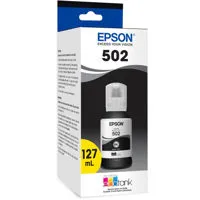
  • One Bottle 502 Black Ink (127ml)
  • One Bottle 502 Cyan Ink (70mL)
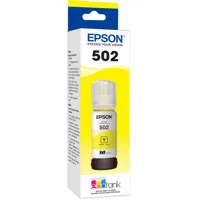
  • One Bottle 502 Yellow Ink (70mL)
  • One Bottle 502 Magenta Ink (70mL)
  • Epson 2 Year Limited Warranty with Registration