


This item is no longer available.
Review Summary
2021-12-09T19:00:00
I regret purchasing this product
Zan06

2021-12-09T19:00:00
I purchased this printer in Feb 2019 and have only printed 1028 pages. The nozzles are busted and there's still a lot of ink left. Would not recommend it.
T2019
2021-12-06T19:00:00
I initially bought the eco tank 2720 and it often jammed, printed low quality images, the coloring was off. After struggling to get it to work at all, it wouldn?t even turn on. I had a tech come look at it and he couldn?t fix it. Returned it and got a 2800 as the 2720 was sold out and I?m having the same issues. Incredibly low quality printers with many, many errors. Don?t be tricked by the ?eco? name, it?ll end up in the landfill faster than a regular cartridge printer.
Ebell
2021-11-23T19:00:00
Scanner doesn't work! There is no Tech Support! There is, of course, no customer service telephone number! They want your money, but don't stand by their product, or customers!
Unimpressed C.
2021-11-03T20:00:00
The print quality compared to a laser printer is readable but picture quality is poor. I tried to find software for Macbook Pro. Its suppose to work if connected from a USB cable to the epson printer. Annoying it cannot print letters. Why in this day and age, printer companies cannot be compatible with Macbooks and Window laptops. Its like HP and Epson want you to buy the expensive Office printers and these low end printers will only work with Linux software which is legacy.
MrPrint
2021-10-30T20:00:00
It was easy to setup on Linux after first loading and installing the drivers. Does a great job of printing. For switching paper sizes, the menus could stand an upgrade. All in all though, not a bad printer for printing, scanning and copying.
Bob 2.
2021-10-25T20:00:00
The screen is about 1 inch square, Epson should supply a magnifying glass. Set up is awful. The instructions are no help. I think Epson hate Apple, nothing to assist Mac owners.
Malt
2021-10-24T20:00:00
I bought 3days ago. Its light, prints great. This printer is excellent for home or office. This product does it all, the large ink bottles are wonderful!!
RickySu
2021-10-11T20:00:00
Never even got to put paper in it. Got the 000025 error code straight out of the box. Very disappointing
Amyb
2021-10-09T20:00:00
I loved how simple it was to set up my Epson printer! I?m very happy and looking forward to discovering all the great features this printer has Very happy and Greatful
Pamiiebaby
2021-09-29T20:00:00
I print alot of photos & other things. So far great & barely used any ink. This was my second one the first one I returned because it was damaged during shipping.
ab24nascar
2021-09-14T20:00:00
Paid $400 CAD for this printer because i loved idea on using less disposable cartridges. Turns out, a software issue as turned it into a larger piece of garbage. Needs a technition to restart it and then will not print with any colors.
jakeindabox
2021-09-10T20:00:00
Great idea on the super tank on the ink! Worked well for about 8 months then poor quality printing set in. Print was so light it was hard to read. Did several test runs to try to clear the print up. Went in and ran a test clean and looked good but print quality again was poor. At this point its drop in the trash and look for something else. Again I like the super tank idea of not having to feed ink cartridges.
RLee
2021-08-24T20:00:00
I have owned this product for longer than a year and have yet to encounter any problems with it whatsoever, all of its features function optimally and efficiently. No complaints; also, have yet to change any of its inkjets. Very economical.
Val S.
2021-08-16T20:00:00
Unless you print something in all colors, the heads need cleaning every time you use the printer using more paper and time. I have about determined that I just need to junk this piece of junk. Good idea on paper but again unless you print lots of stuff don't buy.
Gene0201
2021-08-15T20:00:00
The colors fade or don?t show up at all. There are lines through the printed page. We have filled up the ink to the top numerous times, which hasn?t helped. We have also done the maintenance suggestions as well. Thanks for nothing Shaq.
Annoyed12
2021-07-28T20:00:00
This 2720 printer constantly cannot be found to print from multiple computers. I have to reset everything, constantlhy clean the printhead, etc. reinstall drivers, turn it off an on "fix connection settings" until one of these finally works. why is it so hard to do a simple task of printing??????? horrible product I will never buy epson again.
thisprintersucks
2021-07-26T20:00:00
THIS WAS ONE OF THE BEST PRINTING AND MOST ECONOMICAL WITH THE INK OF ANY PREVIOUS PRINTER. I HAVE USED IT FOR PERSONAL USE SINCE MAY 09, 2021BUT IT JUST WILL NOT DRAW IN THE PAPER STRAIGHT AND JAMS EVERYTIME. VERY FRUSTRATING NOT HAVEING THE ABILITY TO OPEN THE PRODUCT TO TROUBLE SHOOT, IT IS COMPLETELY SEALED FROM THE FACTORY. I GUESS I SEE WHAT THEIR WARRANTY COVERAGE IS LIKE, SOONER THAN LATER.
FRUSTRATED B.
2021-07-21T17:15:46
Broken on arrival. This thing is a brick because there?s a scanner error. Beware!
SAMANTHA N.
2021-07-20T20:00:00
I hated my last Epson printer but this one had pretty good reviews based on ink usage so I decided to give it a try. I keep getting errors that it can't print and something is wrong but it doesn't know what. I can maybe get the system to print 1 time out of 10 and when I do get it to print, the print quality is horrible on it. It's extremely pixelated. Probably could have better print quality from a printer I found at the dump. I hate that I spent so much money on this printer. The ink usage is maybe slightly better than a normal printer and I don't even print a lot.
TBaht
2021-07-13T20:00:00
After several tries can not get it to recognize WIFI PASSWORD. IT WILL ONLY WORK WITH USB CORD.
Eddie2
2021-06-24T20:00:00
I bought it only a couple of weeks ago but so far I find the quality of both the printer and the scanner very good! It's fast and not too noisy (there's an option in the settings to make it even more quiet). The quality of the colours and the definition is good for what I tried so far (no photos yet but mainly text and coloured charts/diagrams). I love that the software works well and wireless, easy and fast to setup, both on Android phone/tablet and PC. It works great even on my laptop with Ubuntu 20.04 (Linux) OS!!! I also love the fact that these ink refills are much more eco-friendly than traditional cartridges.
badmotor
2021-06-23T20:00:00
I bought this a month ago and i'm so happy i did
charchar
2021-06-19T20:00:00
No doubt that it is what I like,
Lourdes
2021-05-18T20:00:00
Seems like if I don't print something for a day or two, streaks develop, and I have to run print head cleaning or even power cleaning. Scanner is a joke.
chj1
2021-04-27T20:00:00
I bought this printer a year ago, with two children at school and my wife studying during on year of home schooling I?m still using the same ink bottles that came with the printer.
SamiJ
2021-04-23T20:00:00
Bought this printer for printing a family ancestry book. Liked the idea of the ink bottles instead of the expensive cartridges. However, got it home and set up only to find that I can not print borderless on professional paper. Seems that you can only print borderless on photo paper.
Janine
2021-04-23T20:00:00
I have used this a few times since I bought it a few weeks ago. It is fast and quiet. I love the fact that I don't have to run out and buy cartridges anymore.
MollyBear
2021-04-16T20:00:00
Very slow, noisy, and after only 1.2 years will only paint a faded blue color. Went through all of the fix steps on website, NOTHING WORKS.
TomFe
2021-04-14T20:00:00
My business relies on printers. We had 6 C88 printers and we currently have 3 WF7710's which Epson quit making. We also have 2 of these ET2720's which would be great if the colors were even close. We're trying to get these ET 2720's working since Epson no longer makes the WF printers. No matter what we settings we use, no matter what ICC profile we use, all prints are too dark and have a yellow tint. If we reduce the yellow then we have a purple tint because it uses more blue. We're going to have to switch printer companies since they quit making the other printers to force everyone to the ecotanks.
Chrisbusinessowner

Accidents happen where life happens. Protect your favorite Adorama products and purchase a protection plan to stay covered from accidental damage, mechanical or electrical failure, and more.

If we can’t fix it, we’ll replace it at no additional cost.

Protect your product from drops, spills, and more.

Enjoy your gear without fear. We have you covered!

When regular use of your product over time results in mechanical or electrical failure.

We will never charge you a deductible after the purchase of a plan.

Our claims process is simple & easy and our customer service team is happy to help.
Adorama Protect powered by Extend is available for purchase to customers in the United States. Not available for purchase Internationally or in U.S. Territories.
Browse our FAQ
4-color (CMYK) drop-on-demand MicroPiezo inkjet technology
3 droplet sizes as small as 3 picoliters
5760 x 1440 optimized dpi
Black: 10.5 ISO ppm
Color: 5.0 ISO ppm
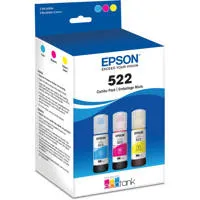
EcoTank Ink Bottles
Cyan, Magenta, Yellow, Black
4 individual ink bottles
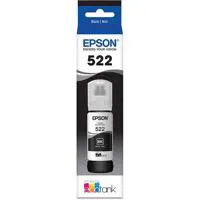
522 Black ink bottle (65 mL)
522 Cyan, Magenta, Yellow ink bottles (65 mL)
522 Black Ink Yield: 4,500 pages
522 Color (Cyan, Magenta, Yellow) Ink Yield: 7,500 pages
Black: 7.7 ISO cpm
Color: 3.8 ISO cpm
1 - 20 (PC-free)
8.5" x 11" (PC-free)
Reduce and Enlarge (25 - 400%)
Color flatbed
Color CIS line sensor
2400 dpi
1200 x 2400 dpi
9600 dpi interpolated
Input: 48-bit color
Output: 24-bit color
8.5" x 11.7" max.
Scan to Computer Event Manager, Scan to Computer (WSD)
Hi-Speed USB
Wireless 802.11 b/g/n
Wi-Fi Direct
Epson iPrint App (iOS, Android), Epson Remote Print
Apple AirPrint 1.8, Google Cloud Print 2.0, Android printing, Mopria Print Service
Plain (letter, 8.5" x 14", A4)
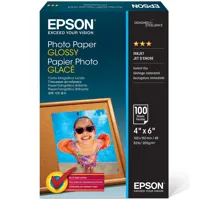
Photo (4" x 6", 5" x 7", 8" x 10", letter, A4)
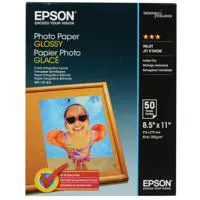
3.5" x 5", 4" x 6", 5" x 7", 8" x 10", 8.5" x 11", 8.5" x 14", A4, A6, half letter, executive
Plain paper
Epson Bright White Paper
Photo Paper Glossy
Premium Photo Paper Glossy
Ultra Premium Photo Paper Glossy
Presentation Paper Matte
Premium Presentation Paper Matte
Premium Presentation Paper Matte Double-sided
No. 10
Plain paper
Bond paper
Air mail
100 sheets plain paper
10 envelopes
20 sheets photo paper
30 sheets plain paper
1.44" color LCD
ESC/P-R
Epson printer drivers, Epson Scan 2
AC 100 - 240V Universal (Automatic)
50 - 60 Hz
Approx. 13 W ISO 24712 (Standalone copy printing)
Approx. 0.3 W (Power Off Mode)
0.4 - 0.2A
Windows 10, Windows 8, 8.1 (32-bit, 64-bit), Windows 7 (32-bit, 64-bit), Mac OS X 10.6 - macOS 10.12.x10
Windows Server 2003 - Windows Server 2016 (32-bit, 64-bit)
Operating: 50 Degree to 95 Degree F (10 Degree to 35 Degree C)
Storage: -4 Degree to 104 Degree F (-20 Degree to 40 Degree C)
Operating: 20 - 80% RH
Storage: 5 - 85% RH (no condensation)
Power: 6.3 dB(A)
Pressure: 50 dB(A)
UL60950-1-CAN/CSA-22.2 No. 60950, EMC FCC Part 15 subpart B class B, CAN/CSA-CEI/IEC CISPR 22 class B
Printing: 14.8 x 22 x 10.5" (37.60 x 55.8 x 26.67cm)
Storage: 14.8 x 13.7 x 9.4" (37.60 x 34.80 x 23.87cm)
13.2 lb (5.98kg)

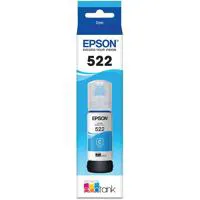
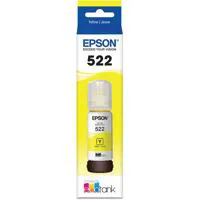
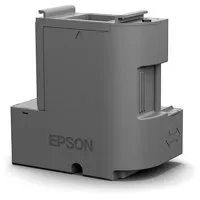
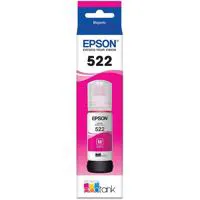
The wireless all-in-one for cartridge-free home printing
The EcoTank ET-2720 wireless all-in-one supertank printer offers cartridge-free printing with easy-to-fill, supersized ink tanks. You get up to 2 years of ink with each included or replacement ink set. And, each replacement ink bottle set includes enough ink to print up to 4,500 pages - equivalent to about 80 individual cartridges. Plus, you save up to 80 percent with low-cost replacement ink bottles vs. ink cartridges. That means less waste. Exclusive uniquely keyed EcoFit bottles make it easy to fill each color tank. This premium white printer also offers convenient wireless printing from tablets and smartphones.