2026-02-22T19:00:00
Rated 1 out of 5
NOT WORTH THE MONEY OR HASSLE!
I bought this printer and within 3 months had to make a warranty claim. Well after the hassle of getting a replacement was said and done. The replacement is now giving me a error code of 202620. Not connecting to my Wi-Fi network. The kicker is I've only printed 134 pages since receiving the replacement. Now no warranty I'm basically stuck with a worthless piece of junk as a desktop catch all.
!
Kashikoi h.
Originally posted at

2026-02-15T19:00:00
Rated 1 out of 5
Horrible durability and connectivity
Bought one year ago. Will no longer print in color (fails to incorporate cyan) and has horrible connectivity issues. Do not buy this printer.
Austin101
Originally posted at
2026-02-13T19:00:00
Rated 5 out of 5
Great printer
I researched this printer for price and for print ink options and reliability. So far everything is great. Download the Epsom app and follow directions to set up. So easy.
Mtp7
Originally posted at
2026-02-05T19:00:00
Rated 5 out of 5
Excellent printer!
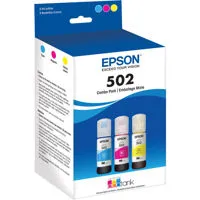
After years of paying astronomical fees on printing, I LOVE having my new Epson! How nice to have the refillable bottles that are so economical and simple to fill. It prints great, prints both sides - so happy for this purchase!!
ETilton
Originally posted at
2026-02-04T19:00:00
Rated 1 out of 5
Terrible service.
I had a bad experience. My printer stopped working via Wi-Fi, saying it couldn't connect and giving an error. I reported it, but there was no solution. I bought a USB cable, and it worked for a while, but now it doesn't even work with the cable. I lost the warranty, and I lost my money. Terrible service.
iova
Originally posted at
2026-02-03T19:00:00
Rated 1 out of 5
Inadequate instruction on how to use this machine.
No written instructions for usage and how to interpret the tiny screen on the machine. Very frustrating!!!
Lindsay C.
Originally posted at
2026-01-10T19:00:00
Overall just a bad printer
Sybau
Originally posted at
2026-01-05T19:00:00
Rated 1 out of 5
Defective printer which Epson refuses to accept for refund.
I spent TWO WEEKS running through all the tests, as many required a 12-hour wait for them to cycle. I purchased a color printer, but the test sheets continue to indicate missing colors after 2 weeeks of exceeding their instructions/tests.
When I contacted Epson to request a return document and refund, I was advised Epson does not issue refunds. In my professional opinion, and I am a 45 year art director for a CBS affiliate television station, this printer is defective at best. That Epson refuses to accept a return and issue a refund is unconscionable. I would never willingly purchase another Epson product.
Art D.
Originally posted at
2025-12-29T19:00:00
Rated 1 out of 5
Save your money and sanity
Absolutely horrible. Received as a Christmas gift in 2024 and has been an absolute nightmare. Sometimes it's connected, sometimes it's not. It's NEVER ready for a print job. I am currently 7 minutes in to its cleaning of the ink heads and what not. Sections of ink are ALWAYS missing, so it has to do its cleaning, organizing, preparing, recleaning, recleaning... another reclean... oh, then its got to reline... or whatever it does. Good lord. I'm on 2 of 7 of the maintenance process.... it's been over 10 mins because its slow and sections of ink are always missing. Now we've got the black ink, but no color. And yes, the ink was just filled recently. I'm going to try and print 1 more time..... nice, it printed a blank page!
Nitroqueen
Originally posted at
2025-12-23T19:00:00
Rated 1 out of 5
This printer needs help
Worked first month or so then boom... Blank pages, striped printing.... Now I'm running issues with downloading the driver. Remember office space.. This printer is it.
But hey, I can scan documents. 1 by 1 which is also painful. Sorry for sounding like a Karen this printer is large paper weight.
valqa
Originally posted at
2025-12-19T19:00:00
Rated 2 out of 5
Great printer at first, but failed far too soon
I purchased this printer in December 2023 and for most of the time I owned it, I genuinely loved it. The print quality was great, the ink system was economical, and it worked well for light, home use.
Unfortunately, less than two years later, it developed a serious paper feed problem that makes it unusable. The paper now feeds in at an angle, crumples, and tears, triggering a paper error every time. This happens consistently and is not related to user error.
The printer was lightly used, well maintained, and stored in a normal home environment. I have checked thoroughly for obstructions, cleaned the paper path, updated the firmware, and followed all recommended troubleshooting steps, with no improvement.
I'm disappointed that a printer marketed for longevity failed so early due to what appears to be a mechanical issue. If this had happened after many years of heavy use, I would understand, but at under two years old it's frustrating - especially now that it's out of warranty.
When it worked, it was excellent. I just wish the build quality had matched the promise of the EcoTank system.
bekamop
Originally posted at
2025-12-05T19:00:00
Rated 1 out of 5
Slow print
Printing is extremely slow, no where close to 10.5 ppm. So disappointed, I have tried all setting options.
Lloydy329
Originally posted at
2025-11-14T19:00:00
Rated 1 out of 5
printing quality
i bought a tear ago and he heads dry up require constant cleaning as they dry up.
terrible p.
Originally posted at
2025-11-06T19:00:00
Rated 3 out of 5
Nice printing, nice ink tanks, TERRIBLE wireless connection
I have had the WT2850 for about one month. The print quality is great, and I love the tanks vs cartridges. HOWEVER--the wireless connection is terrible. After 3 weeks, this printer keeps losing connection to my wi-fi signal. Nothing else in the house is having this problem. Epson has included a special "reconnection" app (probably due to known issues) that automatically opens when connection is lost. It is highly inconvenient to spend 8-10 minutes reestablishing the connection just to print 6 pages. I guess I'll have to use a cable to connect to printer, which defeats the wireless feature altogether.
pmb1
Originally posted at
2025-10-22T20:00:00
Rated 1 out of 5
worse printer ever
I wish I can give zero rating, the money spendd in this printer went straight to the toilet, this is the worse printer i ever had, since I purchased over a year ago, it wifi keep disconnecting, although is seating right next to the router , and it doesn't have a ethernet jack, only provides a usb-b for wired connection which can only be to a single computer, the screen is smaller than my watch, and the stupid keyboard is useless for uptodate network security password and it wasn't cheap
worse e.
Originally posted at
2025-10-10T20:00:00
Rated 1 out of 5
Can't print
Bought this printer thinking my previous one worked well. However, a software upgrade occurred and it stopped working. There appears to be zero solutions by Epson. If I cannot fix, I will NOT be purchasing epson again ever.
RAJER
Originally posted at
2025-09-25T20:00:00
Rated 1 out of 5
Pure Garbage
I have owned mine for two years and it has never worked correctly, takes about an hour of playing with it just to print one page and it cuts the headers off at that, Epson used to mean quality but its just garbage any more and i wont be buying this brand again, walmart printers are just as reliable as this junk, there is NO support just little text games that run around in circles, like I said its garbage, you WILL regret buying it, It will not work and epson DOES NOT CARE!!
Kenneth g.
Originally posted at
2025-09-13T20:00:00
Rated 1 out of 5
Terrible; completely stopped printing any ink after 2 years.
Junk. I bought it directly from Epson. Had it for 2 years, it never stays connected to wifi. As of last week it stopped printing permanently; color stopped about 6 months ago. The screen is barely readable; there's no working software on a Mac. I will never buy another Epson again.
PVan
Originally posted at
2025-08-21T20:00:00
Rated 1 out of 5
Buyer BEWARE
My ET-2850 is now showing a fault code 202620 and is saying wi-fi is out of order. Prior to this the wi-fi repeatedly disconnects despite being beside the modem. The signal strength is excellent for everything else needed, only the printer has an issue staying connected. This has been a problem since purchase thus causing hours of frustration to reconnect it. So much for wireless connection.
LBdisappointed
Originally posted at
2025-08-19T20:00:00
Rated 4 out of 5
Small issues but great printer
Great printer only issues I have is the screen that's on the printer is super small and printer prints very slow but other than that it's great
Alex L.
Originally posted at
2025-08-10T20:00:00
Rated 5 out of 5
Cool Printer
I'm an Apple person (iPhone, iPad, Mac computer) and it was seamless to setup this new printer. It worked great from all devices right off the bat. Very cool. It was a leap of faith to switch from Hewlett Packard to Epson, but I'm glad I did. I'm truly delighted that I won't have to buy wasteful and expensive cartridges any more.
ndphillips
Originally posted at
2025-08-10T20:00:00
Rated 1 out of 5
Worst printer ever
I bought this from Costco last year and it's BY FAR the WORST printer I've ever owned. Constantly says it's out of paper (either prints blank sheets or partially pulls a piece of paper into the printer then stops and says there's no paper), bad print quality, leaves large and small ink splotches on paper, cuts off the tops of the page when it finally does print, the list goes on. I've spent hours trying to fix it at this point. Honestly considering just throwing it in the trash. Was trying to avoid getting an HP because of their ridiculous subscriptions, but that clearly backfired. I would've added photos to this review, but I can't get the thing to recognize that it's not out of paper, despite it printing blank pages then giving me the error.
Ebz25
Originally posted at
2025-08-10T20:00:00
Rated 3 out of 5
Printing on Cardstock
I bought this printer because of the supertanks. I rate this a 3 because I cannot use thick cardstock for created projects through Design Space. I am not sure where to go from here to print my projects. Super disappointed.
TDLM
Originally posted at
2025-08-07T20:00:00
Rated 1 out of 5
Link to installation software download for Win11 is broken
Brought new Win11 laptop and tried downloading software from Epson support to load printer. Screen just spins & spins. Sent email to cust serv, they sent a response back with tips related to printing. My email was not about printing, it was about their site having a broken link and therefore not being able to install printer on Win11 laptop. Customer Service is not helpful when it's only AI generated.
Justtrying2print
Originally posted at
2025-08-03T20:00:00
I purchased the ET-2850 in May 2022, and didn't have an issue with it, as long as I printed something every 2 weeks.
However, I just updated my desktop to a Windows 11 unit, and can't access the Epson updater. The printer indicates that there is new firmware available, but I can not access anything.
aerhawk
Originally posted at
2025-07-30T20:00:00
Rated 2 out of 5
Massive Disappointment
can't print anything - paper is jamming constantly. have spent at least 15 minutes trying to find a way to get support for an error code - printer is claiming "foreign matter"; can't find a single thing wrong - and this awful website is literally sending me in circles. worst customer service ever, in that it basically doesn't exist. spent a really long time looking for a printer and cannot believe i ended up with this piece of junk.
LittleLiza
Originally posted at
2025-07-23T20:00:00
Rated 5 out of 5
Easy setup, so far does a great job
This printer was easy to setup and use. I don't print a lot but so far it works great.
John23P
Originally posted at
2025-07-15T20:00:00
Rated 5 out of 5
Retired military/retired DOS criminal investigator
Epson was excellent to deal with
While my order took a few days to arrive
Epson made every possible effort to track my order and complete the order
Thank you
Would purchase my next copier from Epson hands down
Sea h.
Originally posted at
2025-07-15T20:00:00
Poor picture quality, Frequent nozzle clogs and as slow as a turtle missing three legs. Completely failed in just over a year.
Phil533
Originally posted at
2025-06-28T20:00:00
it prints ok, ink is cheap, will not scan whether wired or wireless.
Truth s.
Originally posted at