2026-02-13T19:00:00
Rated 1 out of 5
Do. Not. Buy. Stopped working after only a few uses.
It's a piece of garbage. It doesn't print in black anymore despite the ink being full and having run all the cleaning functions. Have only printed about 25 pages total since I bought it. Rarely connects to WiFi so you have to get lucky with that, too. It's amazing how these companies stay in business knowing that their products are no better than they were 20 years ago. Avoid this printer and all Epson products at all costs.
avoidepson
Originally posted at

2026-02-09T19:00:00
Rated 2 out of 5
Works fine ...when working!
Works fine...when it works!
Haven't been able to clear error messages "WFBackgroundShortcutRunner-ErrorDomain error 0.) and maintaining wi-fi connection.
Support person told me to run cleaning routines.
Too bad-- Epson has good hardware and tech but poor fix-em-up help!
Paul B.
Originally posted at
2026-01-30T19:00:00
Rated 1 out of 5
Horrible wireless functionality
Horrible wireless functionality. The printer shows that it's connected to the internet but I frequently get an error message when I try to print that says the printer is not connected. Then I have to spend time on the phone with customer service rep who provides a temporary fix that lasts a few weeks (If i'm lucky) and then the same problem occurs again.
Very u.
Originally posted at
2026-01-24T19:00:00
Rated 1 out of 5
Problems with printer not printing the colors.
This printer worked fine for the first few months but then the colored ink quit showing up on the flyers indicating it was not functioning properly. All of the inks showed ink levels above 3/4 full. Several cleanings got the blue and cyan to work somewhat but never did get the magenta to show. So disappointing. I missed out on doing voluntary flyers for the Senior Citizens to let people know about the breakfasts, flea markets, bingo games, etc. Attendance to these events was way down because we couldn't get the flyers out to the public. So sad, I spent allot of money on this printer to have it be totally worthless.
sab1
Originally posted at
2026-01-22T19:00:00
Rated 1 out of 5
Horrible quality, frustrating printer
I have had this printer for about 2 years now. There's little to enjoy here.
1) The printer is incredibly challenging to reliably get connected to WiFi. I assure you, this is not a user error - I am an IT administrator and deal with network connected devices all day. This is one of the most challenging devices I have had to deal with connecting to the WLAN. Once it's connected it seems to stay connected, but it is a chore.
2) Print Quality is not good. For the price of this printer, the quality is just not acceptable. Colors are washed out, text is not crisp and page to page the printing quality isn't even consistent. Not office quality printing at all.
3) Color printing. Good luck here. I can't tell you how many times I have had to use the clean print head function, only to have to run the power cleaning after (which recommends you wait 12 hours before printing again). Then to just have a garbled mess come out of the machine. I don't have a week to wait for my print job, Epson. This is trash.
Yeah, ink is cheaper than toner. However, go buy yourself a Color laser jet. This one is not worth the hassle.
DO NOT BUY THIS JUNK.
elwood802
Originally posted at
2025-12-23T19:00:00
Rated 2 out of 5
Garbage printer
I've had this printer for quite a while and for copies and office work it's great, but for printing pictures it's a absolute piece of crap. NOTHING has ever printed a quality or color setting even close to the picture on screen, and it's usually grainy. I've had Epson's, HP, Canon's, you name it since the 80's for home and work and I've never had issues with a printer like this piece of garbage. The best thing about it is the refillable ink tanks, but it's not worth one quarter of the ridiculous price I paid for it. I should have stuck with the HP I had.
Popp
Originally posted at
2025-11-03T19:00:00
Rated 1 out of 5
The worst Epson printer ever
I've had the Epson ET 4850 for a few years now. Bought it on Amazon. With this printer it's one issue after another. The most irritating is the multiple pages it started to spew out before starting to print halfway through a page. Now it's simply spitting out pages 3 in a row before telling me erroneously that there is no paper in the cartridge...without printing a single character. This product is garbage. Too bad I can't give it a big fat zero. A far cry from the quality of the Workforce 600 I owned before this failure of a product.
Geman
Originally posted at
2025-09-10T20:00:00
Rated 2 out of 5
Auto feeder not working and too noisy and slow
Have had this printer for a couple of years. For at least half of that time, the auto feeder has not worked. It's noisy, slow to print, and a disappointment. The only good thing is the ink cost less.
Chris T.
Originally posted at
2025-07-23T20:00:00
Rated 5 out of 5
Best type of printer
This is my second ET printer....after years of cartridge printers! The ET printers are the way to go!!!
Janet C.
Originally posted at
2025-07-13T20:00:00
Rated 1 out of 5
Cheap design, unreliable, messy software
From a hardware perspective - the product works. The software is a mess. Also the registration process is, at best, sloppy. Scanning works - sometimes - but there seem to be intermittent errors in the software communicating to the scanner. The scanner feed fails after about 3 pages, and often misfeeds or jams. Very cheap and unreliable design. The printer seems to constantly loose communication and the software had to be reinstalled to get the scanning to work. Bottom line, I would not recommend this product.
printexpert
Originally posted at
2025-07-12T20:00:00
Rated 5 out of 5
New Printer
Worked as advertised out of the box. No issues.
Jace
Originally posted at
2025-06-18T20:00:00
Rated 3 out of 5
difficult to set up
spent 3 hours getting it set up and still not working yet!!!
jk11111
Originally posted at
2025-06-04T20:00:00
Rated 1 out of 5
Horrible Customer Service
When I scan a document into the document feeder, something is wrong. It starts scanning before the paper reaches the scanner, and this always causes a line at the top of the page that you are trying to email to a customer. You can't use the scan feeder!! I called Epson customer support so many times, and they absolutely know nothing. I wouldn't buy this printer, and I might not buy Epson at all.
Brian 4.
Originally posted at
2025-05-29T20:00:00
Rated 3 out of 5
Disappointed
Surprised that the more expensive ET-4850 was not able to make copies of double side originals using its ADF . My previous Epson XP-7100 model was able to do this seamlessly.
Gordon C.
Originally posted at
2025-05-21T20:00:00
Rated 1 out of 5
Poor At Best Connectivity
This printer will NOT stay connected to the internet / WiFi. several attempts with Epsion customer support, my companies IT support, friends, all but not limited to, I have concluded that this printer has a systemic issue with the Radio internal to the printer. However, after troubleshooting the issue since day one, I now get Nothing from Epsion Customer Support, Nothing.
Just_Rob
Originally posted at
2025-05-21T20:00:00
Rated 1 out of 5
Ink refill is outstanding
It was a nightmare to connect, the instruction was a junk. After 6 hours of playing with it I got it working to a point. When to BBY and paid them 100 to come out to set it up. Functionality good, but again need better instructions. Ink system is outstanding and that is why I wanted your product, unaware of the nightmare of getting it connected to the internet. Performance still to new to write a review. Print Quality on paper is good, do not know about pictures yet.
War1
Originally posted at
2025-05-21T20:00:00
Rated 1 out of 5
Very Poor Connectivity
Attempt after attempt, talking to customer support, talking to my companies IT department, this printer will not stay connected to the internet / WiFi. After many attempts to fix this issue, I get nothing from Epsion.
Just_Rob
Originally posted at
2025-05-14T20:00:00
Rated 1 out of 5
Poor quality. I wish I'd never bought it
I just bought this printer a couple of days ago. I tried to make copies using the automatic document feeder. The feeder would not work at all. It wouldn't pull in the document and would cancel the scan and send a blank sheet of paper out of the print tray. The message on the screen was ADF paper jam. the ADF had no paper jammed in it at all. It was a nightmare trying to contact Epson tech support. Their site does nothing but run you in circles. There is no tech support number on their site. I had to literally search the internet to find the phone number. Epson's quality and support have really gone downhill. I wish I hadn't wasted my money on it.
Rob T.
Originally posted at
2025-05-07T20:00:00
Rated 4 out of 5
Prints 5 star, manufactured 3 star
Prints beautifully. However the plastic and hinges accessing the copy area and printhead are much flimsier the my old Epson XP 600 and XP 800. The older models were robust and lasted 15 years until Epson posted an "end of life " warning for the cleaning tank
Also, there does not appear to be procedure to clear the ink from the printheads when the unit will not be used for a while. In the old process, the ink cartridges could be replaced and printhead cleaning usually worked
Looks like the entire printer will need to be replaced if the ink dries up inside the ink supply tubes
Printing y.
Originally posted at
2025-04-29T20:00:00
It was totally fine until recently the print settings changed?? It's terrible now.
CLH1
Originally posted at
2025-04-23T20:00:00
Rated 2 out of 5
Epson went backwards not forward ,, so sad
Loved my earlier Epson w Eco tank, this one is so much slower, seems to always disconnect from wireless operation, only 30 days to try and tweak and then no warranty. Something has happened to Epson, a $400 plus investment, that is far less valuable, in slow printing and finicky behaviors... Disappointed
used e.
Originally posted at
2025-04-22T20:00:00
Rated 5 out of 5
Man Cave Printer
Love this copier. No more cartridges. Love the large ink well/containers
Mondo B.
Originally posted at
2025-04-14T20:00:00
Rated 3 out of 5
Feeder ET 4850
Feeder tray has been difficult to use. Papers with glossy finish don't feed well. Feeder jams and one of the rod gears just fell out. I need a feeder tray that allows for more than 10 sheets of paper.
Feeder E.
Originally posted at
2025-03-31T20:00:00
Rated 1 out of 5
Would never buy Epson again
Took forever to set up. The touch pad does not have efficient selections--many buttons to press for simple functions. The machine seems flimsy, not sturdy at all. The printer takes up several pages instead of just one. The document feeder doesn't work. After trouble shooting with the support line, it was determined to be a hardware problem and I was asked to send photos. Really? Photos of what? This one is going to be returned to office Depot and getting a Canon.
JayaT
Originally posted at
2025-03-30T20:00:00
Rated 5 out of 5
Epson printers eco tanks rock.
This is my second one I would never buy a printer that had cartridges ever. The one I'm replacing still works, but I'm taking it to my house and another state.
Howard M.
Originally posted at
2025-03-25T20:00:00
Rated 3 out of 5
Not as good as I hoped
Pros: Nice compact footprint size for a home office with high print requirements. Love the tanks instead of ink cartridges - very economical for B&W printing. Moderate print speed (one-sided). Crisp printing when using Epson paper but not as good on store brand. I use the Print, Copy and Scan features but don't have it set up to fax.
Cons: Quite a few things aggravate me. Slow print speed for two-sided when multiple copies are needed - I end up doing manual duplex. Poor color fidelity for photo printing - colors tend toward blue/cool tones. No separate feed for photo paper or heavy card stock. Flimsy ADF - originals often feed crookedly and jam or produce skewed copies. Slow at copying and scanning. Paper tray feels flimsy when reinserting in unit. Weirdly, it lost WiFi connection every time I used a document shredder withing 20 feet of the unit - that was a fun one to figure out! Setting up scanning to Cloud was a hassle.
Overall, I bought this unit on sales so it was a good value for a general purpose printer, but it it's not a superstar in any area of operation. Photo printing is very disappointing but I love the freedom of printing draft documents without worrying about cost or running out of ink.
Florida b.
Originally posted at
2025-03-24T20:00:00
Rated 5 out of 5
Great experience going on 2 years
Two years and so far, so good. A far cry from the cx-6600 days and the partially emptying ink cartridges and clogged printer heads. The only thing to remember is to print regularly to keep the tubes and print head flowing. Also, use the maintenance features once in a while. This is true with any inkjet printer, but not so bad with Ecotank refillable tanks.
Design is great, easy to remove jams (seldom), takes all kinds of paper, UI is easy (easier than the Canon I had), and Wifi was a breeze.
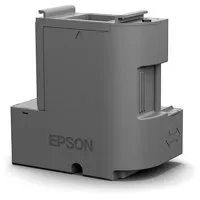
I only wish it had a user-serviceable waste cartridge that I could clean out, but at least you can replace replace it. I bought two and I have not needed yet to replace the original yet. Very straightforward.
Some models do not allow you to replace the waste tank, so once it is filled it is now a useless printer. That ought to be illegal.
Daddy0
Originally posted at
2025-03-20T20:00:00
Rated 5 out of 5
Time To Replace My Old ET-4750. New ET-4850..
I'm pure Epson when it comes to printers. Until a month ago I used both an ET-4750 and an ET-8550 Photo Printer. The ET-4750 I purchased when it was first released finally gave up the ghost. It more than met and outlasted my expectations. Like always I searched online among all printer brands and models and again, like always, I came back and purchased from Epson. A new ET-4850. I wish I could say I was surprised or overly impressed with it's performance but, because my long relationship with Epson, I got exactly what I expected. Well and solidly built. A super easy setup. No issues with shipment or condition on arrival. An excellent purchase. Compared to my ET-4750 it prints slightly faster and the prints are slightly clearer and crisper. Then again that part might be because it's brand new. It's build also seems a bit sturdier. I could, and would, have been happy to use my ET-4750 forever but nothing lasts forever. Replacing something excellent often leaves you wondering why they reduced or skipped on this or that. I'm happy to say that comparing the new ET-4850 to the old ET-4750 lost nothing and became better. As you can tell I'm totally sold on Epson's Eco-Tank printers.
I can't imagine how much money I've saved in purchasing ink. My first printer for a home desktop computer setup was and Epson over 20 years ago. The second was also an Epson. When I feared I might be missing out on something the third was an all in one HP printer. Only two years in I had to replace it so I tried an all in one Canon printer which is the only printer I ever returned for a refund. I then returned to Epson and have remained loyal to this day. The ET-4850 is just one more in a long line of excellent printers.
Guitar g.
Originally posted at
2025-03-19T20:00:00
Rated 5 out of 5
Great Printer
Very nice. Smaller footprint than my old Artisan 835 and the expensive cartridges. Good overall quality, easy setup, easy to fill without spillage. One bottle is one full tank. Print quality on personal high resolution test sheet shows very good color and black density scaling. Excellent color accuracy.
The scanner feeds and images very well. The scanner software is much improved from the old Artisan.
royc10
Originally posted at
2025-03-19T20:00:00
Rated 1 out of 5
Not compatible with Sequoia OS
I just purchased this printer based on the label on the box that said it was compatible with Mac OS operating system. When I go to download the driver for Sequoia 15.3.1, I get a message that the printer is not compatible with this device, thus I cannot scan documents to my MacBook Air.
Bob1756
Originally posted at