Just Reduced

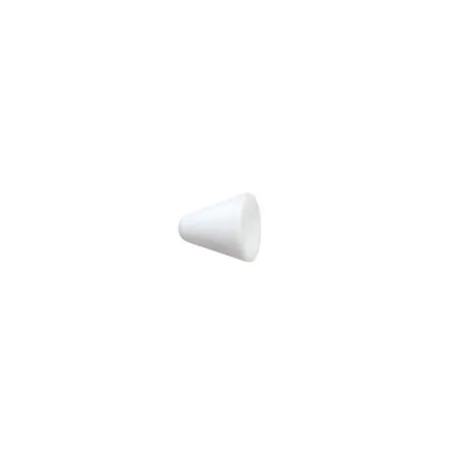
Epson Replacement Pen Tips for BrightLink 475Wi, 480i, 485Wi Interactive Projectors, 6 Packs

SKU: IESPTR MFR: V12H524001
$3.99
$11.00
Save: $7.01 (64%)
Earn VIP Reward Points

Key Features

  • Keep your BrightLink interactive projector pen in top shape with these replacement tips.
  • Ensure seamless interaction with your BrightLink projector; replace worn pen tips easily.
  • Six pen tips included, so you're always ready for presentations or classroom lessons.
  • Specifically designed for BrightLink 475Wi, 480i, and 485Wi interactive projectors.
  • Maintain optimal touch response on your interactive whiteboard using these Epson tips.
  • Avoid scratching your projector screen; replace pen tips for smooth, precise writing.
See More Product Details
Calculate Shipping

See Options

1

Need help? Ask our experts.

Overview
Compare
Specs
Protection
Q&A

Questions & Answers

FAQ

Are these pen tips compatible with other projectors besides BrightLink 475Wi, 480i, and 485Wi?

No, these replacement pen tips are specifically designed for use with BrightLink 475Wi, 480i, and 485Wi interactive projectors.

How many replacement pen tips are included in one pack?

Each pack contains six replacement pen tips.

Do I need any special tools to replace the pen tips on my projector?

No, these pen tips are designed to be user-friendly and easy to install. No special tools are required for installation.

What makes these pen tips reliable and high-quality?

These pen tips are a product of Epson's innovative technology, known for producing reliable and high-quality products that deliver consistent performance.

Can these pen tips improve the functionality of my projector?

Yes, these replacement pen tips can enhance the functionality of your BrightLink projectors, making your presentations more engaging and effective.

Shopper : How do you replace pen tips?
Shopper : Why Did You Choose This?ZELMA M : We have promethean boards at our school site and these are the replacement tips for the pens.

Reviews about this item

Review Summary

Epson V12H524001 Specifications

  • Compatibility

    BrightLink 475Wi Interactive Projector with Mount
    BrightLink 480i Interactive Projector with Mount
    BrightLink 485Wi Interactive Projector with Mount

  • Quantity

    6 Tips

  • UPC Code

    010343889217

About Epson V12H524001

Why settle for less when you can have the best The Epson Replacement Interactive Pen A and B pen tips are meticulously designed to perfectly fit and work seamlessly with your BrightLink 475Wi, 480i, and 485Wi interactive projectors. These durable and high-quality replacement pen tips are a product of Epson's innovative technology, ensuring you get reliable and consistent performance every time. This pack contains six user-friendly pen tips, providing you with ample replacements for your interactive projectors. Whether you're presenting in a business meeting or teaching in a classroom, these pen tips will enhance your interactive projector's functionality, making your presentations more engaging and effective. Trust in the quality and reliability of Epson, a reputable brand known for its long-lasting and high-performing products.

Epson V12H524001 Features

  • Specifically designed for seamless integration with BrightLink 475Wi, 480i, and 485Wi interactive projectors
  • Pack of six durable and high-quality replacement pen tips
  • Produced by Epson, a reputable brand known for its reliable and long-lasting products
  • Enhances the functionality of your interactive projectors for more engaging presentations
  • User-friendly design for easy installation and use
  • Innovative technology guarantees consistent performance

Key Features

  • Keep your BrightLink interactive projector pen in top shape with these replacement tips.
  • Ensure seamless interaction with your BrightLink projector; replace worn pen tips easily.
  • Six pen tips included, so you're always ready for presentations or classroom lessons.
  • Specifically designed for BrightLink 475Wi, 480i, and 485Wi interactive projectors.
  • Maintain optimal touch response on your interactive whiteboard using these Epson tips.
  • Avoid scratching your projector screen; replace pen tips for smooth, precise writing.