2014-07-14T21:00:00
Rated 4 out of 5
work horse
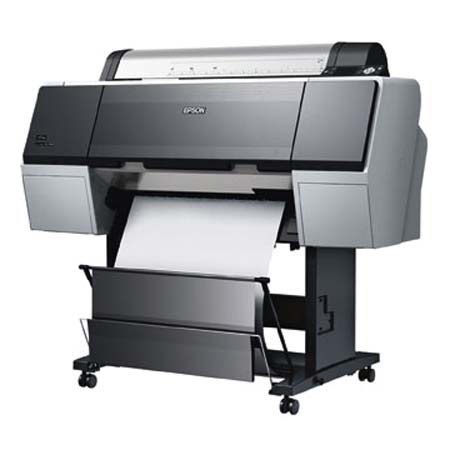
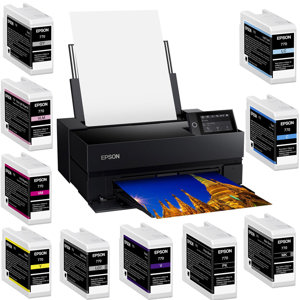
works well in an educational setting. our 7900s are used daily by a student body of 200+. consistent colors, spot on paper profiles and easily maintainable print heads. Consistent Nozzle Checks for low used printers keeps pigments fresh. Download the maintenance manual from the web and fix 95% of issues in house without having to pay the $275/hour Epson Specialist. Advanced B&W feature a plus for B&W output along with the Finest Detail feature for any design work. Each of the 11 print cartridges are quite spendy at $280 retail, but shop around and they can be found for around $215 each.
markalee
2013-07-20T21:00:00
Rated 2 out of 5
2 day Head Clogging Great Prints
This product has great print quality after head cleanings.
I have owned it for three weeks now and I have cleaned the Heads five times. After only two days of not printing, the Cyan and Light Black print heads barely print Half of its patterns during a nozzle check.
This is a major waste of ink to do a head cleaning this often. In addition, It is a expensive maintenance cost to replace the components required to clean the print heads this often.
Ive used epson for years and currently still use the R3000 without this problem. with the R3000, I will go a week and get a clean nozzle check.
PERRY W.
2013-02-11T19:00:00
Rated 5 out of 5
Professional quality prints .....
Adoramas free delivery on this printer was so quick that I received it in 23 hrs from order placement. I am very satisfied with this epson 7900, already printed 10, 3 ft large format prints with no hiccups. I always print a test strip before a large print, just in case, the nozzle check uses minimal ink to print, about 1 inch by 7 inches strip. Setup was very quick considering this printer was delivered via 18 wheeler and had to be dragged 1 city block to get to my door. Setup took 1 hour, but I saved a lot time by watching a step by step YouTube video prior to actual setup. On a final note, print quality is out of this world, I always print at 1440 dpi or higher, and always use photoshop or Lightroom to control the color. My work is displayed at several galleries in Chicago, saying that the level of quality I demand is satisfied by this epson 7900 printer.
DEMETRIO M.
2013-02-04T19:00:00
Rated 5 out of 5
I would buy this product again!
We use the 7900 to print plans and graphics for our construction business and it is wonderful for that, and high speed. We also have a photographer in house who uses it to create high res prints in archival quality for wall displays and we are very satisfied.
DELMAS G.
2013-02-04T19:00:00
Rated 5 out of 5
MY EPSON STYLUS PRO 7900 IS A GREAT TOOL
SETUP IS VERY EASY AND USER FRIENDLY, PRINTING SIZE COULDN'T GET ANY BETTER
LUIS M.
2012-12-12T19:00:00
Rated 5 out of 5
One Awesome Wide Format Printer
I bought this printer for my business, which sells posters of our own artworks to customers. I have shopped and compared around for an ideal 24" wide printer and considered many brands and makes from Canon, HP, and Epson before deciding on this one. The Epson Stylus Pro 7900 seems to offer the best balance between consumption of inks and price of inks. After using it for about a month and printed about 30 some posters, I feel I have made a good decision.
The colors are extremely vibrant, especially on high color contrast artworks. The printing speed is actually faster than I originally thought, takes about 10 minutes or so to print out a 24" X 36" poster.
Ink consumption is fine but couple that with the price of the ink cartridges it's a good balance.
The built-in cutting tool is god-sent. No more worrying about how to cut and trim white edges anymore! Of course, it will still occasionally cut slightly off (a bit of white shown) but I'm hoping Epson will correct that in future driver or firmware updates.
The vibration of the machine is decent. It will shift but not as much as I've expected. Don't lean against walls or furniture though!
The software control is good. There is some learning curve initially on finding out various features like cutter settings and continuous printing. But once you get a hang of the interface, it's fairly decent. Use print profiles more!
It is definitely worth the investment for me. Just wish Epson would include a dust cover for the printer since they have already included a sturdy stand for it.
Oh and be sure to buy an entire set of ink cartridges to go with the printer. The cartridges that came with the printer only have enough ink for about 5 24" by 36" poster prints.
HSIN-CHENG Y.
2011-03-08T19:00:00
Rated 5 out of 5
Best Printer in the world (imho)
This is an amazing printer. I am a professional photographer. I've been printing myself and also using professional labs for many years now and I've never been so consistently impressed by any other printer or lab. I've had the printer for almost three years now and I've never had a problem with it.[...] We run a very high volume satellite studio at a summer camp and this printer makes us look like rock stars. It's never gone down, not even once. I just love it.
JAMEY N.