2018-05-15T15:28:35
Rated 5 out of 5
Works great
Works great
izak l.
2018-03-25T13:36:17
Rated 5 out of 5
Easy to Use High Resolution and Versatile
It's refurbished but looks and works as good as new. High resolution and can scan several photos at one time into individual files. Has the feature to scan negatives but haven't tried as no need to use at this time. But I have used the slide feature that can scan 4 slides during one run, which is virtually the same as doing negatives. That works great. Plus it comes with software to help sharpen all the scans in a multitude of different ways or with an auto feature. The higher the resolution, the slower the scan, so don't expect fast scanning when you want high resolution. There's also software to help combining several scans linked together to form one image that I haven't tried that yet, so can't give you a review on that.
Ralph W.
2018-02-13T06:48:38
Rated 3 out of 5
Early stages
I'm writing this review at my very early stages as a user of this product. So far so good... it's working for me (full auto mode) with the 35 mm film slides. Soon I'll try some 120 mm ones.
Honestly, it was the price point that made me jump into it, so, that being said, once you figure it out how to make it work (check some tutorials first and download the newest version of the Epson software) it does the job.
carlos h.
2017-12-16T23:11:10
Rated 5 out of 5
V370 and High Sierra
Unit arrived undamaged, packing is good. Very easy to set up but included software is dated. Epson website had all updated software for unit. I am on my 45th scan, slides are sharp, negatives slightly soft but fixable post processing. With this unit I will finish all my film to digital conversion.
CAROL D.
2017-11-22T12:17:58
Rated 5 out of 5
Great to start
If you are looking for a good device to digitize your old negatives and slides, this is a good option.
JORGE E.
2017-11-03T05:35:19
Rated 4 out of 5
Very nice looking unit
Very nice looking unit. Like the AC power supply rather than just a USB connection. Worked right out of the box, Connects simply and very user friendly. A little slow but high quality scans. Would recommend to anyone for general scan jobs.
allan o.
2017-06-19T02:31:10
Rated 4 out of 5
Good quality, right price
The V370 was purchased to save old slides and pictures in digital format. The scanner did exactly that. The scanning of slides was slower than desired but did the job. You can only do 4 slides at a time and it takes time to process each batch. Photos are much quicker., but both came out well.
Carl C.
2017-04-23T06:04:32
Rated 5 out of 5
It's Perfection
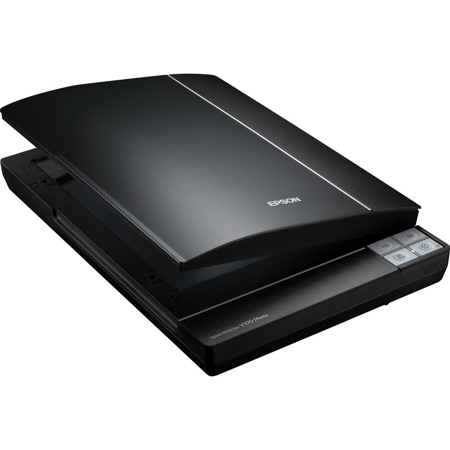
The Epson Perfection V370 is exactly the scanner I was looking for. This is the Swiss army knife of scanner technology. I can scan slides, 35mm negatives, and of course, paper documents and color photos too. The quality is perfect for my needs. I was looking for a device to get all my paperwork, old photos, and film digitized, and this scanner fits the bill. The included software also allows me to scan oversized images and stitch separate scans together into one image which I found worked really well.
The one critisism I have of this scanner is that if used in full auto mode, the scan software seems to cut off/trim automatically - and that trim isn't accurate. On multiple occasions the Epson software trimmed to much off the source work and I had to adjust or add an off-color background page to get my whole photo/doc to scan properly. I also tended to use professional mode to avoid that issue after it happened repeatedly.
I bought this device refurbished - the device was not in a retail box, but all components, wires, manuals, and CDs were packaged nicely.
Overall I really like this scanner - it's perfection ;-)
Seth D.
2017-03-30T10:08:40
Rated 2 out of 5
Unable to install driver, could not use
The installation of the scanner driver failed multiple times using the CD that was included. I tried downloading two different versions of the driver directly from the Epson website, and those drivers also failed to install. I tried installing alternate software that would work with this scanner, but it failed to recognize the hardware. I tried installing the software on two different computers, a PC and a Mac, and could not get it to work on either computer. I searched for the error messages I was getting online and discovered that this is a common problem, so am returning the scanner. The scanner itself was in good condition and probably works well, but I am unable to use it. I am a professional working in high tech and install software regularly, so know what I’m doing. I spent over 9 hours on what should have been a very simple driver installation, without success.
SARAH H.
2017-03-24T11:59:04
Rated 5 out of 5
Very nice scanner
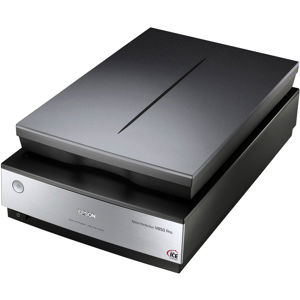
This is a very nice device. It does the job very good. If you need to scan 120 film go for the epson V550
gruk a.
2017-02-03T02:59:00
Rated 4 out of 5
Great Unit!
I received my scanner a few days ago. Right out of the box, I knew I would like this for my purposes. Sets up quickly and very good and gives good results. I like this scanner and it
's incredible software. BUY THIS~~~~~~~~~~
Tony P.
2017-02-01T15:29:54
Rated 5 out of 5
Great Value
Amazing scanner. I have scanned negs with it and they turned out great. haven't tried slides yet. I would highly recommend this scanner. So far no cons.
BRION W.
2017-01-08T11:51:07
Rated 5 out of 5
Great for scanning paintings
I am an illustrator who works in watercolor and inks and love this scanner! Affordable and such great condition!
Vivian S.
2016-11-29T11:51:49
Rated 4 out of 5
Great deal for the price, but lacks couple pro features
Scans 35mm slides/negatives easily with included attachments. However impossible to scan 2 1/4, 4x5 due to unusual backlight scan width. Older models could do easily, however they costs hundreds/thousands compared to this for under ($)
Bret H.