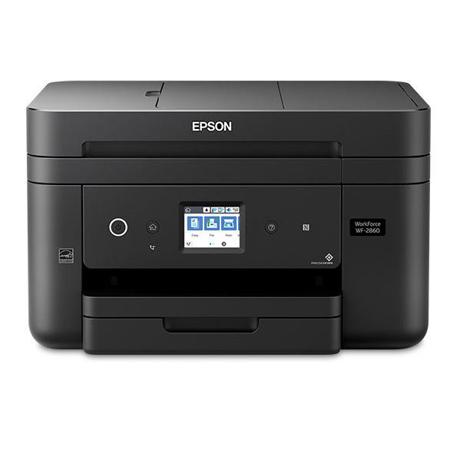
Epson WorkForce WF-2860 Wireless Color All-in-One Inkjet Printer - Print, Copy, Scan, Fax

SKU: IESWF2860

This item is no longer available.

Overview
Compare
Accessories
Specs
Protection

Reviews about this item

Review Summary

2024-08-23T20:00:00

Rated 4 out of 5

Awesome Printer for Home Use

Love this printer! I wish the cartridges lasted longer as they are expensive, but does a great job of printing and speed of printing is great! Would recommend the Epson Work Force!

D K.

2023-07-30T20:00:00

Rated 5 out of 5

Epson Products

I always purchase and recomend Epson printers. I've used Epson since the 1970's and have had great results with their products. I also recommend to family and friends about how reliable and the quality of the Epson Printers.

Ospry2000

2023-07-15T20:00:00

Rated 5 out of 5

Epson Printer Review

I bought this printer a few years ago and have been very pleased with it's performance

Jonsey

2023-07-01T20:00:00

Rated 5 out of 5

EPSON 2860

This is a wireless printer for dummies. The set up was so simple even I was do it.

Doll

2023-06-28T20:00:00

Rated 4 out of 5

Replaced a 20 year old epson all in one printer

My new Epson printer turns itself ff off after 12 hours. It is located about 60 feet away in another room. I don't print something daily and maybe not for a week, but if I do want to print, I have to walk to the printer and turn it on, walk the 60 feet back to the computer, hit print, and then walk back to the printer so that is over half the length of a football field. My old Epson WF-615 just stayed on 24/ for 20 years, but its color printing was not doing well.

four l.

2023-06-11T20:00:00

Rated 2 out of 5

Unable to Scan

When I received my printer the disc to download the scanning driver was broken I have been able to scan with my printer for about two years.

MHGWF2860

2023-04-27T20:00:00

Rated 1 out of 5

junk

his is the most expensive piece of junk I have ever purchased. I hate our company and will ever, ever think of buying epsom again. you absolutely are the worst. thanks for nothing but $00.00 lost and 6 hours trying to get this garbage to work.

ihate e.

2023-04-24T20:00:00

Rated 1 out of 5

I'd give zero stars if I could.

Hands down, this is the worst printer I've ever used. It's loud, goes through ink, and is absolutely frustrating to use. I needed a new printer after I returned to school so I bought this. It was so not worth the price. I'd like to drop this piece of junk at the doorstep of the CEO of this company.

hatethisprinter

2023-04-21T20:00:00

Rated 1 out of 5

Worst

This is the worst printer I have ever owed. The touchscreen is too small. Printer will not recognize remanufactured cartridges after update and will not let me use the printer without the color, only black. I have been using a larger Epson for years until it broke. I will be looking for another brand.

SJAK1

2023-04-20T20:00:00

Rated 5 out of 5

Nice Featutres ,great price

I bought this awhile ago and things are going good

Ink 1.

2023-04-17T20:00:00

Rated 5 out of 5

New set -up on my lap top

I purchased this printer a few years ago, and it's great.

Angelica27

2023-04-12T20:00:00

Rated 4 out of 5

Good product

Good product Setup fairly good Black Ink supplied with printer is low after 35 copies

Epson C.

2023-04-06T20:00:00

Rated 1 out of 5

Just bought this print brandnew and its not printing

I bought this printer today and very excited, brand new, connect it to my computer and its not printing, bought new cartridges, aligned the head, nothing. I am taking it back to Office Max and buy a different brand instead most likely a HP, cost more but more dependable.

Tico

2023-04-03T20:00:00

Rated 4 out of 5

Ink

ink cartridge instruction not clarified enough. I messed up each cartridge and have to replace.

Praise

2023-03-13T20:00:00

Rated 3 out of 5

I can't keep it working

I have had it for a while, and every time I get an update, it stops communicating with my computer, and I have to fix it. Mac user.

Corbenic

2023-03-12T20:00:00

Rated 2 out of 5

Bad start to using Epson Printer

I could not believe how fast the ink is being used. This can' be right? At this rate. I will not be able to afford the ink. Quality of print is not good as the lines are jagged. I went through the initial start up and aligned the printer.

BobbyD735

2023-03-09T19:00:00

Rated 3 out of 5

works good

I purchased this about a year ago. it works great for what I do at home. The only thing I do not like is that when the printer decides it is out of ink, you can not finish what you are doing until you buy and replace the ink. It should at least let you finish printing with the ink you have left in the cartridge.

blondy

2023-03-09T19:00:00

Rated 1 out of 5

There are many problems with this printer

The very worst printer I ever had. It was a gift and I know why she gave it to me.

Out D.

2023-03-07T19:00:00

Rated 2 out of 5

Overly Complicated

Setting up the printer seemed more complicated than any other printer that I have set up. The instructions are lacking and the ink that came with the printer is old. It printed page is so light it can't be read. DRAT!

Justa F.

2023-02-26T19:00:00

Rated 3 out of 5

Having to learn new printer

1st time for an EPSON printer. I missed the disk when we first bought it. After finding it we did not have a problem setting up.

Chief J.

2023-02-23T19:00:00

Rated 4 out of 5

usb port

it would be nice to have a usb port on the front face

w m.

2023-02-22T19:00:00

Rated 4 out of 5

It will do.

It seems to use alot of ink? Wish I had gotten something else.

ETandsix

2023-02-22T19:00:00

Rated 5 out of 5

Excellent value

Works compact full-featured reasonably priced - well worth the purchase price

tkathan344

2023-02-20T19:00:00

Rated 5 out of 5

Great little Printer!

Bought this printer after our last printer failed. This new little workhorse is working well for printing and making copies. Software was easy to install. Highly recommend for light use.

GregU

2023-02-16T19:00:00

Rated 3 out of 5

Poor documentation

The printer is excellent. The documentation is so bad that you should be ashamed. The fax connection is right beside the power plug, while the printer connection is on the other side of the printer - with absolutely no hint of that in what you jokingly call your instructions. My older Epson was excellent and easy to set up and use.

Bob P.

2023-02-15T19:00:00

Rated 5 out of 5

Good printer!

Works great. Very happy with this printer.

Office63

2023-02-10T19:00:00

Rated 1 out of 5

EPSON is Spam, DON'T WASTE YOUR MONEY! Read review

I returned it as it NEVER worked. It printed out in a dirty, blurred and distorted way. Forget about the color! Only B&W, regardless of all the useless instructions online to troubleshoot in order to fix that issue. I even purchased BRAND-NEW color ink cartridges, Epson branded, the next day I got this printer delivered, followed all the instructions and the ink was being eaten and it was impossible to resolve. I returned this after I had to beg for Epson to cover the shipping cost to return it. They wanted me to pay $40 with FedEx for returning a faulty, out of date and low quality item they sold me! RIDICULUOS! And? for a change, it's been 3 weeks, and no refund shows on my end yet. Very unacceptable!

Lucation

2023-02-06T19:00:00

Rated 5 out of 5

A walk in the park to install.

It's easy to install and user friendly too.

Tom P.

2023-02-05T19:00:00

Rated 5 out of 5

Amazing value

Does everything id want my printer to do and much more!

Ken

2023-02-04T19:00:00

Rated 5 out of 5

A breeze!

Not being very tech savvy, I was nervous about connecting to the Wi-Fi. I was pleasantly surprised by how easy it was. I love the functionality of this printer!

Frank K.

Select a plan in the Add Protection section above and purchase with this product by clicking “Add to Cart”.

image-protection

TRUSTED PROTECTION PLANS, EXCEPTIONAL SERVICE.

Invest In Your Gear and Peace Of Mind!

Accidents happen where life happens. Protect your favorite Adorama products and purchase a protection plan to stay covered from accidental damage, mechanical or electrical failure, and more.

Repair or Replacement

Repair or Replacement

If we can’t fix it, we’ll replace it at no additional cost.

Accidental Damage

Accidental Damage

Protect your product from drops, spills, and more.

Peace of Mind

Peace of Mind

Enjoy your gear without fear. We have you covered!

Malfunction Protection

Malfunction Protection

When regular use of your product over time results in mechanical or electrical failure.

Zero Deductible

Zero Deductible

We will never charge you a deductible after the purchase of a plan.

Customer-Focused Support

Customer-Focused Support

Our claims process is simple & easy and our customer service team is happy to help.

Adorama Protect powered by Extend is available for purchase to customers in the United States. Not available for purchase Internationally or in U.S. Territories.

Epson WorkForce WF-2860 Specifications

Print
  • Printing Technology

    4-color, drop-on-demand MicroPiezo inkjet technology

  • Minimum Ink Droplet Size

    3.3 picoliters

  • Maximum Print Resolution

    4800 dpi x 1200 dpi

  • ISO Print Speed

    Black: 14 ISO ppm
    Color: 7.5 ISO ppm

  • Display

    2.4" color LCD

  • Printer Language

    Epson ESC/P

  • Monthly Duty Cycle

    Up to 5,000 pages (Recommended monthly page volume up to 800 pages)

  • Copy Speed

    Black: 11 ISO cpm
    Color: 5.5 ISO cpm

  • Copy Quality

    Standard/Best

  • Copy Quantity

    1 - 99 (PC-free)

  • Maximum Copy Size

    8.5 x 14" (21.59 x 35.56cm)

  • Copy Functions

    Automatic 1-sided to 2-sided
    Fit to page
    Automatic reduction and enlargement (25 - 400%)
    Copy input resolution flatbed 300 x 300, 600 x 600
    Copy input resolution ADF 300 x 400, 600 x 600
    Copy print resolution 600 x 600, 600 x 1200
    ID copy
    Adjustable copy density
    Collate 100 sheets
    1-sided to 2-sided
    2-sided to 1-sided
    2-sided to 2-sided
    Adjustments - density, contrast, color, sharpness, text enhancement

  • Fax Settings

    Black-and-white and color

  • Fax Speed

    Up to 33.6 Kbps

  • Memory

    Up to 100 pages

  • Speed Dials

    Up to 60 speed dial and group dial entries

  • PC Fax

    Supported

  • Functions

    Modem: ITU Group fax with Error Correction Mode

Paper Handling

Jump to...
  • Paper Sizes

    3.5" x 5", 4" x 6", 5" x 7", 8" x 10", 8.5" x 11" (letter), 8.5" x 13", 8.5" x 14" (legal), A4, A6, half letter, executive, user definable (3.5" - 47.2" in length)

  • Maximum Paper Size

    8.5 x 47.2" (21.59 x 119.89cm)

  • Paper Types

    Plain paper
    Epson Bright White Paper
    Brochure & Flyer Paper Matte Double-sided
    Ultra Premium Presentation Paper Matte
    Premium Presentation Paper Matte
    Premium Presentation Paper Matte Double-sided
    Presentation Paper Matte
    Ultra Premium Photo Paper Luster
    Ultra Premium Photo Paper Glossy
    Premium Photo Paper Semi-gloss
    Premium Photo Paper Glossy
    Photo Paper Glossy
    Photo Quality Adhesive Sheets
    Iron-on Cool Peel Transfer paper

  • Automatic Document Feeder

    30 sheets letter or 10 sheets legal

  • Borderless Sizes

    3.5" x 5", 4" x 6", 5" x 7", 8" x 10", 8.5" x 11", A4

  • Envelope Types

    No. 10

  • Paper Capacity

    150 sheets

  • Ink Type

    Claria Ink

  • Ink Palette

    Cyan, Magenta, Yellow and Black

  • Ink Configuration

    4 individual ink cartridges

  • Replacement Ink

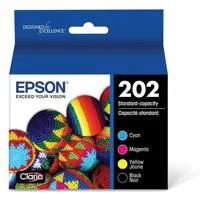
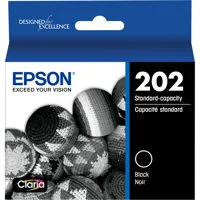
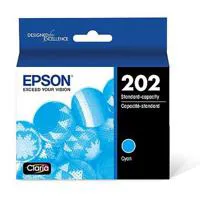
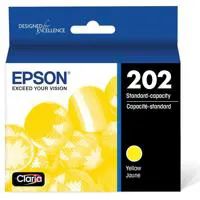
    202 Standard-capacity ink cartridges:
    Cyan, Magenta, Yellow, Black
    202XL High-capacity ink cartridges:
    Cyan, Magenta, Yellow, Black

  • Ink Yield Information

    202 Standard-capacity yield:
    Black: 210 page
    Cyan, Magenta, Yellow: 165 pages
    202XL High-Capacity yield:
    Black: 550 pages
    Cyan, Magenta, Yellow: 470 pages

Scanner

Jump to...
  • Scanner Type

    Color flatbed/ADF

  • Photoelectric Device

    CIS line sensor

  • Hardware Resolution

    2400 dpi

  • Maximum Resolution

    9600 dpi interpolated

  • Color Bit Depth

    48-bit color input/24-bit color output

  • Scan Bed Size

    8.5 x 11.7" (21.59 x 29.72cm)

  • Scanner Functions

    Scan to: PC, PC (WSD)

Connectivity

Jump to...
  • Standard Connectivity

    Hi-Speed USB
    Wireless (802.11 b/g/n)
    Wi-Fi Direct (4 connections)
    Wired Ethernet (10/100Mbps)
    NFC

Automatic Document Feeder

Jump to...
  • Capacity

    30 sheets letter or 10 sheets legal

  • Type

    1-side to 2-side

  • Document Sizes

    8.5 x 14" (21.59 x 35.56cm) maximum size

Mobile Printing

Jump to...
  • Epson Connect

    Epson Email Print
    Epson Remote Print
    Epson Scan to Cloud
    Epson iPrint App (iOS, Android)
    Epson Print and Scan App (Windows)

  • Other

    Apple AirPrint
    Google Cloud Print
    Android printing
    Fire OS printing
    Mopria Print Service

  • Rated Frequency

    50 - 60 Hz

  • Power Consumption

    Standalone copy printing: Approx. 12 W ISO 24712
    Ready: Approx. 5.3 W
    Sleep: Approx. 1.0 W
    Power off: Approx. 0.2 W ENERGY STAR

  • Rated Current

    0.4 - 0.2 A

General

Jump to...
  • Software Included

    Epson printer driver, Epson Scan, PC-Fax

  • Telecom Regulations

    FCC Part 68 (U.S.A.), IC/CS03 (Canada)

  • Operating Systems

    Windows 10
    Windows 8, 8.1 (32-bit, 64-bit)
    Windows 7 (32-bit, 64-bit)
    Windows Vista (32-bit, 64-bit)
    Mac OS X 10.6 - 10.13.x

  • Server Systems

    Windows Server 2003 SP or later
    Windows Server 2016

  • Temperature

    Operating: 50 to 95 deg. F (10 to 35 deg. C)
    Storage: -4 to 104 deg. F (-20 to 40 deg. C)

  • Humidity

    Operating: 20 - 80%
    Storage: 5 - 85% (no condensation)

  • Sound Level

    Power: 6.4 B(A)
    Pressure: 50 dB(A)

  • Safety Approvals

    Safety standards UL60950, CSA C22.2 No. 60950, EMI FCC Part 15 subpart B class B, CAN/CSA-CEI/IEC CISPR 22 class B

  • Dimensions (WxDxH)

    Printing: 16.4 x 19.8 x 10.0" (41.66 x 50.29 x 25.40cm)
    Storage: 16.4 x 13.7 x 9.1" (41.66 x 34.80 x 23.11cm)

  • Weight

    14 lbs (6.35kg)

  • UPC Code

    010343939882

9 Accessories for Epson WorkForce WF-2860 Wireless Color All-in-One Inkjet Printer - Print, Copy, Scan, Fax

  • All Accessories (9)
  • Ink (5)
  • Copy Paper (1)
  • Cables & Adapters (3)

About Epson WorkForce WF-2860

FEATURED REVIEWS

Good printer, solid

By Eric

Printer works well, fast printing and all around functionality

price and quality

By graciela

I am very satisfied with the printer. I have always had HP but I spend Epson for price and quality

The full-featured wireless all-in-one printer for your home office
Powered by PrecisionCore printing technology, the WorkForce WF-2860 delivers laser-quality performance. Versatile, fast and compact, this space-saving all-in-one includes a 150-sheet paper capacity and 30-page Auto Document Feeder, so you'll reload paper less often. A 2.4" color touchscreen offers easy setup and navigation. And, you'll enhance productivity with auto 2-sided printing. The WF-2860 features network-free wireless printing, NFC touch-to-print capability and Ethernet. Print sharp, professional-quality documents - even from your tablet or smartphone. The WF-2860 speeds through tasks at 14 ISO ppm (black) and 7.5 ISO ppm color.

• Designed for use exclusively with Epson cartridges
• 4-in-1 with Wireless: Print / Copy / Scan / Fax / Ethernet
• 4-color Claria pigment ink
• Black: 14 ISO ppm; Color: 7.5 ISO ppm Print Speed

Get Laser-Quality Performance
The WorkForce WF-2860 is powered by PrecisionCore.

Everything you need, right at your fingertips
2.4" color touchscreen to easily print, copy, scan and fax.

Packed with features
All-in-one compact, space-saving design.

Save paper
Save on paper with the option of automatic two-sided printing.

Enhance your productivity
Front-loading paper tray holds up to 150 letter or legal sized sheets, so you reload less often.

Easy mobile printing
Print from your iPad, iPhone, Android tablet and smartphone; no network required with Wi-Fi Direct and NFC touch-to-print capability, plus Ethernet.

Amazing quality for all your critical projects
Laser-quality black text for crisp, professional-quality proposals, reports and brochures.

Fast print speeds
14 ISO ppm (black) and 7.5 ISO ppm (color).

Better for your bottom line
Uses up to 70 percent less power than laser printers.

Affordable individual ink cartridges
Replace only the cartridge that runs out.

Eco Features
• Uses up to 70% less power than laser printers
• Save up to 50% of your paper supply with automatic, 2-sided printing
• RoHS compliant

What's in the box:

  • Epson WorkForce WF-2860 Wireless Color All-in-One Inkjet Printer
  • Claria Black Ink Cartridge
  • 3x Claria Color Ink Cartridges (Cyan + Magenta + Yellow)
  • Power Cord
  • CD-ROM with Drivers
  • Epson 1 Year Limited Warranty