
This item is no longer available.
Review Summary
2020-07-29T08:07:17
Great product, timely delivery!
TERESA H.
2020-05-03T20:00:00
I bought my unit refurbished from Epson and it arrived in good condition. There was a minor issue with the ADF where one of the springs that applies pressure had come out of alignment and gotten stuck, which caused paper fed into the ADF to crumple; I assume this happened during shipping. I was able to fix the issue on my own with pliers and have had zero ADF issues since then. I purchased this printer to complement my mono letter laser printer, as the cost of tabloid+ laser printers is more than twice that of this printer. My main uses are printing sheet music, photos, and making archival scans of antique sheet music (much of which is 9" x 12" so cannot be scanned in letter-sized scanners). Overall the print quality of the ET-16500 is very good, especially for an inkjet. I extensively tested the mono capabilities of the printer with every possible arrangement of quality-oriented settings tried, to judge its suitability for printing sheet music and woodcuts. At a foot or greater distance, when set to high quality, the difference is all but imperceptible to a high quality mono laser output, aside from appearing somewhat darker, due to a slight thickening of lines. Around 6" you can notice the slight softness of the print, and around 4" it is obviously an inkjet print. However, to all but the most observant viewer/printer fanatic, the results are indistinguishable. Pedantically, I would not agree with Epson's claim of "Laser-quality black text", as at the macro level, the laser printer's output is undeniably sharper regardless of how much finessing one does with the ET-16500, but it's certainly good enough for all but the most demanding print applications and at any reasonable viewing distance, arguably indistinguishable. (see att'd photo) However, when printing photographs and color prints, this printer really shines, in particular when using 'semi-gloss' or 'luster' photo paper. I printed a bunch of posters for work on high quality Super B (13" x 19") photo paper in both mono and color with exceptional results and incredibly low cost. The colors are very good, although without a discrete 'photo black' and other colors of higher-end photo printers, the darkest portions are not quite as rich as can be obtained, but remarkably good even for professional use. Typical B&W prints are dry to touch in seconds, although very saturated/dark color prints on conventional paper may feel slightly damp for a time. I recommend leaving such prints to dry for a few hours or overnight before packaging/significant handling to be safe, but I have never had the slightest issue with smudging, even right out of the printer. A quality photo paper will also be dry to the touch on exiting the printer. It should be noted that the printer can have significantly different results from the set quality and paper type settings. For B&W printing, Premium Photo Paper settings will give a much darker, more contrasty print with heavier lines than even the highest quality Plain Paper setting (obviously at the cost of more ink and more print time). Depending on your paper, you may wish to enable or disable Thick Paper and experiment with different settings to find the best values for the cleanest print given your particular paper of choice. With color prints, I found the photo paper options actually reduced the contrast of the prints, perhaps to depict a wider gamut or to work with Epson's particular paper formulation, but the general result was a somewhat desaturated look compared to Cardstock or Plain Paper settings. As always, experiment to find the best settings for your end use case. I strongly recommend a quality paper. Don't put 20 lb budget store-brand stuff into this and expect good duplex or dark photo prints, get at least 24 lb if not 28 lb, the best stuff that's within your budget. The ink visibility is slightly more than typical laser toner, so you might even want to stick to 28-32 lb (105+ gsm) if doing duplex. Note that you can't run a lot of 'glossy' papers through an inkjet, so be sure you only buy inkjet-compatible glossy photo paper if that's what you're looking for! Also, this thing can handle quite thick paper, over 200 gsm, so it is fantastic for printing very high quality covers. Overall the paper handling is alright. The single-sheet rear feed is mildly infuriating, but understandable (it looks like they have done away with it in favor of a multi-sheet rear feed in newer models). It rarely has paper feed problems, although occasionally it can get a sheet stuck in the duplexer (strangely only letter-sized ever gets stuck, tabloid is always fine). Annoyingly it does not re-print such stuck pages, so you have to go back and re-print those pages manually later (although, if a page gets stuck when doing a copy job, it WILL re-print it!?). It also complains when the paper type doesn't match between the print driver and the printer's internal settings, but this can be disabled in the remarkably extensive system administration menu under Setup (thank you, Epson, for actually making a device which exposes useful configuration options to end users!). Several people have mentioned a high frequency of ink clogging issues. I have found if not used frequently ink may clog up, but for me it always reliably fixes itself after a cleaning cycle. It is also important to keep the unit in a climate controlled space if possible, or to run a dehumidifier if necessary. Like any inkjet printer, this thing loves making weird noises, all kinds of clicks and creaks (especially when you are feeding cardstock!). However, it has remained remarkably reliable for an inkjet, with relatively few bad prints and only one mechanical issue, which it managed to fix by itself after a reboot. I've never had an issue with ink spillage, though I tend to be careful when refilling. By far the most useful feature is the 'booklet' and 'n-in-1' options, which I use almost constantly. In such a way I can print off multi-page letter-sized sheet music on a single sheet of tabloid, which not only looks extremely professional but also cuts down significantly on loose letter sheets deciding to fly off music stands. Likewise, I also use it to print off user manuals and other materials. The unsung hero of this printer is the touchscreen. I have no idea how anyone could productively use a MFP without a touchscreen in retrospect, and I would strongly encourage Epson to implement touchscreens on all other printer models. Doing operations like scans, copies, enlargements, etc. is straightforward, convenient, and surprisingly not infuriating. Better still, the setup menu is actually fairly extensive, though I wish they had a 'Printer stats' screen, instead of having to print out a status report or dig through the printer's settings on your system every time you want to check how many pages have been printed or the like. The scanner is very good. The built-in scanning functionality works fine, and I often use the 'scan to USB device' option when in a hurry. For the highest quality, I recommend using dedicated scanning software and taking your time; in such cases, the results can be quite exceptional. I have made 800%+ enlargements from high-res scans done via such software onto Super B photo paper with very good results. The ADF is alright, although it always seems to get the bottom of the page in the scan, creating a horizontal line at the bottom of the page. I generally clean the scanning surface and ADF surface before every scan for best results, as any dust, especially in the ADF, will affect quality. A few things I wish Epson would fix: - When copying a multi-page document using the flatbed using the built-in copy functionality, there is no way to scan more than two pages in the document. - The built-in scan functionality does not include a scale option (e.g. for enlargements), while copy does. - The built-in scan functionality maxes out at 600 dpi for PDF's, while the scanner can do up to 1200 dpi via computer. - The ADF includes the bottom edge of the page being scanned in the scan by default. - When printing status reports or alignment tests, the printer will always use whatever is loaded in Tray 1, even if it's Tabloid and there's Letter loaded in Tray 2. The expected behavior should be to always load from whatever tray has Letter. I've printed 4,400 pages so far and only have had to replace the inks once. That includes over 100 full-color, high-resolution Super B photo prints, dozens of smaller photo prints, and a few thousand B&W prints of sheet music. Even if the exact numbers Epson specified aren't quite met, the sheer economy of this printer is undeniable. It's cheaper than any laser I've ever owned, and its color printing is far superior too. While I prefer the output of my mono laser for most purposes, this is easily the best wide-format printer south of $2K. Overall the EcoTank/Supertank line is an exceptional deal for anyone looking for a balanced printer which can in one moment create stunning color photo prints and in another run off wide-format scores or booklets with competitive quality results. Two years in, it's still running fine and I expect several more good years before I certainly upgrade to another Ecotank. :)
Samuli

2020-04-18T20:00:00
The et 16500 fills a unique spot in home and office all in one devices capability. The size of max printing and max scannable sizes along with seperate paper trays for either diverse types or sizes of paper or double the quantity of one size allows a smooth workflow on most of my project without interuption.The price may be a little steep, but if you want the features it has, the ecoTank 16500 has no direct competitor.
GraphicsGuy
2020-04-14T20:00:00
I just finished installing the printer so this review addresses installation and initial use. The installation of the printer was easy and instructions were easy to follow. Inks were easily installed. Only printed a few pages but they look very good.
Mad D.
2020-04-14T20:00:00
I bought this printer eight weeks ago and struggled the whole time to get it up and running to no real avail. I can not recommend this product and attest to its abilities. My suggestion is don't waste your time or money.
actor22
2020-04-06T20:00:00
I have used over a month and am very pleased with results.
Papa J.
2020-04-03T20:00:00
I bought this unit a month or so ago and I am STILL trying to get it set up. Your Asian techs were of no help and I could not understand much of what they were saying. I'm finding things are locked with a password required but no help any where to open things. There was no manual to help with the set-up, just a cd. I have never has anything FRUSTRATE ME OR MY IT PERSON so much. We'll try a little longer to get it up and running or YOU MAY HAVE IT BACK.
ACTOR 2.
2020-03-30T20:00:00
I purchased this about six months ago and have printed thousands of full color, letter size, single and double sided documents; several dozen Tabloid and Super B size posters; many feet of banners; and hundreds of envelopes sized for letters, large greeting cards, invitation size cards. The savings in ink costs is outrageous compared to ink and toner cartridges! I haven't used it to fax, but the copy and scan features are fine. This printer is performing for production purposes better than I had hoped for. My only problem is getting the output color to be more consistent with my design work, especially shades of red. I've spent hours testing the various settings for print production and haven't been completely satisfied yet. While not a show stopper for the work I'm doing, it's very annoying. Bottom line, I LOVE THIS PRINTER in spite of it's big, heavy footprint. Ink is so easy to refill and it's important to run maintenance tasks if printing hundreds of pieces in a single print job. My documents are primarily promotional flyers and customized cards with hi-res graphics and photos. Still can't believe what I can print for a minimal investment in the ink! My other laser jet and ink jet printers are in hibernation:-)
JudyAnn
2020-03-30T20:00:00
Had this printer less than two weeks........jams 9 out of 10 photos..........disappointed!
PLC G.
2020-03-29T20:00:00
Bought this from Staples only to find out 1, it was 15 months old new stock 2 and over priced by 40%
Runforestrun
2020-03-27T20:00:00
I bought this in January and this is my 3rd epson printer I really like epson I gave my hubby my ET4550 and I still like that one but I bought this one be cause it prints a bigger format for larger pictures. but I wish it would scan negatives like the epson 1800
Palzies
2020-03-26T20:00:00
Sometimes the scanner works and sometimes I have to shut off the printer and turn it back on multiple times to get it to work. Have had issues with the paper feed. To many steps to just get a simple copy made, more time consuming.
DeereJohn
2020-03-25T20:00:00
This printer ROCKS! It has everything I need. There is no reason for anyone to shop around. All they need to do is simply order one. I would mention something on the downside of this printer. But there isn't one. It should be the fold gold standard for how printers are made.
Pearce H.

2020-03-18T20:00:00
I bought this printer 3 years ago with great expectations. Within 2 weeks it was found defective, I was asked to returneto factory and got back a refurbished printer which did function properly at times but always had problems up to the point that I can't now print pictures properly (because of lines that would not disapear even when I folloe procedure to test and clean printer).
JeanPaul
2020-03-15T20:00:00
It was a replacement for my Epson wich served me well for 7 year. I had no doubts l was getting the high quality product. It didn't disappoint. I print and sell greeting cards and label stickers on Etsy. This printer is perfect for my small business. Ecotank is outstanding feature. Very happy and highly recommend to all.
GreetingCardsBlue
2020-03-10T20:00:00
We just got our printer today and are loving it...it takes a time to get set up on laptops and mobile devices but it seems to be amazing and unreal the many options for printing. I'll add more once we've had our ET-16500 for awhile. Thanks Epson I do believe printing will be at a whole new happy level!
vondabon
2020-03-06T19:00:00
It needs a quick start guide in the box. Shipped from Sam's Club, nothing in the box, no instructions for the "extras" you were to do first BEFORE other things. We now have to call customer service to get it all straighteded out. Hoping it will be painles. Can't wait to finally use it. Upgrading from a smaller Epson that has lasted us a long time.
Brightspirit
2020-02-28T19:00:00
I have to clean head every few days, it clogs, it does not print great pictures. i has several lines. head need to be realigned at least once a month
sanjay1
2020-02-23T19:00:00
I purchased the Epson ET-16500 for my office. Our IT person said it was going to be slow and I should get a different one. Nope I purchased this one and outside every now and then it doesn't connect right away, its great. The amount of $$$ it saves on just ink is amazing. Still a few bugs but an easy fix. I would recommend this to anyone that prints out a lot.
TBKINC
2020-02-07T19:00:00
we use the same printer in the office, over the last 2 years we did not have any issues. also we did not buy any ink yet. last count was 25500 pages. WOW. all smiles here. Note: we print mostly faxes and PDF files at a lower setting. but still amazing printer.
Alfonso
2020-01-28T19:00:00
I quit my 6 figure salary to start my own Civil Engineering practice in the New York City area and cash flow is a big issue, lucky me I found the ET-16500 for my 11x17 needs, I haven't test it for photographic quality.... I don't need that, I just need clear, legible color engineering/architectural drawings without breaking the bank. The epson connect scan utility is an AMAZING feature I didn't know I need. This is what I do: I created a gmail account just for scanning purposes my et-16500 send all scans to that account.... I magically have a backup of every single scan! Talking about the google guys (thank you guys), I have a google voice number I use for my fax, it is just like a free land line I use for my Epson ET-16500 fax, no issues receiving or sending. Faxes in this century you may ask... well.... I deal with tons of state and city agencies that still use faxes, I even receive some RFPs from contractors via fax. Almost 9 months of moderate use and I couldn't be any happier, a very well engineered machine.
andesces
2020-01-21T19:00:00
Just got a replacement printer because a paper feeding problem and the replacement printer is doing the same. I wasted over 60 sheets of paper and ink.
Rich H.
2020-01-20T19:00:00
In order to print 11x17 we had to download different software than the automatic download. Anyone who bought this huge printer wans to print on large paper...
Caryatid
2020-01-16T19:00:00
Love this printer. Love the Supertank feature and the wide format features the best. Start to print from off is very quick. Easy to set up, even for an old timer like me.
Jackfishbill
2020-01-03T19:00:00
Great features
skypilot
2019-12-30T19:00:00
the set up could have been more detailed
H2Os
2019-12-09T19:00:00
I print architectural dwg drafts on 11x17 paper. Being old school, there is something magical about seeing design on paper, especially the short comings and just plain old mistakes that I can't see on my ginourmous dual 4k monitors. My little problem is the 11x17 paper is not feeding consistently in slot 2. This is a refurbished machine and hopefully Epson will solve this problem.
Livingwatersolar c.
2019-11-01T20:00:00
Good print quality not user friendly. Software is settings confusing and paper settings hard t set and save
T1 g.
2019-10-26T20:00:00
We have had this printer for almost a year now with no problems at all. And still have ¼ tank of black ink left, the color tanks are more in the neighborhood of ½ to ¾ full. The quality and flexibility of page sizes is great. We have been through many reams of paper with out any problems at all. The only thing I would like to see better is the integration with apple products. The previous one printed through wireless printing now you have to use an app called IPrint, that being said, I believe you have better control of your print quality. I probably would like the interface more if I had the time to learn a little more about it. For the most part I really enjoy the quality prints and the wide format with abundant sizes of paper that can be printed. The EcoTank option is truly innovative, you don’t have to buy and throw away expensive printer cartridges, I tried refurbished cartridges in the past but the color never turns out right so I typically had to buy new ones each time. This revelation is truly one that protects the environment and still gives very high quality images.
Mrupndown
2019-10-22T20:00:00
I’ve had the printer for a few weeks and so far it is fabulous.
ShawnG
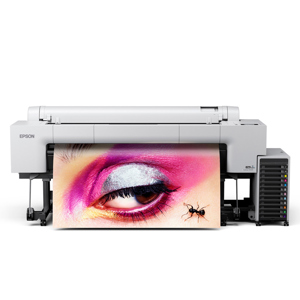
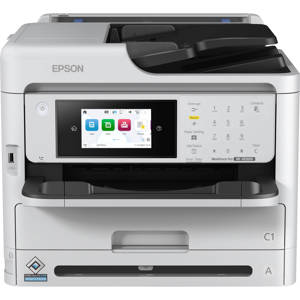
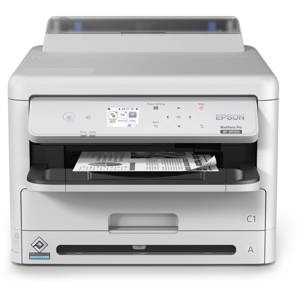
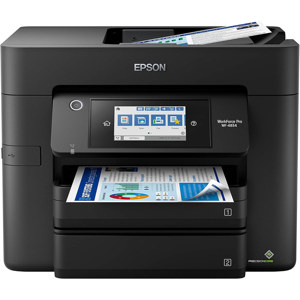
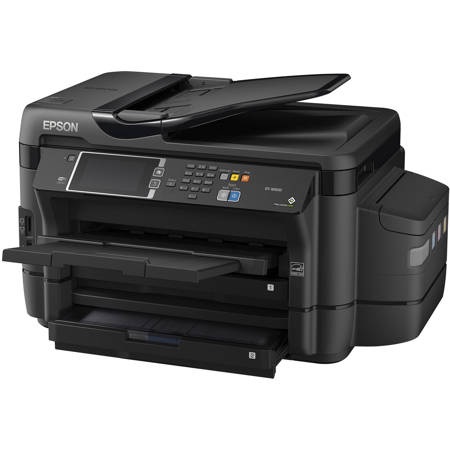
The wide-format wireless EcoTank all-in-one with revolutionary cartridge free printing
• Cartridge-free printing - comes with up to 2 years of ink in the box
• Includes enough ink to print up to 10,500 black/11,000 color pages - equivalent to about 50 ink cartridge sets
• Save up to 80 percent on ink with low-cost replacement bottles - features easy-to-fill supersized ink tanks
• Wide-format prints and scans - print up to 13" x 19"; 2-sided copy and scan up to 11" x 17"
• 500-sheet paper capacity - plus a rear feed for specialty paper
• Powered by PrecisionCore - laser-quality black text
• Easy setup and touch navigation - 4.3" color touchscreen
• Save up to 50 percent on paper - auto 2-sided printing and copying
• Ultimate wireless solution plus Ethernet - easy iPad, iPhone, Android tablet and smartphone printing5; includes Wi-Fi Direct6 for network-free printing