
This item is no longer available.
IP KVM - LCD Console and 16-Port KVM
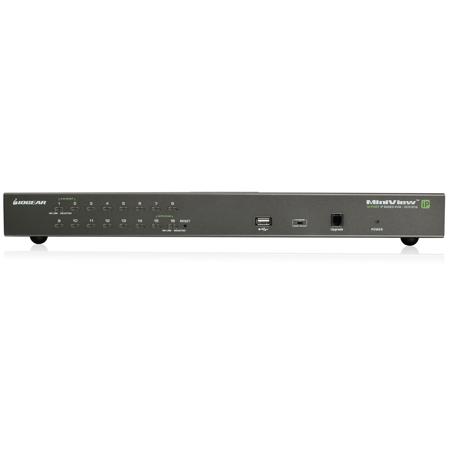
IOGEAR's 16-Port IP Based KVM and 17" LCD KVM console bundle offers a space-saving, streamlined approach to IT environment by integrating a keyboard, touchpad and a 17" LCD monitor in one unit. Connect anywhere in the world and manage your servers over the internet. The LCD console is also bundled as an additional tool to manage servers locally.
• Integrated IP KVM bundle features a 17" TFT LCD active matrix monitor, keyboard and touchpad complete with 16-port IP-based KVM switch
• Monitor and control up to 16 computers from both local and remote KVM consoles
• Video quality up to 1280x1024 on LCD; up to 1600x1200 @ 60Hz / 24-bit color depth for remote access
• Multiplatform OS support - Windows, Mac, Sun Solaris and Linux
• Custom ASIC provides an auto-sensing function that recognizes the position of each station on the installation
• DynaSync - stores the local monitor's EDID (Extended Display Identification Data) to optimize display resolution
• Rack mountable in a 19" (1U) system rack; adjustable depth to fit different sizes of racks
• Hot pluggable - add or remove computers without having to power down the switch
• Front panel USB port allows connected computers to access USB peripherals such as USB flash drives or hard drives
• Dual Interface - the automatic interface detection supports computers with either PS/2 or USB connections
• Complete keyboard and mouse emulation for error free booting
• Support special keys on Mac and Sun keyboards
• Firmware upgradeable
Easy-to-Use Interface
• Easy to operate - computer selection via front panel pushbutton LED's, intuitive OSD (on screen display) and hotkeys
• Browser-based or AP GUIs, including a menu-driven OSD for the remote console
• Windows client and Java client software support
• Multi-browser support (IE, Mozilla, Firefox, Safari, Opera, Chrome)
• Panel array mode enables user to monitor multiple servers from a single screen
• Auto Scan Mode to monitor connected computers
Advanced Security
• Secure keyboard/mouse/video transmission via RC4 128-bit encryption
• Supports SSL 128-bit data encryption and RSA 1024-bit certificates for secure user logins from a browser
• Two level password security (administrator and users) - up to 64 user accounts with separate profiles for each
• Third party authentication supported: RADIUS, LDAP, LDAPS, MS Active Directory
• Supports IP and MAC filters
• Log in authentication required for both local and remote access
Virtual Remote Desktop
• Resizable remote desktop window
• Message board allows logged in users to communicate with each other and allows a user to take exclusive control of the KVM functions
• Mouse DynaSync
• On-screen keyboard with multi-language support
Straight Forward Installation and Operation
Setup is easy and fast. The IP KVM bundle does not need software installation or a complicated installation procedure, thus eliminating incompatibility problems. The LCD display is built into the frame, the keyboard and touchpad are built into the base of the LCD drawer frame. Simply slide the console module section out from your server rack and lift the cover up. When finished, flip the cover down and slide the console module back into the rack. The IP switch is a plug-n-play solution. Add or remove a connection without switching the entire system off.
Less Hardware, More Access
This LCD console and IP Based KVM bundle allows you to manage up to 16 computers and support up to 64 user accounts (32 concurrent user connections). Once logged in, users can manage the computers via the virtual remote desktop window. With IOGEAR's IP KVM bundle, you will reduce cost from redundant hardware and allow more access with great flexibility.
Secure IP Connectivity
The 16-Port IP Based KVM features many security tools. With the 128-bit SSL encryption for browser access and RC4 128-bit encryption for secure data transmission, you can be assured your sensitive data will be secured. The IP switch also supports third party authentication such as RADIUS, LDAP, DAPS and MS Active Directory. In addition, IP and Mac filters provide added security against unauthorized access. The Log server, a Windows-based administrative utility, records all the events that take place on the KVM and writes them to a searchable database.