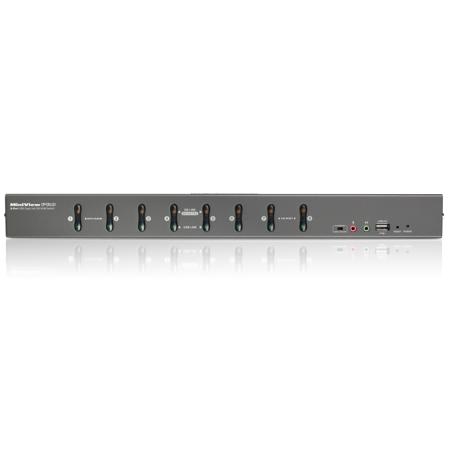
About IOGEAR GCS1208KIT2
The IOGEAR 8-port USB DVI KVMP Switch Kit is a control unit that allows access and control of up to 8 DVI computers from a single USB keyboard, USB mouse. It can be cascaded to three levels - allowing up to 73 GCS1208s to control up to 512 computers - all from the original single console. In addition, GCS1208 comes with IOGEAR's Video DynaSync technology to optimize the display resolution. IOGEAR's DynaSync technology reads and remembers the monitor's parameters (EDID) so there is no delay or change of video resolution when switching between, or booting computers.
Switching between computers can be easily accomplished either by manually pressing the front panel push buttons, entering hotkey combinations from the keyboard, or via on-screen display (OSD) system. A convenient auto-scan feature permits automatic scanning and monitoring of activities on all connected.
IOGEAR GCS1208KIT2 Features
One USB console controls eight DVI or VGA computers
Supports both digital (DVI), analog (DVI) video and analog (VGA)
Superior video quality: 2560x1600 (Dual Link DVI), 1920x1200 (Single Link DVI), 2048x1536 (VGA); DDC2
Supports widescreen resolutions
Multiplatform support - Windows, Linux, Mac, Sun
Computer selection via front panel pushbuttons, hotkeys and on-screen display (OSD)
Includes two USB 2.0 peripheral sharing ports
Independent switching of KVM and USB focus
Two-level (Administrator / User) password authorization for enhanced security protection
Cascadable to three levels - control up to 512 computers
IOGEAR's DynaSync technology reads and remembers the monitor's parameters (EDID) so there is no delay or change of video resolution when switching between, or booting computers
Audio enabled - Full bass response provides a rich experience for 2.1 channel surround sound systems
Complete keyboard emulation for error-free booting
Console mouse port emulation/bypass feature supports most mouse drivers and multifunction mice
Mac / Sun keyboard support and emulation
Auto Scan Mode for monitoring all computers
Broadcast mode - allows you to send commands from the console to all computers to perform operations simultaneously
Firmware upgradable
HDCP compatible
Console audio ports on front panel for easy access