
Orders placed during Passover Holiday (Wed 4/1 after 4PM ET – Thurs 4/9) will ship Fri 4/10. View our holiday shipping schedule.
This item is no longer available.
Review Summary
2022-01-20T19:00:00
My new spectre x360 laptop came with a tilt pen that was broken out of the box. Can't get customer service phone or online since I ordered as a guest. Can't find serial number. When I call sales they transfer me and I get cut off! Help!
ellekay

2021-11-27T19:00:00
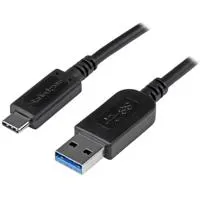
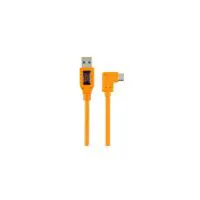
Had no issues with getting the pen (with included charge cable), and it connected easily via Bluetooth on the first try. Works with my Hp Envy without issue, charge lasted and I was able to turn it off by holding down the "eraser" button for 3 seconds. Compatible with OneNote, I just made sure to autohide the taskbar so it didn't cause issues if my hand brushed that area at the bottom of the screen (didn't have an issue with palm detection while writing).
Mark1665
2021-11-22T19:00:00
I got it in April. It was okay but the charge never lasted like it said it would. On top of that, it broke today 11/23/21 just from normal usage.
Gracielu
2021-11-22T19:00:00
I purchased this pen to accompany my new ZBook FURY G7 with touchscreen. I cannot get this device to work with the computer, it will connect to the bluetooth but will not recognise any input on the touchscreen. I can only get dummy stylus (or my finger) to work on this device.
BMiller27
2021-11-11T19:00:00
I bought this pen with the promise that it would respond to tilt input, but as it turns out HP themselves has a page on their website that acknowledges Microsoft took out support for the technology used in the Tilt Pen back in 2020, yet they continue to offer this product that is now absolutely no different than the included stylus with their laptops. Had I realized before my return window expired I would have absolutely returned, and the horrendous two-to-three hour battery life when actively connected to your computer's Bluetooth connection makes this product absolutely unusable. If you want a stylus for your computer, this isn't it. Will never buy another computer accessory from HP after being charged a ridiculous amount for a product that is not even close to what was promised.
robbysam
2021-10-14T20:00:00
I bought HP Elite Dragonfly so that I can write and make note. Immediately after buying HP Elite Dragonfly, I bought this pen using same username. Once it reached to me, I found that this pen is not compatible with HP Elite Dragonfly.
Nabeen S.
2021-10-11T20:00:00
No charger with the pen Pen will not charge with another type c charger
Ttelesz
2021-10-08T20:00:00
I am unsatisfied with the item. It did not work as advertised, despite it being completely compatible, having the proper driver installed, and using compatible software that should register tilt, rotation and pressure, tilt and rotation does not exist and the pressure sensitivity is no better than a cheap stylus. You have to put way too much pressure onto the tip for it to register onto the screen. It's also very jittery and jumpy. It is essentially useless to me for art purposes and is not worth the price to use only for bad writing. It feels cheap and flimsy in hand. I feel that the end could snap off when charging. A USB-C cable does not even fit all the way into the charging port. And why does it take an hour to charge? What even is the battery life on this? I tried another stylus that charges the same way and it lasts 70 hours on a 15 minute charge. Do better, HP.
ninjagriff
2021-08-10T20:00:00
so much better than the original one! love the tilt and pressure features for drawing. wish the battery lasted longer like my hp mouse.
jessr22
2021-08-10T20:00:00
This will probably be the last HP product I buy. The pen is okay. There are way better ones like the ones Microsoft is putting out. So I'm using that instead.
djsu12
2021-06-11T20:00:00
In short, it is compatible with my HP Envy 360 and works well enough: the thin/thick lines (hence the "tilt") and the eraser work as advertised, but the lines aren't smooth when writing. The only apps I can really use it for are the whiteboard if I just feel like doodling without wasting paper. It doesn't come with the series-C charging cable it needs to actually use the device, but it does come with extra tips. I bought this directly from HP (to ensure compatibility) and paid for expedited shipping, but it still came late. I was eager to get this pen to annotate digital research papers by hand; however, my job uses a remote desktop and the pen function is not compatible with the remote desktop, rendering the pen useless for my work. Final rating is a 2.5/5...
CollateralCupcake
2021-05-26T20:00:00
Great pen for coloring/shading my Photoshop art. No charging cable, but I used the USB-C cable from my Spectre to charge it without issue.
Quind
2021-05-15T20:00:00
this is my first pen but i enjoy it so far ,and hope to do more with it .
jojoking
2021-05-12T20:00:00
I bought this a month ago and I'll be returning it under warranty due to these reasons: it does not function. period. The software required to use the advertised tilt drawing features is underdeveloped unsupported and not even listed as compatible on the Microsoft Store. To make matters worse, it fails to function as even a regular touchscreen stylus. I have gone down every trouble shooting avenue, forum page, driver update, and windows setting. It is either broken or not compatible with my tablet (as it was advertised)
ljayziex
2021-05-08T20:00:00
I bought this a bit ago and it wouldn?t charge. I went to go return it and it wouldn?t let me, even though it very clearly said my product was Return eligible. 0/5 would not recommend.
Asteck
2021-05-03T20:00:00
The first thing I noticed when I picked up the pen was the quality. It actually feels like a pen in my hands. I was originally using the stylus that came with my HP Specter but this was defiantly an upgrade. Battery life is okay on Bluetooth but lasts more than a week in passive mode. It's responsive and works really well!
BCooper33
2021-04-18T20:00:00
DON'T WASTE YOUR MONEY! I ignored the reviews. Don't make the same mistake. The product will not make you more productive or make your work any easier. If you try to return it you will have to pay at least $10. A simple mouse works much better.
OSanchez
2021-04-14T20:00:00
It was worked good and feel same like real. Battery takes long.
ng12
2021-04-07T20:00:00
I bought this 2 weeks back and till now I am super satisfied with the product, design, and touch sensitivity
Sunil T.
2021-03-22T20:00:00
According to the directions, the first thing you need to do when you get this pen is to charge it with the included cable. There isn't an included cable. So the first thing you need to do is go out and buy a cable. Once you get past that hurdle, the pen has five modes, two identified by a tiny blue-ish green light, two identified by the same tiny light, now green-ish blue, and then the no light stylus only, sleep mode. You hold the "eraser" down to toggle between modes, except it is impossible to tell the colors apart, or whether it ever goes to stylus mode, though if left alone long enough it does appear to go to sleep (as identified by the computer no longer being able to tell how much battery life it has left). Battery life on standby appears to only be a couple of days, as opposed to my other rechargeable which last for weeks on non-use. Works great as a drawing stylus, just don't expect it to be charged and ready to go when you need it.
Turgel
2021-03-16T20:00:00
I had to purchase the Tilt Pen after the one that came included with my Spectre x360 (called the Zenvo Pen) had issues right out of the box, specifically horrible wiggly lines whenever I tried to draw straight lines. To my relief, the Tilt Pen not only draws considerably straighter lines but it also lacks that annoying tapping sound when in contact with the screen. The eraser button on top of the Tilt Pen is also a sweet detail that makes it more natural and realistic. The only reason I'm not giving it 5 stars is because it doesn't have magnets to make it stick to the laptop and the special eraser button functions only work when Bluetooth is on, which drains the battery in less than an hour. Overall, it's an improvement over the pen that comes included with the Spectre x360.
enrique12
2021-03-15T20:00:00
This isbthebfirstvgeneration styles pen specifically for the no spectre 360. Built Saturday works well even with Photoshop. Highly Recommend for digital creativity
Grayghost2348
2021-03-14T20:00:00
I quite like the bluetooth pairing with this pen and it seems to be made of excellent quality build.
Calder
2021-03-03T19:00:00
I like the feel however it is fragile. Be very careful not to sit or step on it
Desan
2021-03-03T19:00:00
Bought tilt pen per hp tech recommendation based on my specific computer. Pen connected to computer but never wrote on screen. Pen options never available in settings after numerous updates, resets, driver downloads. Spent over 5 hours on three different days talking with hp support - issue never resolved. HP sent me a new pen - same issues. Neither pen worked, tech support never able to resolve issue. Returned both pens for refund within return window, and HP has not refunded my purchase price. Very, very disappointed. Recommend "dumb" stylus or finger instead of tilt pen, until hp can resolve issues with connectivity and functionality.
Vt88
2021-02-28T19:00:00
"Device locator" doesn't keep track of its position at all.
ccorbella
2021-02-24T19:00:00
Out of box failure would like charging cable inclded
Bigred4545
2021-02-23T19:00:00
Bought this pen as a replacement to the one my laptop came with, works just as well. Sometimes pen seems to have a hard time turning on but plugging it into charger and then removing charger seems to do the trick.
bryar
2021-02-18T19:00:00
I bought the pen but I was surprised it didn't include the charger. After I charged it, it works but sometimes line is interrupted and with time performance improved.
Rafos2021
2021-01-25T19:00:00
I received this as a gift and there is nothing I don't like about it. I love the included stylus pen and the ability to go from a laptop to a tablet in seconds. Its great for taking quick notes during meetings at work.
ANNÉE

Accidents happen where life happens. Protect your favorite Adorama products and purchase a protection plan to stay covered from accidental damage, mechanical or electrical failure, and more.

If we can’t fix it, we’ll replace it at no additional cost.

Protect your product from drops, spills, and more.

Enjoy your gear without fear. We have you covered!

When regular use of your product over time results in mechanical or electrical failure.

We will never charge you a deductible after the purchase of a plan.

Our claims process is simple & easy and our customer service team is happy to help.
Adorama Protect powered by Extend is available for purchase to customers in the United States. Not available for purchase Internationally or in U.S. Territories.
Browse our FAQ
Compatible with HP devices with Microsoft Pen Protocol (MPP) technology
Requires system with Windows 10 with ink capability and touch screen with digitizer
5.89 x 0.37 x 0.37" (14.96 x 0.94 x 0.94cm)
0.032 lbs (0.01kg)
192018488649
Absolutely love this pen.
By Mim895
It works so amazing with my HP Spectre - it is so easy to set up and use. It feels like drawing with a pencil.
My Pen
By LionsBounty
I had done a ton of research and the majority of it said that the pen was a waste of money. Not the case. I received the pen, charged it and used it in MS OneNote. It worked perfectly. I got it to aide in my online classes. I have to go through a ton of .PDF docs. There is a lot of Highlighting. Having the ability to fold my screen back like a tablet and be able to write notes and highlight documents is awesome.
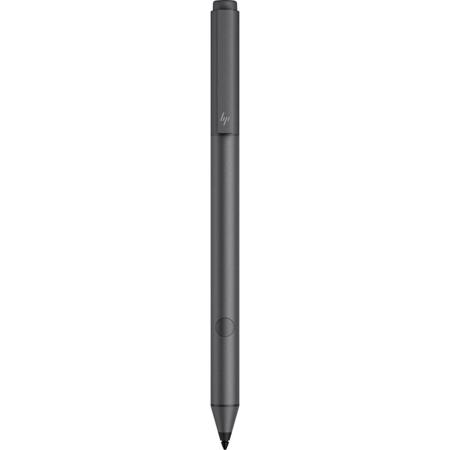
Elevate your creativity with the improved precision of the HP Tilt Pen. Write, draw and compute as naturally as ever with true-to-life feel creating a seamless and enjoyable working experience.
Tilt. Shade. Create
Feels as natural as putting pen to paper with tilt for improved precision and pressure detection for shading at different angles, giving you a true-to-life drawing experience.
Integrated presenter controls
Activate presentation mode to conveniently move your cursor, flip through slides and highlight key points of your presentation-without the need for a clicker.