2024-09-08T20:00:00
Rated 2 out of 5
Works ok but very difficult to get going.
It arrived quickly and was easy to assemble however I could not get it to work. I called a friend who is an expert on computers and he couldn't get it to work in 2 hours of trying. I then contacted HP who offered AI help which was no good. They then connected me with a nice lady who, with my permission, took over my computer. After a long time she said the unit was bad and I was issued a return authorization.
A replacement arrived very quickly and this time I started with my expert. After a long time it appeared that this unit too was defective. I think one of the screens from HP said that. He did a few more things and restarted my computer a last time and then it worked! It seems to work ok now.
WSBD
Originally posted at

2024-08-22T20:00:00
Rated 5 out of 5
Fantastic Printer
Best LaserJet I've ever owned!!! Easy setup!!!
LtBob
Originally posted at
2024-07-24T20:00:00
Rated 5 out of 5
Simple and reliable
I've used it for a month. Easy setup, good print quality and no jams doing lots of double sided legal sized jobs. Happy with it.
PDH
Originally posted at
2024-06-15T20:00:00
Rated 4 out of 5
Good Home Office Printer for the Money
Good printer for the money. It took two printers to get on that worked properly. First one could not scan documents. Sheet feeder feed a bit crooked.
Steve B.
Originally posted at
2024-04-17T20:00:00
Rated 5 out of 5
Low cost alternative
Great Produt
Dr P.
Originally posted at
2024-03-28T20:00:00
That was I need
Bani1967
Originally posted at
2024-03-05T19:00:00
Rated 3 out of 5
Don't waste time on err 79, contact support immediately.
If you can get past the error 79 you'll be doing great. Contact support immediately, waste your time trying to figure it out, The instructions they send with the product are no good. Call support and have them either email you the correct install info or allow support into your pc/laptop to do the install for you.
spinbp5er
Originally posted at
2024-03-04T19:00:00
Rated 1 out of 5
Don't buy unless you want a new tech support famil
Purchased because it's wireless but scanner only works with a USB cord. Nothing but hours of agony with HP tech support - hours of time I could have spent finishing assignments; hours spent driving to Staples to scan documents because my brand new scanner has "problem"...I thought I was upgrading but I should've kept the old wireless Canon.
Surprise: IF YOU SUBMIT A REVIEW, HP WANTS YOU TO AGREE TO PAY THEIR ATTORNEY FEES
HAAAAAANSEN
Originally posted at
2023-12-21T19:00:00
Rated 1 out of 5
Disappointing
Disappointed. Can't copy duplex. Can't print anything less than 6 inches wide
Hp i.
Originally posted at
2023-12-13T19:00:00
Rated 2 out of 5
Error but always 1 min power reload, it works
It keeps erroring out for almost every print kind of annoying but this is what you get for cheap laser printer probably. Its not like not workable but you need to keep restarting the printer and google error codes and at times it dosent connect to internet .
Print quality is good .
You need to be a bit IT geek to have this working. Thinking to return it or not senario or live with it for the next ten years
Yashas
Originally posted at
2023-12-11T19:00:00
Rated 1 out of 5
Support Website Issue
I was unable to register my new printer on the support website for a whole week and tech support could not resolve this issue other than to say that the support website was being updated for this whole time ... pityful!
Eberhard
Originally posted at
2023-12-04T19:00:00
Rated 1 out of 5
No update
After 2 weeks still in processing and no update at all.
Patrick12345
Originally posted at

2023-12-01T19:00:00
Rated 5 out of 5
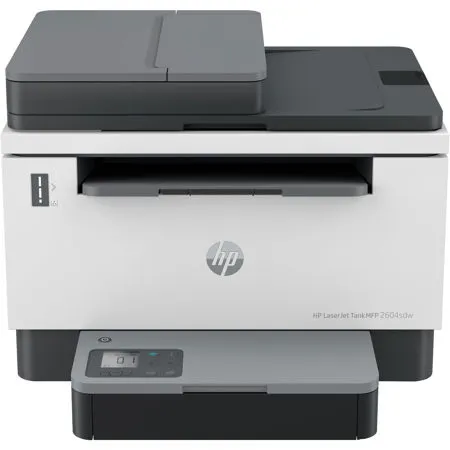
HP LaserJet Tank MFP 2604sdw review
Awesome printer! A great value, easy setup, very good quality. Was able to print wirelessly from my iPad using "Direct Print". HP printers are the best!
Paul Y.
Originally posted at
2023-11-30T19:00:00
Rated 2 out of 5
Great when it works, stops printing often
It seems like a great printer and when it prints it is good. But it dies without warning in the middle of printing often. I have it as a network printer on ethernet cable. Very odd behavior
Blingo
Originally posted at
2023-11-28T19:00:00
Rated 1 out of 5
No so good
Scanner does not work with Adobe.
Steve 2.
Originally posted at
2023-11-13T19:00:00
Rated 4 out of 5
Missing manual.
Why wasn't a manual included?
Long c.
Originally posted at
2023-11-07T19:00:00
Rated 3 out of 5
Has potential to be a great printer. but......
Has the potential to be a great printer. I like the idea of less waste generated as the traditional toners generate a lot of it. I have not used it much, but for the few times I did, I have had no issues. I do not appreciate however that they try to force you to be connected to the internet to use it. BAD HP, BAD. Fortunately being a IT Tech, I was able to install the drivers offline and still use it. For this reason, I will be looking at a different company for a printer in the future.
O.C.D
Originally posted at
2023-10-24T20:00:00
Rated 5 out of 5
All so simple
easy to set up. Quick printing.
evelyn w.
Originally posted at
2023-10-20T20:00:00
Rated 5 out of 5
Nice improvement
Toner tank is a good concept
Lawrence L.
Originally posted at
2023-10-13T20:00:00
Rated 4 out of 5
Good laser jet
Does the job quickly & efficiently. Good quality results.
bicky1
Originally posted at
2023-10-01T20:00:00
Rated 3 out of 5
DISAPPOINTED
Paper tray is not expandable to accommodate legal size paper. Space is left in tray when using letter size paper.
Charles49
Originally posted at
2023-09-28T20:00:00
Rated 1 out of 5
requires being on line to scan
I wanted a laser printer, scanner, copier that I could connect to my computer using a cable. I got a device required substantial technical support to print without being wireless on line, and that has to be online to scan documents. I don't want to have to be online to scan documents. I'm very disappointed. This was not what I wanted.
walk22
Originally posted at
2023-09-06T20:00:00
Rated 4 out of 5
Crisp copies
The printer itself is great, the print quality is actually fantastic. The time to print is also reasonable. Printer warms up fast enough, The only problem is that you need the app to scan and not directly from the printer. Also - it was a total pain to connect it to the network. Someone from HP had to help me and even then it took over 2 hours.
AMG1
Originally posted at
2023-08-21T20:00:00
Rated 3 out of 5
Excellent printer but document feeder is not
Decent printer, excellent print quality and duplex feature. I'm amazed with the longevity of the tank and the replacement price. Unfortunately the document feeder proved to be useless as it distorted lines in the document. Printer was returned, waiting for a new one to arrive. Hopefully it's an isolated incident and not a design flaw...
DRoiDonCloud
Originally posted at
2023-08-20T20:00:00
Rated 5 out of 5
LaserJet Tank printer
Print quality is good and scanner works well. I have just had it for a few days, so I have not had any experiance refilling the toner.
Michael D.
Originally posted at
2023-08-19T20:00:00
Rated 3 out of 5
Windows and Android installer kept failing.
Windows HPEasyStart and HP Smart installers failed several times always at the same point. HP support was unable to fix this. Firmware update didn't help either.
Android HP Smart installer also failed several times also at the same point.
I am a programmer used to installing Xerox and HP printer drivers. Fortunately, the Wifi connection was setup and the Windows driver was installed. So, I basically ignore HP Smart.
I print using Windows driver.
If I need to scan, I use Microsoft Windows Scan.
On Android I use Mopria print and Mopria scan.
On iPhone, we use Airprint.
Printer works great.
Please fix the firmware and/or installer. Please make this straightforward for people.
Peter C.
Originally posted at
2023-07-28T20:00:00
Rated 1 out of 5
NOTHING IS GOOD ABOUT THIS PRINTER. YOU HAVE BEEN WARNED!!!
If I could give it negative stars I would. I am so disappointed. First HP printer I had was perfect and ran for more than a decade. Second similar one I got less than 5 years. This one that should have been comparable in price and features, I could not even setup. Shows Wifi is working on printer screen, but shows offline on computer. Would not recognize PIN - would say "Times up - your printer is done waiting" even when I typed it in the box immediately, would not recognize the ethernet cable, or USB cable. NOTHING. The buttons do nothing. Arrows would not move the page count up or down, info button did nothing, literally I think the whole key pad was busted - it did nothing. The plug in cord in the back is wiggly, so if you even shift the printer one millimeter the whole thing turns off or restarts. Everything feels cheap on this printer compared to my previous price comparable HP printers. Oh, and I have not been able to make it print, scan or copy, or setup, or go online. ABSOLUTLE GARBAGE. I spent the last 5 hours trying over and over to make this thing work to no avail. Sometimes would seem like it may have installed because the error/offline would stop showing, but then would go back to show offline and not respond again. Showed a few error codes on the printer screen throughout the process - 61 and one other one (FYI - 61 sounded really bad). At one point every single light was flashing with a % that would change at different times such as 49% or 79% with all the lights flashing. DO NOT BUY THIS, YOU WILL REGRET IT!! I have never yelled out loud, cried twice, prayed to the heavens all in a 5 hour period due to the frustration of this unit. Don't say I didn't warn you.
dd123
Originally posted at
2023-07-23T20:00:00
Rated 1 out of 5
Super expensive and never works!! I feel like I lost $400 in the garbage can
This is the worse printer ever First, I found out that it only prits, no scan (for $400!!!) and then it never works. constantly disconnects, my computer can never find it. It goes off from wireless when ever it feels like it.
STAY AWAY
Vicky22
Originally posted at
2023-06-29T20:00:00
Rated 1 out of 5
HPSmart app kills any appeal
I give up on HP printers. Why do I have to register with an HP account to use all the functions of my printer, bought with my money? No internet, no printer?
Chp1969
Originally posted at
2023-05-21T20:00:00
Rated 1 out of 5
Poor and not succesfull comunications with HP
Printer quits after 24 h, have 5 session with tech support, printer is still not working. I request return documents from HP
Jerzy
Originally posted at