Overview
Compare
Accessories
Specs
Protection
Q&A

Questions & Answers

FAQ

What is the printing speed of the HP LaserJet Pro 4001dwe?

The HP LaserJet Pro 4001dwe can print up to 42 pages per minute.

What are the connectivity options for the HP LaserJet Pro 4001dwe?

The HP LaserJet Pro 4001dwe supports various interfaces including AirPrint, Bluetooth, Ethernet, USB, and Wi-Fi. It also allows printing from any device, anywhere, on any network.

Does the HP LaserJet Pro 4001dwe come with any security features?

Yes, the HP LaserJet Pro 4001dwe comes with advanced HP Wolf Pro security features, including preconfigured settings for immediate use, 24/7 automated monitoring, and a PIN/pull option for authenticated print jobs.

What is the Instant Ink service for the HP LaserJet Pro 4001dwe?

The Instant Ink service for the HP LaserJet Pro 4001dwe delivers Original HP Toner cartridges automatically when you need them, and includes recycling. You can manage your subscription to have cartridges delivered to multiple locations on a single consolidated bill.

What is Forest First printing with the HP LaserJet Pro 4001dwe?

Forest First printing is HP's commitment to sustainability. With every page you print using the HP LaserJet Pro 4001dwe, you contribute to forest restoration and responsible management.

Reviews about this item

Review Summary

2023-02-13T19:00:00

Rated 3 out of 5

Setup was a sham

The printer seems alright. Setup though was the problem. Most of the time spent setting it up was due to the software trying to set up automatic ink ordering. Wasted my time and crashed the first time through

steve.sheridan

2022-12-20T19:00:00

Rated 3 out of 5

Setup Difficulties

It is becoming extremely difficult to set up a new HP printer without IT support. I remember the days when we could add a printer by simply downloading the drivers and connecting the cables. This is my second purchase of an HP printer in the last 2 years and each time, I had difficulty with the setup. The printer is dead set on finding a network on a desktop which does not have that capability. There should be printers that do not need the internet to set up. I am seriously considering a different brand for my next purchase. We currently use all HP printers. For desktops that do not have wi-fi, you need to set the menu to have that choice instead of idling with the comment that the setup is taking longer than expected. Once the printer is set up, it works fine.

Acct o.

2022-12-08T19:00:00

Rated 1 out of 5

HP+ is the worst!

I wish I could give it a negative 5 I agree with the all the IT Professionals ... can't do a simple USB connection, must sign up for an HP account! Awful!!

Unhappy H.

2022-11-30T19:00:00

Rated 1 out of 5

Terrible

I am having the same issues as others have mentioned. The HP+ "feature" requires the printer to have a connection to the internet, even if you are installing it as a local printer (using USB). If you don't have a connection to the internet, you are pretty much dead in the water. Avoid any printer that has HP+. I do not recommend this printer in an office setting.

IT_Professional

2022-11-22T19:00:00

Rated 1 out of 5

WORST PRINTER EVER

I'm having the same issues as CLevasseur stated in his review. I am also an IT Professional, and this is by far, the worst printer I've had to deal with. The software tells you that if you can't or do not want to connect to a network, you can, but it is impossible to setup without a network connection, as well as having to create an account with HP, which is the lamest thing you have to do. You should NOT have to create an account just to use a printer via a USB cable. DO NOT BUY THIS PRINTER EVER!!!!!

23 P.

2022-11-21T19:00:00

Rated 1 out of 5

Terrible printer

Bought 20 of theses printers because I have 60 LaserJet 401dw and was somewhat satisfied. This was supposed to be replacement for 401dw. This new printer is a terrible printer. You must connect to internet to activate printer! This is really an annoyance from an IT perspective. You need a pin in the printer to modify parameters (instead of password). This means you now have to manage PINs. Has a USB port but must also be connected to internet via WIFI or ethernet even if connected to USB in order to operate. Bugs in printer internal website that keeps you from setting WIFI password (says password is mandatory even if password was present). Driver installation says it updates firmware but you might need to update firmware manually as firmware is not updated by driver after all.

CLevasseur

2022-11-05T20:00:00

Rated 5 out of 5

Cadillac taste on a Chevy budget

For a wireless, laser jet, double sided printer it does a great job. I used the HP Smart program to set it up wirelessly and I couldn't believe how easy it was. I have always had issues with the wireless printers in the past. Not this time. For under $450 this was a steal! Printing is crisp and clear. I hope to use this for years to come!

Monica K.

Select a plan in the Add Protection section above and purchase with this product by clicking “Add to Cart”.

image-protection

TRUSTED PROTECTION PLANS, EXCEPTIONAL SERVICE.

Invest In Your Gear and Peace Of Mind!

Accidents happen where life happens. Protect your favorite Adorama products and purchase a protection plan to stay covered from accidental damage, mechanical or electrical failure, and more.

Repair or Replacement

Repair or Replacement

If we can’t fix it, we’ll replace it at no additional cost.

Accidental Damage

Accidental Damage

Protect your product from drops, spills, and more.

Peace of Mind

Peace of Mind

Enjoy your gear without fear. We have you covered!

Malfunction Protection

Malfunction Protection

When regular use of your product over time results in mechanical or electrical failure.

Zero Deductible

Zero Deductible

We will never charge you a deductible after the purchase of a plan.

Customer-Focused Support

Customer-Focused Support

Our claims process is simple & easy and our customer service team is happy to help.

Adorama Protect powered by Extend is available for purchase to customers in the United States. Not available for purchase Internationally or in U.S. Territories.

HP LaserJet Pro 4001dwe Specifications

AIO functions

AIO functions

Jump to...
  • AIO functions

    Print

  • Print speed

    First page out Letter: As fast as 6.1 sec Black; First page out A4: As fast as 6.3 sec Black; Letter: Up to 42 ppm Black; A4: Up to 40 ppm Black; Print speed (Landscape, A5): Up to 63 ppm Black

  • Print resolution

    Black (best) Fine Lines (1200 x 1200 dpi); Black (normal) Normal (Native: 600 x 600 dpi, enhanced up to 4800 x 600 dpi); Black (fine lines) Fine Lines (1200 x 1200 dpi)

  • Print technology

    Laser; Print resolution technology: HP FastRes1200, HP ProRes1200, Economode

  • Print cartridges number

    1 (black)

  • Standard print languages

    HP PCL 6, HP PCL 5e, HP postscript level 3 emulation, PDF, URF, PWG Raster

  • Printer smart software features

    Auto duplex and booklet printing, HP Auto-On/Auto-Off Technology, Job Storage with PIN printing, N-up printing, collation, watermarks, install printer driver only, Economode for toner savings, accepts a variety of paper sizes and types

  • Printer management/HP SureSupply

    HP Printer Assistant; HP Web JetAdmin Software; HP JetAdvantage Security Manager; HP SNMP Proxy Agent (Part of HP WebJetAdmin); HP WS Pro Proxy Agent (Part of HP WebJetAdmin); Printer Administrator Resource Kit for HP Universal Print Driver (Driver Configuration Utility - Driver Deployment Utility - Managed Printing Administrator)

Connectivity

Jump to...
  • Standard connectivity

    1 Hi-Speed USB 2.0; 1 host USB at rear side; Gigabit Ethernet 10/100/1000BASE-T network; 802.3az(EEE) 802.11b/g/n/2.4/5 GHZ Wi-Fi radio + Bluetooth

  • Mobile printing capability

    HP Smart App; Apple AirPrint; Mopria Certified; Wi-Fi Direct printing; HP ROAM For Business; Optional ROAM Queue Printing

  • Memory

    Standard: 256 MB; Maximum: 256 MB

  • Processor speed

    1200 MHz/Storage: Optional Job storage via external rear host USB port (Minimum 16 GB)/Hard disk: None

  • Duty cycle (monthly)

    Letter: Up to 80,000 pages; A4: Up to 80,000 pages; Recommended monthly page volume: 750 to 4,000

Paper handling

Jump to...
  • Input

    100-sheet multipurpose Tray 1, 250-sheet input Tray 2; Up to 350 sheets (Tray 1: up to 100 sheets; Tray 2: up to 250 sheets) Standard

  • Output

    Standard: 150-sheet output bin; Up to 150 sheets Standard

  • Envelope feeder

    No

  • Standard paper trays

    2

  • Media types

    Paper (plain, EcoFFICIENT, light, heavy, bond, colored, letterhead, preprinted, prepunched, recycled, rough); envelopes; labels

  • Media Weight

    Tray 1: 16 to 53 lbs; Tray 2

  • Media Sizes Custom

    Tray 1: 3 x 5 to 8.5 x 14"; Tray 2

General

Jump to...
  • Replacement cartridges

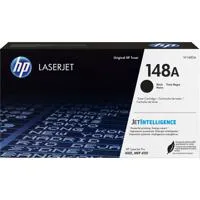
    HP 148A Black Original LaserJet Toner Cartridge (-2,900 pages), W1480A; HP 148X Black Original LaserJet Toner Cartridge (-9,500 pages), W1480X

  • Energy star certified

    Yes

  • Energy efficiency compliance

    IT ECO Declaration

  • Display

    2-line back lit LCD graphic display

  • Software included

    No

  • Fonts and type faces

    84 scalable TrueType fonts

  • Compatible operating systems

    Windows 11; Windows 10; Windows 7; Windows Client OS; Android; iOS; macOS 10.15 Catalina; macOS 11 Big Sur; macOS 12 Monterey

  • Compatible network operating systems

    Windows Server; Citrix; UNIX; Novell

  • Minimum system requirements

    PC:2GB available hard disk space; Internet connection or USB port Internet browser.
    Mac: 2GB available hard drive space; Internet connection or USB port Internet browser.

  • Power

    Power supply type: Internal (built-in) Power Supply; Power supply required: 110-volt input voltage: 110 to 127 VAC (+/- 10%), 50/60 Hz (+/- 2 Hz); 220-volt input voltage: 220 to 240 VAC (+/- 10%), 50/60 Hz (+/- 2 Hz) (Not dual voltage, product varies by part number with # Option code identifier); Power consumption: 495 watts (active printing), 5.5 watts (ready), 0.5 watts (sleep), 0.5 (Auto Off/Wake on LAN, enabled at shipment)

  • Acoustics

    Acoustic power emissions: 6.6 B(A)

  • Power (Contd.)

    0.05 watts (Auto off/Manual-on), 0.05 (Manual Off); Typical electricity consumption (TEC) number: 0.36 kWh/Week (Blue Angel); 0.36 kWh/Week (Energy Star 3.0)

  • Operating environment

    Operating temperature range: 50 to 91 Degree F (10 to 32.77 Degree C); Recommended operating temperature: 63.5 to 77 Degree F (17.5 to 25 Degree C); Storage temperature range: -4 to 104 Degree F (-20 to 40 Degree C); Operating humidity range: 10 to 80% RH ; Recommended operating humidity range: 30 to 70% RH

  • Dimensions (W x D x H)

    15 x 14.06 x 8.5" (381 x 357 x 216mm)
    Maximum: 15 x 25 x 9.5" (381 x 634 x 241mm)

  • Weight

    18.13 lbs (8.22kg)

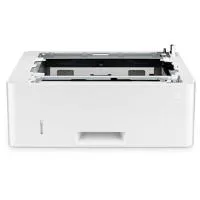
5 Accessories for HP LaserJet Pro 4001dwe Wireless Duplex Monochrome Laser Printer with HP+

  • All Accessories (5)
  • Toner Cartridge (1)
  • Paper Tray (1)
  • Copy Paper (1)
  • Cables & Adapters (2)

About HP LaserJet Pro 4001dwe

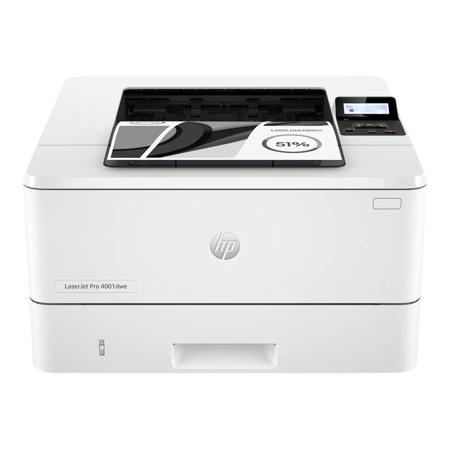
Experience the power and efficiency of the HP LaserJet Pro 4001dwe Wireless Duplex Monochrome Laser Printer with HP+. Designed to meet the demands of small to medium-sized teams, this high-performance printer delivers fast, high-quality results with advanced security features and smart office capabilities.

With the ability to print up to 42 pages per minute and support a high monthly duty cycle of 80,000 pages, this printer is built for maximum productivity. Its high resolution of 1200 x 1200 dpi ensures crisp, clear prints every time.

The LaserJet Pro 4001dwe offers seamless connectivity, allowing you to print from any device, anywhere, on any network. It supports various interfaces including AirPrint, Bluetooth, Ethernet, USB, and Wi-Fi, and is compatible with Windows, Mac, Android, and iOS operating systems.

The printer's smart features simplify your workflow. The HP Smart app offers shortcuts for common tasks, saving you time and effort. The cloud-based setup guides you through the configuration process, making it easy to onboard users from any location. The Smart Admin Dashboard allows you to monitor usage and control settings across multiple printers in different locations.

Security is a top priority with the LaserJet Pro 4001dwe. It comes with HP Wolf Pro security features, including preconfigured settings for immediate use, 24/7 automated monitoring, and a PIN/pull option for authenticated print jobs.

The printer also offers hassle-free supplies management with Instant Ink for lasers. This service delivers Original HP Toner cartridges automatically when you need them, and includes recycling. You can manage your subscription to have cartridges delivered to multiple locations on a single consolidated bill.

In line with HP's commitment to sustainability, the LaserJet Pro 4001dwe supports Forest First printing, contributing to forest restoration and responsible management with every page you print.

Choose the HP LaserJet Pro 4001dwe for a reliable, high-quality printing solution that supports your team's productivity and protects your information.
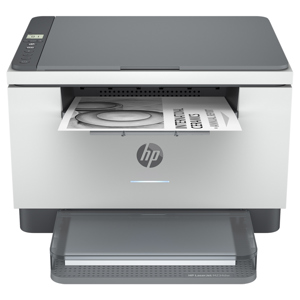
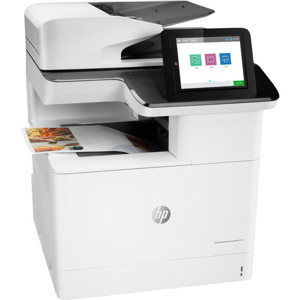
HP LaserJet Pro 4001dwe Features

  • Print, wireless and auto 2-sided printing
  • Blazing fast speeds for professional quality black & white prints
  • Includes advanced HP+ smart office features and Wolf Pro security
  • Works only with HP toner, requires HP account and internet connection

Product Documents

User Manual

Key Features

  • High-performance monochrome laser printer with wireless duplex printing
  • Fast printing speeds of up to 42 pages per minute with a high monthly duty cycle of 80,000 pages

What's in the box:

  • HP LaserJet Pro 4001dwe Wireless Duplex Monochrome Laser Printer
  • Preinstalled Black Original LaserJet Toner Cartridge
  • Support Flyer
  • Regulatory Flyer
  • Power Cord
  • Quick Start Guide
  • HP 2 Year Limited Warranty