Just Reduced

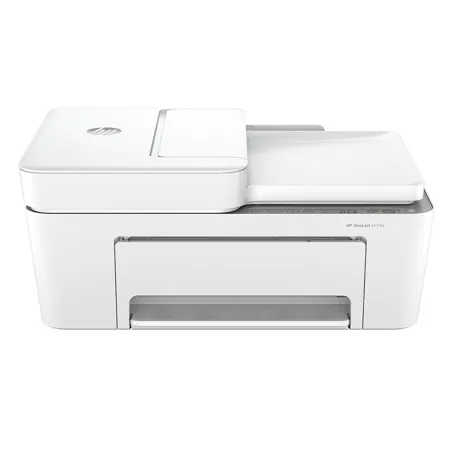
HP DeskJet 4255e Wireless All-In-One Color Thermal Inkjet Printer with 3 Months of Instant Ink and HP+

SKU: IHP4255E MFR: 588S6A
$49.99
$109.99
Save: $60 (55%)
Earn VIP Reward Points

Key Features

  • Enjoy wireless connectivity with this HP DeskJet printer, perfect for home office use.
  • Print, copy, and scan documents easily with this all-in-one color inkjet printer.
  • Get sharp text and vibrant photos with high-quality color printing at up to 4800 dpi.
  • Save on ink costs with HP Instant Ink; get ink delivered before you run low, with HP+.
  • Print from your smartphone or tablet using Apple AirPrint and the HP smart app.
  • This HP DeskJet 4255e printer is Energy Star certified, saving energy and reducing waste.
See More Product Details
Temporarily On Backorder?Expected Availability: 09/2026Request assistance or get notified
Calculate Shipping

See Options

1
Add to ListGet Sale Alert

Need help? Ask our experts.

Overview
Compare
Accessories
Specs
Protection
Q&A

Questions & Answers

FAQ

What are the main functions of the DeskJet 4255e Wireless All-In-One Color Thermal Inkjet Printer?

The DeskJet 4255e Printer is a multifunctional device that allows you to print, scan, and copy. It also features a 35-page automatic document feeder for efficient multi-page scanning and copying.

What is the HP+ feature mentioned in the product description?

HP+ is a feature that enhances your printer's functionality when activated at product setup. It requires an HP account, a consistent internet connection, and the exclusive use of Original HP Ink cartridges for the life of the printer.

What is the Instant Ink subscription service?

The Instant Ink subscription service delivers ink directly to your door before you run out. It allows for substantial savings on ink and offers the flexibility to change plans or cancel anytime at no cost.

How does the DeskJet 4255e Printer support sustainability?

The DeskJet 4255e Printer is made from at least 60% recycled plastic. Additionally, for every page you print, HP protects, restores, and manages forests in equal measure. You can also recycle your Original HP ink cartridges for free with the HP Planet Partners program.

Can I print, scan, copy, or fax directly from my smartphone?

Yes, with the best and easiest-to-use print app, you can perform all these tasks directly from your smartphone.

Reviews about this item

Review Summary

2026-07-15T20:00:00

Rated 5 out of 5

My new HP AIO 4258e printer x 3.

Originally purchased 1 due to replacing my old model HP printer. My daughter was visiting f"and needed one, so I gave her my original purchase and off it went. The ease of use made it easy to print and store all her documents while working on her Ph.D. Still needing a new printer, I made purchase #2, and #3?. Gave #2 to our son for his Master's work. Mom and dad kept #3. It is so easy to use. Purchasing off of the HP website afforded the ability to purchase 3 HP printers. The printers came with free ink for 6 months. It is connected to my desktop which makes it for easier printing from any devise in our home. Great value and great price. I would not trust anyone but HP.

Kcd8a

2026-07-13T20:00:00

Rated 4 out of 5

New 4200 printer

Good printer value. Printer app interface is not user friendly.

Skennedy

2026-07-11T20:00:00

Rated 4 out of 5

Good Printer

I just purchased this printer to replace another HP printer that was vastly superior -- but died of old age. It's pretty good but doesn't seem to do two sided copies automatically. So I'm learning to find the single page I need.

acpkazoo

2026-07-11T20:00:00

Rated 1 out of 5

Cheap Junk! Don't buy.

Very cheap looking and unbelievably difficult to set up! It took a 40 min. phone call to HP support, and the printer still didn't work. It took me 4 days to figure it out on my own. The AI tool helped me more than HP! I want to return it, but it's impossible to get that information. HELP! It's also very slow and the ink ran out after 75 pages.

Mrs K.

2026-07-10T20:00:00

Rated 1 out of 5

non support

it was very very difficult getting this printer installed . i tried support but that was a joke. i wouldnt recommend this printer or any other hp products

dale w.

2026-07-10T20:00:00

Rated 5 out of 5

Works great

I had to get a new printer since my old one kept having to be fed paper. This new h.p. printer is awesome and works great and easy to use. Comes out looking professional when i print anything.

Rhonda B.

2026-07-08T20:00:00

Rated 1 out of 5

Hard to print!!

Cannot hardly ever to print!!

Wilky

2026-07-07T20:00:00

Rated 4 out of 5

HP has created a low-cost printer that is designed for a simple home or office environment

If you have a very simple Wi-Fi environment, this printer has good features and a very low cost. The printer is limited to a 2.5 Gb Wi-Fi channel and your computer(s) must all be on that same channel. If your environment matches this description, this is an economical choice.

Jam K.

2026-07-06T20:00:00

Rated 5 out of 5

My replacement printer

Great product. Easy to install. Outstanding support.

JoeyB64

2026-07-04T20:00:00

Rated 1 out of 5

Can't hook up to the internet no support from hp very frustrating service and no support from the hp

Can't connect with the hp team no support from them they have no support or communication and no way to contact them. Probably won't ever purchase a hp ever again

Robert L.

2026-07-04T20:00:00

Rated 3 out of 5

printer doesn't work with my chrome pad

submitted one review already. Printer did not work with my chrome pad. couldn't get network connected in spite of all the AI and people help so I sent it back.

Steve H.

2026-07-04T20:00:00

Rated 2 out of 5

Customer Service Help

Would be nice if you could get help from a person with installation

Jack84

2026-07-03T20:00:00

Rated 1 out of 5

"ALL-IN-ONE" missing core-basic feature: resizing copies

You'd think when you buy an All-in-One printer-copier-scanner, that it has the basic functions of each of those products, right? You know, functions that have been included in those products for decades and are as much expected as the On button? Not this baby. I bought this "All-in-One" expecting those basic functions, nothing fancy - but surprise, it doesn't even have that. Some genius designer decided to leave off the touchscreen: resizing is just the first missing function I discovered (I dare not think what else was dropped), and from what I gathered from the support rep, that absence is not a flaw, it's a feature! So she denied my demand for a refund - refunds are only for defective products. Forget the fact that there was ZERO mention in the product description, specs, or Q&A that key functionality is missing, or that the advertising falsely and deceptively called the machine an "all-in-one." That's not a defect, right? She did agree to escalate my case - that conversation is coming. I just want my refund, to get a replacement from ANY company that advertises its products HONESTLY! As others have said in their one-star reviews, this is THE LAST product I'm getting from HP. My last HP printer lasted nearly 10 years and I only let it go because the cartridges were getting pricey and hard to find. I only wish I had kept it and coped.

Crhoopes

2026-07-03T20:00:00

Rated 5 out of 5

Good

Great printer so far.

Rmeek

2026-07-03T20:00:00

Rated 5 out of 5

Nice Printer

Nice home printer for the price. Easy to set up. Wireless gives it a great feature. If you have to print every now and then? buy it. I needed another printer that was not hard wired like my laser jet and saw this HP on sale and bought it. I am happy with the purchase.

Billmac

2026-06-30T20:00:00

Rated 3 out of 5

HP DeskJet 4258e AlO Printer

Good but very slow printer

OG R.

2026-06-30T20:00:00

Rated 3 out of 5

HP DESK JET 4258e All-in-One Printer

HP DESK JET 4258e All-in-One Printer

Barbara P.

2026-06-30T20:00:00

Rated 3 out of 5

Nice when it works

It has been a real pain to try and get it connected to my phone and my tablet which I finally did.I have never gotten it connected to my laptop which makes it only 2/3 useful. Also I would like to do two-sided printing but I've never figured that one out.

ML S.

2026-06-27T20:00:00

Rated 5 out of 5

Easy Set Up & Use

We don't do a lot of printing in our house and wanted something simple to setup and use. The HP DeskJet AIO Printer fit the bill. We opted to use the trial auto ink refill. We got our 1st order of ink within just a few days of setup. We use the bluetooth print option in our home. So far, it's been perfect.

DebiD

2026-06-26T20:00:00

Rated 1 out of 5

I never received the printer

I never received the printer. I'm still waiting on my refund. This has taken over a month...

Harry F.

2026-06-24T20:00:00

Rated 5 out of 5

HP DESKJET

I REPLACED AN HP DESKJET 6940

SUSAN B.

2026-06-20T20:00:00

Rated 1 out of 5

My disappointment in the HP printers I purchased

I bought from Anazon and they sent Me a 4200e , in the 1st week of June. Had problems getting It hooked up to my Wi-Fi, called HP user help and try would not help.me because The Warrenty on it ran out on April 30 this year ! How do I get it replaced with one undercurrent?

Michael M.

2026-06-20T20:00:00

Rated 3 out of 5

Ok

It was very difficult to set this up on my network because there was minimal installation instructions. I ended up having to pay someone to get it installed properly. Also, I do not like the fact that you have to manually feed the paper in if you want to do two sided copy since my Printer is located on the other side of the room where my computer is. This would be especially difficult if you were doing a multi page document.The automatic sheet feeder only works for scanning and copying and if you don't guide it yourself the scans come out slightly crooked. I have not used the sheet feeder yet for copying purposes, but assume the same thing will happen. You cannot load a large quantity of paper either for printing purposes. Although I am somewhat dissatisfied with this Printer, I do not want to go through the whole process of getting yet another Printer now that this one isset up and working

Mrs P.

2026-06-15T20:00:00

Rated 1 out of 5

SHOW ME YOUR EPSON

I have no idea how well or poorly this printer works. The technicians who claim installation will be done in about a 1/2 hour are not truthful. I dedicated a minimum of 25 hours trying to connect it with HP's help and it didn't happen. My son in law put in more hours and finally got it started. When I called to enroll in the ink program, that technician disconnected me and then said he was finally transferring me to a supervisor but disconnected our phone connection. So, I have a printer for several weeks and it is a knickknack on my desk. If you ask for someone else they will not transfer you. And it is so difficult understanding what they consider English. When I plead to speak with someone who speaks American English, I'm told there is no one to help me. I asked for a technician to come and help me, they don't do that either. HP is just not what it used to be. I have complied with all they told me to do?even had cable company in with new equipment. I was told someone would call me Monday but they called Saturday and I missed the call. I returned their call but got no answer. I left a message as advised, also told them I wouldn't be available until after 4 on said Monday. They never called me. I called them twice but she was not available and never returned my call. Not only don't I recommend the printer, I don't recommend HP anymore. This was my 4th HP printer. It was an expensive mistake. There is no one who will help you. They say they will but don't follow through.

heyarl

2026-06-10T20:00:00

Rated 4 out of 5

Prints well, but

The 4255 printer prints are clear and clean. The only problem is with the paper loading process. When you want to print on the opposite side of the page I have trouble getting the paper to load back in unless I pull all the paper back out and then reload it again.

JHvette

2026-06-10T20:00:00

Rated 5 out of 5

Customer relations prior to ad during the purchas

As I guess one might also experience, my purchase was the consequence of so subsequent to disconnections of my former HP printer which was almost if not identical to to the newer "upgrade' model I now posseess. Beginning with the tech agent who also sold me the "newer version" the agent worked arduously remotely and in telephone tandem, during which time unclear written and picture instructions resulted in the tandom coordinated breakage of the essential plastic paper guide of the original printer which we failed to reconnect to my wifi system, a requirement to having an HP "instant"subscription,together leading to the urgent necessity to buy tha tnewer printer

hhh799

2026-06-09T20:00:00

Rated 5 out of 5

My Great HP Printer!

Great printer for the money. Easy to setup.

Oldmeat621

2026-06-09T20:00:00

Rated 1 out of 5

Bad Wifi

This model has bad wifi reception. The connection is interrupt while sending the printing document or scan. Actually I need to return it or have a solution about this constantly error.

IvetteF

2026-06-08T20:00:00

Rated 1 out of 5

Terrible

Wish I never bought it. Print quality terrible. Slow print. Always loses connection

Haaa

2026-06-01T20:00:00

Rated 4 out of 5

Always Ready

Easy to set up and get started. Very happy with the product.

Mike B.

Select a plan in the Add Protection section above and purchase with this product by clicking “Add to Cart”.

image-protection

TRUSTED PROTECTION PLANS, EXCEPTIONAL SERVICE.

Invest In Your Gear and Peace Of Mind!

Accidents happen where life happens. Protect your favorite Adorama products and purchase a protection plan to stay covered from accidental damage, mechanical or electrical failure, and more.

Repair or Replacement

Repair or Replacement

If we can’t fix it, we’ll replace it at no additional cost.

Accidental Damage

Accidental Damage

Protect your product from drops, spills, and more.

Peace of Mind

Peace of Mind

Enjoy your gear without fear. We have you covered!

Malfunction Protection

Malfunction Protection

When regular use of your product over time results in mechanical or electrical failure.

Zero Deductible

Zero Deductible

We will never charge you a deductible after the purchase of a plan.

Customer-Focused Support

Customer-Focused Support

Our claims process is simple & easy and our customer service team is happy to help.

Adorama Protect powered by Extend is available for purchase to customers in the United States. Not available for purchase Internationally or in U.S. Territories.

HP DeskJet 4255e Specifications

  • Functions

    Print, copy, scan

  • Multitasking supported

    No

  • Print speed

    Black (ISO): Up to 8.5 ppm
    Color (ISO): Up to 5.5 ppm

  • Print resolution

    Black (best): Up to 1200X 1200 rendered dpi (when Printing from a computer)
    Color (best): Up to 4800 x 1200 optimized dpi color (when printing from a computer on selected HP photo papers and 1200 input dpi)

  • Print technology

    HP Thermal Inkjet

  • Print cartridges number

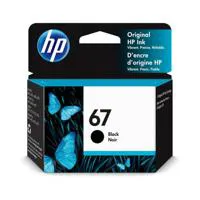
    2 (1 each black, tri-color)

  • Borderless printing

    No

  • Standard print languages

    HP PCL 3 GUI; HP PCLm (HP Apps/UPD); URF (AirPrint)

  • Scan type / Scan technology

    Flatbed, ADF / Contact Image Sensor (CIS)

  • Scan resolution

    Hardware: Up to 1200 x 1200 dpi
    Optical: Up to 1200 dpi

  • Scan file format

    JPEG, TIFF, PDF, BMP, PNG

  • Scan input modes

    HP app, Webscan

  • Scan size maximum

    ADF: 8.5 x 14" (215.9 x 355.6mm)
    Flatbed: 8.5 x 11.69" (216 x 297mm)

  • Scan speed

    Up to 2.5 ipm (200ppi, b&w); up to 2.5 ipm (200ppi, color)

  • Bit depth / Grayscale levels

    24-bit/ 256

  • Digital sending standard features

    No

  • Copy speed

    Black (ISO): Up to 6 cpm
    Color (ISO): Up to 3 cpm

  • Copy resolution

    Black (text and graphics): Up to 300 x 300 dpi, Up to 300 x 300 dpi
    Color (text and graphics): Up to 300 x 300 dpi

  • Maximum number of copies

    Up to 9 copies

  • Copier resize

    Via HP app

  • Fax smart software features

    Option to add files from your phone file/photos
    Camera scan or Printer scanner
    Option to easily add cover page and save the cover page template
    Access to Fax history to see all send faxes and drafts
    Ability to edit and resent fax from History
    Easily print fax confirmation

  • Fax Features

    Junk barrier supported: No
    Remote retrieval capability supported: Yes (with HP app using mobile device)

  • Standard connectivity

    1x Wi-Fi 802.11b/g/n
    1x Hi-Speed USB 2.0 (device)

  • Network capabilities

    Yes, built-in Wi-Fi 802.11b/g/n
    2.4 GHz single-band only
    with Bluetooth 4.2

  • Wireless capability

    Yes, built-in Wi-Fi 802.11b/g/n, 2.4 GHz single-band only

  • Mobile printing capability

    Apple AirPrint
    Chrome OS
    Mopria-certified
    HP app

  • Memory

    Standard: 64 MB DDR1
    Maximum: 64 MB DDR1; 24 MB Flash

  • Processor speed

    1.0 GHz/Hard disk: No

  • Duty cycle

    Monthly, letter: Up to 1000 pages
    Monthly, A4: Up to 1000 pages

  • Recommended monthly page volume

    100 to 300

  • Media types supported

    Plain paper, photo paper, brochure paper, envelopes and other specialty inkjet papers

  • Media weight supported

    Letter: 16 to 32 lbs (7.25 to 14.51kg)
    HP envelopes: 20 to 24 lbs (9.07 to 10.88kg)
    HP cards: up to 110 lbs (49.89kg)
    HP 4 x 6" (10.16 x 15.24cm)
    photo paper: up to 145 lbs (65.77kg)

  • Media sizes supported

    Letter, legal, 4 x 6" (10.16 x 15.24cm), 5 x 7" (12.7 x 17.78cm), 8 x 10" (20.32 x 25.4cm), No. 10 envelopes

  • Media Sizes Custom

    3 x 5" (7.62 x 12.7cm) to 8.5 x 14" (21.59 x 35.56cm)

  • Paper handling

    Input Capacities: Up to 60 sheets Standard; Up to 5 envelopes; Up to 20 cards; Up to 10 sheets Labels; Up to 60 sheets Legal
    Auto Document Feeder: Standard, 35 sheets
    Output Capacities: Up to 25 sheets Standard; Up to 5 envelopes; Up to 20 cards; Up to 10 sheets Labels; Up to 25 sheets Legal
    Duplex Options: Manual (driver support provided)
    Envelope feeder: No
    Standard paper trays: 1

  • Replacement cartridges

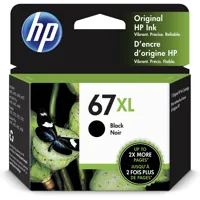
    Yield Original Ink Cartridge (-240 pages yield) 3YM57AN
    HP 67 Tri-Color Original Ink Cartridge (-100 pages yield) 3YM55AN
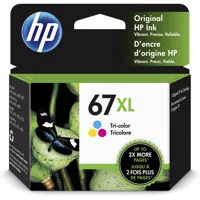
    HP 67XL Tri-Color High-Yield Original Ink Cartridge (-200 pages yield) 3YM58AN
    Actual yield varies considerably based on content of printed pages and other factors

  • Instant ink eligible

    HP Instant Ink eligible

  • Energy efficiency compliance

    EPEAT registered
    IT ECO Declaration

  • Energy star certified

    Yes

  • Sustainable impact

    60% post-consumer recycled plastic

  • Control panel

    LCD ICON Display. 7 Buttons (includes Power, Cancel, Resume, Info, Wi-Fi, Color Copy and Black Copy) and with 5 LED indicator lights (Power, Ink level, Wi-Fi, Resume & Info)

  • Display

    LCD ICON Display

  • Software included

    HP Printer Software, available online

  • Compatible operating systems

    Windows 11
    Windows 10
    macOS 10.14 Mojave
    macOS 10.15 Catalina
    macOS 11 Big

  • Compatible operating systems

    Windows 11
    Windows 10
    macOS 10.14 Mojave
    macOS 10.15 Catalina
    macOS 11 Big

  • Compatible network operating systems

    Windows 11
    Windows 10
    macOS 10.14 Mojave
    macOS 10.15 Catalina
    macOS 11 Big Sur
    macOS 12 Monterey
    macOS 13 Ventura
    Chrome OS

  • Minimum system requirements

    PC: Windows 10, 11, : 1 GHz 32-bit (x86) or 64-bit (x64) processor, 2 GB available hard disk space, Internet connection, Internet Explorer.
    Mac: macOS V10.14 Mojave, macOS 10.15 Catalina, macOS 11 Big Sur, macOS 12 Monterey, macOS 13 Ventura; 2 GB HD; Internet required

  • Power

    Power supply type: Internal
    Power requirements: Input voltage: 100 to 240 VAC (+/-10%), 50/60 Hz (+/- 3 Hz), 350 mA. India input voltage: 200 to 240 VAC (+/- 10%),50/60 Hz (+/- 3 Hz), 350 mA.
    Power consumption: 2.8 W (ready), 1.53 W (sleep), 0.3 W (auto-off), 0.3 W (off)

  • Acoustics

    Acoustic power emissions: 6.2 B(A)
    Acoustic pressure emissions: 55 dB(A)

  • Operating environment

    Operating temperature range: 41 to 104 Degree F (5 to 40 Degree C)
    Recommended operating temperature: 59 to 86 Degree F (15 to 30 Degree C)
    Storage temperature range: -40 to 140 Degree F (-40 to 60 Degree C)
    Non-operating humidity range: 5 to 90% RH (non-condensing)
    Operating humidity range: 15 to 80% RH (noncondensing)
    Recommended humidity operating range: 20 to 80% RH (noncondensing)

  • Dimensions (L x W x H)

    16.85 x 13.07 x 7.87" (428 x 332 x 200mm)
    Maximum: 16.8 x 22.8 x 10.3" (475 x 242 x 405mm) (Output Extension Fully Out)

  • Weight

    10.6 lbs (4.8kg)

  • UPC Code

    196337380103

29 Accessories for HP DeskJet 4255e Wireless All-In-One Color Thermal Inkjet Printer with 3 Months of Instant Ink and HP+

  • All Accessories (29)
  • Ink (3)
  • Copy Paper (3)
  • Photo Paper (8)
  • Power Supplies (5)
  • Cables & Adapters (5)
  • Cleaning Accessories (5)

About HP DeskJet 4255e

Explore the multifunctional capabilities of the DeskJet 4255e Wireless All-In-One Color Thermal Inkjet Printer, a compact and wireless device designed for effortless printing, scanning, and copying. This printer is equipped with an automatic document feeder, making it an ideal choice for home users with basic printing needs who value convenience and efficiency.

Experience the seamless operation of this printer, brought to you by America's most trusted printer brand. Whether you're printing labels or family recipes, this printer ensures a smooth, user-friendly experience. It's designed to work exclusively with cartridges that feature new or reused HP electronic circuitry, utilizing dynamic security measures to prevent the use of cartridges with modified or non-HP circuitry.

Stay updated with periodic firmware updates that enhance the security measures, blocking cartridges that previously worked. The reused HP electronic circuitry allows for the use of reused, remanufactured, and refilled cartridges, promoting sustainability.

This printer is HP+ enabled, offering a range of benefits when activated at product setup. HP+ requires an HP account, a consistent internet connection, and the exclusive use of Original HP Ink cartridges for the life of the printer.

The 35-page automatic document feeder allows for easy scanning and copying of multiple pages, saving you time and increasing productivity. With the best and easiest-to-use print app, you can print, scan, copy, or fax directly from your smartphone.

Stay connected with the most reliable Wi-Fi, designed to automatically reconnect if the connection is lost. The built-in wireless feature allows you to easily access, print, and share from any device on a network.

Save up to 50% on ink with an Instant Ink subscription, which delivers ink directly to your door before you run out. Enroll to enjoy automatic ink delivery starting at $1.49 a month, with the flexibility to change plans or cancel anytime at no cost.

Drive innovation with a printer made from at least 60% recycled plastic. For every page you print, HP protects, restores, and manages forests in equal measure. After use, recycle your Original HP ink cartridges for free with the HP Planet Partners program.

HP DeskJet 4255e Features

  • Print, copy, scan in color, auto doc feeder, mobile/wireless printing
  • Basic color documents like recipes, forms, and travel document
  • Includes 3 months Instant Ink, extra year of warranty and more with optional HP+ printing system
  • HP+ requires HP account, internet, works only with original HP ink
  • Dynamic security enabled printer

Warranty Information

This product has a limited warranty of 24 months.

Key Features

  • Enjoy wireless connectivity with this HP DeskJet printer, perfect for home office use.
  • Print, copy, and scan documents easily with this all-in-one color inkjet printer.
  • Get sharp text and vibrant photos with high-quality color printing at up to 4800 dpi.
  • Save on ink costs with HP Instant Ink; get ink delivered before you run low, with HP+.
  • Print from your smartphone or tablet using Apple AirPrint and the HP smart app.
  • This HP DeskJet 4255e printer is Energy Star certified, saving energy and reducing waste.

What's in the box:

  • HP DeskJet 4255e Wireless All-In-One Color Thermal Inkjet Printer
  • 67 Setup Black Cartridge
  • 67 Setup Tri-Color Cartridge
  • Regulatory Flyer
  • Power Cord
  • User Manual
  • HP 2 Year Limited Warranty