
This item is no longer available.
Review Summary
2022-06-05T20:00:00
My work provided the dock. I use 3 DELL monitors (1x HDMI, 1x VGA, 1 x Displayport each) connected to my Dell Latitude 5400 laptop. I have noted (and experienced) the limited resolution when using the docks HDMI port, and wish it had 3 x HDMI. My solution was to get IT to provide 2 x DP to HDMI cables and unfortunately live with the minor inconvenience of the using laptop HDMI port for the 3rd monitor. (when using the G5 dock HDMI and 2 x DP's the HDMI resolution is restricted). We also tried 2 x Display port to display port cables and the HDMI to HDMI (the way the dock is designed so you would think it would work) but the HDMI resolution is still limited. This has to ba a consequence of the laptop video card not being able to drive 3 monitors or a limitation of the dock to pass through 3 display signals. I suspect the latter because the the laptop IS driving 3 displays when connected as I describe. It is a little inconvenient in not beibng able to use the dock in the manner it was designed with 3 display outputs.
dabber

2022-04-05T20:00:00
This product is out of stock on HP, so maybe they are discontinuing it. I received this from my employer and the station does not even power up. I checked the power cord to make sure it was functioning. The station itself is dead on arrival. What a waste of time setting up my desk then finding out the station is non-functioning. I miss my 4 year old Dell equipment.
iWork
2022-03-10T19:00:00
The USB-C Dock G5(s) were exactly as described and worked exactly as expected. The shipping was very fast. I was very satisfied with transaction.
daveh8
2022-02-08T19:00:00
This makes connecting monitors with laptop, keyboard, and speakers really nice.
RobbAul
2022-02-08T19:00:00
Very stable and work great with HP laptops. I've tried 7 other USB C hubs and the newer G8 laptops seem to have more issues with those (shouldn't but do). Once I got these docks the issues went away. Fair amount of connections and I like that it has 2 options for monitors. You get what you pay for and these are buy and forget because you shouldn't have any issues.
dlebreux
2021-11-03T20:00:00
HDMI port does not work & no instructions to resolve any issues.
Shawn H.

2021-10-31T20:00:00
Ordered this docking station, came in the next day. It's small, and plugs into the computer/laptop via USB-C Cable, which is nice because it allows me to put my laptop in a more convenient area, and of course takes up less space. Works great too.
IP02
2021-10-29T20:00:00
For something that costs $229, it should be a universal dock but it's not. It works with newer HP laptops that have USB-C ports that are capable of Power Distribution (PD), so it's convenient that the dock can provide pass-through power to a new HP laptop. Unfortunately, the HDMI and Display Ports to connect external monitors don't work with non-HP laptop brands. So, I had to return the dock.
JCBash
2021-10-28T20:00:00
We purchased two new HP Laptops with two USB-C Docks from HP. We've purchased a number of HP products over the years without any real issues. It appeared from the description we would be able to solve a couple of problems. We wanted to turn the laptops power on with their lid closed using the Docks power switch. We also wanted to be rid of the power cord charging the laptop while in use. The Laptops USB-C input isn't taking any input power from the Dock & there's no switching the laptop power on using the Dock. In addition, the Dock is not providing any video to the external display. Most everything else works, but we're still messing with plugging in the display & power cord in addition to the USB-C on the Laptop. We haven't had a response to Case#5074073132 yet.
Dennis234
2021-10-28T20:00:00
Docking station did not work with my HP laptop. This is unacceptable. I need a refund or a better product that works. Notification states, "Display Connection might be limited". If it's limited then why sell it? Please help.
Chris 2.
2021-10-28T20:00:00
Still not working with my HP laptop with two monitors. Only on monitor will display, the other says ?invalid input". Updated the drivers and firmware as suggested by HP support and still no luck
Anonymous1981
2021-10-27T20:00:00
I've used docking stations from several different manufacturers, and my favorites have all been HP docks. They are easily the most consistently reliable docks. Docks from other manufacturers may be less expensive, but in my experience you do get what you pay for.
MtnHiSlPie
2021-10-26T20:00:00
We bought six of these docking stations last year and all but one no longer work. They will not turn on and are completely worthless after barely over a year of use.
vjstracke
2021-10-11T20:00:00
While the device is not thunderbolt certified ( 4 stars not 5), it definitely pushes the bits through from my laptop. It drives two external monitors. My laptop is thunderbolt, but I guess that probably saved me some licencing fee money in the purchase price with dock not being certified. No hiccups. Just always works! And it stays cool to the touch, not a coffee warmer like my previous dock :).
MasterOfAllStill
2021-09-19T20:00:00
Bought the G5 to marry with HP Envy 13 two years ago. Recently acquired a Dell XPS 13 9310., with Thunderbolt 4. The G5 fired right up. Drives an HDMI connected 24" monitor, several hard drives, and powers the XPS all via one cable. Happy camper here.
don86
2021-09-07T20:00:00
The G5 dock was purchased to allow me to connect multiple monitors. The dock has multiple ports which can be used to connect different items making my work space much cleaner. It was super easy to set up just unbox and plug everything in.
Debbie J.
2021-09-06T20:00:00
Connects flawlessly with all my peripherals. I have had lots of issues with other manufacturers docking solutions, even when using a computer of the same brand. The HP Dock worked first time and evert time with no problems.
SteveZ1
2021-09-05T20:00:00
It was easy to setup and removed so much wire clutter from my desk. It even charges my laptop so I don?t need to plug in the laptop charger separately.
Cool53
2021-08-29T20:00:00
Bought this one month ago and it?s perfect for home
JDVan
2021-08-27T20:00:00
Works great, exactly what I needed, but on the expensive side for a docking station
AM A.
2021-08-21T20:00:00
This dock delivers. One USB-C Thunderbolt cable to the HP laptop is all that is needed to drive 2 27 inch monitors, wireless mouse & keyboard, webcam, and a USB thumb drive. The cable also maintains a charge on the laptop and all that is needed is a single touch to the power button on the dock to wake the system.
workfromhomesetup
2021-08-21T20:00:00
I love that everything can be housed in one device and that I can easily switch between work and personal computers.
parkersdadwc
2021-08-18T20:00:00
Decent feature set if it would put out a usable current to charge the laptop. Do not buy for ZBOOK Fury G7, does not charge properly.
P D.
2021-07-21T20:00:00
The USB-C cord which connects the dock to the computer is not replaceable, and mine failed in under 4 months. Not a high quality cable and essentially rendered the entire station useless.
Brad D.
2021-07-15T20:00:00
hdmi and display port do not work correctly for Samsung usb c phones and tablets
help o.
2021-06-23T20:00:00
Got this to go with my probook 440 G7. worked fine for a couple of months but one day stopped connecting my external monitor. tried with several different laptops with no joy. Seems to be a common problem. Disappointed as it was a great piece of kit when it worked
bobbyspray
2021-06-22T20:00:00
HDMI doesn't work without BIOS gymnastics. Meeting character limit.
Thomas H.
2021-05-07T20:00:00
I bought 2 for new staff members after researching for compatibility. I worked for a day before the battery on their computer died an forced us to buy a new computer, the other worked for 2 weeks before causing the same issue with the 2nd computer. I was told I can?t return them because it?s over 30 days even though we didn?t take them out of the box for 2 weeks. All in all we are out 400 for the docks and 1800 for new computers that are not compatible with them now.
Sorry t.
2021-04-29T20:00:00
Good connections. Onky down fall is it doesnt allow my 3 year old Lenovo connect....works with my new Envy 360
Bradley C.
2021-04-21T20:00:00
HDMI keeps blacking out,unplugging needed at times
JDRisley

Accidents happen where life happens. Protect your favorite Adorama products and purchase a protection plan to stay covered from accidental damage, mechanical or electrical failure, and more.

If we can’t fix it, we’ll replace it at no additional cost.

Protect your product from drops, spills, and more.

Enjoy your gear without fear. We have you covered!

When regular use of your product over time results in mechanical or electrical failure.

We will never charge you a deductible after the purchase of a plan.

Our claims process is simple & easy and our customer service team is happy to help.
Adorama Protect powered by Extend is available for purchase to customers in the United States. Not available for purchase Internationally or in U.S. Territories.
Browse our FAQ
Black
1 USB Type-C (front); 1 USB 3.0 (side, charging SS); 3 USB 3.0 (back, charging); 2 DisplayPort; 1 HDMI 2.0; 1 RJ-45; 1 headphone/microphone combo
Compatible with HP ProBook 450 G7 Notebook PC; HP ProBook 440 G7 Notebook PC; HP ProBook 430 G7 Notebook PC; HP ZHAN 66 Pro 14 G3 Notebook PC; HP ZHAN 66 Pro 15 G3 Notebook PC; HP ProBook 450 G6 Notebook PC; HP ProBook 440 G6 Notebook PC; HP ProBook 430 G6 Notebook PC; HP ProBook x360 440 G1 Notebook PC; HP ProBook 445R G6 Notebook PC; HP ProBook 455R G6 Notebook PC
HP ProBook 445 G6 Notebook PC; HP ProBook 455 G6 Notebook PC; HP ProBook 470 G5 Notebook PC; HP ProBook 450 G5 Notebook PC; HP ProBook 440 G5 Notebook PC; HP ProBook 430 G5 Notebook PC; HP ProBook 455 G5 Notebook PC; HP ProBook 640 G5 Notebook PC; HP ProBook 650 G5 Notebook PC; HP ProBook 640 G4 Notebook PC; HP ProBook 650 G4 Hex Core Notebook PC; HP ProBook 640 G4 Notebook PC
HP ProBook 650 G4 Hex Core Notebook PC; HP ProBook 650 G4 Notebook PC; HP ProBook 645 G4 Notebook PCHP Pro x2 612 G2; HP EliteBook 840 G6 Healthcare Edition Notebook PC; HP EliteBook 840 G5 Healthcare Edition Notebook PC; HP Elite Dragonfly Notebook PC; HP EliteBook x360 1040 G6 Notebook PC; HP EliteBook x360 1030 G4 Notebook PC; HP EliteBook x360 1040 G5 Notebook PC; HP EliteBook x360 1030 G3 Notebook PC; HP Elite x2 G4
HP EliteBook x360 1030 G2 Notebook PC; HP Elite x2 1012 G2; HP EliteBook x360 1020 G2 Notebook PC; HP EliteBook x360 830 G6 Notebook PC; HP EliteBook x360 830 G5 Notebook PC; HP EliteBook 830 G6 Notebook PC; HP EliteBook 836 G6 Notebook PC; HP EliteBook 840 G6 Notebook PC; HP EliteBook 850 G6 Notebook PC; HP EliteBook 745 G6 Notebook PC; HP EliteBook 745 G5 Notebook PC; HP EliteBook 755 G5 Notebook PC; HP EliteBook 840 G5 Notebook PC
HP EliteBook 850 G5 Notebook PC; HP EliteBook 840r G4 Notebook PC; HP EliteBook 830 G5 Notebook PC; HP EliteBook 735 G6 Notebook PC; HP EliteBook 735 G5 Notebook PC; HP ZBook 14u G6 Mobile Workstation; HP ZBook 15u G6 Mobile Workstation; HP ZBook 15 G6 Mobile Workstation; HP ZBook 15 G5 Mobile Workstation; HP ZBook 17 G6 Mobile Workstation; HP ZBook 17 G5 Mobile Workstation; HP ZBook 14u G5 Mobile Workstation; HP ZBook 15u G5 Mobile Workstation
Windows 7; Windows 10; MacOS
4.8 x 4.8 x 1.77" (12.1 x 12.1 x 4.5cm)
1.49 lbs (0.6kg)
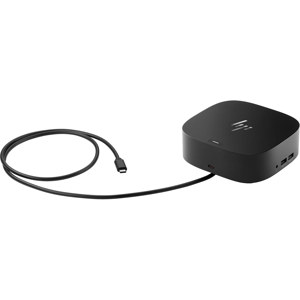
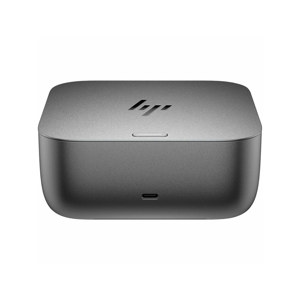
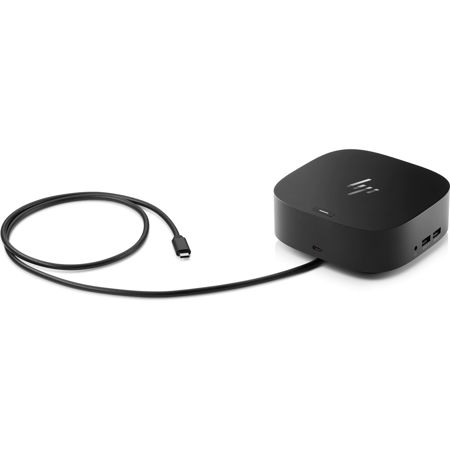
Get to work with a single cable from your USB-C-enabled notebook to your displays, devices, and wired network with the versatile, elegant, and space-saving HP USB-C Dock G5. The dock is compatible with notebooks from brands like HP, Apple, Dell, Lenovo, and more.
Compatible with your mixed PC environment
Designed with universal compatibility in mind, this dock works with both HP and non-HP USB-C- and Thunderbolt-enabled notebooks.
Single-cable solution
Add your accessories and up to three displays to the dock. Then simply connect it to your notebook through a single USB-C cable to access your devices and charge your PC.
Easily manage your commercial HP fleet
Help IT secure and remotely manage your deployed commercial HP notebooks and the dock with advanced network manageability features that include PXE Boot, LAN/WLAN switching, and WoL and MAC Address Pass-Through in all power states.
Small footprint
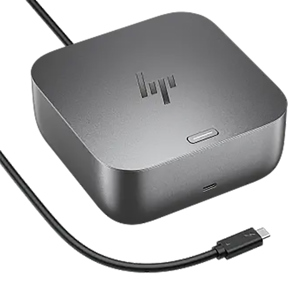
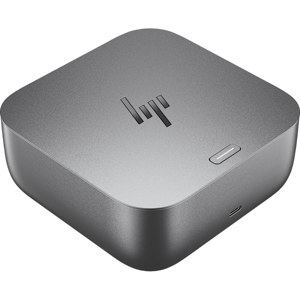
Reclaim your desk with a compact dock that takes up only 5 x 5 inches of space.