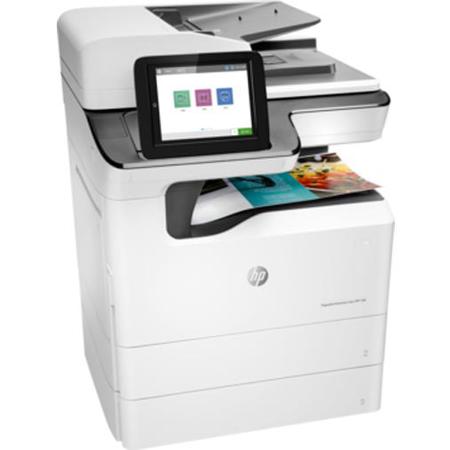
Overview
Compare
Accessories
Specs
Protection
Q&A

Questions & Answers

FAQ

What are the printing speeds of the HP PageWide Enterprise 780dn Color Multifunction Inkjet Printer?

The HP PageWide Enterprise 780dn Color Multifunction Inkjet Printer can print up to 65 pages per minute in both color and black-and-white.

What are the security features of the HP PageWide Enterprise 780dn Color Multifunction Inkjet Printer?

The HP PageWide Enterprise 780dn offers enhanced security features including HP Sure Start, encrypted hard disk, real-time monitoring, automatic rebooting with run-time intrusion detection, and firmware whitelisting.

What are the multifunctional capabilities of the HP PageWide Enterprise 780dn Color Multifunction Inkjet Printer?

The HP PageWide Enterprise 780dn Color Multifunction Inkjet Printer offers printing, copying, scanning, and faxing capabilities.

Can the HP PageWide Enterprise 780dn Color Multifunction Inkjet Printer scan directly to various destinations?

Yes, the HP PageWide Enterprise 780dn can directly scan files to Microsoft Office 365, SharePoint, email, USB, and network folders.

Is the HP PageWide Enterprise 780dn Color Multifunction Inkjet Printer energy efficient?

Yes, the HP PageWide Enterprise 780dn is recognized as the most efficient multifunction printer in its class.

Reviews about this item

Review Summary

Select a plan in the Add Protection section above and purchase with this product by clicking “Add to Cart”.

image-protection

TRUSTED PROTECTION PLANS, EXCEPTIONAL SERVICE.

Invest In Your Gear and Peace Of Mind!

Accidents happen where life happens. Protect your favorite Adorama products and purchase a protection plan to stay covered from accidental damage, mechanical or electrical failure, and more.

Repair or Replacement

Repair or Replacement

If we can’t fix it, we’ll replace it at no additional cost.

Accidental Damage

Accidental Damage

Protect your product from drops, spills, and more.

Peace of Mind

Peace of Mind

Enjoy your gear without fear. We have you covered!

Malfunction Protection

Malfunction Protection

When regular use of your product over time results in mechanical or electrical failure.

Zero Deductible

Zero Deductible

We will never charge you a deductible after the purchase of a plan.

Customer-Focused Support

Customer-Focused Support

Our claims process is simple & easy and our customer service team is happy to help.

Adorama Protect powered by Extend is available for purchase to customers in the United States. Not available for purchase Internationally or in U.S. Territories.

HP 780dn Specifications

  • Functions / Multitasking Supported

    Print, copy, scan, fax (optional) / Yes

  • Print Speed

    Black (ISO): Up to 45 ppm
    Color (ISO): Up to 45 ppm
    First Page Out Black: As fast as 7.1 sec
    First Page Out Color: As fast as 7.1 sec
    Black (Go): Up to 65 ppm
    Color (Go): Up to 65 ppm

  • Print Resolution

    Black (best): Up to 1200 x 1200 optimized dpi from 600 x 600 input dpi (on Unspecified, Plain, HP Premium Presentation Matte, and HP Brochure Matte)
    Color (best): Up to 2400 x 1200 optimized dpi from 600 x 600 input dpi (on HP Advanced Photo Papers)

  • Print Technology

    HP PageWide Technology

  • Printer Drivers Included

    On Web: Windows PCL 6 Discrete, Mac PS, HP Universal Print Drivers (PCL6, PCL5 & PS for Windows), HP ePrint Software (for Windows), Linux/Unix Print Drivers, SAP: PCL 5 and PS Print Drivers, From other sites: mobile apps

  • Print Cartridges Number

    4 (1 each black, cyan, magenta, yellow)

  • Standard Print languages

    HP PCL 6; HP PCL 5c; HP postscript level 3 emulation; PDF 1.7

  • Printer Smart Software Function

    HP SureStart; Run-time Intrusion detection; Whitelisting; HP Trusted Platform Module; HP JetAdvantage Security Manager; HP Web Jetadmin; Open Extensibility Platform, FutureSmart Firmware, HP ePrint, Apple AirPrint, HP Auto-On/Auto-Off technology, HP Color Access Control, HP EasyColor, Front-facing USB printing, store print jobs, HP EasyColor, print preview

  • Printer Smart Software Functions (Cont.)

    Automatic two-sided printing, print multiple pages per sheet (2, 4, 6, 9, 16), collation, booklet printing, cover pages, tray selection, scaling, Portrait/Landscape orientation, High Quality Grayscale and Black Ink Only, General Office/Professional/Presentation dpi print modes, Optional: HP and third party extensibility solutions; wireless

  • Printer Management

    HP JetAdvantage Security Manager; HP SNMP Proxy Agent; HP Web JetAdmin Software; HP WS Pro Proxy Agent; Printer Administrator Resource Kit for HP Universal Print Driver

  • Scan Type / Technology

    Flatbed, ADF / Charge Coupled Device (CCD) & Contact Image Sensor (CIS)

  • Scan Resolution

    Hardware: Up to 600 ppi
    Optical: Up to 600 ppi

  • Scan File Format

    PDF, JPEG, TIFF, MTIFF, XPS, PDF/A

  • Scan Input Modes

    Front panel applications: Copy; E-mail; Save to Network Folder; Save to USB; Save to Device Memory; Open Extensibility Platform (OXP) applications

  • Scan Size

    ADF: 297 x 432mm; Up to 297 x 1000mm when "long scan size" selected; 11.7 x 17 in; Up to 11.7 x 39 in when "long scan size" selected Maximum; No Minimum 68 x 148mm, 2.7 x 5.8 in Minimum
    Flatbed: 11.7 x 17 in; 297 x 432mm

  • Scan Speed

    Up to 90 ipm simplex and up to 180 ipm duplex

  • Scanner Advanced Function

    Optimize text/picture; Image adjustments; Job build; Output quality setting; Selectable scan resolution 75 to 600 dpi; Auto detect color; Edge Erase; Job notification; Blank page suppression; HP Quick Sets

  • Bit Depth / Grayscale levels

    24-bit / 256

  • Digital Sending Standard Function

    Scan to E-mail; Save-to-Network Folder; Save-to-USB drive; Send to FTP; Send to Internet Fax; Local Address Book; SMTP over SSL; Blank Page Removal; Edge Erase; Auto Color Sense; Auto Crop To Content; Compact PDF

  • Copy Speed

    Black (ISO): Up to 45 cpm; Color (ISO): Up to 45 cpm
    Black (Go): Up to 65 cpm
    Color (Go): Up to 65 cpm

  • Copy Resolution

    Black (text and graphics): Up to 600 x 600 dpi; Up to 600 x 600 dpi
    Color (text and graphics): Up to 600 x 600 dpi

  • Maximum Number Of Copies

    Up to 9999 copies

  • Copier Resize

    25 to 400%

  • Copier Settings

    Two-sided copying, scalability, image adjustments (darkness, contrast, background cleanup, sharpness), N-up, N or Z-ordering, content orientation, collation, booklet, ID Scan, job build, edge-to-edge, job storage

  • Fax Speed

    Up to: 33.6 kbps

  • Fax Resolution

    Black (best): Up to 300 x 300 dpi (400 x 400 dpi for received faxes only)
    Color (best): Up to 300 x 300 dpi (400 x 400 dpi for received faxes only)
    Black (standard): 204 x 98 dpi

  • Fax Smart Software Functions

    Stored faxes; Fax archiving; Fax forwarding; Scale to fit; Fax address book; LAN/Internet fax; Fax number confirmation; Holiday fax schedule

  • Fax Function

    Fax Memory: Up to 500 pages; Auto Fax Reduction Supported: Yes; Auto-Redialing: Yes; Fax Delayed Sending: No; Distinctive Ring Detection Supported: No; Fax Forwarding Supported: Yes; Fax Phone TAM Interface Supported: No; Fax Polling Supported: Yes (poll to receive only)

  • Fax Function (Cont.)

    Fax Telephone Mode Supported: No; Junk Barrier Supported: Yes; Maximum Speed Dialing Numbers: Up to 1000 numbers (each with 210 destinations); PC Interface Supported: Yes; Remote Retrieval Capability Supported: No; Telephone Handset Supported: No

  • Standard Connectivity

    2 Hi-Speed USB 2.0 Host; 1 Hi-Speed USB 2.0 Device; 1 Gigabit Ethernet 10/100/1000T network; 1 Hardware Integration Pocket

  • Network Capabilities

    Via HP Jetdirect Ethernet embedded print server (standard) supports: 10Base-T, 100Base-Tx , 1000Base-T; 802.3az (EEE) support on Fast Ethernet and Gigabit Ethernet; IPsec (standard)

  • Wireless Capability

    Optional, enabled with purchase of a hardware accessory

  • Mobile Printing Capability

    HP ePrint, Apple AirPrint, Google Cloud Print

  • Memory

    Standard: 3584 MB
    Maximum: 3584 MB

  • Processor Speed

    1.2 GHz

  • Duty Cycle

    Monthly, A4: Up to 100,000 pages

  • Recommended Monthly Page Volume

    2500 to 20,000

  • Paper handling input (Standard)

    100-sheet multipurpose tray, 550-sheet input tray

  • Paper handling input (Optional)

    1x550/tray (A3/A4), 1x550/stand (A3/A4), 3x550/stand (A3/A4), HCI (2x2000 sheet A4)

  • Paper handling output (Standard)

    500-sheet output bin

  • Duplex printing

    Automatic (standard)
    Manual (driver support provided)

  • Maximum Input Capacity (envelopes)

    Up to 10 envelopes

  • Media sizes supported

    Tray 1: 12 x 18, 11 x 17, Legal, Oficio, Letter, Letter-R, E x ecutive, E x ecutive-R, 5 x 8, 5 x 7, 4 x 6
    Trays 2-5: 11 x 17, Legal, Oficio, Letter, Letter-R, E x ecutive, E x ecutive-R, 5 x 8, 5 x 7, 4 x 6
    HCI Trays 3 & 4: Letter

  • Media types

    Paper (Plain, Inkjet, Inkjet Brochure/Glossy), Photo Paper, Envelopes, Labels, Cards

  • Barcode scanner

    16 to 58 lb, 80 lb Photo Paper Only

  • Media weights (Supported)

    Tray 1: 16 to 58 lb, 80 lb Photo Paper Only; Trays 2-5: 16 to 58 lb; HCI Trays 3 & 4: 16 to 58 lb

  • Control Panel

    8.0-in (20.3 cm) Color Graphics Display (CGD) with touchscreen; rotating (adjustable angle) display; illuminated Home button (for quick return to the Home menu); USB High-speed 2.0 port; Hardware Integration Pocket

  • Display Description

    8.0" (20.3cm) touchscreen, XVA Color Graphic Display (CGD)

  • Software Included

    HP Connected, HP Device Experience (DXP), HP PCL 6 Printer Driver, HP Software Installer/Uninstaller, Mac OS Welcome Screen (Directs users to 123.HP.com or OS App Source for printer software), Online user manuals

  • Compatible Operating Systems

    Android, Linux Boss (5.0), Linux Debian (7.0, 7.1, 7.2, 7.3, 7.4, 7.5, 7.6, 7.7, 7.8, 7.9, 8.0, 8.1, 8.2, 8.3, 8.4, 8.5, 8.6), Linux Fedora (22, 23, 24), Linux Mint (17, 17.1, 17.2, 17.3, 18), Linux Red Hat Enterprise (6.0, 7.0), Linux SUSE (13.2, 42.1), Linux Ubuntu (12.04, 14.04, 15.10, 16.04, 16.10), OS macOS 10.12 Sierra, OS X 10.10 Yosemite

  • Compatible Operating Systems (Cont.)

    OS X 10.11 El Capitan, UNIX, Windows 10 all 32- & 64-bit editions (excluding RT OS for Tablets), Windows 7 all 32- & 64-bit editions, Windows 8/8.1 all 32- & 64-bit editions (excluding RT OS for Tablets), Windows Vista all 32bit editions (Home Basic, Premium, Professional, etc.), Windows XP SP3 32-bit editions (XP Home, XP Pro, etc.)

  • Compatible Network Operating Systems

    Citrix MetaFrame Presentation Server 3.0, Citrix MetaFrame XP Presentation Server (Feature Release 1, 2, and 3), Citrix on Windows Server 2003/2003R2, Citrix on Windows Server 2008/2008R2/2008 R2 SP1, Citrix on Windows Server 2012/2012R2, Citrix Presentation Server 4.0/4.5, Citrix XenApp 5.0 (Plus Feature Pack 2 & 3) for Windows Server 2008 Terminal Services 32- and 64-bit

  • Minimum System Requirements

    PC: 2GB available hard disk space, OS hardware requirements
    MAC: 1.3GB available hard drive space; Internet; OS hardware requirements

  • Power

    Power Supply Type: Internal (Built-in) power supply
    Power Requirements: Input voltage: 100 to 240 VAC, 50/60 Hz
    Power Consumption: 660 watts (print/copy), 42 watts (ready), 1.4 watts (sleep), 0.2 watts (auto-off), 0.2 watts (off)
    Typical Electricity Consumption (TEC) number: BA: 1.97 kWh/Week; ES: 1.61 kWh/Week

  • Acoustics

    Acoustic Power Emissions: 6.7 B(A)
    Acoustic Pressure Emissions: 53 dB(A) (printing at 46ppm)

  • Operating Temperature Range

    15 to 30 deg. C (59 to 86 deg. F)
    Recommended: 17 to 25 deg. C (63 to 77 deg. F)

  • Storage Temperature Range

    Before initial setup (Non-Purged): -40 to 60 deg. C (-40 to 140 deg. F); After initial setup (Purged): 0 to 60 deg. C (32 to 140 deg. F). If stored below the lowest specified operating temperature, unit must slowly warm up to an approved operating temperature (HP recommends waiting 24 hours at approved operating temperature prior to using the printer)

  • Non-Operating Humidity Range

    10 to 80% RH

  • Operating Humidity Range

    10 to 80% RH

  • Recommended Humidity Operating Range

    30 to 70% RH

  • Compatible Network OS (Cont.)

    Citrix XenApp 6.0/6.5 [for Windows Server 2008 R2 Terminal Services, 32- and 64-bit], Citrix XenApp 6.0/6.5/7.5 [for Windows Server 2008 R2 SP1 Terminal Services, 32- and 64-bit], Citrix XenApp 7.5 [for Windows Server 2012 and 2012 R2 Terminal Services, 64-bit], Citrix XenDesktop 5.6 [for Windows Server 2008 R2 Terminal Services, 32- and 64-bit], Citrix XenDesktop 5.6/7.0/7.5 [for Windows Server 2008 R2 SP1 Terminal Services, 32- and 64-bit]

  • Compatible Network OS (Cont..)

    Citrix XenDesktop 7.0/7.5 [for Windows Server 2012 and 2012 R2 Terminal Services, 64-bit], Novell NetWare 6.5/SP8 Novell Clients, Novell iPrint Appliance v1.0, Novell Open Enterprise Server 11/SP1, Novell Open Enterprise Server 2 for Linux, Novell Servers), Windows Server 2003/2003 R2 32-/64-bit (SP1/SP2) Standard/Enterprise/Datacenter (+ Cluster & Terminal Services), Windows Server 2003/2003 R2 32-bit (SP1/SP2) Standard/Enterprise (+ Cluster & Terminal Services)

  • Compatible Network OS (Cont...)

    Windows Server 2008 32-/64-bit (SP2) Standard/Enterprise (+ Cluster & Terminal Services), Windows Server 2008 R2 64-bit (SP1) Standard/Enterprise (+ Cluster & Terminal Services), Windows Server 2008/2008 R2 32-/64-bit (SP1/SP2) Standard/Enterprise/Datacenter (+ Cluster & Terminal Services), Windows Server 2012/2012 R2 64-bit Standard/Foundation/Essentials/Datacenter (+ Cluster & Terminal Services), Windows Server 2016/ 64-bit Standard/ Essential/Datacenter (+ Cluster & Terminal Services)

  • Security Management

    Identity Management: Kerberos authentication, LDAP authentication, 1000 user PIN codes, optional HP and third-party advanced authentication solutions (e.g., badge readers); Network: IPsec/firewall with Certificate, Pre-Shared Key, and Kerberos authentication, Supports WJA-10 IPsec configuration Plug in, 802.1X authentication (EAP-PEAP, EAP-TLS)

  • Security Management (Cont.)

    SNMPv3, HTTPS, Certificates, Access Control List, HP Trusted Platform Module (TPM) comes standard; Data: Storage Encryption, Encrypted PDF & Email (uses FIPS 140 validated cryptographic libraries from Microsoft), Secure Erase, SSL/TLS (HTTPS), Encrypted Credentials; Device: Security lock slot, USB port disablement, Hardware Integration Pocket for security solutions

  • Security Management (Cont..)

    18 Intrusion Detection with Red Balloon Security Technology (Constant in-device monitoring for attacks), HP Sure Start Secure Boot (BIOS integrity checking with self-healing capability), Whitelisting (loads only known good code (DLLs, EXEs, etc.); Security Management: Compatible with HP JetAdvantage Security Manager,21 Device Security Syslog Messages processed and accessible in ArcSight and Splunk SIEMs;

  • Dimensions (WxDxH)

    32 x 23.25 x 18" (81.28 x 59.06 x 45.72cm)
    Maximum: 35.25 x 23.25 x 21" (89.54 x 59.06 x 53.34cm)

  • Weight

    153 lbs (69.40kg)

14 Accessories for HP PageWide Enterprise 780dn Color Multifunction Inkjet Printer, 45ppm, 1200x1200 dpi, 650 Sheet Input - Print, Copy, Scan, Fax

  • All Accessories (14)
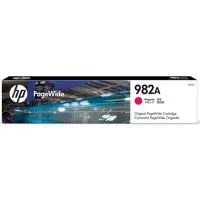
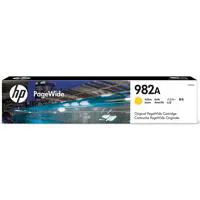
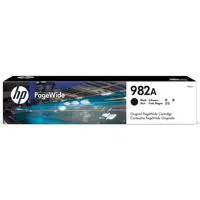
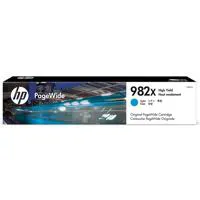
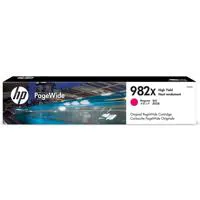
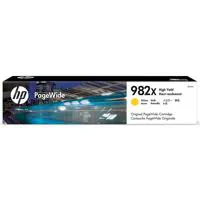
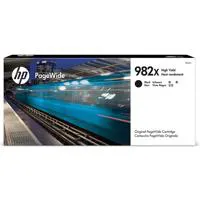
  • Toner Cartridge (8)
  • Copy Paper (1)
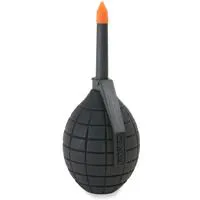
  • Cleaning Accessories (2)
  • Cables & Adapters (3)

About HP 780dn

Take your business productivity to new heights with the sophisticated HP PageWide Enterprise 780dn Color Multifunction Inkjet Printer. Engineered to provide a competitive edge, this advanced printer offers the lowest color cost, ensuring that you get the high-quality prints you expect from HP PageWide Technology at the most economical value. With the option to utilize high-yield cartridges, you can print more pages and reduce cartridge replacements, streamlining your workflow and saving time.

The HP PageWide Enterprise 780dn is not only cost-effective but also an efficiency powerhouse. By switching to General Office mode, you can accelerate your printing speeds while further lowering cost per page. This multifunctional device is designed to keep energy costs in check, boasting the title of the most efficient MFP in its class.

Experience minimal interruptions and maximum uptime. The HP PageWide Enterprise 780dn is built for the least maintenance in its class, reducing downtime and keeping your business moving at a swift pace. Achieve print speeds that outpace competitors - up to 65 pages per minute in both color and black-and-white. Customize this MFP to fit the unique demands of your business with an array of paper-handling accessories, and directly scan files to various destinations, including Microsoft Office 365, SharePoint, email, USB, and network folders.

Security is paramount in today's digital world, and the HP PageWide Enterprise 780dn offers the world's most secure printing. With HP Sure Start, the printer continuously verifies its operating code, protecting against hacks by self-repairing. Keep your information safe both on the printer and during network transit, with an encrypted hard disk to securely store data. Real-time monitoring helps to detect and neutralize threats promptly, while automatic rebooting with run-time intrusion detection ensures your printer's defenses are always up to date. Firmware whitelisting checks at startup confirm the integrity of the code, ensuring it's authentic and digitally signed by HP.

With its high-tech capabilities, the HP PageWide Enterprise 780dn Color Multifunction Inkjet Printer stands as an essential tool for businesses seeking advanced, sophisticated, and efficient printing solutions. Whether you're printing, copying, scanning, or faxing, this printer is designed to meet the rigorous demands of small to medium-sized business environments with ease and precision.
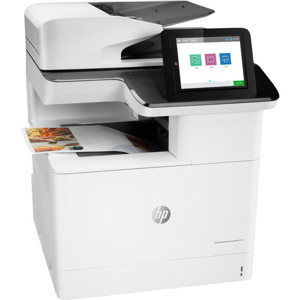
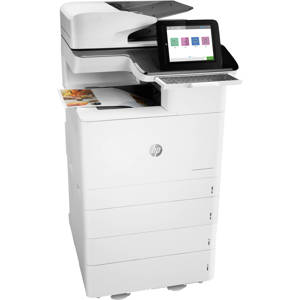
HP 780dn Features

  • First print out time of approximately 7 seconds for both black-and-white and color images
  • Output tray can hold up to 500 sheets for nearly non-stop printing
  • Dual input trays enable you to load two sizes of media simultaneously
  • Automatic document feeder ideal for auto duplexing, accepts documents from 2.7 x 5.8" to 11.7 x 17"
  • Supports several file formats for scanning including PDF, TIFF, JPEG, and XPS
  • Up to 9999 copies with 25 to 400% reduction/enlargement
  • Get the quality you expect with HP PageWide Technology that delivers the lowest cost per color page
  • Print even fasterfand save even more per pagefby setting this printer to General Office mode
  • Help keep energy costs down with the most efficient MFP in its class
  • Minimize interruptions with an HP PageWide device designed for the least maintenance in its class
  • Print speeds up to 50% faster than competitorsfas fast as 65 ppm in color and black-and-white
  • Tailor this MFP to the needs of your business with a wide range of paper-handling accessories
  • Scan files directly to Microsoftsq ft Office 365 and SharePoint, plus email, USB, and network folders
  • With HP Sure Start, each printer regularly checks its operating code and repairs itself from attempted hacks
  • Protect information on the printer and in transit over the network and store data on a encrypted hard disk
  • Monitor activity to detect and stop attacks, then automatically reboot with run-time intrusion detection
  • Whitelisting checks firmware during startup to help ensure itfs authentic, good codefdigitally signed by HP

Warranty Information

This product has a limited warranty of 12 months.

Product Documents

User Manual

Key Features

  • Advanced HP PageWide Technology for high-quality, cost-effective color prints
  • High-speed printing up to 65 pages per minute in both color and black-and-white
  • Multifunctional capabilities with printing, copying, scanning, and faxing
  • Energy-efficient design recognized as the most efficient MFP in its class
  • Enhanced security features including HP Sure Start, encrypted hard disk, and firmware whitelisting
  • Customizable with a wide range of paper-handling accessories & direct scan to various destinations

What's in the box:

  • HP PageWide Enterprise 780dn Color Multifunction Inkjet Printer
  • Setup Ink Cartridges (Yield After Setup (Approx.) 8000 Pages CMY and 10000K)
  • Installation Guide and Support Flyer
  • Documentation on CD-ROM
  • Power Cord
  • HP 1 Year Limited Warranty