This item is no longer available.
Review Summary
2019-03-04T07:00:58
Many plotters are extremely fussy and complicated to set up. Not so this one. I was set up and printing in a little over an hour. Print quality is excellent for architectural plans. You probably would want something with higher resolution if you are printing large format photos. Roll feed is extremely easy to set up. My only two "negative" comments: It took a while to find and download the appropriate T120 driver software. For some reason, every third or fourth sheet printed randomly skews off the page and produces a partial print, wasting a full 36" sheet of paper. I've not been able to find any rhyme or reason for why this happens. Not a deal-breaker as I otherwise love the convenience and quality.
DAVID W.
2018-09-20T08:51:04
I an a Architect with small office. Product is great serves my basic needs for document reproduction as a finished product.
Paul T.
2018-08-08T11:41:24
Fast delivery and easy setup. Printer was easy to set up with my Mac and printed blue prints with ease. Very impressed with the printer so far.
SHAWN M.
2018-03-22T03:52:10
This printer is Worth the Cost, the time saved in travel running out to get Blue prints made is well worth it The Cart being portable and the printer wireless is Awesome
bob N.
Accidents happen where life happens. Protect your favorite Adorama products and purchase a protection plan to stay covered from accidental damage, mechanical or electrical failure, and more.
If we can’t fix it, we’ll replace it at no additional cost.
Protect your product from drops, spills, and more.
Enjoy your gear without fear. We have you covered!
When regular use of your product over time results in mechanical or electrical failure.
We will never charge you a deductible after the purchase of a plan.
Our claims process is simple & easy and our customer service team is happy to help.
Adorama Protect powered by Extend is available for purchase to customers in the United States. Not available for purchase Internationally or in U.S. Territories.
Browse our FAQ
Yes
24"
40 D prints per hour (US D Plain Paper); 25 ft½/hr (Glossy Paper); 241 ft½/hr (Coated Paper)
Up to 1200 x 1200 optimized dpi from 600 x 600 input dpi and Optimization For Photo Paper selected
+/- 0.1 percent
8.3 to 24-in wide sheets; 11 to 24-in rolls
Sheet feed; roll feed; input tray; automatic cutter
Input tray: 8.3 x 11 to 13 x 19 in; manual feed: 13 x 19 to 24 x 74.7 in; roll: 11 to 24 in
HP PCL 3 GUI, JPEG
256 MB/256 MB
Fast Ethernet (100Base-T); Hi-Speed USB 2.0 certified; Wi-Fi
Yes, standard
Microsoft Windows 7 Home Premium/Professional/Ultimate, Windows Vista Home Premium/Business/Ultimate, Windows XP (32-bit, 64-bit) Home/Professional, Windows Server 2003 (32-bit, 64-bit)
Windows Server 2008 (32-bit, 64-bit), Windows Server 2008 R2; Mac OS X v 10.6, v 10.7, v 10.8; Citrix XenApp; Citrix XenServer; Linux (see http://www.hplip.net)
16 MHz
Yes
Standard
No
38.9x20.9x11.2" / 98.8x53.08x28.44cm
56.2lbs / 25.49kg
192223012479


Excellent printer
By DAVID W.
Many plotters are extremely fussy and complicated to set up. Not so this one. I was set up and printing in a little over an hour. Print quality is excellent for architectural plans. You probably would want something with higher resolution if you are printing large format photos. Roll feed is extremely easy to set up. My only two "negative" comments: It took a while to find and download the appropriate T120 driver software. For some reason, every third or fourth sheet printed randomly sk...
View full Review
HP T120 Designjet
By Paul T.
I an a Architect with small office. Product is great serves my basic needs for document reproduction as a finished product.
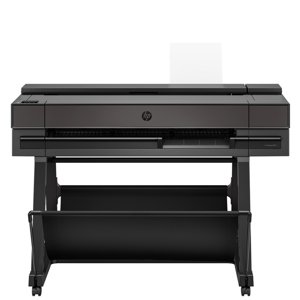
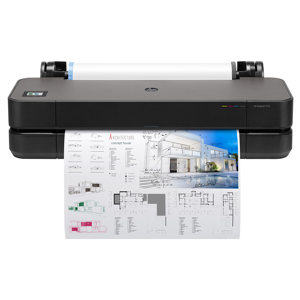
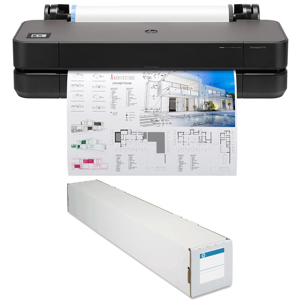
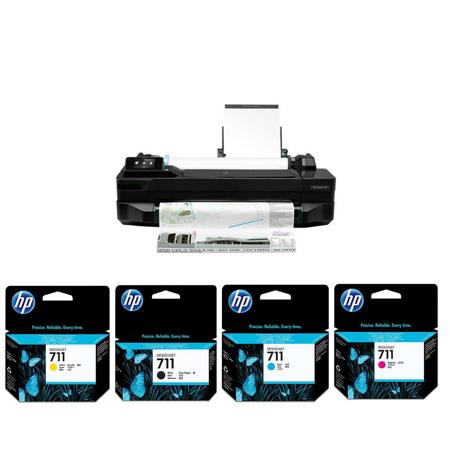
The HP Designjet T120 24" ePrinter prints from Letter to D using the B+ tray and 24-inch wide front-loading media roll. Install your printer where it's most convenient and work where you want, using Wi-Fi connectivity. Take control of your print jobs by plotting them in-house, saving time and money.
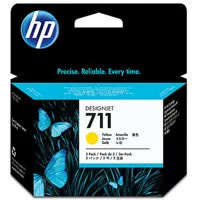
Help reduce downtime and improve productivity by using Original HP inks. Easily fit this printer-the smallest in its class-where you need it in your work environment. The intuitive, full-color, 4.3-inch touchscreen simplifies navigation and printing. It completes your work quickly and accurately, using the true print previews from the driver. Use your Apple or Android Smartphone or tablet to print from virtually anywhere.
Access and print projects when you're away from your studio, using HP Designjet ePrint & Share. You can automatically save copies of your work to the cloud when you print using HP Designjet ePrint & Share. Email projects to your HP Designjet T120 ePrinter and print, using its Web connectivity features.