
This item is no longer available.
Review Summary
2022-12-25T19:00:00
Bought this about 3 years ago, it stopped printing after a few months, only used it for scanning after that. Software is spotty at best
petergy

2022-07-20T20:00:00
I've had this printer for several years now and it is, by far, the best printer I've ever owned. All features and interface are intuitive and easy to use. The ink lasts and the hardware has been durable with zero problems.
Dave9
2021-10-13T20:00:00
I won this printer from a website, thank gosh I did not have to buy this printer, I would be more upset than I am. I have had nothing but issue after issue with this printer. It either can not be found on the app on my phone or laptop, or it will not print in color, or there is an issue with HP Instaink, and the best one that has been ongoing since about a week after setting it up I can not access the printer settings via the web service. It refuses to accept the username and password. There is literally zero help from HP to resolve this. And once you're locked out of it, you are stuck, you can not charge any settings, or anything. There solutions they say will reset it to factory does absolutely nothing at all but remove your wifi settings.. that does not help whatsoever. Currently I can only print from my phone and that at best is only half of half, you can't adjust the print scale or size because of being locked out of the settings.. And the HP Smart App is absolutely the worst printer app they could have made. You can not adjust anything at all on it. Nor can you even see what your trying t print and I have a Samsung Galaxy S20 Ultra. So now after owning this printer for 3 years I decided to give my honest review. I can not believe there is really no resolution to being locked out of the web service settings.
KandieWood
2020-11-08T07:32:03
This printer is useless. It continually loses its Wifi connection. I should have stayed with Epson printers.
Jan77777
2020-07-19T20:00:00
great printer , does every thing I want it to do, replaced this from a HP office jet pro 6978, witch was very slow. , now I only need two cartilages instead of four.
snowman555
2019-12-31T19:00:00
It last only a year worth buying something better. Not convinced HP is they way to go, with the cartridges being very challenging to work correctly.
Harm
2019-12-30T19:00:00
I really don?t understand the negative reviews! This is the best, most user friendly printer I?ve owned. My son uses it for college, we have the $3.00 monthly ink plan and it is easy to use from all Apple devices. No brainer.
JB1971
2019-08-26T20:00:00
This printer works well if you print at least once every couple of days. If you don't, then the cartridges will dry out, and you'll be forced to buy new ones even if they're full. The head-cleaning utilities built into the printer's firmware do nothing to alleviate this. If you're someone who only needs to print once in a while, you'll find it's both inconvenient and very costly because every time you intend to print, you need to go out and buy new cartridges to do it.
danielr
2019-08-06T20:00:00
I have never hated a printer as much as I've hated this one. From the start it had compatibility issues with mine and my husband's chromebooks. After waiting for updates and bug fixes and downloading apps to bridge the gap it finally was working properly just in time to break. The printer quit being able to identify the ink cartridges even after following all troubleshooting. Do NOT recommend this printer.
KECC
2019-06-24T20:00:00
Barely used. Now it is dead. Just spent $60 on ink to find out it doesn't work and it keeps saying that the service station is stalled. Wouldn't recommend.
boiseb
2019-05-16T20:00:00
The printer is a cheap piece of junk. Do not buy!!!!
Bob62
2019-04-20T20:00:00
This thing is like an 18 year old grumpy cat...it decides which device it will let print or scan at what time it deams fit. SAVE YOURSELF
Rakl
2019-02-09T19:00:00
I am very disappointed. I rarely use my printer however I expect it to work when i do. After spending $60+ on replacement ink my black ink is not printing. I have done all the troubleshooting and noticed that this is a common error with this printer.
KatieJ13
2019-01-01T19:00:00
This thing cannot connect over wifi to save its life. Not to mention once it does, it will sit idle and not print anything you tell it too. Im on a modern macbook pro w/ the latest updates all downloaded.
Scott K.
2018-11-24T19:00:00
Bought this in Dec 2017 as part of Boxing Week sale, reviews seemed great. It is the worst piece of garbage I have ever had the displeasure of owning. It is NEVER connected to the internet despite being left on 24/7. It constantly says "cannot connect to printer" despite it showing as connected to the network and all test pages work fine. I have literally just spent over ONE HOUR trying to print out a few pages for school. I lose nothing but precious time trying to get this thing to work on an almost daily basis. Not recommended and looking forward to throwing this down the stairs shortly.
YoYoMa
2018-10-16T20:00:00
Do you want mechanical issues? If so you found your printer. After 1 month it stopped printing and it was one issue after another.
Mike27
2018-10-14T20:00:00
I am enjoying my new printer nice and compact. Great for my small office but to slow starting to print.
Gailly

2018-10-03T20:00:00
perfectly working and easy to set up, actually when the product was recommended to me i never belief in 3in1 scan, photocopy and print wireless since i install now i do everything at my pace
Alawada
2018-09-29T20:00:00
I am happy according to the little use I have to make
none
2018-09-29T20:00:00
So far, does its job beautifully. Alongside the hp instant ink program - printing becomes enjoyable.
Louis
2018-09-26T20:00:00
Cheaply made. Cannot scan to email. no feeder. ok for one page jobs. Poor service. Late delivery.
jjjjjjjj
2018-09-23T20:00:00
I bought this to replace another H-P printer. It has caused no problems, but the print isn’t as crisp. It not only looks less professional, but I assume it is using more ink since the letters seem fatter. It is reliable, but I wish I’d chosen a different H-P model.
GPsy
2018-09-10T20:00:00
This printer works great I would recommend it to my friends
Moe
2018-09-09T20:00:00
Love it. Especially when I want to eprint away from home.
Drewb
2018-09-07T20:00:00
This is a flimsy unit. Realized it does not scan to email after i bought it- my mistake not reading carefully. First color prints tested were poor. It works but is real limited. Luckily it cost me less than ink so i'll run it till its out of ink and toss it. That probably best strategy for HP printers. My 6830 printhead died right after installing 4 new ink cartridges so don't want to make that mistake again.
BJ
2018-09-07T20:00:00
HP's customer service department worked with me to my great satisfaction. The printer is slow to get the printing message, but the outcome is just fine. I am pleased with HP and the printer.
Rosie418
2018-09-06T20:00:00
Purchased replacement after 3 years of use, easy to set up, easy to use with multiple devices and iPhone and iPad, reasonable price for ink
BM
2018-08-19T20:00:00
its a very good product for picture and text .Its easy to setup and wireless works very fast with my HP all in one computer. Recommand strongly
henri l.
2018-08-16T20:00:00
I bought this about 3 months ago to replace my old HP Envy 4500 that had developed a problem after years of use. I have been buying HP printers since the 90's and just wanted something reliable. The computer cannot communicate with the printer unless I power cycle the printer. It appears to be on but will not communicate with our computers until I turn it off and back on. I believe the problem is the printer goes in to power saving mode, disabling communications. I have tried reinstalling the software but it does not help. I have not been able to find any way to disable this feature.
whydoIneedanickname455
2018-08-16T20:00:00
days i am sick of itand i wa nt one that u bring home plug in and it wow works
luke

Accidents happen where life happens. Protect your favorite Adorama products and purchase a protection plan to stay covered from accidental damage, mechanical or electrical failure, and more.

If we can’t fix it, we’ll replace it at no additional cost.

Protect your product from drops, spills, and more.

Enjoy your gear without fear. We have you covered!

When regular use of your product over time results in mechanical or electrical failure.

We will never charge you a deductible after the purchase of a plan.

Our claims process is simple & easy and our customer service team is happy to help.
Adorama Protect powered by Extend is available for purchase to customers in the United States. Not available for purchase Internationally or in U.S. Territories.
Browse our FAQ
Print, copy, scan, photo/ No
Black (ISO): Up to 9.5ppm
Color (ISO): Up to 6.8ppm
Black (Draft): Up to 20ppm
Color (Draft): Up to 16ppm
Black (best): Up to 1200 x 1200 rendered dpi (when printing from a computer)
Color(best): Up to 4800 x 1200 optimized dpi color (when printing from a computer on selected HP photo papers and 1200 input dpi)
HP Thermal Inkjet
2 (1 black, 1 Tri-color [cyan, magenta, yellow])
Yes (up to 8.5 x 11" / 215.9 x 279.4mm)
HP PCL 3 GUI
Flatbed/ CIS
Hardware: Up to 1200 x 2400ppi
Optical: Up to 1200dpi
TIFF, JPEG, PNG, BMP, PDF
Front-panel scan, Front-panel copy, HP Scan software.
ADF: Does Not Apply
Flatbed: 8.5 x 11.69"
Color:4ppm
Mono: 8ppm
24-bit/ 256
Scan to file (PDF or JPG), Scan to email (PDF or JPG) and Everyday Scan (which is scan to PDF)
Black (ISO): Up to 7.5cpm
Color (ISO): Up to 4cpm
Black (text and graphics): 600 x 300dpi, 600 x 300dpi
Color (text and graphics): 600 x 300dpi
5
25 to 400%
Start Black Copy, Start Color Copy, Number of Copies, 2-sided, Paper Type, Resize, ID Card Copy, Lighter/Darker
1 Hi-Speed USB 2.0, 1 Wi-Fi 802.11n
Standard (built-in Wi-Fi 802.11b/g/n)
Yes
Features wireless direct and local Wi-Fi connectivity to enable mobile printing via HP ePrint, Apple AirPrint as well as other solutions, Mopria-certified. Supports printing from most smartphones and tablets using these operating systems: Android, iOS, Blackberry, Symbian, Windows 8, Windows RT.
Standard: 64MB DDR1 Memory
Maximum: 64MB DDR1 Memory
360MHz
Monthly, letter: Up to 1000 pages
100 to 400
Plain paper, Photo paper, Brochure Paper
16 to 24lbs
Letter, legal, 4 x 6", 5 x 7", 8 x 10", No. 10 envelopes
3 x 5 to 8.5 x 14"
Up to 100 sheets, 25-sheet output tray
Duplex Options: Automatic (standard)
Envelope Feeder: No
Standard Paper Trays: 1
Input Capacities: Up to 100 sheets standard, Up to 10 envelopes, Up to 40 cards, Up to 100 sheets legal
Output Capacities: Up to 25 sheets standard, Up to 5 Envelopes
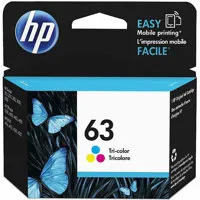
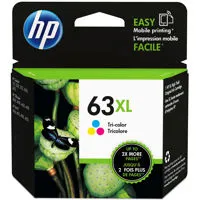
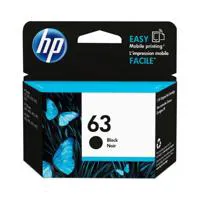
HP 63 Black Ink Cartridge (Approx. 190 pages), HP 63 Tri-color Ink Cartridge (Approx. 165 pages), HP 63XL Black Ink Cartridge (Approx. 480 pages), HP 63XL Tri-color Ink Cartridge (Approx. 330 pages).
Instant Ink Ready / Save up to 50% on ink
ENERGY STAR certified
5.5cm / 2.17" Hi-Res Mono LCD
Windows 10, Windows 8.1, Windows 8, Windows 7, Windows Vista, Windows XP SP3 (32-bit), OS X v10.8 Mountain Lion, OS X v10.9 Mavericks, OS X v10.10 Yosemite
PC: Windows 8.1, 8, 7: 32-bit or 64-bit, 2GB available hard disk space, CD-ROM/DVD drive or Internet connection, USB port, Internet Explorer. Windows Vista: 2GB available hard disk space, CD-ROM/DVD drive or Internet connection, USB port, Internet Explorer 8. Windows XP SP3 or higher (32-bit only): any Intel Pentium II, Celeron or 233MHz compatible processor, 850MB available hard disk space, CD-ROM/DVD drive or Internet connection, USB port, Internet Explorer 8
MAC: Apple OS X Yosemite (v10.10) OS X Mavericks (v10.9), OS X Mountain Lion (v10.8), 1GB HD, Internet required, USB
Acoustic Power Emissions: Print color, simplex, normal mode, A4 paper 6.1 Bel, Print mono, simplex, normal mode, A4 paper 6.4 Bel, Print color, simplex, quiet mode, A4 paper 5.5 Bel, Print mono, simplex, quiet mode, A4 paper 5.7 Bel
Acoustic Pressure Emissions: 48dB(A) (printing at 6.8ppm color), 51dB(A) (printing at 9.5ppm black)
Power Supply Type: Built-in Universal Power Supply
Power Requirements: 100 to 240V AC, 50/60Hz 0.7A
Power Consumption: Up to 15W(Printing), 3.05W(Ready), 0.55W(Sleep), 0.13W(Off)
Operating Temperature Range: 41 to 104 deg. F / 5 to 40 deg. C
Recommended Operating Temperature: 59 to 90 deg. F / 15 to 32.22 deg. C
Storage Temperature Range: -40 to 140 deg. F / -40 to 60 deg. C
Non-Operating Humidity Range: 20 to 80% RH non-condensing
Operating Humidity Range: 20 to 80% RH non-condensing
Recommended Humidity Operating Range: 20 to 80% RH non-condensing.
Minimum: 17.52 x 14.45 x 5.04" / 44.50 x 36.70 x 12.80cm
Maximum:7.53 x 22.22 x 5.04" / 19.13 x 56.44 x 12.80cm
11.93lbs / 5.41kg
889296228554




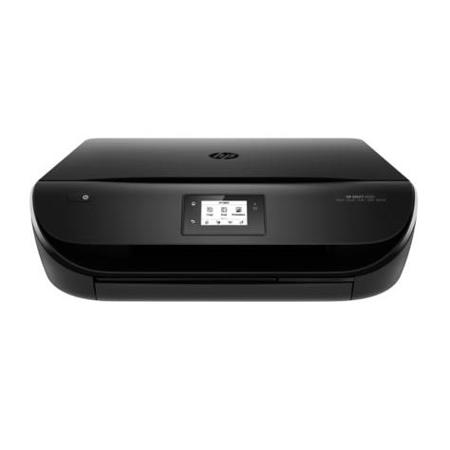
Do more with an affordable HP ENVY all-in-one-the perfect match for your technology. Save up to 50% on ink with HP Instant Ink and enjoy the easiest way to print from your smartphone or tablet. Get wireless printing and lab-quality photos.
You can afford to be creative with HP Instant Ink
• Save up to 50% on ink and never run out. Print lab-quality photos at home for pennies.
• Full of value. Print up to twice as many pages or photos with Original HP high-yield ink cartridges.
• Get high-quality prints-time after time-with an all-in-one designed and built to be reliable.
Easy photo printing from your mobile device
• Your device, your choice. Easily print documents and photos from a variety of smartphones and tablets.
• Start printing and get connected quickly with easy setup from your smartphone, tablet or PC.
• Connect your smartphone or tablet directly to your printer-and easily print without accessing a network.
• Manage printing tasks and scan on the go with the free HP All-in-One Printer Remote mobile app.
Everything you need to create
• Print, scan or copy quickly and easily with the 2.2-inch (5.5 cm) display-simply touch and go.
• Save paper and conserve resources-use up to 50% less paper with easy, automatic two-sided printing.
• Print borderless, lab-quality photos, laser-quality documents, scrapbook pages and more-right in your home.
• Print remotely without worries. The auto-deploying output tray keeps your pages from landing on the floor.
Do more in less space
• Save your space with a sleek, compact all-in-one designed to fit where you need it.
• Print in any room you choose-without causing disruptions-using the optional quiet mode.
• Access menu planners, news reports, recipes and more with free HP Printables-delivered on your schedule.