
This item is no longer available.
Review Summary
2016-05-15T20:00:00
Performance and quality is top notched. It is exactly what is promised and promoted and delivered.
007Paul

2016-05-13T20:00:00
This scanner replaces a previous HP model that I had used for many years but it was a 32 bit scanner in a 64 bit world and had to be replaced thouigh it was still working perfectly. This one does everything the old one did and a bit easier. Its very intuitive and works easily. I needed this model because I wanted to scan color slides and it does that well as well as photos and documents. Hook up to miy comlputer was almost automatic.
Dasher88
2016-04-30T20:00:00
Good machine, manual and auto. It took me two weeks to learn every thing. Yes some times little bit slow but this is normal, the machine makes the preparation . I have this machine 4 months and I scanned 1500 photos. Yes I am honest to say that I send the photos to my PC and there I edit with my edit software if needs any correction in color, contrast sharpness. I use to have previously the HP Scanner 4890 and 4850. I hope the HP will bring back some futures from those like the software Image zone that you can make good cropping and wallet size photos.
Nagas
2016-03-22T20:00:00
I installed Mac 10.11.4 (El Capitain) and the scanner works again
dwpjagain
2016-03-15T20:00:00
HP is no longer supporting this scanner for Mac OS 10.11
dwpj
2016-02-22T19:00:00
I have installed the scanner, I have downloaded and installed the software that HP offers as a WIndows 10 update. My desktop HP Envy does not see the scanner. I've also swapped out cables, read forums etc. and I cannot get this thing working.
ESCism
2016-02-15T19:00:00
This is a great product but is manually excessive. Unable to get support at HP Support for this unit as of 2-16-2016. Could not set the scanned document storage location to my desired location on my PC.
WillieHoH
2016-01-17T19:00:00
The scanner was great when I first bought it, but HP does not upgrade software for Mac OS upgrade. It is now unusable with OS X 10.11 or 10.10.
Macuser10
2015-08-12T20:00:00
I am pleased with the results I have gotten in using this scanner. I have scanned nearly 3,000 photographs using this scanner and would be glad to share them with my family and to make digital scrapbooks. The biggest hindrance of this product is that the supposed ability to be able to scan multiple photos at once using HP's software is garbage. The selection and separation of individual photos on the scanner (between 1 and 4) is so hit-and-miss that I now have to preview every scan to select individual photos. Even when only scanning one photograph when using the auto-select feature, it still often makes mistakes. I do not understand how this feature could be so bad, but as far as image quality goes, this product is just what I need.
SomeGuy0
2014-09-14T20:00:00
Installed easily on Windows 7 HP laptop. Am using at recommended low(my opinion) resolution of 300 dpi to catalogue slides. Gives fair view on TV and I can rescan the slides once catalogued if I want a sharper image. Have done 3,000 slides with only one need to reboot which I think is good for Windows which is always doing something in the background.
Trvspt
2014-06-10T20:00:00
I retired an old HP Scanner (12 years old) and replaced it with this one. This scanner installed easily with no issues. The output is very good with more options which is a good thing. I am looking forward to another 12 years of reliable service.
Lenz
2014-05-23T20:00:00
I was so excited to receive my new G4050 scanner. I have hundreds of 35mm slides that my father took over the years. When I installed from the Disc that came with it....it would not work at all. I was on the phone for 3 hours with HP Support. I also have a Hp c310 photoscanner,all in one. well, the tech said I could not have both units installed on the same computer. So she unstalled my c310. Needless to say I was not happy. The c310 serves as my printer. The g4050 is strictly a slide and negative scanner. I was shocked when she said they will work together. I would first make sure that it will work with your equipment before you order it.
kd414
2014-05-20T20:00:00
The CD that came with the scanner froze up. The software down load didn't load. Looked at forums, tried a bunch of their suggestions. No joy.One said I should use it as a paper weight. I will be needing a new pc, so will wait awhile. Maybe it will work then.
Joker13
2014-05-01T20:00:00
Very satisfied with this scanner. Well built, easy to setup. Worked the first time I scanned an item. Still have my Scan Jet 3300C but it won't work with Windows 7.Looked at other scanners, but since I have all HP products decided to purchase another HP Scanner. Good decision. I recommend this product
oldmeat
2014-04-30T20:00:00
I wasn't sure about buying this because there is a common complaint about how it works. I have windows 8 and this product was advertised as being compatible with that but sure enough I should have listened to my feelings.
nate01
2014-04-23T20:00:00
I am copying boxes of old Kodachrome slides 16 at a time and posting on Flickr for my kids. They LOVE it!
PapaDavie47
2014-04-11T20:00:00
I had a perfectly good HP Scanjet 5470C that has served me well over the years, however, due to a mandatory upgrade from Windows XP, I can't get drivers for my old scanner from HP so I was forced to purchase a new scanner. I have read some reviews where people have had problems with the Scanjet G4050, but so far this one is have is working fantastic. One of the poor reviews had to do with processing negatives, but I have not had any such problems. The negatives scan beautifully, and so do slides. I personally feel some of the problems others are having has to do with their CPU. I have a Core I7 with plenty of memory and everything works fantastic! In summary: I love the new scanner!
Art502
2014-04-10T20:00:00
The HP Scanjet G4050 is good at scanning photos. I bought it because I do many negatives for archiving purposes, and because my old HP scanner would not work with my new computer that came with Windows 8.1. I have yet to be able to use the buttons on the top of the scanner and can only use the negative scanning feature by purchasing a 3rd party software. When I installed the material for the scanner, there is no HP Solution Center, that to my understanding is for the use of the buttons and negative scanning of this machine. SOMETHING IS MISSING from the necessary components to operate this scanner to its full ability. Seriously missing my old HP Scanjet 5470c scanner and old computer.
Susan125
2014-03-31T20:00:00
I purchased the Scanner G4050 because of its ability to scan up to 16 slides at one time. Unfortunately, this feature did not work. I sought the help of the HP Support team but on two separate occasions, they were unable to resolve the problem. Very disappointed and have to return the device for credit.
abey
2014-03-26T20:00:00
I was going crazy trying to scan all our family photos using my business "all in one". Plugged in my new HP and started up without a hitch. It is very easy to use and very fast. The 16 slide adapter was not only a bonus but is amazing. Great product for home photo and slide scanning.
Anita503
2014-03-24T20:00:00
I bought this to replace an old scanner that is no longer supported. My old device was great, and this one is even better. Warm up time is quick. I installed the software on a Windows 8 laptop. The software is intuitive and friendly. My favorite feature is a set of negative holders that hold multiple strips of slides. Love HP products, and this is a great addition.
Richard24
2014-02-10T19:00:00
Scans documents, photos and slides. will not scan negatives. Backlight will come on for slides and will not come on for negatives. This appears to be a software failure not an equipment failure. As this is a replacement for the first scanner which was delivered two weeks ago and had exactly the same failure I am in despair. Contacting HP over the failure of the first failure was a nightmare of being switched from one operator to another and finally back to sales who decided the best answer was to replace. In addition, the instruction manual frequently refers to software which a one liner on the set up documentation says is no longer included. This is not acceptable. Here's hoping that this review brings a sensible reply from someone.
Pold
2013-12-10T19:00:00
I had to replace my old HP scanner because a driver was not available for Windows 7. I chose the ScanJet G4050 because of its slide scanning feature as I have hundreds of slides from the pre-digital age that I would like to get into digital format. I hesitated choosing this scanner because of the negative comments on setting it up. I could not find another scanner that I would rather have so I decided to take a chance on it. The scanner setup went flawlessly as described in the User's Guide. I have scanned one newspaper article and a couple of slides to my satisfaction. Based on my experience, so far, I would recommend this scanner.
Pedalpower
2013-11-08T19:00:00
I was reluctant to buy another scanner, since all the scanners I've used before gave such poor results when scanning printed photographs. The HP Scanjet G4050 was a pleasant surprise. The color of the digital scan is very, very close to the original prints. A couple of years ago, I lost all my digital photographs due to a hard-drive crash. I foolishly did not have my files backed up at the time. I lost several dozen art-photos. Fortunately, I had 8 x 10 prints made of most of them, which I still have in inventory. I am now able to replace those digital files in a matter well enough to produce up to 11 x 14 inch prints that mimic almost exactly the original photographs. I am very happy with the quality versus the purchase price. I highly recommend this scanner for the casual and professional photographer.
kchisos
2013-11-03T19:00:00
I use this scanner to digitize photographs and restore old photos. The quality of the photos upon scanning are of good quality because of the settings one can choose prior to the scanning process. I am very pleased with this scanner and would recommend to anyone wanting to use them for this purpose. The only thing I would have added to this is an automatic feeder. This maybe in another model. BUY THIS ITEM!
LauraP
2013-10-19T20:00:00
This is the second scanner delivered by HP. The first one was defective. This one is very difficult to set up. It takes hours to set it up. After getting it to work then it scans very very very sloowwly. A terrible product. I woul not recommend anyone to buy this device.
snowbird1955
2013-10-17T20:00:00
I bought this scanner with the intention of using it to scan 35mm slides to digital format. The program loaded right up and I was up and running, no problems. I have since scanned a couple of dozen slides and a photo or two. The photo scans as expected were right on the original. The 35mm slides copied quite nicely with color and contrast exactly like the slides. I have tried some high resolution scans and they are a bit slow but overall I am very satisfied with the performance of this unit.
tacomajoe
2013-10-06T21:00:00
Bought this scanner to copy the hundreds of old slides of family and outdoor activities. My computer has Windows 7 Home premium operating system. The software for the scanner will not load. HP tech service was of no help. They do not have a driver that is compatible with this system. I have to use my old Windows XP laptop, which is much slower than my "new" one.
Allen
2013-09-23T20:00:00
I've always supported HP products and highly recommend them. I switched over to Mac a few years ago and immediately realized my HP flatbed scanner wasn't mac compatible so I kept my old windows laptop. Recently, found an old photo box full of negatives so with intention of preserving the photos I purchased this new scanner. I have a new 2013 high end Mac Pro so memory/power etc.. isn't the issue. the HP scan software isn't mac compatible. I installed it reinstalled etc.. (I am VERY computer savvy so disclaimer not the user). To better explain, it will install, but like other reviewers stated- it will freeze up during use. I mean FREEZE UP STANDSTILL like windows normally does- i forgot about this because macs never freeze up. I spent twenty minutes tweaking/cropping negatives and scanned at 2400 which is half the max and WASTED TIME! Froze up and error messages states remove, power down etc... and restart. So again I repeated and same issue. After wasting an hour, I turned everything down and waited 20 minutes, restarted and rescanned etc.. then clicked save and it finally worked. Albeit I waited approximately 8 hours total for 7 negatives to complete. This is unacceptable especially since this defeats the purpose of the purchase. To further explain the software issue, HP scan will install correctly but when it comes to NEGATIVES it is hit or miss whether it's in the mood to function properly. Hp rep recommended the Mac imaging software but that didn't work either with the scanner (again, hit or miss). I am using the latest Mac OS and I'm assuming this is why I haven't seen any other review state the above. Why didn't I return it? I went away on vacation for two weeks etc.. too late to return especially when the wife threw out the box. Not to mention under $200 vs spending thousand's mailing the negatives to scan is a no brainer. It's no an OVERSIZED paper weight that I only use when I know I'll be home all day and have the patience to standby as I repeatedly try to scan negatives. When it does work, I must say that I am impressed with the scans. Mac is light years ahead of windows but unfortunately after over 20 years of HP dedication their products aren't mac friendly and I might be switching over to Epson or Canon. (I had the same issue with my new HP printer regarding compatibility). If you are a windows user I'd probably highly recommend but as a mac user I would NEVER recommend. This is the only reason I didn't give it zero stars as my experience should be rated. Oh, one more thing, I tried it with my wife's computer (windows) and yes, it still takes HOURS LITERALLY HOURS to scan negatives. VERY DISAPPOINTED and no help from HP tech.
TheBlueAbyss
2013-08-19T20:00:00
I purchased the HP G4050 Scanner primarily for copying old negatives and slides. The scanner works flawlessly converting the slides and negatives into a digital format for storage on a server or hard drive. The transparent material adapters (TMA) securely hold the negatives and slides in place for perfect scanning. The HP software has basic features for orientation, cropping, dust and scratch removal. The only caveat that I have is placing 35MM slides in the TMA. It is a relatively slow process when trying to convert forty years of slides into a digital format. I wanted to purchase a second set of TMA adapters but they are not available through HP, you must purchase via a reseller at a cost equal to or higher than the entire HP G4050. Needless to say I have not purchased an additional set of TMA adapters.
TheOld
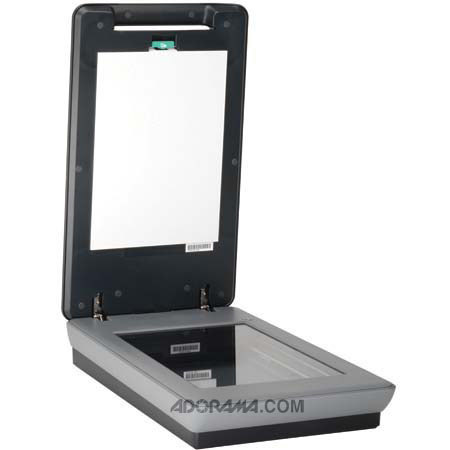
Superior color accuracy, high-definition scans with 4800 x 9600 dpi, and speedy previews (as fast as 8.5 seconds) are headed your way courtesy of the Scanjet G4050. You can scan up to 16 slides or 30 negatives at a time, and automatically get rid of red eye in photos. Now, bring your old and damaged photos back to life by restoring faded color with the included software.
With the 4800 x 9600 dpi resolution, you cam make beautiful photo reprints. Scan up to 16 slides or 30 negatives at once with the built-in adapter, and then save as separate files. Remove dust and scratches from photos, slides, and negatives at the touch of a button, without software. Plus, this model is backed by a one-year limited warranty along with HP's award-winning customer service.