2023-09-13T20:00:00
Rated 1 out of 5
This device is a scam!
Worst printer I ever used. It requires constant internet connection to print every little thing. So much complicated setup and constant problems.
Adam737
Originally posted at

2023-09-05T20:00:00
Rated 5 out of 5
Loving the M209dwe
I love the fact that it prints double sided.
Pfat
Originally posted at
2023-08-14T20:00:00
Rated 4 out of 5
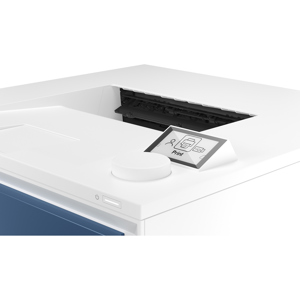
Solid value, nice performer but lacks one thing to raise it to 5 star - labels for the buttons.
Crisp text, good paper handling, but if you need to press a button, there is not cle which id which!
Jim M.
Originally posted at
2023-08-09T20:00:00
Not good.............
Bob2nbg
Originally posted at
2023-08-07T20:00:00
Rated 5 out of 5
HP LaserJet - Fantastic!
Easy to use and fast copying. Particularly like the no-hassle two side copying.
M209
Originally posted at
2023-08-06T20:00:00
Rated 1 out of 5
Worst printer ever
I wish I could give this product negative 5 stars! It's the worst printer and won't work on any computer I try
front p.
Originally posted at
2023-08-03T20:00:00
Rated 5 out of 5
Inexpensive with great quality
Easy to setup/install and use.
gpagan65
Originally posted at
2023-07-15T20:00:00
Rated 3 out of 5
Fast Prints, Frustrating Setups
Bought this as it was the cheapest printer i could get at OfficeMax. As other reviews say, it is indeed frustrating to setup. My issue comes from the fact that ive had to take it with me for work and setting up the printer is not a fast process by any means. Interestingly enough, I had an easier time connecting my phone to the printer to print documents than i did my own PC. Now that it is connected to my PC I pray I don't have to disconnect it until I move out.
JimmieL
Originally posted at
2023-06-05T20:00:00
Rated 1 out of 5
Frustrating
This is not a very user friendly printer. It is difficult to set up the wifi printing, keeps going offline, even printing when hooked up via a cable gives me issues. Never had such a challenging time with a printer. Even the IT guy at work couldn't get it hooked up to my computer.
ESS B.
Originally posted at

2023-05-29T20:00:00
Rated 3 out of 5
HP Printer M209
The printer works very well and seems heavy duty. However, why do I have to login into HP web-site and have an internet connection all the time to use the printer.
AmerK
Originally posted at
2023-05-25T20:00:00
Rated 3 out of 5
Network ONLY Printer
It's a great printer. Compact and prints really clear. Issue I ran into is that it cannot function as a local printer. It requires network to function. Our organization bought 30 of these, thinking we could use them as local/desktop printers, and they would not function unless we attached them to the secure network of our building which presents a security violation. DO NOT PURCHASE IF YOUR INTENT IS TO USE IT OFF A NETWORK!!!
Nun-yuh
Originally posted at
2023-04-23T20:00:00
Rated 5 out of 5
Good purchase
Great printer. It was easy to set up, and start using it right away.
Cam231
Originally posted at
2023-03-29T20:00:00
Rated 1 out of 5
Will not connect to wifi.
Will not connect to wifi. The printer ended up in the recycle bin. No more HP printers will ever enter my house again.
Newwee
Originally posted at
2023-03-12T20:00:00
Rated 1 out of 5
Hate the Account Setup
I absolutely hate that HP requires you to setup an account in order to use the printer. That needs to change. All I want to do is plug in the USB and print..... apparently I cannot do that. I will be looking elsewhere for my next printer.
Angry3
Originally posted at
2023-03-01T19:00:00
Rated 5 out of 5
I havent had one issue, highly recomend
I love this printer
johndoc
Originally posted at
2023-02-27T19:00:00
Rated 4 out of 5
Efficient Printer
Whilst we are satisfied with the printer, the setup required contacting HP for help. Had the setup guide indicated that the Wi-Fi connection must be 2G instead of 5G we could have saved time and the long phonecall.
Also the few buttons for power, information and such are small and not illuminated and respond slowly.
ciderman
Originally posted at
2023-02-27T19:00:00
Rated 2 out of 5
Laser Printer set up
it took me two days to set up the new printer on my computer. finally it was connected and works.
pancho2
Originally posted at
2023-02-09T19:00:00
Rated 1 out of 5
Good price, bad experience
HP+ is maddening. I have purchased exclusively HP printers. I will never buy another HP product. All I wanted was an inexpensive, black and white laser printer - it took hours to set up, only to learn that it requires an active internet connection. There's no internet in the location that i needed it. Not only is the app glitchy and unusable, but the printer can't be added manually unless you've set it up through an HP app. Absolutely infuriating experience.
FlyCory
Originally posted at
2023-01-16T19:00:00
Rated 5 out of 5
Great Home Office Use Printer for Anyone's Printing Needs
This is a great printer for home office use. I have actually printed less than the 700 pages with the toner that came with the unit by printing off game guides for a new game that I got for Christmas last month. But, I did manage to get my first shipment of toner via HP Instant Ink for it last week, and installed it just recently. While I wouldn't recommend this to someone printing photos, it does do very well with text and regular documents. Coloring book pages within the HP Smart app print out looking just like they do from a coloring book. And per my grandmother's take on those pages, they don't run or anything when she uses markers in them. The duplexer on it is fast too. I told my dad that it is as fast as some of the photocopiers that he had at work in the past, and that he should get one too if he should have a need for one.
stephensturm
Originally posted at
2023-01-08T19:00:00
Rated 5 out of 5
A must have
What can i say....i absolutely love this printer. Setup was easy and away i went!!!
Renée B.
Originally posted at
2023-01-02T19:00:00
Rated 4 out of 5
Good little laser printer
Nice little printer, B&W so you don?t spend a fortune one toner cartridges.
Microace
Originally posted at
2022-12-29T19:00:00
Rated 1 out of 5
HP+ requirements are unbelievable? Avoid
Buyer beware of HP+ and models that end with ?e?. Internet connection is required. You cannot opt out of the HP+ service and you have to associate an HP account with the printer before it will work. HP has made it very easy to confuse non-HP+ printers like the m209dw and the m209dwe? they look exactly the same. I don?t know who came up with this branding idea, but it?s clearly entrapment. Ridiculous attempt at selling a subscription.
Small businesses like ours that need a spare USB or LAN-only printer due to VPNs/firewalls will not even allow HP+ to connect anyway. Complete waste of time. Printer will be returned.
Mad g.
Originally posted at
2022-12-29T19:00:00
Rated 1 out of 5
drops internet connection
keeps dropping internet connection and not working
miranda93420
Originally posted at
2022-12-26T19:00:00
Rated 5 out of 5
Setup is not easy
It is difficult to setup, I try to do it and succeed.
Laibin
Originally posted at
2022-12-18T19:00:00
Rated 4 out of 5
Good printer with terrible Apple support
Superior product for price paid. Support for Apple products practically non-existent.
crabmel
Originally posted at
2022-12-14T19:00:00
Rated 4 out of 5
Good printer
seems like a good printer. fast, crisp and efficient. I am not sure yet how it is an upgrade over the 1018 I had before for so many years.
ylebo
Originally posted at
2022-12-12T19:00:00
Rated 5 out of 5
Great printer.
Absolutely love this printer. Only wish we had purchased it sooner.
Twodears
Originally posted at
2022-12-12T19:00:00
Rated 5 out of 5
In a few words, amazing product
Perfect size and very versatile
Hbarnie
Originally posted at
2022-12-12T19:00:00
Rated 1 out of 5
Won't connect to my computer
I've been trying for a week to connect to my computer with no success. I used the support with messaging. They tried for 3 HOURS with no success. We were disconnected several times, until I finally gave up. I have tried wifi and ethernet. I am sending it back and getiing something that I can actually use.
Nanci9675
Originally posted at
2022-12-09T19:00:00
Rated 1 out of 5
Can not use it!
It is not what I need or can use. I need to return it. It will not sinc to my HP laptop so it does not work at all!
Buckone
Originally posted at