2013-08-27T20:00:00
Rated 5 out of 5
Performs Very Well
Our previous printer was an HP1320 LaserJet. We used it in our medical office for about 15 years (!!) before it begged us to retire it, so of course we were going to go with another HP. I wanted something comparable to the 1320, and this one has been a perfect fit. It was very affordable, arrived quickly, was really easy to set up, and has performed well so far. We hope to get as much mileage out of this printer as we did the last one, and are off to a great start!
MeredithJ
Originally posted at

2013-04-11T20:00:00
Rated 5 out of 5
Excellent
The printer arrived in good shape and was super easy to set up and connect to the network. I suggest you identify your printer by name or address in your network settings so there's no hunting for it when you go to print. It's fast and the duplexing feature is great. We got a second paper tray, which is super. Only complaint is the Windows print driver. On the Mac, after installing the new paper tray, when I went to print the driver immediately recognized the new tray and so it was one of the options. On Windows tray 3 would not appear. Turns out you have to go all the way back out to print properties and enable the tray, and then enable it as one of the options. Then you are set.
We've been experimenting with the hp eprint, which seems useful. It works anyway, not sure if it's just a nifty trick or if it's actually a time saver.
Anyway, for the money this thing rocks. Hopefully it holds up!
EastsideTodd
Originally posted at
2013-02-05T19:00:00
Rated 5 out of 5
Very nice printer!
We bought this printer to replace an HP model 2100 Laser Jet that we bought new in 1999 that has just recently started acting up. The LJ M401dn arrived quickly from HP, was very easy to set up and functioned perfectly from the time we powered it on. We are very satisfied with the printer and especially the built in two sided printing.
SmokeyStover
Originally posted at
2013-01-31T19:00:00
Rated 5 out of 5
Great Small Office Printer
This printer has exceeded our expectations. We has our old Laserjet for over 10 years. We has heard that HP quality was not what it used to be. I am glad to report that this is not the case. We love all the features and it is a work horse.
CalifrniaGirl
Originally posted at
2013-01-19T19:00:00
Rated 5 out of 5
Perfect for small office printing needs
All around great little printer. Print speed and quality is excellent. Purchased it on sale at Staples for $275. Took me less than 30 minutes to set up on a recently purchased PC via a USB port. (Note: USB cable is not supplied.)
Joseph96
Originally posted at
2013-01-13T19:00:00
Rated 2 out of 5
Not prime time
This will be the last HP printer I acquire. If you expect plug-n-play this is not the selection for you. took more than an hour to install universal drivers. Speed is not as advertised.
Dander
Originally posted at
2012-11-10T19:00:00
Rated 5 out of 5
A great little printer!
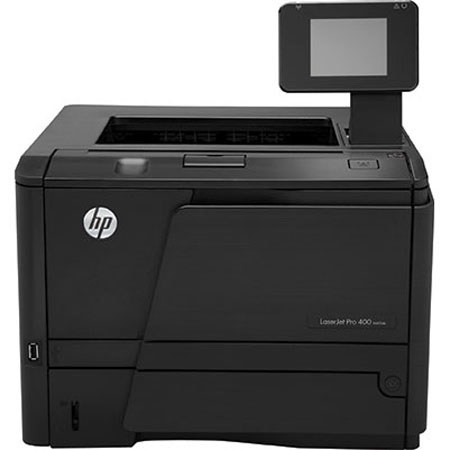
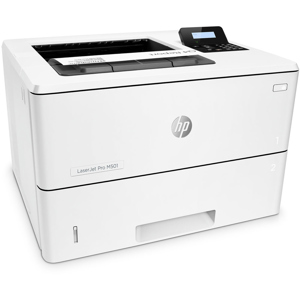
The HP Laserjet Pro 400 M401dn is a great little printer. The small footprint is great for home use or a small office. Features that sold us on this printer are the automatic duplexing, the great print quality, and the ethernet connectivity. The printer was easy to set up and install, and has performed flawlessly. We would recommend this printer wholeheartedly!
Stewart00
Originally posted at
2012-11-01T20:00:00
Rated 4 out of 5
Fast and good quality
Easy setup. Printing speed is great and quality is very good.
NACO87
Originally posted at