
This item is no longer available.
Review Summary
2015-12-13T19:00:00
Bought this printer to use on our network it was set up through the office supply company we bought it from it worked great for all of 3 days then had to hook up to our main computer. They have not been able to figure out why it will not work on our network
Batty812

2015-10-06T20:00:00
The printer stops working all the time and disconnects when plugged directly into the computer. Turning the printer off doesn't help. I've had the printer for about 2 years and have to uninstall and reinstall the driver software about 20 times since.
ME12456
2015-09-08T20:00:00
This is a poor printer for the cost of $400. It defaults on "photo" copy instead of a text copy. It will not allow you to change this setting unless you want to do it EVERY TIME you make a copy on the scanner. I think this is because it uses more ink on the photo copy, so they make more money on the ink. ALSO, this $400!!! printer does NOT fit an entire ream of paper. What is the point of a printer like that? It is such a nuisance! I use this printer all day and I can say that from an efficiency standpoint, it is extremely unhelpful.
FederalEmployee
2015-06-02T20:00:00
My company has several of these units with which we have had zero issues over the last 18 months. This is an industrial site with a mix of offices and temporary buildings and lots of moisture, dust and contamination. The copy quality stays good even under the worse conditions in the plant. The set up using our AD domain and Microsoft Exchange server for scan-to-email and shared folders on our file server was a no brainer. The units get heavy print and scan usage and don't jam like other printers I have had experience with. I definitely recommend this product to everyone
HelpDeskJockey
2015-05-11T20:00:00
This printer was disappointing. It does not have wireless capabilities. It must be either directly wired (with a cable) to the internet or directly wired to your computer / device. I realize many businesses hardwire printers, but it seems surprising that in this age it doesn't even come with the option.
Jan3959
2015-04-28T20:00:00
The paper feed pulled the paper through at an angle. Therefore, all copies had an angled grey line at the bottom of the page. The adjustments available to the customer did not correct the problem. A lengthy telephone call with customer and technical service did not solve the problem. I boxed up the printer and mailed it back, greatly disappointed. I have had HP printer/copiers since 1989 when I opened my office. I want to buy the best and will spend more for a higher end HP printer. HP should reinvest in its expensive printers to make sure the device can withstand shipping from an online store and still work right out of the box. The feature that I greatly dislike is the touch pad. Buttons are much easier to see and use, particularly when you are doing a lot of work. Consider designing the bigger copiers with buttons. I am reluctant to buy a new copier from HP unless I can test it in a store. The last HP copier I bought, the laserjet 3050 stopped working properly after 6 months and kept flashing an error message "scan failed". That was $500 down the drain. The machine was designed not to be fixable. HP has a major problem with its nonfixable printers. My original laserject 4 worked flawlessly for 10 years. So, you've got a loyal customer who has now had 2 in a row negative product experiences. What is your solution?
blackandwhite
2015-04-27T20:00:00
Not real happy with the copier. If, and all printers, do eventually have a paper jam. It appears that I will have to take apart much of the copier if that occurs. The toner is expensive and does not last as long as my old hp printer did. When I want it to copy, the first copy always comes out blank until I do it again and it realizes that the copy/copies I want is sitting on the top. My old hp that I had for about a year broke in the middle of tax season so I had no time to pick and choose. Oh for the good old days. I had a copier for 15 yes 15 years with absolutely no problems until it eventually wore itself out.
Sue1216
2015-04-27T20:00:00
I have a home office. This printer will do everything. I have a connected server. I can scan to a folder, fax, print, you name it. Set up has been a no-brainer. I cannot speak to reliability yet since I have only had this for 6 months.
cyclepath5
2015-04-27T20:00:00
I have had this printer and used almost all its features. It all works as expected and I have not had any issues thus far. Very happy with my purchase.
Ron808
2014-04-19T20:00:00
On paper, this looks like a great printer, but if you are running an office, the printer is worse than useless. The driver only allows you to print and do basic scanning from a server environment (only if you are fortunate enough to have desktop experience installed), otherwise, you can only use the HP Universal Driver, which ONLY allows printing. With a 2008r2 terminal server, I lose the ability to print to fax, save digital faxes to the network, scanning functionality is a joke, and there is no real alerting functionality. Stating that the device is "Fax Capable" is an outrage, due to the limited devices that can actually support fax functionality. It is the equivalent calling someone who can only count to 10 in another language, fluent in said language. You would be better off saving the money and purchasing the standard LaserJet Pro 400 printer, not the multi-function. I doubt HP will post this review, as it is a scathing representation of their current product line, but I have no other means to express my absolute disgust with the product I am now stuck with.
disgustedwithhp
2014-01-07T19:00:00
I purchased this MFP less than a year ago. It has been replaced with a refurbished machine 2x already and now gets jams every time I try to print. I have requested a NEW machine or full refund. Have been an HP customer for 34 yrs and they have to send my request to corporate for decision which will take 24 - 48 hrs. I need to work TODAY. Bye bye HP
34yrsacustomer
2013-11-11T19:00:00
I needed a backup medium duty combo machine, and this serves the purpose. The copies do show a partial line across one edge, as mentioned in previous reviews. It is unfortunate that engineering shortcomings such as this are now accepted as normal by a once proud company. I still have an HP color laser-jet 2840 that won't scan to Windows 7. Web blogs indicate this is a problem that the company refuses to fix, or is unable to fix. HP used to be the premier hardware technology company. I hope that Meg Whitman can get the company back on that track.
JeffN
2013-11-06T19:00:00
I recently purchased this because I had to replace my existing MFC. This by far is the best unit. has everything you need plus much more. I recommend this for anyone!
Pro400
2013-09-19T20:00:00
After reading the reviews, chose this model and am very satisfied. Was easy to set up and use. But trying to use the preset numbers, you have to arrow down 5 names at a time and takes too much time to get to the one that I want to select. Unless I'm missing something - is there an easier way to select a number since I have entered 80 names and numbers?
mpifs
2013-09-04T20:00:00
I received the printer on 03/13, 2013, and it worked well until about a month ago, when I began noticing that when I copy from the document feeder the copies come out with a black line along the bottom edge of the paper starting from about 1/4 inch from the left side and all across to the right side. I contacted technical support, who had me do a firmware update, followed by a cleaning of the glass and rollers, which did not resolve the problem. I am being sent a refurbished unit, with the same warranty as a new unit. I have no problem with the handling of my case, with exception that the replacement should not be refurbished, it should be new.
JERRYKYLE123
2013-04-30T20:00:00
First of all, I was in love with my HP LaserJet 3380, which I bought around 10 years ago. That thing never gave me any real problems, and I used it daily in my business. However, I had a LaserJet 3330 at my home which developed an incurable case of the "scanner error" problem after 12 years of use, so I decided to upgrade my 3380 rather than push my luck. I consider 10 years with the same printer to be a really good run. I am very impressed with the LaserJet Pro 400 MFP, which I am now using daily in my business. Having just set it up today, here are my initial impressions: 1) Much faster: It barely takes 3 seconds after pressing print in my word processor before the page is shooting out of the printer. This thing is crazy fast. My old 3380 took around 10 seconds. The document feeder is also much faster & noticeably so than the older printer. 2) Easier installation: This was truly plug and play, no CD installation required on a PC. I had no problems whatsoever with blank pages or black pages or lines on the page that some other people have described. 3) Noisier: The machine is much faster, but it's also a bit louder than my old 3380. After a print job is done, there is also some fan noise for about 20 seconds. It's not loud enough to be annoying, but it's noticeable. Personally, I prefer the speed increase and think it offsets any noise issue. 4) Good looking machine: It's smaller than my 3380 and looks great, but I do wish they made it in white or grey rather than all black. This is a minor issue, though. I also wish it had an open-access envelope feeder, rather than making me open the door, but this isn't a deal breaker for me. It still appears better-built than competing multi function machines out there, some of which are ridiculously flimsy (i.e. not built to last). 5) Cost effective: I priced out the cost per page when buying the extended toner cartridge, and it's among the most affordable printers out there. It's also cheaper per page than my old 3380, which I also priced out. Color me happy about that. Hopefully this review helps you make a decision. I don't think you'll go wrong with this machine.
skooly
2013-04-22T21:00:00
This is replacing my hp 3300 which I had for ten years. I am happy with how quickly it prints.
Dr N.
2013-03-22T20:00:00
I have only had it a week, but so far it prints, copies, scans, and faxes very good, much better than the HP LaserJet 3380 it replaced.
WAYNE1954
2013-01-05T19:00:00
use the firmware update on site and it will make the ADF work like magic. Mine was blank, as soon as I did the firmware update, perfect print. So far an excellent printer. I have no clue what all the fuss was or is about since HP did the firmware update. I tested the scanning today and it works perfect, easy to save using the save feature just name your file where to save and name of document and you are done.
ALAMOTEXAS
2012-09-23T20:00:00
I am getting a refund for my replacement of HP LaserJet Pro 400 MFP M425dn. The copier function produces copies with lines, as soon as it is installed. My second try took 11 days for the lines to appear. There is a firmware fix, written 9/4/2012, but it doesn't work either. I really like the unit, but need the ability to make a copy without black lines.
bodt
2012-09-22T20:00:00
Just received my second HP LaserJet Pro 400 MFP M425dn. The first units automatic document feeder didn't work. The second unit has a bad scanner which produces black lines on all scans and copies. I'd say HP has a quality control problem which needs work.
Tex1
2012-09-06T20:00:00
I highly recommend this printer for small business use. We have 7 employees using it in a networked environment. It is connected directly to our router via ethernet. It was very easy to set up including the scan to email and scan to folder settings. It literally only took me 30 minutes to set the entire printer up and the first page out setup took 15 minutes. It is very fast at faxing and scanning.
MoBill
2012-09-03T20:00:00
Automatic document feeder DOA. Everything works fine except when using the automatic document feeder. Copying, scanning or sending faxes with the ADF results in a solid black page. Scanning, copying, or faxing by manually placing document on glass is fine. Disappointed since it never worked. Defective out of the box. I am returning this to the reseller and purchasing another brand.
Dadood
2012-08-15T20:00:00
Although it was fairly easy to install it only worked for about 1 day, not what is expected from a new printer/fax/copier. After one day all faxes sent out ended up being all black at the receiving facility. Could not get it fixed with a technician via phone. Sending back.
pats51
2012-08-05T20:00:00
This has been the worst printer of my life. I know I sound like I'm exaggerating, but trust when I say that this has been my nightmare. I 1st bought this printer a month ago, from the start a vertical black line going down the center appeared, I called HP, they were kind enough to send me a replacement. Got the 2nd printer, same issue. So finally they sent me a 3rd printer SAME ISSUE. This model is defective and I've never been so dissatisfied. It has everything I need in a printer, is very fast, quiet but this vertical line issue is a deal breaker. Do not buy this printer.
AmandaB
2012-07-29T20:00:00
This printer does what it said it would do and it was very easy to set up.
Aaron8828
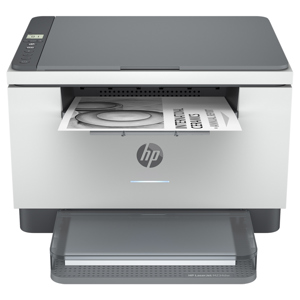
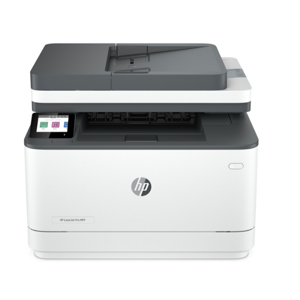
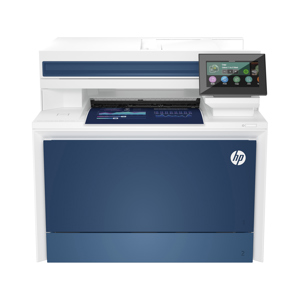
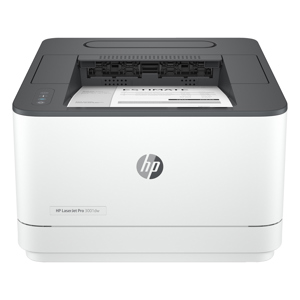
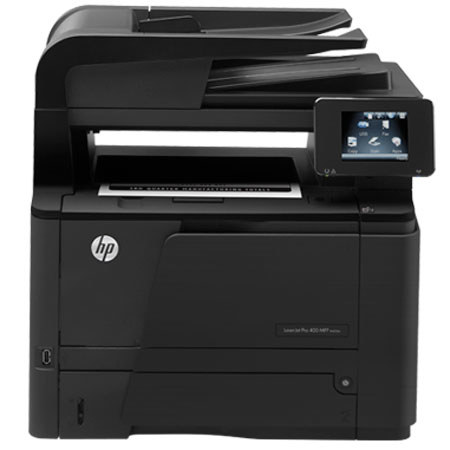
HP Laserjet Pro 400 MFP M425dn Printer is ideal for business users who need high-quality documents from a web-connected MFP and who want to print from mobile devices. It features a web-connected MFP for office productivity. Print from virtually anywhere, using HP ePrint and share resources with Ethernet networking. Streamline workflow with access to business apps. Save time with automatic two-sided scanning and copying.