
This item is no longer available.
Review Summary
2022-10-29T20:00:00
Fast print time, both in pgs per min and speed from when I push go. Scanner is great, though sometimes feeds a little crooked. It is a little loud, but there is a quiet mode that I can easily access if needed. I prefer the super speed.
Murray S.

2022-09-29T20:00:00
Work as advertised. No issues and good webpage for it support. Supports scan to email.
Dax
2022-09-27T20:00:00
I found the Scan to folder and general set up a challenge even after speaking with Customer service.
BHANS
2022-07-26T20:00:00
This was easy to connect to wifi and is giving great print quality. Wonderful purchase - better than Epson and Canon for operational software.
Happy C.
2022-06-27T20:00:00
The printer is what to expect when we order it. Easy to install, easy to use, very good performance.
RRL O.
2022-04-18T20:00:00
Works great. My first Laser Printer. So glad to be done with the ink jet. Hopefully this will last me a long time. Works with my old OS Windows 7 perfectly. I know it's old but hey it works for what I need.
Milkman
2022-04-12T20:00:00
HP software download and connecting this all in one unit was relatively easy. The one item I had to find a solution, was scanning legal size pager. There is a work around, but it should have been an option in the function menu. My overall experience is still very satisfied.
Francesco S.
2022-03-05T19:00:00
This is our second one that we purchase and this is the second one that after a year the toner starts to blob on the back of the pages and it totally unacceptable. Try and get help well thats another story.
snuggles
2020-11-16T19:00:00
I have bought this printer and I an totally satisfied.
Luiz
2020-10-18T20:00:00
I bought this a month ago from Costco on sale when my kids started virtual schooling and a lot had to be printed on daily basis for in class or offline assignments. I think it is expensive if you buy it at marked price but on sale it is a great deal. Printer was working as expected until I did a windows upgrade after which printer went offline even though it was connected to network. Contacted HP support and got it fixed by reinstalling the driver and configuring printer with IP address instead of printer name; no problem since then. I really like that HP have improved with it's after sale customer service. Really like the ease of scanning documents from feeder or flatbed. Haven't used copier much but it seems to be okay when i tested it initially.
kk82
2020-10-18T20:00:00
When a fax is sent the printer removed itself from the network. It is necessary to unplug both power and network cable to have it reset. Turning power off with the switch does not work to reset it. A new problem is with the sleep mode. After setting the timers it will power down and the display will go off, but 10 seconds later it turns back on. I disconnected it from the network to eliminate the possibility of something pinging it. Same problem with it standing alone. Tech support says it must be a bad motherboard. Naturally it is not under warranty any longer. It was purchased 7/2/2016 so it is a bit over 4 years.
BrianHay

2020-06-29T20:00:00
I bought this a couple of months ago after having a Brother for a few years. I like the look of it, its fairly quiet and so far no problems at all except I can't figure out how to get it to scan to email. I find that confusing.
Silver 4.
2020-04-12T20:00:00
I got this printer about a month ago and it's just amazing the scanner and printer is wonderful. I fully suggest this product.
Sophie06
2020-03-17T20:00:00
This printer continually indicates the file is corrupt and unable to print, leaving me to shut it down and power back up. The alerts are also ridiculous; the low ink warning came on about 100 pages ago. I get the "advanced warning", but annoyed that I cannot dismiss it until the next threshold is met because I never know if it is an issue with the corrupt file or low ink. It has "eaten" several important docs when trying to scan by shredding the edges, crinkling the entire paper, etc. and we deal with peoples legal docs.
M123789RW
2019-07-13T20:00:00
This new HP LaserJet printer is a gem! It’s compact, fast and the scanner is great! I couldn’t be happier with this purchase!
MMSS
2019-06-30T20:00:00
We replaced our previous printer, this is quick, small (space saving) & all the features we need for a small business.
Penny18
2019-04-14T20:00:00
Bought 2-3 months ago, no issues so far. Seems like a great product so far.
Jerome1
2019-03-27T20:00:00
I purchased this device 30 days ago and have had to call tech support twice. The fax feature would not work all the time, when it did it would constantly restart the printer. When I called tech support I was advised the only options I had was to send the device to a HP repair store or have a refurbished device delivered to me. So that would leave our business without a printer for several weeks. Finally I requested a refund and returned the device.
Care1
2019-03-25T20:00:00
We bought this printer in June of 2017 for the small company I work for. I liked it so much that when my son and daughter in law told me they needed a printer, I purchased one for them in Dec. 2018 for Christmas. When my old inkjet HP needed to be replaced once again I chose this printer for my home use this month (March 2019). So far none of us have any major problems. Once in awhile at work the scan feature will get stuck during the save mode, but it may have something to do with the company net work, so I don't take it too seriously. It is simple to use and prints and copies beautifully.
SusieQ1974
2019-03-21T20:00:00
Regret having bought it for one reason only: the screen is much too small. Trying to use it is time consuming and prone to error because of how difficult to select from such a small area.
JR M.
2019-03-14T20:00:00
The CD that came with the unit could not install the drivers. I eventually had to contact HP customer service and the representative had to use a different driver that was not even on their website. The scanner does not work properly. All of the scanned documents are crooked.
moreal
2019-03-07T19:00:00
When this printer was purchased as a replacement for my HP 3030 the rep. suggested this printer would be compatible with my iMac running OSX 10.8. Upon downloading and executing the HP_Easy_Start there was not driver (HP Scan) in the Applications as described on p. 61 of the included owner's manual. Two attempts to fix this (one chat and one phone rep.) failed to solve the problem. So I cannot scan to a folder on the computer. Otherwise the printer works pretty much as expected except the quality of the print on a 3 x 5" card is poor.
jmb32
2019-03-03T19:00:00
I bought this printer about a month ago and I am satisfied.
dist
2018-12-12T19:00:00
I've had this printer for about a month and it functions pretty much like it's supposed to. Print speed and quality is excellent, however there aren't as many reduction options as enlargement, the paper tray only holds a half ream of paper (why was that a good idea?) and platen will not accommodate legal-size paper.
Bagger
2018-12-11T19:00:00
Working as expected! great product strongly recommended to any small office.
Manager7
2018-12-04T19:00:00
It's great, but I wish I could fit more pages on top to scan. It only fits about 100.
PamDancy
2018-12-03T19:00:00
I purchased this a few weeks ago and it's working great. Set up was easy!
TMNE
2018-11-27T19:00:00
San spped and print speed are pretty good for it's price range.
KevinPCPA
2018-07-01T20:00:00
I would not recommend this model. We have had nothing but issues. Scanning is a hit and miss endeavor, pages do not feed properly and continuously get stuck. Secretary has to prompt the scan from the machine itself and that is beyond frustrating. Plus the screen is so small on the control pad, it’s cumbersome. All in all, not as user friendly as we would like.
TerryTrucks
2018-02-27T19:00:00
The features of this printer are great. Very fast and easy to setup and in the first month all my users were overjoyed and excited about this M426 printer. Then 1.5 months after purchase, the LCD screen went white. You could barely see any of the icons so that disabled many of the features we depend upon. Printing and receiving faxes still worked. We purchased an extended warranty with this and contacted HP for replacement. It took almost 3-4 days for HP to setup the dispatch. By the second week, a HP tech said they would be sending out parts, which never arrived. By the third week HP said they were sending out a second printer. We have received the printer and upon power up the replacement printer immediately says "Supply Memory Error". We used a brand new Genuine HP toner drum (which we purchased at the same time with the new printer) and the printer error appeared on that one also. Now we're back on the phone with the HP tech to determine what to do. Out the gate, this printer was awesome! Now with all these troubles, I'm starting to think this printer is a lemon and HP support with it is too slow. Replacement printer was also sent ground shipping, which isn't convenient when the client it waiting for the replacement. If HP can ship new printers next day, their replacements should be no different. We are a new client to HP and thus far, we're not impressed.
NotImpressedByHP

Accidents happen where life happens. Protect your favorite Adorama products and purchase a protection plan to stay covered from accidental damage, mechanical or electrical failure, and more.

If we can’t fix it, we’ll replace it at no additional cost.

Protect your product from drops, spills, and more.

Enjoy your gear without fear. We have you covered!

When regular use of your product over time results in mechanical or electrical failure.

We will never charge you a deductible after the purchase of a plan.

Our claims process is simple & easy and our customer service team is happy to help.
Adorama Protect powered by Extend is available for purchase to customers in the United States. Not available for purchase Internationally or in U.S. Territories.
Browse our FAQ
Print, Copy, Fax, Scan / Yes
Letter: Up to 40 ppm black; First Page Out: As fast as 5.4 sec (ready); As fast as 7.4 sec (sleep)
Black (best): 600 x 600dpi, Up to 4800 x 600 enhanced dpi
Laser
HP FastRes 1200, HP ProRes 1200, 600dpi
1 (black)
HP PCL 5, HP PCL 6, HP postscript level 3 emulation, direct PDF (v 1.7) printing, URF, PCLM, PWG, Native Office
Auto-duplex printing, N-up printing, collation, HP ePrint, Apple AirPrint, Mopria certified, Google Cloud Print, HP Auto-On/Auto-Off Technology, Intuitive 3" touchscreen control panel, Print from Cloud using business apps on the control panel, HP JetAdvantage Private Print, Job Storage with PIN printing, Print from USB, JetIntelligence Cartridge Technology
Printer Administrator Resource Kit (Driver Configuration Utility, Driver Deployment Utility, Managed Printing Administrator); HP Web JetAdmin Software; HP Proxy Agent Software; HP Imaging and Printing Security Center; HP Utility (Mac); HP Device Toolbox
Flatbed, ADF / Contact Image Sensor (CIS)
Hardware: Up to 1200 x 1200dpi; Optical: Up to 1200 x 1200dpi
ADF: 8.5 x 14" Maximum; 4 x 6" Minimum; Flatbed: 11.7 x 8.5"
Up to 26 ppm/47 ipm (b&w), up to 21 ppm/30 ipm (color)Duplex: Up to 47 ipm (b&w), up to 30 ipm (color)
Scan-to-E-mail; Scan-to-cloud; Scan-to-USB; Scan-to-network folder; LDAP e-mail lookup; Onepass two-sided scanning ADF (50-sheet)
PDF, JPG
JPEG, RAW (BMP), PNG, TIF, PDF
24-bit / 256
Scan-to-E-mail; Scan-to-network folder; Scan-to-Cloud
Black (letter): Up to 40 cpm
Black (text and graphics): 600 x 600dpi; 600 x 600dpi; Color (text and graphics): 600 x 600dpi
Up to 99 copies
25 to 400%
Light/Darker; Two Sided; ID copy; Optimize
Up to: 4.2 kbps; Letter: 3 sec per page
Black (best): Up to 300 x 300dpi (halftone enabled); Black (standard): 203 x 98dpi
Permanent fax memory backup; Auto fax reduction; Auto redialing; Delayed sending; Fax forwarding; TAM interface; Polling; Junk barrier; Distinctive ring detection; Cover page wizard; Block fax; Billing codes; Save and load; Poll receive; Fax activity reports; Dial prefix setting; Print fax log; Digital Fax Setup Wizard; Fax Setup Wizard; HP Send Fax
Fax Memory: 4MB (250 slerexe pages at standard resolution); Auto Fax Reduction Supported: Yes; Auto-Redialing: Yes; Fax Delayed Sending: Yes; Distinctive Ring Detection Supported: Yes; Fax Forwarding Supported: Yes; Fax Phone TAM Interface Supported: Yes; Fax Polling Supported: Yes (poll to receive only); Fax Telephone Mode Supported: Yes; Junk Barrier Supported: Yes
Maximum Speed Dialing Numbers: Up to 120 numbers (119 group dials); PC Interface Supported: Yes; Remote Retrieval Capability Supported: No; Telephone Handset Supported: No
1 Hi-Speed USB 2.0; 1 Host USB; 1 Gigabit Ethernet 10/100/1000T network; Easy-access USB
Via built-in 10/100/1000Base-TX Ethernet, Gigabit; Auto-crossover Ethernet
Standard (Built-in Gigabit Ethernet)
No
HP ePrint, Apple AirPrint, Mopria-certified, Google Cloud Print, Mobile Apps
Standard: 256MB; Maximum: 256MB
1200MHz / Hard disk: No
Monthly, letter: Up to 80,000 pages
750 to 4000
Paper (plain, Eco-efficient , light, heavy, bond, colored, letterhead, preprinted, prepunched, recycled, rough); envelopes; labels; transparencies
Tray 1: 16 to 46.6lb; tray 2, optional 550-sheet tray 3: 16 to 32lb
Tray 1: Letter; Legal; Executive; Oficio (8.5 x 13"); A4; A5; A6; B5 (JIS); Oficio (216 x 340mm); 16K (195 x 270mm); 16K (184 x 260mm); 16K (197 x 273mm); Japanese Postcard; Double Japan Postcard Rotated; Envelope #10; Envelope Monarch; Envelope B5; Envelope C5; Envelope DL; Custom Size; A5-R; 4 x 6"; 5 x 8"; B6 (JIS); 10 x 15"; statement; Tray 2 & Tray 3: Letter; Legal; Executive; Oficio (8.5 x 13"); A4; A5; A6; B5 (JIS); Oficio (216 x 340mm)
16K (195 x 270mm); 16K (184 x 260mm); 16K (197 x 273mm); Custom Size; A5-R; 5 x 8"; B6 (JIS); statement
Tray 1: 3 x 5 to 8.5 x 14", Tray 2, 3: 4.13 x 5.85 to 8.5 x 14"
100-sheet tray 1, 250-sheet input tray 2; 150-sheet output bin; Duplex Options: Automatic (standard); Auto Document Feeder Capacity: Standard, 50 sheets; Envelope Feeder: No; Standard Paper Trays: 2; Input Capacities: Up to 350 sheets (Tray 1: up to 100 sheets; Tray 2: up to 250 sheets); Output Capacities: Up to 150 sheets; Up to 10 envelopes; Up to 75 sheets
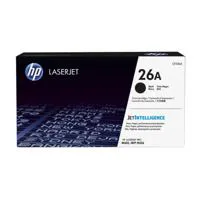
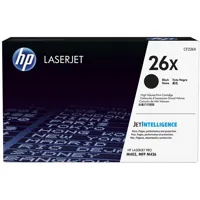
HP 26A Black LaserJet Toner Cartridge (approx.3100 pages), CF226A; HP 26X Black LaserJet Toner Cartridge (approx.9000 pages), CF226X
ENERGY STAR certified; Blue Angel; EPEAT Silver
3" / 7.62cm touchscreen Color Graphic Display (CGD)
3" / 7.62cm intuitive color touchscreen (CGD)
Windows 7: HP Software Installer/Uninstaller, HP PCL 6 Printer Driver, HP Device Experience (DXP), HP Update, HP Device Toolbox, HP Printer Status and Alerts, HP Product Improvement Study, HP Scan App and Driver, Reconfigure your HP Device, Scan to E-mail Wizard, Scan to Network Folder Wizard, Warranty and Legal Guide, User Guide
Windows 8+: HP Software Installer/Uninstaller, HP PCL-6 Printer Driver, HP Device Experience (DXP), HP Scan App and Driver, Warranty and Legal Guide, User Guide, Reconfigure your HP Device; Windows XP, Windows Vista and associated servers: HP Software Installer/Uninstaller, HP PCL 6 Printer Driver, HP Scan App and Driver, Warranty and Legal Guide, User Guide; Mac OS: Welcome Screen (Directs users to http://www.HP.com or OS App Source for LaserJet Software)
84 scalable TrueType fonts
Windows OS compatible with In-Box Driver; Windows XP SP3 all 32-bit editions (XP Home, XP Pro, etc.); Windows Vista all 32-bit editions (Home Basic, Premium, Professional, etc.); Windows 7 all 32- & 64-bit editions; Windows 8/8.1 all 32- & 64-bit editions (excluding RT OS for Tablets); Windows 10 all 32- & 64-bit editions (excluding RT OS for Tablets)
Windows OS compatible with Universal Print Driver (From http://www.HP.com); Windows XP SP3 32- & 64-bit editions (XP Home, XP Pro, etc.); Windows Vista all 32- & 64-bit editions (Home Basic, Premium, Professional, etc.); Windows 7 all 32- & 64-bit editions; Windows 8/8.1 all 32- & 64-bit editions (excluding RT OS for Tablets); Windows 10 all 32- & 64-bit editions (excluding RT OS for Tablets); Mac OS; OS X 10.8 Mountain Lion; OS X 10.9 Mavericks; OS X 10.10 Yosemite; Mobile OS (In-OS drivers)
iOS, Android, Windows 8/8.1/10 RT; Linux OS (In-OS HPLIP; Auto install; BOSS(3.0, 5.0); DEBIAN (6.0, 6.0.1, 6.0.2, 6.0.3, 6.0.4, 6.0.5, 6.0.6, 6.0.7, 6.0.8, 6.0.9, 6.0.10, 7.0, 7.1, 7.2, 7.3, 7.4, 7.5, 7.6); FEDORA (17, 18, 19, 20); LINUX MINT(13, 14, 15, 16, 17); SUSE LINUS (12.2, 12.3, 13.1); UBUNTU (10.04, 11.10, 12.04,12.10, 13.04, 13.10, 14.04, 14.10); Manual install
MANDRIVA LINUX (2010.0, 2011.0); MEPIS(6.0, 6.5, 7.0, 8.0); PCLINUXOS (2006.0, 2006, 2007.0, 2007, 2008.0, 2008, 2009.0, 2009); RED HAT (8.0, 9.0); RED HAT ENTERPRISE LINUX(5.0, 6.0, 7.0); SLACKWARE LINUX(9.0, 9.1, 10.0, 10.1, 10.2, 11, 12, 12.1); GOS (8.04.1); IGOS(1.0); LINPUS LINUX (9.4, 9.5); LINUX FROM SCRATCH(6); Other OS; UNIX.1
Windows OS compatible with In-Box Driver; Windows Server 2003/2003 R2 32-bit (SP1/SP2) Standard/Enterprise (+ Cluster & Terminal Services); Windows Server 2008 32-/64-bit (SP2) Standard/Enterprise (+ Cluster & Terminal Services); Windows Server 2008 R2 64-bit (SP1) Standard/Enterprise (+ Cluster & Terminal Services);; Windows OS compatible with Universal Print Driver (UPD) or Product-Specific drivers from http://www.HP.com
Windows Server 2003/2003 R2 32-/64-bit (SP1/SP2) Standard/Enterprise/Datacenter (+ Cluster & Terminal Services); Windows Server 2008/2008 R2 32-/64-bit (SP1/SP2) Standard/Enterprise/Datacenter (+ Cluster & Terminal Services); Windows Server 2012/2012 R2 64-bit Standard/Foundation/Essentials/Datacenter (+ Cluster & Terminal Services); MS Windows Server 2012 R2 Terminal Services; Citrix XenApp 7.5; Citrix XenDesktop 7.0; Citrix XenDesktop 7.5
MS Windows Server 2012 Terminal Services; Citrix XenApp 7.5; Citrix XenDesktop 7.0; Citrix XenDesktop 7.5; MS Windows Server 2008 R2 SP1 Terminal Services; Citrix XenApp 6.0; Citrix XenApp 6.5; Citrix XenApp 7.5; Citrix XenDesktop 5.6; Citrix XenDesktop 7.0; Citrix XenDesktop 7.5; MS Windows Server 2008 R2 Terminal Services; Citrix XenApp 6.0; Citrix XenApp 6.5; Citrix XenDesktop 5.6; MS Windows Server 2008 Terminal Services; Citrix XenApp 5.0; Citrix XenApp 5.0 Feature Pack 2 & 3
MS Windows Server 2003 Terminal Services; Citrix Presentation; Server 4.5; Citrix Presentation Server 4.0; MS Windows Server 2003 Terminal Services; Citrix Presentation Server 4.5; Citrix Presentation Server 4.0; Citrix MetaFrame Presentation; Server, 3.0; Citrix MetaFrame XP Presentation Server (Feature Release 1, 2 and 3); Novell Servers; Novell Open Enterprise Server 11/SP1 /SP2
Novell Open Enterprise Server 2 for Linux; NetWare 6.5/SP8; Novell Clients; Novell iPrint Client v5.4 for Vista & Win7 & Win8 (32bit, 64bit); Novell iPrint Client v5.4 for WinXP (32bit, 64bit)
Windows 10 (32-bit/64-bit), Windows 8.1 (32-bit/64-bit), Windows 8 (32-bit/64-bit), Windows 7 (32-bit/64-bit): 1GHz processor, 1GB RAM (32-bit) or 2GB RAM (64-bit), 400MB available hard disk space, CD/DVD-ROM or Internet, USB or Network port; Windows Vista (32-bit): 1GHz 32-bit (x86) processor, 1GB RAM (32-bit), 400MB available hard disk space, CD/DVD-ROM or Internet, USB or Network port
Windows XP (32-bit) (SP2): Pentium 233MHz processor, 512MB RAM 400MB available hard disk space, CD/DVD-ROM or Internet, USB or Network port; Windows Server 2003 (32-bit) (SP1 or greater), Windows Server 2003 R2 (32-bit), Windows Server 2008 (32-bit) (SP1 or greater): 1GHz 32-bit (x86) processor, 1GB RAM (32-bit), 400MB available hard disk space, CD/DVD-ROM or Internet, USB or Network port
Windows Server 2008 (64-bit) (SP1 or greater), Windows Server 2008 R2 (64-bit), Windows Server 2008 R2 (64-bit) (SP1): 1GHz 64-bit (x64) processor, 2GB RAM (64-bit), 400MB available hard disk space, CD/DVD-ROM or Internet, USB or Network port
OS X 10.8 Mountain Lion, OS X 10.9 Mavericks, OS X 10.10 Yosemite; Internet; USB; 1GB HD; OS compatible hardware
Internal (Built-in) power supply
110V input voltage: 110 to 127VAC (+/- 10%), 50/60Hz (+/- 2Hz); 220V input voltage: 220 to 240VAC (+/- 10%), 50/60Hz (+/- 2Hz) (Not dual voltage, product varies by part number with # Option code identifier)
1.847kWh/Week (Energy Star)
583W (Print/Copy), 9.1W (Ready), 2.7W (Sleep), 0.7W (Auto-On/Auto-Off, via USB connectivity), 0.1W (Shutdown or Off)
Acoustic Power Emissions: 6.8 B(A) (printing at 38ppm); Acoustic Pressure Emissions: 55dB(A)
59 to 90.5 deg. F / 15 to 32 deg. C
63.5 to 77 deg. F / 18 to 25 deg. C
10 to 90% RH
10 to 80% RH
30 to 70% RH
Embedded Web Server: password-protection, secure browsing via SSL/TLS; Network: enable/disable network ports and features, SNMPv1 & SNMPv2 community password change; HP ePrint: HTTPS with certificate validation, HTTP Basic Access Authentication, SASL authentication; LDAP authentication and authorization; Firewall and ACL; SNMPv3, 802.1X, Secure Boot
16.54 x 15.35 x 12.72" / 420.12 x 389.89 x 323.09mm
Maximum: 16.93 x 25 x 12.8" / 430.02 x 635.00 x 325.12mm
28.35lbs / 12.86kg


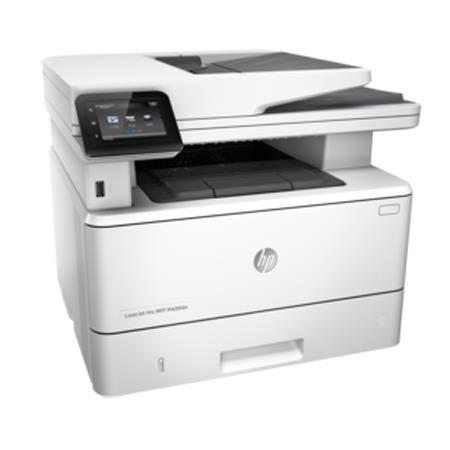
Fast print, scan, copy and fax performance plus robust, comprehensive security built for how you work. This MFP finishes key tasks faster and guards against threats. Original HP Toner cartridges with JetIntelligence give you more pages.
Speed through more tasks. Keep data protected
• Scan digital files directly to email, USB, network folders and the cloud with preloaded business apps
• Breeze through multipage documents with two-sided printing that's faster than the competition
• Grab pages and go-without waiting around. This MFP wakes up and prints faster than the competition
• Control access to print jobs and help keep printing safe with security features like LDAP authentication
Easy management. Efficient printing
• Easily manage print jobs directly at the MFP-just tap and swipe the 3-inch (7.6 cm) touchscreen
• Easily print Microsoft Word and PowerPoint documents-now directly from your USB drive
• Easily manage devices and settings using HP Web Jetadmin with a suite of essential management features
• Print using less energy than competitors-enhanced by Original HP Toner cartridges with JetIntelligence
More. Pages, Performance and Protection
• Get the most prints for your money-with Original HP High Yield Black Toner cartridges with JetIntelligence
• Count on professional quality at high speeds with precision black toner
• Help ensure you're getting the authentic HP quality you paid for with innovative anti-fraud technology
• Print right away with preinstalled toner cartridges. Replace them with optional high-yield cartridges
Stay connected with easy mobile printing options
• Easily print from a variety of smartphones and tablets-generally no setup or apps required
• Easily set up, print and share with built-in Ethernet networking