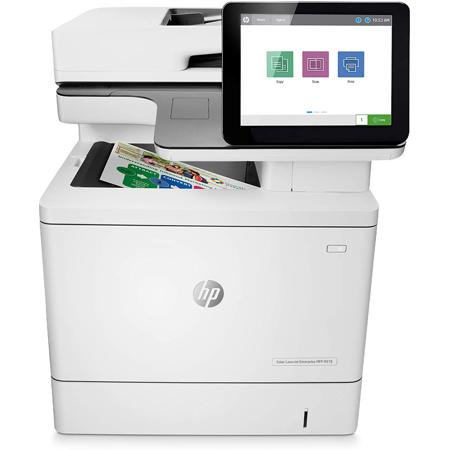
Overview
Compare
Accessories
Specs
Protection
Q&A

Questions & Answers

Reviews about this item

Review Summary

2023-05-03T20:00:00

Rated 5 out of 5

Products

It was refreshing to see product availability.

Oliver C.

2023-03-06T19:00:00

Rated 5 out of 5

Excellent printer, lots of features, better and lighter and smaller than my 10-year-old MFP 680

Easy to set up, came with 4 starter ink cartridges, arrived VERY QUICKLY (all the way to Hawaii)

Aloha B.

2023-02-06T19:00:00

Rated 5 out of 5

Will never choose another............

Love this printer!!!!!, Love how quickly it prints, love the size of the LCD screen, ease of setting up couldn't have been easier.

Dawn C.

2023-01-20T19:00:00

Rated 2 out of 5

Mfp lacks fax port. Really.

The purchase seemed to go smoothly. Upon arrival IT recognized it lacked a fax port.

Art N.

2022-09-28T20:00:00

Rated 5 out of 5

Love it so much I bought another one

I'm very happy with enterprise printers, this model specifically. I was able to setup scanning to email, network folders and shared print queues on a Windows server. The customizable screen was great, so now I can place the heavy users buttons on the main page. Everyone loves the large screen and print jobs come out very quickly. I would buy this model again without hesitation.

LANMANTA

2022-02-07T19:00:00

Rated 1 out of 5

Complete Junk

This unit was purchased a few months ago (utilized very little) and it has been worked on three separate times! There's always something wrong with this printer and I do not recommend purchasing it.

gymtime084

2022-01-30T19:00:00

Rated 1 out of 5

Scan to forlder

This MFP has the worse setup for configuring Scan to network folder and if you make a mistake the printer is so slow to make corrections you can waste hours of your time. HP used to have Fantastic products and over the 6 years they all have become crap.

cranc

2021-11-16T07:46:58

Rated 2 out of 5

NOT Wireless wireless printer.....

Would have been perfect, except the printer turned out to NOT be wireless, which defeated the whole purpose of my purchase.

RONALD W.

2021-11-09T19:00:00

Rated 2 out of 5

USB & Network

I have been an HP fan for 30 years. I purchase all the equipment for all of our stores. This is the most frustrated I have ever been with an HP printer/scanner/copier... It cannot find it on the network to scan, it cannot find it (USB) on my computer to print... I contacted the IT group (I rarely do this) and had them try all their tricks (they escalated it 3 tiers). I finally relented and set up the printer on a network cable and the scanner on a USB cable. Beyond frustrated. Now I have to replace the ( only 2 year old HP) network printer for our front sales area, and I am not sure it will be an HP... 30 years I have insisted on HP, but this is the 3rd HP LaserJet I have purchased with issues.

FrustratedHpFan

2021-10-19T20:00:00

Rated 1 out of 5

Huge Disappointment

Very disappointed with purchase. Especially support.

JBLC

2021-07-22T20:00:00

Rated 4 out of 5

Very fast printing, copying, and scanning!

We have five people in our office so this works great for us! The only issue we had with the printer was the scan to email feature. It took a while to get the right smtp server, could have been security issues, not sure, but once we resolved that everything was gravy!

JWStatues

Select a plan in the Add Protection section above and purchase with this product by clicking “Add to Cart”.

image-protection

TRUSTED PROTECTION PLANS, EXCEPTIONAL SERVICE.

Invest In Your Gear and Peace Of Mind!

Accidents happen where life happens. Protect your favorite Adorama products and purchase a protection plan to stay covered from accidental damage, mechanical or electrical failure, and more.

Repair or Replacement

Repair or Replacement

If we can’t fix it, we’ll replace it at no additional cost.

Accidental Damage

Accidental Damage

Protect your product from drops, spills, and more.

Peace of Mind

Peace of Mind

Enjoy your gear without fear. We have you covered!

Malfunction Protection

Malfunction Protection

When regular use of your product over time results in mechanical or electrical failure.

Zero Deductible

Zero Deductible

We will never charge you a deductible after the purchase of a plan.

Customer-Focused Support

Customer-Focused Support

Our claims process is simple & easy and our customer service team is happy to help.

Adorama Protect powered by Extend is available for purchase to customers in the United States. Not available for purchase Internationally or in U.S. Territories.

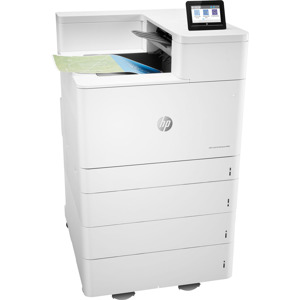
HP M578dn Specifications

  • Functions

    Print, copy, scan, fax (optional)

  • Print speed

    Up to 40 ppm

  • Printer page yield

    Average black and color composite (C/M/Y) declared yields based on ISO/IEC 19798 and continuous printing. Actual yields vary considerably based on images printed and other factors

  • First page out (ready) black

    As fast as 6.9 sec

  • First page out (ready) color

    As fast as 7.8 sec

  • Resolution (black)

    HP Image Ret 3600

  • Resolution (color)

    HP Image Ret 3600

  • Resolution technology

    HP Image Ret 3600, Pantone Calibrated

  • Monthly duty cycle

    Up to 80,000 pages

  • Recommended monthly page volume

    2000 to 10000

  • Print Technology

    Laser

  • Display

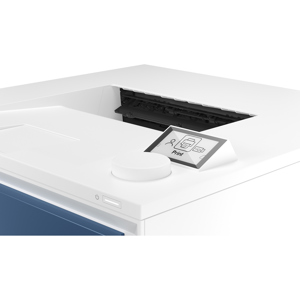
    8" (20.32cm) color touchscreen

  • Number of print cartridges

    4 (1 each black, cyan, magenta, yellow)

  • Replacement cartridges

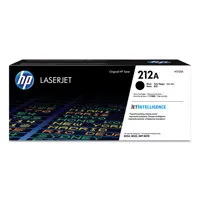
    HP 212A Black Original LaserJet Toner Cartridge (-5,500 pages) W2120A; HP 212A Cyan Original LaserJet Toner Cartridge (-4,500 pages) W2121A; HP 212A Magenta Original LaserJet Toner Cartridge (-4,500 pages) W2123A; HP 212A Yellow Original LaserJet Toner Cartridge (-4,500 pages) W2122A ; HP 212X High Yield Black Original LaserJet Toner Cartridge (-13,000 pages) W2120X; HP 212X High Yield Cyan Original LaserJet Toner Cartridge (-10,000 pages) W2121X

  • Replacement cartridges (Contd.)

    HP 212X High Yield Magenta Original LaserJet Toner Cartridge (-10,000 pages) W2123X; HP 212X High Yield Yellow Original LaserJet Toner Cartridge (-10,000 pages) W2122X

  • Print languages

    XPS, HP PCL 6; HP PCL 5c; HP postscript level 3 emulation, native PDF printing (v 1.7)

  • Automatic paper sensor

    Yes

  • Paper trays

    5

  • Mobile Printing Capability

    HP ePrint; Apple AirPrint; Mopria Certified; NFC Touch-to-print (optional); Roam optional

  • Connectivity

    HP Jetdirect 3100w BLE/NFC/Wireless Accessory 3JN69A; HP Jetdirect LAN Accessory 8FP31A

  • Security management

    Security management Identity management: Kerberos authentication; LDAP authentication; 1000 user PIN codes; optional HP and 3rd party advanced authentication solutions (e.g.; badge readers); Network: IPsec/firewall with Certificate; Pre-Shared Key; and Kerberos authentication; Supports WJA-10 IPsec configuration Plug-in; 802.1X authentication (EAP-PEAP; EAP-TLS); SNMPv3; HTTPS; Certificates; Access Control List; Data: Storage Encryption

  • Security management (Contd.)

    Encrypted PDF & Email (uses FIPS 140 validated cryptographic libraries from Microsoft); Secure Erase; SSL/TLS (HTTPS); Encrypted Credentials; Device: Security lock slot; USB port disablement; Hardware Integration Pocket for security solutions; Intrusion Detection with Red Balloon Security Technology (Constant in-device monitoring for attacks); HP Sure Start Secure Boot (BIOS Integrity Checking with self-healing capability)

  • Security management (Contd..)

    Whitelisting (loads only known good code DLLs, EXEs, etc.); Embedded Trusted Platform Module (TPM); HP Connection Inspector;
    Security management: Compatible with HP Jet Advantage Security Manager, Device Security Syslog Messages processed and accessible in Arcsight and Splunk SIEMs

  • Minimum system requirements

    2 GB available hard drive space, Internet connection, or USB port, Internet browser
    2 GB available hard disk space, Internet connection, or USB port, Internet browser

  • Compatible operating systems

    Compatible operating systems Windows Client OS (32/64 bit)-, Win10, Win8.1, Win7 Ultimate, Mobile OS-, iOS, Android, Mac-, Apple macOS High Sierra v10.13, Apple macOS Mojave v10.14, Apple macOS Catalina v10.15, Discrete PCL6 Printer Driver

  • Memory

    3.75 GB

  • Printer management

    HP Printer Assistant, HP Device Toolbox, HP Web JITAdmin Software, HP Jet Advantage Security Manager, HP SNMP Proxy Agent, HP WS Pro Proxy Agent, Printer Administrator Resource Kit for HP Universal Print Driver (Driver Configuration Utility - Driver Deployment Utility - Managed Printing Administrator)

  • Supported network protocols

    Via built-in networking solution: TCP/IP, IPv4, IPv6; Print: TCP-IP port 9100 Direct Mode, LPD (raw queue support only), Web Services Printing, IPP 2.0, Apple AirPrint, HP ePrint, FTP Print, Google Cloud Print; DISCOVERY: SLP, Bonjour, Web Services Discovery; IP CONFIG: IPv4 (BootP, DHCP, Auto IP, Manual, TFTP Config, ARP-Ping), IPv6 (Stateless Link-Local and via Router, State full via DHCPv6); Management: SNMPv2/v3, HTTP/HTTPs, Telnet

  • Supported network protocols (Contd.)

    TFTP Config, FTP FW Download, Syslog; Security: SNMPv3, SSL Cert Management, Firewall, ACL, 802.1x

  • Hard disk

    Standard, embedded HP High-Performance Secure Hard Disk, minimum 500 GB; AES 256 hardware encryption or greater; Secure erase capabilities (Secure File Erase-Temporary Job Files, Secure Erase-Job Data, Secure ATA Erase-Disk); U.S. Government: Standard, FIPS 140-2 validated hard disk, minimum 500 GB

  • Paper handling input

    100-sheet multipurpose tray, 550-sheet input tray 2

  • Paper handling output

    250-sheet output bin

  • Duplex printing

    Automatic (standard)

  • Envelope input capacity

    Up to 10 envelopes

  • Finished output handling

    Sheet fed

  • Media sizes supported

    Tray 1: A4, RA4, A5, B5 (JIS), B6 (JIS), 10 x 15 cm, A6, 16K, envelopes (B5, C5 ISO, C6, DL ISO); Custom: 76 x 127 to 216 x 356 mm; Tray 2: A4, A5, B5 (JIS), B6 (JIS), 10 x 15 cm, A6, 16K; Custom: 102 x 148 to 216 x 297 mm; Optional Trays 3+: A4, RA4, A5, B5 (JIS), 16K; Custom: 102 x 148 to 216 x 356 mm

  • Media sizes

    Tray 1: 3 x 5 to 8.5 x 14 in; Tray 2: 4.0 x 5.85 to 8.5 x 11.69 in; Optional Trays 3+: 4.0 x 5.85 to 8.5 x 14 in

  • Media types

    Paper (plain, light, bond, recycled, mid-weight, heavy, mid-weight glossy, heavy glossy, extra heavy, extra heavy glossy, cardstock, card glossy), color transparency, labels, letterhead, envelope, preprinted, prepunched, colored, rough, opaque film, user-defined

  • Supported media weight

    Tray 1: 16 to 58 lbs (plain); 28 to 58 lbs (glossy); Tray 2: 16 to 58 lbs (plain paper); 28 to 58 lbs (glossy paper); Optional Trays 3+: 16 to 58 lbs (plain paper); 28 to 58 lbs (glossy paper); Automatic Duplexer: 16 to 43 lbs

  • Media weights by paper path

    Tray 1: 60 to 220 g/sq. m (plain paper), 105 to 220 g/sq. m (glossy paper); Tray 2: 60 to 220 g/sq. m (plain paper), 105 to 220 g/sq. m (glossy paper); Optional Trays 3+: 60 to 220 g/sq. m (plain paper), 105 to 220 g/sq. m (glossy paper); Automatic Duplexer: 60 to 163 g/sq. m

  • Power

    Input voltage: 100 to 127 VAC, 60 Hz, Input voltage: 200 to 240 VAC, 50 Hz (Not dual voltage, product varies by part number with # Option code identifier)

  • Power consumption

    617 watts (Printing), 40 watts (Ready), 5.4 watts (Sleep), 0.07 watts (Auto-Off/Manual On), 0.58 watts (Auto-Off/Auto-On/Wake on LAN)

  • Energy efficiency

    Blue Angel; EPEAT Silver; CECP; ENERGY STAR certified

  • Operating temperature range

    50 to 91 Degree F (10.5 to 32.7 Degree C)

  • Operating humidity range

    30 to 70% RH

  • Software included

    No software solutions are included

  • FCC

    FCC Class A emissions - for use in commercial environments, not residential environments

  • Cable included

    No

  • Sustainability Impact

    Mercury free

  • Dimensions (W x D x H)

    18.98 x 19.84 x 22.95" (48.2 x 50.4 x 58.2cm)
    Maximum: 32.3 x 34 x 33" (82 x 86.36 x 83.82cm)

  • Weight

    84 lbs (38.1kg)

  • UPC Code

    194850319600

7 Accessories for HP Color LaserJet Enterprise MFP M578dn Wireless Duplex Laser Printer

  • All Accessories (7)
  • Toner Cartridge (1)
  • Copy Paper (1)
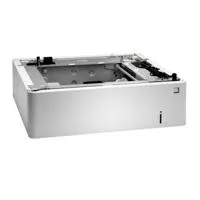
  • Paper Tray (1)
  • Cables & Adapters (2)
  • Cleaning Accessories (2)

About HP M578dn

FEATURED REVIEWS

Products

By Oliver C.

It was refreshing to see product availability.

Excellent printer, lots of features, better and lighter and smaller than my 10-year-old MFP 680

By Aloha B.

Easy to set up, came with 4 starter ink cartridges, arrived VERY QUICKLY (all the way to Hawaii)

Ideal for 5-15 people printing up to 10,000 pages per month who want premium color at fast speeds plus quick scanning and copying into workflows. HP Office Laser Multifunction Printers are designed for SMBs and small work teams in larger companies, delivering enhanced productivity, simplified workflows and reduced costs. FCC Class A emissions device for use in commercial environments, not residential environments. This printer is intended to work only with cartridges that have a new or reused HP chip, and it uses dynamic security measures to block cartridges using a non-HP chip. Periodic firmware updates will maintain the effectiveness of these measures and block cartridges that previously worked. A reused HP chip enables the use of reused, remanufactured, and refilled cartridges.

The world's most secure printing
The operating code (BIOS) is automatically checked during startup and repairs itself if compromised. Common Criteria certified to continually monitor memory activity to detect and stop attacks in real time. Firmware is automatically checked during startup to determine if it's authentic code-digitally signed by HP. The printer's outgoing network connections are inspected to stop suspicious requests and thwart malware.

Easy to use, simple to manage
HP Future Smart firmware can be updated with the latest features to optimize your investment for years to come. Centralize control of your printing environment with HP Web Jetadmin-and help build business efficiency. Easily enable workflows across your fleet with a consistent user experience and intuitive, tablet-like icons. Expect consistent, high-quality results with technology that automatically adjusts print settings to paper type.

Enhanced productivity to empower workgroups
Give workgroups what they need to succeed. Easily choose and deploy hundreds of HP and third-party solutions. Easily access, print, and share resources with built-in Ethernet and optional wireless networking. Manage jobs directly at the MFP, using the 8-inch (20.3 cm) color touchscreen with image preview. Spend less time loading paper with up to three input trays for an additional capacity of 2,300 sheets.

Sustainability is smart business
Help save paper right out of the box. Two-sided (duplex) printing is set at default for automatic savings. Help reduce wasted paper and toner by only printing jobs that are truly needed, using HP Roam for Business. Help save energy intelligently by using only the power you need with HP Auto-On/Auto-Off Technology. Help reduce your impact. Count on easy cartridge recycling at no charge with HP Planet Partners.
HP M578dn Features

  • Print, copy, scan
  • Print speed letter: Up to 40 ppm (black and color)
  • Auto duplex printing; 2 paper trays (standard); 100-sheet ADF; 8-in color touchscreen
  • FCC Class A emissions - for use in commercial environments, not residential environments

Product Documents

User Manual

Key Features

  • Print, copy, scan
  • Print speed letter: Up to 40 ppm (black and color)
  • Auto duplex printing; 2 paper trays (standard); 100-sheet ADF; 8-in color touchscreen
  • FCC Class A emissions - for use in commercial environments, not residential environments

What's in the box:

  • 1x HP Color LaserJet Enterprise MFP M578dn Wireless Duplex Laser Printer
  • 4x Preinstalled Laserjet Toner Cartridges (Yield -5500 Pages Black/-3500 Pages Cyan/Magenta/Yellow Composite)
  • 1x Toner Collection Unit
  • 1x Documentation
  • 1x Power Cord
  • HP 1 Year Limited Warranty