Overview
Compare
Accessories
Specs
Protection

Reviews about this item

Review Summary

Select a plan in the Add Protection section above and purchase with this product by clicking “Add to Cart”.

image-protection

TRUSTED PROTECTION PLANS, EXCEPTIONAL SERVICE.

Invest In Your Gear and Peace Of Mind!

Accidents happen where life happens. Protect your favorite Adorama products and purchase a protection plan to stay covered from accidental damage, mechanical or electrical failure, and more.

Repair or Replacement

Repair or Replacement

If we can’t fix it, we’ll replace it at no additional cost.

Accidental Damage

Accidental Damage

Protect your product from drops, spills, and more.

Peace of Mind

Peace of Mind

Enjoy your gear without fear. We have you covered!

Malfunction Protection

Malfunction Protection

When regular use of your product over time results in mechanical or electrical failure.

Zero Deductible

Zero Deductible

We will never charge you a deductible after the purchase of a plan.

Customer-Focused Support

Customer-Focused Support

Our claims process is simple & easy and our customer service team is happy to help.

Adorama Protect powered by Extend is available for purchase to customers in the United States. Not available for purchase Internationally or in U.S. Territories.

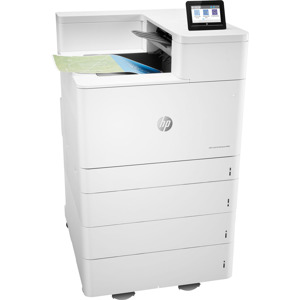
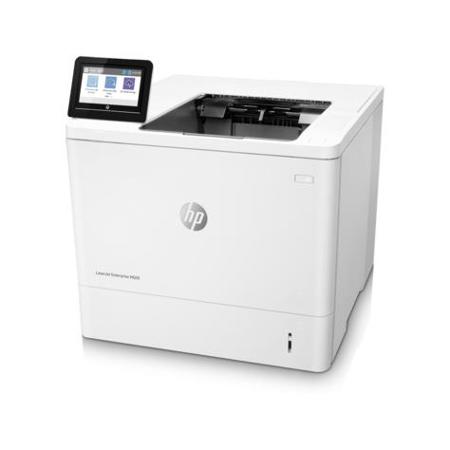
HP M609dh Specifications

  • Print speed

    Letter: Up to 75 ppm black
    First Page Out Black: As fast as 5.3 sec

  • Print resolution

    Black (fine lines): Up to 1200 x 1200 dpi

  • Print Technology

    Laser
    Print Resolution Technologies: FastRes 1200; 1200 x 1200 dpi

  • Standard Print Languages

    HP PCL 6, HP PCL 5 (HP PCL 5 driver available from the Web only), HP postscript level 3 emulation, native PDF printing (v 1.7), Apple AirPrint

  • Printer Smart Software Functions

    Print preview, duplex printing, print multiple pages per sheet (2, 4, 6, 9, 16), collation, watermarks, store print jobs, easy-access USB

  • Printer Management

    HP JetAdvantage Security Manager; HP SNMP Proxy Agent; HP Web JetAdmin Software; HP WS Pro Proxy Agent; Printer Administrator Resource Kit for HP Universal Print Driver

  • Standard Connectivity

    1 Hi-Speed USB 2.0 Device; 2 Hi-Speed USB 2.0 Host; 1 Gigabit Ethernet 10/100/1000T network

  • Mobile Printing Capability

    HP ePrint; Apple AirPrint; Mopria-certified

  • Memory

    Standard: 512 MB; Maximum: 1.5 GB, MAX memory, when 1GB Accessory DIMM is installed

  • Processor Speed

    1.2 GHz / Hard disk: Standard, minimum 500GB HP High-Performance Secure Hard Disk (AES 256 hardware encryption or greater); FIPS140 certified

  • Duty Cycle

    Monthly, letter: Up to 300,000 pages
    Recommended Monthly Page Volume: 5000 to 30,000

  • Paper Handling Input (Standard)

    100-sheet multipurpose feeder
    550-sheet input feeder

  • Paper Handling Input (Optional)

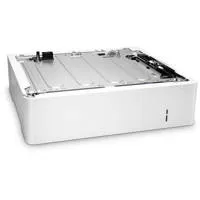
    Optional 1x 550-sheet paper feeder
    Optional 1x 550 paper feeder and stand with cabinet
    Optional 3x 550-sheet paper feeder and stand
    Optional high-capacity paper feeder and stand with 1x 550 sheet feeder and 1x 2000-sheet feeder

  • Paper Handling Output (Standard)

    500 sheet output bin

  • Paper Handling Output, (Optional)

    Optional 5 bin stapler stacker

  • Output capacity

    Up to 500 sheets

  • Duplex printing

    Automatic (standard)

  • Media types

    Paper (plain, light, bond, recycled, heavy, extra heavy, cardstock, pre-printed, pre-punched, colored, rough, heavy rough), mono transparency, labels, letterhead, envelope, heavy envelope

  • Finished output handling

    Sheetfed

  • Control Panel

    4.3" (10.92 cm) Color Graphics Display (CGD) with touchscreen; rotating (adjustable angle) display; Home button

  • Display Description

    4.3" (10.92 cm) Color Graphics Display (CGD) with touchscreen; rotating (adjustable angle)

  • Software Included

    HP Connected, HP Device Experience (DXP), HP PCL 6 (XPS) Printer Driver, HP Software Installer/Uninstaller, Mac OS Welcome Screen (Directs users to 123.HP.com or OS App Source for printer software), Online user manuals

  • Fonts and Typefaces

    105 internal TrueType fonts scalable in HP PCL, 92 internal scalable fonts in HP postscript level 3 emulation (Euro symbol built-in); 1 internal Unicode Fonts (Andale Mono WorldType); 2 Internal Windows Vista 8 Fonts (Calibri, Cambria); Additional font solutions available via third-party flash memory cards

  • Compatible Operating Systems

    Android, Linux Boss (5.0), Linux Debian (7.0, 7.1, 7.2, 7.3, 7.4, 7.5, 7.6, 7.7, 7.8, 7.9, 8.0, 8.1, 8.2, 8.3, 8.4, 8.5, 8.6), Linux Fedora (22, 23, 24), Linux Mint (17, 17.1, 17.2, 17.3, 18), Linux Red Hat Enterprise (6.0, 7.0), Linux SUSE (13.2, 42.1), Linux Ubuntu (12.04, 14.04, 15.10, 16.04, 16.10), OS macOS 10.12 Sierra, OS X 10.10 Yosemite, OS X 10.11 El Capitan, UNIX

  • Compatible Operating Systems (Cont.)

    Windows 10 all 32- & 64-bit editions (excluding RT OS for Tablets), Windows 7 all 32- & 64-bit editions, Windows 8/8.1 all 32- & 64-bit editions (excluding RT OS for Tablets), Windows Vista all 32bit editions (Home Basic, Premium, Professional, etc.), Windows XP SP3 32-bit editions (XP Home, XP Pro, etc.)

  • Compatible Network Operating Systems

    Citrix MetaFrame Presentation Server 3.0, Citrix MetaFrame XP Presentation Server (Feature Release 1, 2, and 3), Citrix on Windows Server 2003/2003R2, Citrix on Windows Server 2008/2008R2/2008 R2 SP1, Citrix on Windows Server 2012/2012R2, Citrix Presentation Server 4.0/4.5, Citrix XenApp 5.0 (Plus Feature Pack 2 & 3) for Windows Server 2008 Terminal Services 32- and 64-bit

  • Compatible Network OS (Cont.)

    Citrix XenApp 6.0/6.5 [for Windows Server 2008 R2 Terminal Services, 32- and 64-bit], Citrix XenApp 6.0/6.5/7.5 [for Windows Server 2008 R2 SP1 Terminal Services, 32- and 64-bit], Citrix XenApp 7.5 [for Windows Server 2012 and 2012 R2 Terminal Services, 64-bit], Citrix XenDesktop 5.6 [for Windows Server 2008 R2 Terminal Services, 32- and 64-bit], Citrix XenDesktop 5.6/7.0/7.5 [for Windows Server 2008 R2 SP1 Terminal Services, 32- and 64-bit]

  • Compatible Network OS (Cont..)

    Citrix XenDesktop 7.0/7.5 [for Windows Server 2012 and 2012 R2 Terminal Services, 64-bit], Novell NetWare 6.5/SP8 Novell Clients, Novell iPrint Appliance v1.0, Novell Open Enterprise Server 11/SP1, Novell Open Enterprise Server 2 for Linux, Novell Servers, Windows Server 2003/2003 R2 32-/64-bit (SP1/SP2) Standard/Enterprise/Datacenter (+ Cluster & Terminal Services), Windows Server 2003/2003 R2 32-bit (SP1/SP2)

  • Compatible Network OS (Cont...)

    Standard/Enterprise (+ Cluster & Terminal Services), Windows Server 2008 32-/64-bit (SP2) Standard/Enterprise (+ Cluster & Terminal Services), Windows Server 2008 R2 64-bit (SP1) Standard/Enterprise (+ Cluster & Terminal Services), Windows Server 2008/2008 R2 32-/64-bit (SP1/SP2) Standard/Enterprise/Datacenter (+ Cluster & Terminal Services), Windows Server 2012/2012 R2 64-bit Standard/Foundation/Essentials/Datacenter (+ Cluster & Terminal Services)

  • Minimum System Requirements

    PC: 2GB available hard disk space; OS hardware requirements see microsoft.com; MAC: 1.3GB available hard drive space; Internet; OS hardware requirements see Apple.com for more info

  • Power Supply Type

    Built in 115V or 220V Power Supply (Not dual voltage, power supply varies by part number with # Option code identifier)

  • Power Requirements

    100V-127V nominal at +/-10% (min 90V, max 140V); 50-60Hz nominal +/- 3Hz (min 47Hz, max 63Hz), 12 A; 220V - 240V nominal, at +/-10% (min 198V, Max 264V); 50-60Hz nominal +/- 3Hz (min 47Hz, max 63Hz), 6 A

  • Power Consumption

    780 watts (printing), 15.3 watts (ready), 3.1 watts (sleep), <0.1 watts (Auto Off/Manual On), <0.1 watts (Manual Off)

  • Acoustics

    Acoustic Power Emissions: 7.1 B(A)
    Acoustic Pressure Emissions: 56 dB(A)

  • Operating Temperature Range

    15 to 27 deg. C (59 to 81 deg. F)

  • Recommended Operating Temperature

    59 to 80.6 deg. F (15 to 27 deg. C)

  • Storage Temperature Range

    -4 to 104 deg. F (-20 to 40 deg. C)

  • Non-Operating Humidity Range

    10 to 80% RH

  • Operating Humidity Range

    30 to 70% RH

  • Recommended Humidity Operating Range

    10 to 90% RH

  • Security Management

    Identity management: Kerberos authentication; LDAP authentication; 1000 user PIN codes; optional HP and 3rd party advanced authentication solutions (e.g.; badge readers); Network: IPsec/firewall with Certificate; Pre-Shared Key; and Kerberos authentication; Supports WJA-10 IPsec configuration Plug-in; 802.1X authentication (EAP-PEAP; EAP-TLS); SNMPv3; HTTPS; Certificates; Access Control List; Data: Storage Encryption

  • Security Management (Cont.)

    Encrypted PDF & Email (uses FIPS 140 validated cryptographic libraries from Microsoft); Secure Erase; SSL/TLS (HTTPS); Encrypted Credentials; Device: Security lock slot; USB port disablement; hardware integration pocket for security solutions; Intrusion Detection with Red Balloon Security Technology - Constant in-device monitoring for attacks

  • Security Management (Cont..)

    SureStart Secure Boot - BIOS Integrity Checking with self-healing capability; Whitelisting - loads only known good code (DLLs, EXEs,...); Security management: Compatible with HP JetAdvantage Security Manager, Device Security Syslog Messages processed and access able in Arcsight and Splunk SIEMs

  • Dimensions (WxDxH)

    17 x 18.3 x 15" (43.18 x 46.48 x 38.10cm)
    Maximum: 17 x 43.3 x 22.9" (43.18 x 109.98 x 58.17cm)

  • Weight

    47.7 lbs (21.64kg)

6 Accessories for HP LaserJet Enterprise M609dh Monochrome Laser Printer, 75ppm, 1200x1200 dpi, 650 Sheet Standard Capacity, Auto Duplex, 4.3" CGD Touchscreen

  • All Accessories (6)
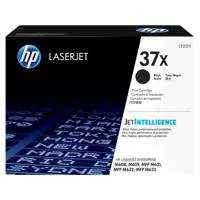
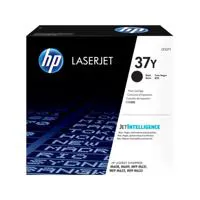
  • Toner Cartridge (3)
  • Paper Tray (1)
  • Cables & Adapters (1)
  • Copy Paper (1)

About HP M609dh

This HP LaserJet Printer with JetIntelligence combines exceptional performance and energy efficiency with professional-quality documents right when you need them-all while protecting your network from attacks with the industry's deepest security.

The world's most secure printing
• With HP Sure Start, each printer regularly checks its operating code and repairs itself from attempted hacks
• Help prevent potential attacks and take immediate action with instant notification of security issues
• Centralize control of your printing environment with HP Web Jetadmin-and help build business efficiency
• Give workgroups what they need to succeed. Easily choose and deploy over 180 HP and third-party solutions

High-speed performance meets energy efficiency
• Speed through tasks and save paper. Print two-sided documents nearly as fast as one-sided
• This printer wakes up fast and prints your first page faster-in as quickly as 7.8 seconds
• This printer uses exceptionally low amounts of energy thanks to its innovative design and toner technology
• Paper handling options include a wheeled stand and 550-sheet input feeder for paper sizes A6 to legal

More. Pages, Performance and Protection
• Produce sharp text, bold blacks and crisp graphics with precision black toner
• Original HP Toner cartridges with JetIntelligence deliver more pages per cartridge than predecessors
• Help retain the Original HP quality you paid for with anti-fraud and cartridge authentication technology
• Spend less time replacing toner and more on business. Choose high-yield toner cartridges
Product Documents

User Manual

What's in the box:

  • HP LaserJet Enterprise M609dh Monochrome Laser Printer
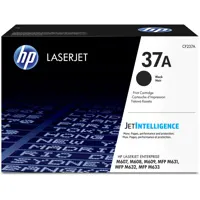
  • Black Original LaserJet Toner Cartridge (Approx. 11000 Pages Yield)
  • Power Cord
  • CD with Software Drivers and Documentation
  • Install Guide
  • HP 1 Year Onsite Warranty