2021-03-20T20:00:00
Rated 5 out of 5
Setup Instructions Need Improvements
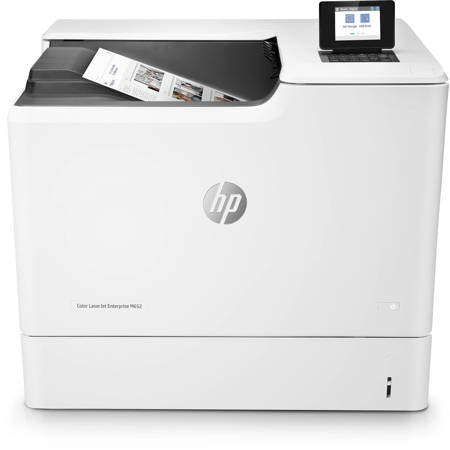
The initial setup instructions need a note concerning the way to get to the "next" selection at the bottom of the screen. Also needed is a note for doing manual duplex printing. See the suggested notes below.
This printer should be supplied with a generic valid certificate for data security. Before any jobs would print, I had to find out from HP tech support how to create one and install it using the printer's embedded web server.
Other than those issues, the printer works really well. The resolution and print quality is very high, and the printing speed is really fast, especially with large .tiff image files printed on full size pages.
Another advantage with this printer is when using it to make double sided pages. Although the M652n is not set up for automated duplex printing, it is set up to do so manually very effectively. The odd numbered sheets can be printed together, then that whole stack removed from the output tray, flipped over and placed, printed side up, in the side tray. Then the even numbered sheets can be printed together on the other side of each sheet in the stack, and the whole job winds up in the output tray, face down, in the correct order.
Suggested notes for the User Guide:
Initial Setup:
The initial setup panel displayed is for the choice of language. The default language chosen is English, which in my case is the desired one, but it is not immediately clear how to get to the "next" selection button at the bottom of the screen to move on to the other setup panels. It turns out that you use the "down arrow" button, but that is not immediately clear because there are so many language choices that you have to scroll through to get to the end of the list before the cursor goes to the "next" selection.
An addition to the description of the "down arrow" button on the keypad, #14 on the control panel illustration and instructions, would help with this issue. It currently reads:
Navigates to the next item or widget in the list, or decreases the value of numeric items
It should be amended to read:
Navigates to the next item or widget in the list and the "next" selection at the bottom of the screen, or decreases the value of numeric items.
Manual Duplex Printing:
NOTE! This machine prints on the BOTTOM of sheets placed in the side tray. To print the second side of double sided pages, place the previously printed single sided sheets in the side tray with the PRINTED SIDE UP. This will avoid printing over previously printed material, which can eventually result in print problems.
PaulW71
Originally posted at

2021-03-12T19:00:00
Rated 2 out of 5
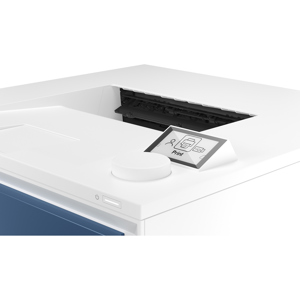
Pass on this ho model. Small screen. No WiFi.
Small screen. No WiFi. Not the best screen menu. Pass on this one.
Todd m.
Originally posted at
2020-03-30T20:00:00
Rated 2 out of 5
Baffling design choices, HP
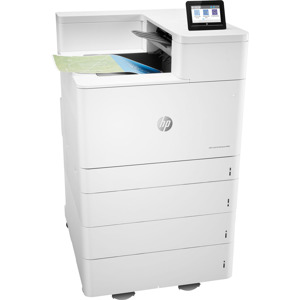
Depending on your needs this may be a great printer. Know that if you want to use any of the three bases designed for this printer, the only option is to place the printer directly on top of the base. You can't use any of the other drawers in between. What you wind up with is a floor-standing enterprise-class printer that is 35" tall! I have no idea why HP went this route with their design. I think it was a mistake. A floor-standing printer needs to be taller. I'd also like to have more drawers, but it's just not possible to combine a base with the 550-sheet drawer. We like the printing and durability parameters of the printer family, but the overall design is just baffling.
Craig_D
Originally posted at
2018-03-14T20:00:00
Rated 2 out of 5
Labels Jamming
Not a good printer for printing high volumes of labels.
SamATL
Originally posted at
2017-11-29T19:00:00
Rated 5 out of 5
Works for our small business (10 people)
This product works great. Easy to set up. Much quieter and faster than the one we replaced.
Conner6231
Originally posted at