
This item is no longer available.
Review Summary
2016-07-03T20:00:00
Really like this printer, but some areas say it does borderless printing and some say it doesn't. Wish I would have know that it actually doesn't before I bought it.
Charlie2sips

2016-05-11T20:00:00
This is one of the worst printer I have ever come across with. When I am trying to print many back-to-back pages, I have to insert the paper one by one for it to print properly. If not, papers will be wasted for the printer will get jammed at the rear end of the printer or it will use 3-6 papers to print one page (It will print 1/3 of the page on one paper and the other 1/3 on another paper etc.)
asdfghjkl12
2015-04-27T20:00:00
This product offers fast printing and is convenient to use. It was easy to set up and the wireless printing is a great plus.
Mark357
2014-06-23T20:00:00
This printer is on the ball. Setup was easy. It took me a while to figure out the eprint feature but I finally got it. Changing of the ink cartridges couldn't be easier. Print time is speedy and the quality is good. So Far.
Flave
2014-04-12T20:00:00
This printer is the second one I have purchased in just over a year. The first one I returned because it would not feed photo paper. HP tech support could not find out what was wrong. I thought I would give this new model a try. Very fast easy set up with my wireless network. Prints plain paper great. Will NOT feed photo paper. I only use HP Premium Plus Photo Paper. You would think that an HP printer would feed HP paper. I have used HP paper in other brand printers with no problem. Before I purchased the first printer (8600) I had an older HP Officejet Pro. Large foot print and built like a tank. Put a minimum of 25000 prints through it annually including photo paper. Never skipped a beat. When it finally quit on me I thought the $350++ for new print heads was expensive. Now I wish I had bought the print heads. One thing has been resolved - this experience has finally convinced me to never buy another HP printer.
Potter
2014-02-12T19:00:00
It was extremely easy to add the printer to my wireless network. It worked well without trouble and produces a nice print product.
TC46
2014-01-16T19:00:00
Have owned many HP printers and scanners and have been pleased with their performance. All have been handed down in search of a better one. This HP 251dw fulfils this quest , will keep this one. Easy setup, great photo prints, cannot believe the print speed.
Duke647
2013-12-23T19:00:00
The 251dw was very easy to initialize. The test pages were excellent. Will have to wait awhile to evaluate ink consumption. The ink cartridge tray is a very different design from all my previous HP printers. It doesn't have that solid "snap in" feel when seating a new cartridge; however, the cartridges are easy to install. The only quirky issue was the setup for the wireless feature. I manually entered the info without success; I then tried the Wi-Fi Protected Setup, again without success. There is a blue light on the control panel that indicates wireless status. It continued to blink, indicating no connection. HOWEVER, a few hours later I noticed the blue light was on steady - and voile, I had a wireless connection. Otherwise, this machine has a nice solid feel to it, and I plan to use it as my home office workhorse.
FotoGraffer
2013-09-24T21:00:00
The product prints great, but the ease of the wireless set up with my Macs, Ipads and Phones could not have been easier. I still needed to connect to my mac to get the initial recognition, but set up was a breeze and took about a 1/2 hour. But I only had to do it once-terrific Of course, the printer is packed with plenty of features from cloud remote printing to photo printing with decent speed and two sided printing if needed, but my purpose was to buy a reliable printer that would effortlessly be compatible with my Apple devices and this is the one, WOW
MARK H.
2013-07-02T20:00:00
I was searching for a printer that could handle low-volume but also provided features generally found on high volume machines, e.g., duplex printing. The Officejet Pro 251 dw was a new machine and I could find no customer reviews (which is why I am providing this review), but I did find a positive magazine review which led me to call the HP sales line. I'm glad I did. The printer was easy to install and has been perfect so far. The duplex feature works as advertized, the print quality is good, color graphs are sharp, and the machine is moderately quick. I particularly like the ease of selecting print options and the information provided by the print driver. I have already recommended this machine to one person and will not hesitate to recommend it to anyone seeking a solid, business machine.
QualityWorks
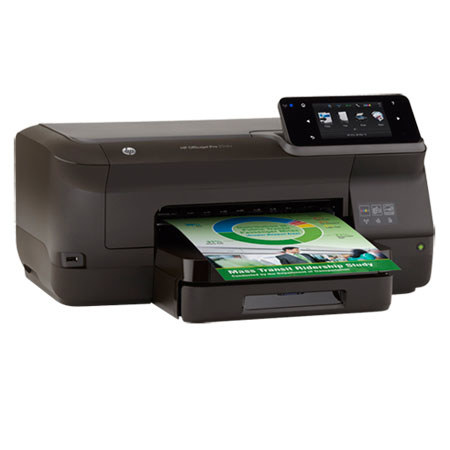
Save, streamline and simplify with the HP Officejet Pro 251dw, a color inkjet printer which delivers the productivity of a laser at a fraction of the cost. You can save up to 50% on your printing costs versus a laser printer yet still take advantage of advanced management tools like HP Web JetAdmin. With both wireless and Ethernet connectivity, the Pro 251dw can be easily integrated into your existing network for convenient workgroup printing. The easy access USB port allows for quick and simple walk-up printing, without the need for a PC and, with HP ePrint, you can print files from virtually anywhere.