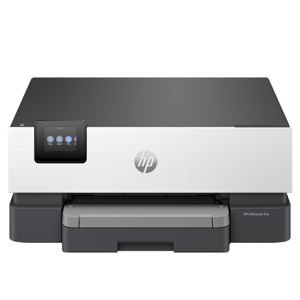
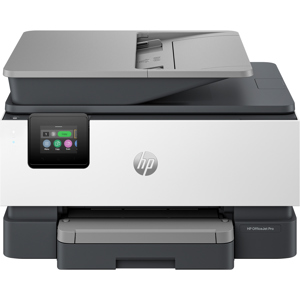
Orders placed during Passover Holiday (Wed 4/1 after 4PM ET – Thurs 4/9) will ship Fri 4/10. View our holiday shipping schedule.

Overview
Compare
Accessories
Specs
Protection
Q&A

Questions & Answers

FAQ

Can the OfficeJet Pro 7740 print on both sides of the paper automatically?

Yes, the OfficeJet Pro 7740 features automatic two-sided printing, saving you time on larger print jobs.

Can I print directly from my smartphone or tablet?

Absolutely, the OfficeJet Pro 7740 offers easy mobile printing. You can print documents from your smartphones and tablets, whether they're Apple, Android, or Windows devices.

What type of cartridges does the OfficeJet Pro 7740 use?

The OfficeJet Pro 7740 is designed to be used with cartridges featuring an HP original chip for optimal performance. It also supports optional Original HP high-yield ink cartridges for more extensive printing.

Does the printer offer any security features?

Yes, the printer features HP JetAdvantage Private Print which helps protect information and access to confidential print jobs.

How does the OfficeJet Pro 7740 handle larger print jobs?

The printer is equipped with a 35-page auto document feeder that handles documents up to legal size (8.5 x 14 in), allowing you to finish duplex jobs quickly. Its paper capacity can also be increased to 500 sheets with the included second 250-sheet paper tray.

Russell B : Does it work with windows xp?
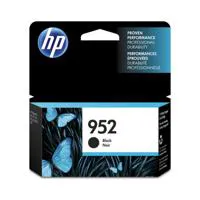
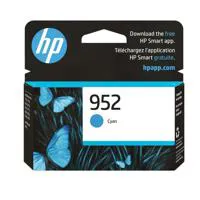
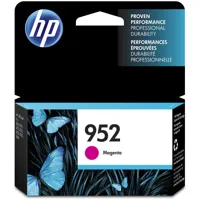
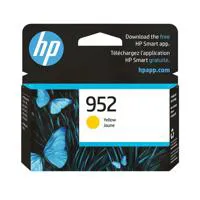
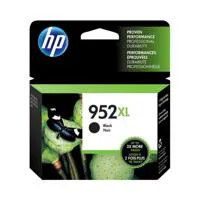
Winston L : What are the INK cartridges?CHRISTOPHER A : HP952

Reviews about this item

Review Summary

2024-06-23T20:00:00

Rated 5 out of 5

Quick and Easy

Quiet and dependable this machine is very easy to use. You will like it.

MEDIC33450

2024-06-13T20:00:00

Rated 5 out of 5

Excellent Printer

Excellent printer fairly easy to use, very easy setup

Wiggins77

2024-05-12T20:00:00

Rated 5 out of 5

Good printer

Easy to set up, quiet and works well

Excel

2024-04-15T20:00:00

Rated 5 out of 5

HP OfficeJet Pro 7740 Wide Format All-in-One Print

Other than initial installation problems, the printer is working well.

RobNet

2024-01-26T19:00:00

Rated 5 out of 5

Great but .....

Rather impressive printer, though rather large, make sure you have space for it. Prints 11 X 17 without a problem. If you print a lot of items, this is a good choice. Only disappointment is that they will not cover it in the instant ink plan just because it will print 11 X 17 paper. If that is the concern, then charge a little more to cover for the extra ink needed.

Fireboss

2024-01-24T19:00:00

Rated 5 out of 5

Great home office printer

Setup was a breeze and the performance and speed far surpass the printers I've used from Epson and Brother.

Perry W.

2023-12-28T19:00:00

Rated 5 out of 5

Great Printer/Scanner

The print quality is excellent, scanning is quieter than previous OfficeJets I have had.

Toligar

2023-12-18T19:00:00

Rated 5 out of 5

Officejet Pro 7740

Good printer. Ordering from website was good. Shipped very fast

Mark S.

2023-12-14T19:00:00

Rated 5 out of 5

Just what I need

Excellent multi-function printer with wide format printing and scanning for a creative services business!

LGS1

2023-12-01T19:00:00

Rated 5 out of 5

Outstanding Customer Service and great product from HP

I was shopping the online "big box" stores for a printer that did special photo printing for air photos, which are very tricky (you usually need the original photos, which are no longer available. One of the major magazines even gave a suggestion for a particular printer. I also needed a high-volume printer to do mass output. Reading the specs of the recommended printer, it could do the output but it wasn't clear it had the technical capabilities we needed. There wasn't enough information on the recommender's website. Finally, I called HP. I was surprised at how much help I received from HP! The Customer Service representative in Idaho was fantastic! She understood my highly technical issue and knew that the recommended printer would not satisfy that need. She pointed me to two alternative printers, one for each need. The best part - the two printers together would cost less than the one I was looking at it that wouldn't do both things. She even explained why the more expensive printer wouldn't do. It had other features that I didn't need that cost extra. The recommending website didn't even understand that. Thank you, HP, and thank you Mary Hildreth in Idaho for such outstanding customer service!

hillbillyp

2023-11-25T19:00:00

Rated 4 out of 5

HP OfficeJet 7740 Wide-Format AIO

The printer is very good and was easy to install and setup. The only issue is that the lower paper drawer remains open if you place 11x17 paper into it. The printer is made to handle that size and prints well on it but the lower paper tray does not close when that size paper is in that tray. The tray stays open about 3-4 inches which allows dust to get into the paper tray.

Fred B.

2023-11-17T19:00:00

Rated 5 out of 5

Very good printer

It replace a similar printer so I know it. It's wonderful printer because of is wide format so you can do almost everything with it. I had the old one for 8 years.

Inter684

2023-11-11T19:00:00

Rated 3 out of 5

My new printer

I have not opened the box yet. I believe that it was sold to me under false pretenses. Almost as soon as the purchase was made, my original printer that had mysteriously stopped printing with blue screen/error message began to work again. This was also after I spent 1hr&57min on the so called HP "help-line". Wow!

JSRL

2023-11-09T19:00:00

Rated 4 out of 5

Good While It Lasts :)

Replacing a 3.5 year old same model - plastic roller parts & hinge on printer cover broke. In spite of that we chose to purchase another one since the print quality is very good, particularly for the 11x17 landscape designs I print for my business. It scans multiple pages in the feeder well too, although they're often slightly crooked. Wireless easy to setup w/computers, simple to save to thumbdrive, HP Smart helpful app, controls are intuitive. Overall we're happy with it.

Delachance

2023-10-28T20:00:00

Rated 1 out of 5

Poor design

Poor Design, 11x17 tray sticks out and is exposed. ADF does not support 11x17. Correct software is difficult to find and wonky.

Tbone4253

2023-10-25T20:00:00

Rated 5 out of 5

Wide Format

It works just fine and does what is advertised. I have only had it for a little over a week, but so far so good.

Chuck H.

2023-10-10T20:00:00

Rated 5 out of 5

HP OfficeJet Pro 7740

Excellent functioning printer. Print quality is perfect. Scanning quality is perfect. This is my second one of these HP printers, one for home office and one for our office. I've owned multiple other printers. Nothing else compares, particularly for Tabloid size printing and in color.

Scruggies

2023-10-02T20:00:00

Rated 1 out of 5

Terrible producet

The scanner gets stuck every time you need to scan.

Tikitoo

2023-10-01T20:00:00

Rated 1 out of 5

Multiple Disappointments

1. I did not know the printer did not qualify for Instant Ink when purchasing. 2. It will ONLY take HP ink cartridges. Why since It's not eligible for Instant Ink? I don't even care if it voided the warranty. I would be spending so much on ink that I may as well buy a new printer. 3. The 11x17 tray design is aweful. If you wanted to treat it as a temporary tray, treat it like a copier to feed the paper as needed. But to have a tray that takes 11x17 but it has to stick out if you want to leave paper in it, is one of the worst designs I've seen. I've owned many HP printers over the last 20+ years. 4. Periodically, the printer is not recognized by my computer or smart app. I have NEVER had this problem with other printers. 5. All new OfficeJet printers seem to print last page face up first. ending with the first page face up. Any subsequent print job will be on top rather than after. This is a problem when printing back-to-back jobs that are supposed to be in order. It creates a lot of back and forth.

ar1973

2023-09-20T20:00:00

Rated 5 out of 5

satisfied

Great printer Wireless setup was extremely easy to setup.The one negative is: I have problems dealing with touch screens in general, this touch screen is no exception. It is nearly impossible for me to get to do what I want it to do on the first attempt. I usually have to make 6 to 12 attempts before I am successful.

CWMJr

2023-09-13T20:00:00

Rated 1 out of 5

Instant Ink

Printer is fine. I have two issues which resulted in the one star. 1. No matter what I try, it is impossible to link the printer to the HP Smart account. The printer shows in the HP app, shows online but refuses to show in account. Tried a factory reset as per support, no joy. Wasted way too much time on this. 2. Instant ink.. transpires this model is not eligible for this service. BUT you only find this out after going through the whole enrollment process, a process that is offered on both the online account page and the HP app. Both know exactly what printer I have. Had to spend more time with support to confirm that I would not be billed. Someone in HP needs to review how there software works, or does not. It can not be that hard to to include decision trees to ensure that only compatible printers are offered the service. Save future customers valuable time.

C.J.D

2023-09-08T20:00:00

Rated 5 out of 5

Founder/CEO

I'm a Notary Public and I like that the AIO is able to do all the things I need for my space business uses such as copying and scanning pages all at one time.

ReZults

2023-09-01T20:00:00

Rated 3 out of 5

Difficult setting it up

It has been very difficult to get it set up and printing correctly. First it wouldn't connect to the wifi. I got that solved, then it wouldn't print anything but the first few lines of a document. I fixed that. Now it won't print the top of documents that I need to print double-sided. I still haven't figured that one out. And it is very important for my work that it able to print double-sided.

Bronson14

2023-08-23T20:00:00

Rated 4 out of 5

Field printer for construction project

Printer works well, not very good instructions , but a little trial and error and it will set up fine

Rootman-DR

2023-08-19T20:00:00

Rated 4 out of 5

Kudos and brickbats.

Set up for iPhone and iPad to date has not worked.

Ascendant I.

2023-08-11T20:00:00

Rated 5 out of 5

Hp 7740

Great product ??

Dstrsic

2023-08-10T20:00:00

Rated 4 out of 5

Nice but a bummer about the 11x17 paper tray.

So far, it is meeting my expectations. I must say I am disappointed in the 11x17 tray that it sticks out. It looks unprofessional and allows for dust to get into the drawer. There should at least be a cover attachment to place over the open tray. The option is to not keep paper in the tray until needed. I may have chose a different printer had this been disclosed.

Chelleross

2023-08-05T20:00:00

Rated 1 out of 5

Not Happy

I love the printer but I found out the hard way that it is not compatible with 5 ghz wi-fi. I spent hours on the phone with tech support and they concluded that the wi-fi access to the printer will only work with 2.4 ghz. I am going to use it with a USB cable. This is not what I prefer, but I need the wide format printer.

Einstein922

2023-07-25T20:00:00

Rated 4 out of 5

Jet Pro 7740

Very satisfied with my purchase.

Fran S.

2023-07-23T20:00:00

Rated 3 out of 5

NO INK

There was barely any ink in the cartridges and this office jet pro is "not eligible" for the ink subscription. We also have had more paper jams in a short amount of time than we ever had with the Office Jet 9010 all in one. All the printers should qualify for the instant ink. Total inconvenience.

Cindee

Select a plan in the Add Protection section above and purchase with this product by clicking “Add to Cart”.

image-protection

TRUSTED PROTECTION PLANS, EXCEPTIONAL SERVICE.

Invest In Your Gear and Peace Of Mind!

Accidents happen where life happens. Protect your favorite Adorama products and purchase a protection plan to stay covered from accidental damage, mechanical or electrical failure, and more.

Repair or Replacement

Repair or Replacement

If we can’t fix it, we’ll replace it at no additional cost.

Accidental Damage

Accidental Damage

Protect your product from drops, spills, and more.

Peace of Mind

Peace of Mind

Enjoy your gear without fear. We have you covered!

Malfunction Protection

Malfunction Protection

When regular use of your product over time results in mechanical or electrical failure.

Zero Deductible

Zero Deductible

We will never charge you a deductible after the purchase of a plan.

Customer-Focused Support

Customer-Focused Support

Our claims process is simple & easy and our customer service team is happy to help.

Adorama Protect powered by Extend is available for purchase to customers in the United States. Not available for purchase Internationally or in U.S. Territories.

HP OfficeJet Pro 7740 Specifications

Functions

Functions

Jump to...
  • Functions

    Print, copy, scan, fax

  • Multitasking supported

    Yes

  • Print speed black

    ISO: Up to 22 ppm
    Draft: Up to 34 ppm

  • Print speed color

    ISO: Up to 18 ppm
    Draft: Up to 34 ppm

  • First page out (ready)

    Black: As fast as 9 sec
    Color: As fast as 10 sec

  • Duty cycle (monthly, A4)

    Up to 30,000 pages

  • Recommended monthly page volume

    250 to 1500

  • Print technology

    HP Thermal Inkjet

  • Print quality (best)

    Color: Up to 4800 by 1200 optimized dpi on HP Advance Photo Paper 1200 by 1200 dpi input
    Black: Up to 1200 x 1200 rendered dpi

  • Display

    2.65" (6.75cm) LCD with TouchSmart Frame

  • Processor speed

    1.2GHz

  • Number of print cartridges

    4 (1 each black, cyan, magenta, yellow)

  • Print languages

    HP PCL 3 GUI, HP PCL 3 Enhanced

  • Automatic paper sensor

    No

  • Replacement cartridges

    HP 952 Black Ink Cartridge ((Approx.) 1000 pages)
    HP 952 CMY Ink Cartridge ((Approx.) 700 pages)
    HP 952XL Black Ink Cartridge ((Approx.) 2000 pages)
    HP 952XL CMY Ink Cartridge ((Approx.) 1600 pages): HP 956XL Black Ink Cartridge ((Approx.) 3000 pages)
    HP 956XL Black Ink Cartridge ((Approx.) 3000 pages)

Connectivity

Jump to...
  • HP ePrint capability

    Yes

  • Mobile printing capability

    HP ePrint
    Apple AirPrint
    Mopria-certified
    Wireless direct printing
    Google Cloud Print

  • Wireless capability

    Yes, built-in Wi-Fi 802.11 b/g/n

  • Connectivity, standard

    1 USB 2.0 with compatibility with USB 3.0 devices
    1 Host USB
    1 Ethernet
    1 Wireless 802.11b/g/n
    2 RJ-11 modem ports

  • Connectivity, optional

    No

  • Minimum system requirements

    Windows 10, 8.1, 8, 7: 32-bit or 64-bit, 2GB available hard disk space, CD-ROM/DVD drive or Internet connection, USB port, Internet Explorer. Windows Vista: (32-bit only), 2GB available hard disk space, CD-ROM/DVD drive or Internet connection, USB port, Internet Explorer 8. Windows XP SP3 or higher (32-bit only): any Intel Pentium II, Celeron or 233 MHz compatible processor, 850MB available hard disk space, CD-ROM/DVD drive or Internet connection, USB port, Internet Explorer 8

  • Minimum system requirements (Cont.)

    OS X v10.11 El Capitan, OS X v10.10 Yosemite, OS X v10.9 Mavericks, 1GB HD
    Internet
    USB

  • Compatible operating systems

    Windows 10 (32-bit and 64-bit), Windows 8.1 (32-bit and 64-bit), Windows 8 (32-bit and 64-bit), Windows 7 (32-bit and 64-bit), Windows Vista (32-bit and 64-bit), Windows XP (32-bit) (Professional and Home Editions)
    Mac OS X v 10.8, v 10.9, v 10.10, v 10.11 or v 10.12
    Linux

  • Memory card compatibility

    Support Thumb Drive

  • Memory, standard

    512MB

  • Maximum Memory

    512MB

Paper handling

Jump to...
  • Paper handling input, standard

    250-sheet input tray, 250-sheet plain paper tray

  • Paper handling input, optional

    No

  • Paper handling output, standard

    75-sheet output tray

  • Maximum output capacity (sheets)

    Up to 75 Asize sheets, Up to 50 Bsize sheets

  • Duplex printing

    Automatic

  • Media sizes supported

    Letter
    Legal
    Government Legal
    Executive
    Statement
    3 x 5 in
    4 x 6 in
    5 x 7 in
    8 x 10 in
    L
    Photo 2L
    Envelope (#10, Monarch)
    Card (3 x 5 in, 4 x 6 in, 5 x 8 in)
    Tabloid (11 x 17 in)

  • Media sizes, custom

    Tray 1: 3 x 5 to 11.7 x 17 in
    Tray 2: 8.5 x 11 to 11.7 x 17 in

  • Media types

    Plain; HP EcoFFICIENT; HP Premium Presentation Matte 120g; HP Tri-fold Brochure Glossy 180g; HP Brochure Matte 180g; HP Brochure Glossy 180g; HP Advanced Photo Papers; Light 60-74g

  • Barcode scanner

    16 to 28 lbs, bond

  • Borderless printing

    Yes (up to A3/11 x 17-in)

  • Scanner type

    Flatbed, ADF

  • Scan file format

    Scan File Type supported by Software: Bitmap (.bmp), JPEG (.jpg), PDF (.pdf), PNG (.png), Rich Text (.rtf), Searchable PDF (.pdf), Text (.txt), TIFF (.tif)

  • Scan resolution, optical

    Up to 1200 dpi

  • Bit depth

    24-bit

  • Scan size, maximum

    297 x 432 mm

  • Scan size (ADF), maximum

    Two-sided (Duplex): 210 x 297 mm; One-sided: 216 x 356 mm

  • Automatic document feeder capacity

    Standard, 35 sheets

  • Digital sending standard functions

    Scan to PC
    Scan to Memory Device
    Scan to email

  • File Format Supported

    PDF
    TIFF
    JPEG

  • Scan input modes

    Front-panel scan, copy, fax, or from software

  • Copy speed (draft)

    Black: Up to 33 cpm
    Color: Up to 31 cpm

  • Copy resolution (black text)

    Up to 600 dpi

  • Copy resolution(color text and graphics)

    Up to 600 dpi

  • Copy reduce / enlarge settings

    25 to 400%

  • Copies, maximum

    Up to 99 copies

  • Faxing

    Yes, color

  • Fax transmission speed

    4 sec per page

  • Fax memory

    Up to 100 pages

  • Fax Resolution Black (best)

    Up to 300 x 300 dpi

  • Fax Speed Dials, Maximum Number

    Up to 99 numbers

  • Fax Broadcast Locations

    No

Power and operating requirements

Jump to...
  • Power

    Input voltage: 100 to 240 VAC (+/- 10%), 50/60 Hz

  • Power consumption

    37 watts maximum, 0.20 watts (Manual-Off), 6.5 watts (Standby), 1.47 watts (Sleep)

  • Energy efficiency

    ENERGY STAR qualified
    EPEAT Silver

  • Blue Angel compliant

    Yes
    Blue Angel RAL-UZ 205

  • Operating temperature range

    5 to 40 deg. C (41 to 104 deg. F)

Software

Jump to...
  • Software included

    HP Dropbox
    HP Google Drive
    Microsoft DotNet

General

Jump to...
  • Dimensions (WxDxH)

    Minimum: 23 x 18.38 x 15.10" (58.42 x 46.69 x 38.35cm)
    Maximum: 23 x 28.06 x 15.10" (58.42 x 71.27 x 38.35cm)

  • Weight

    42.9 lbs (19.46kg)

11 Accessories for HP OfficeJet Pro 7740 Wide Format Wireless All-In-One Thermal Inkjet Printer - Print, Copy, Scan, Fax

  • All Accessories (11)
  • Ink & Toner (5)
  • Copy Paper (1)
  • Cleaning Accessories (2)
  • Cables & Adapters (3)

About HP OfficeJet Pro 7740

FEATURED REVIEWS

Amazing wide format home office printer

By MelleTX

This is an amazing home office printer at an excellent price. I typically work with large spreadsheets so the ability to print 11x17 in my home office is worth every penny. The price was great and ordering from HP is always quick and easy.

Best Ever larger format printer!

By JSizemore

I've had a lot of HP printers from Deskjet 500 series to 3100 AIO, by far the OfficeJet Pro 7740 wide format AIO printer provides the best balance for end of office and in an office solution for letter to A3 paper sizes. Printouts are great, fast, multi paper trays are a great feature to have, and the printer for all the features has the right size package. Fits well within the office, and is stylish for a nice fit around the office. Great job HP designers!

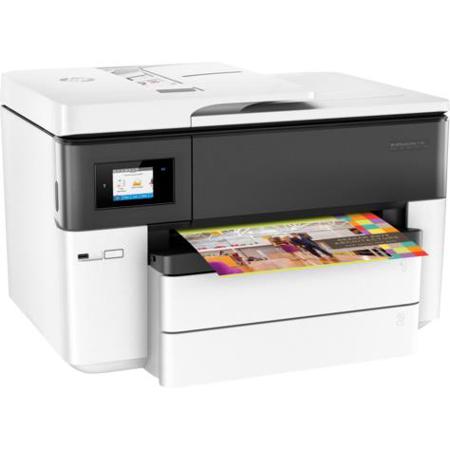
Where high-quality printing meets versatility, the OfficeJet Pro 7740 Wide Format Wireless All-In-One Thermal Inkjet Printer stands out. This dynamic, security-enabled printer is designed to deliver standout color prints on sizes up to 11 x 17 inches (A3), making it perfect for bold documents and presentations. With the ability to print at up to 50% less cost per page than color laser, it's an economical choice for businesses of all sizes.

The OfficeJet Pro 7740 doesn't just print - it also scans, copies, and faxes, making it a versatile addition to any office. It can fax documents up to 8.5 x 14 inches (21.6 x 35.6 cm), and is designed to be used with cartridges featuring an HP original chip for optimal performance.

This printer is equipped with high-impact 11 x 17-inch printing capabilities, automatic two-sided printing, and fast print speeds. The 35-page auto document feeder handles documents up to legal size (8.5 x 14 in), allowing you to finish duplex jobs quickly. The smartphone-style color touchscreen offers timesaving shortcuts, and the printer's paper capacity can be increased to 500 sheets with the included second 250-sheet paper tray.

The OfficeJet Pro 7740 is designed to help your business present professionally and affordably. It can create vibrant color graphics and deep black text on a variety of papers from letter to tabloid (A3). The prints are water-, smear-, and fade-resistant, standing up to highlighters and ensuring longevity. With optional Original HP high-yield ink cartridges, you can print more black text and color pages.

The printer also offers easy mobile printing. You can effortlessly print documents from your smartphones and tablets, whether they're Apple, Android, or Windows devices. The wireless connectivity allows everyone in the office to print conveniently. Plus, with the HP All-in-One Printer Remote mobile app, you can easily manage printing tasks and scan on the go. The printer also features HP JetAdvantage Private Print to help protect information and access to confidential print jobs.

HP OfficeJet Pro 7740 Features

  • High-impact 11 x 17 inch printing
  • Automatic two-sided printing, fast print speeds, and an auto document feeder help ease your day
  • Increase paper capacity to 500 sheets with the included second 250-sheet paper tray
  • Tap and swipe the smartphone-style color touchscreen for timesaving shortcuts
  • The 35-page ADF handles documents up to legal size (21.6 x 35.6 cm), so you finish duplex jobs quickly
  • Present professionally. And affordably
  • Create vibrant color graphics and deep black text on a variety of papers from letter to tabloid (A3)
  • Help your business stand out with borderless, double-sided marketing materials
  • Print more black text and color pages with optional Original HP high-yield ink cartridges
  • Produce water-, smear-, and fade-resistant prints that stand up to highlighters
  • Easy mobile printing
  • Easily print documents and more from your smartphones and tablets, whether Apple, Android, or Windows.
  • Help protect information and access to confidential print jobs with HP JetAdvantage Private Print
  • Easily manage printing tasks and scan on the go with the HP
  • All-in-One Printer Remote mobile app
  • Easily connect this all-in-one with wireless devices, so everyone in the office can print conveniently

Product Documents

User Manual

Key Features

  • Create vibrant, wide-format prints up to 11x17 with this HP OfficeJet Pro printer.
  • Boost office productivity with fast print speeds of up to 22 ppm in black and 18 ppm in color.
  • Easily print from your mobile device using HP ePrint, Apple AirPrint, or Google Cloud Print.
  • Reduce ink costs with high-yield HP ink cartridges for professional-quality documents.
  • Scan, copy, and fax with ease using the 35-sheet automatic document feeder (ADF).
  • Enjoy automatic duplex printing to save paper and reduce your environmental impact.

What's in the box:

  • HP OfficeJet Pro 7740 Wide Format Wireless All-In-One Thermal Inkjet Printer
  • HP 952 Setup Black OfficeJet Ink Cartridge ((Approx.) 1000 Pages)
  • HP 952 Setup Cyan OfficeJet Ink Cartridge ((Approx.) 625 Pages)
  • HP 952 Setup Magenta OfficeJet Ink Cartridge ((Approx.) 625 Pages)
  • HP 952 Setup Yellow OfficeJet Ink Cartridge ((Approx.) 625 Pages)
  • Power Cord
  • Phone Cord
  • Setup CD-ROM
  • Setup Poster
  • Getting Started Guide
  • Readiris Pro 14 OCR Software Disk
  • HP 1 Year Limited Warranty