Orders placed during Passover Holiday (Wed 4/1 after 4PM ET – Thurs 4/9) will ship Fri 4/10. View our holiday shipping schedule.
This item is no longer available.
The OfficeJet Pro 8025e has a printing speed of up to 20 pages per minute.
This printer is designed to work exclusively with cartridges that have new or reused HP electronic circuitry.
The OfficeJet Pro 8025e offers features like an automatic document feeder, scan-to-email, mobile printing via the HP Smart app, and automatic two-sided printing.
The HP+ Smart Printing System is a feature that keeps the printer up-to-date and ready to print. It also includes the first six months of Instant Ink.
Yes, the OfficeJet Pro 8025e is made from recycled plastic and offers net zero-deforestation prints and closed-loop cartridge recycling.
Review Summary
2024-04-27T20:00:00
Easy setup
Jovan

2024-04-05T20:00:00
This printer uses a lot of ink cleaning print heads. I received this printer 2 months ago and already emptied first said of ink cartridges. Printed less than 15 pages. Every time I use the printer it runs a print head cleaning and apparently is using a lot of ink. This is not a good printer for occasional printing. And Replacement cartridges are very coarsely.
Printer J.

2024-03-23T20:00:00
Very happy with the HP desktop printer purchased last month. Easy to install and operate. Has lots of great features.
Giammam

2024-02-25T19:00:00
Excellent support offered.
Happiness

2024-02-12T19:00:00
Works as described, just wondering why colour cartridge went from all in one to three separate cartridges of colour.
Pete C.

2024-02-09T19:00:00
It's very nice
Mohs

2024-02-08T19:00:00
Great printer, easy to set up. User friendly.
Lola12345

2024-02-07T19:00:00
Great printer and price.
TroyGT

2024-02-06T19:00:00
Long term HP client
GMcKae

2024-02-06T19:00:00
This brand new unit failed to operate just 2 days after installation
poor p.

2024-02-04T19:00:00
Its a good choice
Jack4jack

2024-02-01T19:00:00
Had to download a scanning program for that feature to work. HP should have this already functional in the printer since labelled "all in one". However scan driver won't work with document feeder, and it is missing a USB port.
JenksP

2024-01-30T19:00:00
Easy set up.. I just followed the directions, carefully.
Npgh

2024-01-25T19:00:00
fast and crisp great colot
BigAlec

2024-01-24T19:00:00
Excellent service
PremSDev

2024-01-23T19:00:00
Works well. Good print quality. Recommend.
Diane G.

2024-01-21T19:00:00
First time purchasing a HP product. Arrived on time, easy to install, works great.
Annie56

2024-01-21T19:00:00
Excellent high-quality printing and other functions, too. Easy to set-up.
Hank5242

2024-01-20T19:00:00
I TRULY LOVE MY HP OFFICEJET PRO 8025 E IT LOOK GREAT DOES VERY THING I WANT FOR MY PRITING NEEDS
ALAN1024

2024-01-19T19:00:00
modern technology takes awhile to get set up
Fresan

2024-01-18T19:00:00
The person from HP who walked us through the process was fantastic..... very helpful.
Marion W.

2024-01-15T19:00:00
Print quality is good.. Paper trey is clumsy and hard to use.
xhgm

2024-01-11T19:00:00
This printer is very good quality and easy to set up. There could be some slight improvement to the tray table. Liking it a lot.
CT C.

2024-01-03T19:00:00
I have used this printer for several weeks now and I find it to be wonderful. There was software issue at the very beginning but a live call with support cleared all that up. I am loving its performance so far.
cornflake73

2023-12-29T19:00:00
We recently bought a new HP OfficeJet Pro 8025e printer online. I am partial to HP Printer's, as our old HP Printer lasted nine years! I was surprised that the new printer only cost $25 more than the old one. It was relatively easy to set up and get connected to the Wi-Fi. I had one small problem, but a phone call to HP customer service took care of that very quickly. I also like the HP Instant ink program. They monitor the ink usage, and send you replacement cartridges in the mail. This makes things so much easier and efficient.
Bobby Z.

2023-12-26T19:00:00
Printer is fine so far, the amount of emails I have received from hp has been insane though.
Deathby1000emails

2023-12-25T19:00:00
Printer did not work out of the box. Tried to get a replacement under the 3 year care package I purchased with the printer. HP would not honor it, I spent over 5 hours on the phone trying to resolve. The 3 year care package I purchase is supposed to give me next day replacement. I called about the problem 10 days ago and still no replacement.
ColP

2023-12-24T19:00:00
have sent item back. tech support couldn't correct the problem after 3 tries. worst HP item I have ever had.. who writes a program they can't make changes to or correct problems
T G.

2023-12-22T19:00:00
Shipping was quick and trouble free. The printer was a replacement for an older OfficeJet and the installation and connection was easy.
Paul C.

2023-12-18T19:00:00
I like the new style of this printer. Easy set up and works great.
HenryinFLA

Accidents happen where life happens. Protect your favorite Adorama products and purchase a protection plan to stay covered from accidental damage, mechanical or electrical failure, and more.
If we can’t fix it, we’ll replace it at no additional cost.
Protect your product from drops, spills, and more.
Enjoy your gear without fear. We have you covered!
When regular use of your product over time results in mechanical or electrical failure.
We will never charge you a deductible after the purchase of a plan.
Our claims process is simple & easy and our customer service team is happy to help.
Adorama Protect powered by Extend is available for purchase to customers in the United States. Not available for purchase Internationally or in U.S. Territories.
Browse our FAQ
Print, Copy, Scan, Fax
Up to 10 ppm
(Ready) Black: As Fast As 13 Sec
(Ready) Color: As Fast As 16 Sec
(Black): 1200 x 1200 Rendered dpi
Resolution (Color): Up to 4800 x 1200 Optimized dpi On HP Advance Photo Paper 1200 x 1200 dpi Input
HP Thermal Inkjet
Up to 20,000 Pages
Up to 800 Pages
HP Thermal Inkjet
2.7" (6.86cm) Capacitive Touchscreen CGD (Color Graphic Display)
1.2 Ghz
4 (1 Each Black, Cyan, Magenta, Yellow)
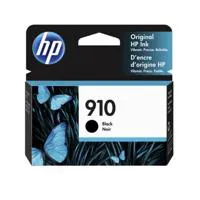
HP 910 Black Original Ink Cartridge (300 Pages) 3YL61AN
HP 910 Cyan Original Ink Cartridge 3YL58AN
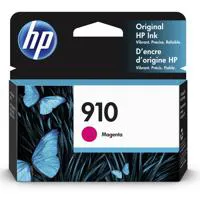
HP 910 Magenta Original Ink Cartridge 3YL59AN
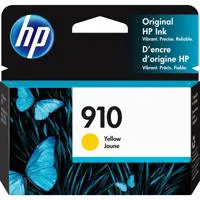
HP 910 Yellow Original Ink Cartridge 3YL60AN (CMY Composite 315 Pages)
HP 910XL Black Original Ink Cartridge (825 Pages) 3YL65AN
HP 910XL Cyan Original Ink Cartridge 3YL62A
HP 910XL Magenta Original Ink Cartridge 3YL63A
HP 910XL Yellow Original Ink Cartridge 3YL64AN (CMY Composite Pages 825)
HP 916XL Black Original Ink Cartridge 3YL66AN (1,500 Pages)
Pigment-Based (Black and Color)
HP PCL3 GUI
No
1
Chrome OS
HP Smart App
Apple Airprint
Wi-Fi Direct Printing
Mopria Certified
1 USB 2.0
1 Ethernet
1 Wireless 802.11a/B/G/N
1 RJ-11 Fax
SSL/TLS (HTTPS)
IPP Over TLS
802.1x Authentication For Ethernet (PEAP And EAP-TLS)
WPA2-Enterprise
WPA2-Personal
Certificates Configuration
Control Panel Lock
Password Protect EWS
Unused Protocol And Service Disablement
Signed Firmware
Administrator Settings
256 MB
Macos V10.14 Mojave
Macos V10.15 Catalina
Macos V11 Big Sur
2 GB HD
Internet Required
Windows 10, 7: 32-Bit Or 64-Bit
2 GB Available Hard Disk Space
Internet Connection
Internet Explorer
Windows 11
Windows 10
Windows 8
Windows 7
Windows Server
Chromeos
9100
LPR
SNMP
SLP
Internet Printing Protocol (IPP)
WS-Print
Wireless
225-Sheet Input Tray, 35-Sheet ADF
60-Sheet Output Tray
Automatic (Standard)
Up to 10 Envelopes
Yes, On Photo Paper Only, Up to 8.5 X 11 In (US Letter), 210 X 297 Mm (A4)
Sheet Feed
Letter
Legal
Government Legal
Executive
Statement
4 x 6"
5 x 7"
13 x 18cm
8 x 10"
10 x 15cm
L
Photo 2L
Envelope( #10, Monarch, 5.5 Bar)
Card (4 x 6", 5 x 8")
Tray 1: 3 x 5 to 8.5 x 14"
Plain Paper
HP Photo Papers
HP Matte Brochure Or Professional Paper
HP Matte Presentation Paper
HP Glossy Brochure Or Professional Paper
Other Photo Inkjet Papers
Other Matte Inkjet Papers
Other Glossy Inkjet Papers
Thick Plain Paper
Light/Recycled Plain Paper
HP Tri-Fold Brochure Paper
Glossy
16 to 28 Lb (Plain Paper)
60 to 75 Lb (Photo)
20 to 24 Lb (Envelope)
90 to 110 Lb (Card)
16 to 28 Lb (Plain Paper)
60 to 75 Lb (Photo)
20 to 24 Lb (Envelope)
90 to 110 Lb (Card)
Flatbed, 1-Sided ADF
JPG
BMP
TIFF
PDF
RTF
TXT
PNG
Up to 1200 dpi
Flatbed: 8.5 x 11.7"
ADF: 8.5 x 14"
Standard, 35 Sheets
Scan to Thumb Drive/PC
PDF
TIFF
JPEG
Black Text: Up to 600 dpi
Color Text And Graphics: Up to 600 dpi
25 to 400%
Up to 99 Copies
Yes, Color
4 Sec per Page
Up to 100 Pages
Up to 300 x 300 dpi
Up to 99 Numbers
20
Input Voltage: 100 to 240 VAC (+/- 10%), 50/60 Hz
Up to 21 Watts (Printing)
5.80 Watts (Ready)
1.00 Watts (Sleep)
0.08 Watts (Manual-Off)
EPEAT Silver
41 to 104 Degree F
20 to 75% RH
HP Printer Software
Shop for Supplies Online
The HP Officejet Pro 8025e is Made from Recycled Printers and other Electronics more than 15% by weight of Plastic
18.11 x 13.43 x 9.21" (25.99 x 34.11 x 23.39cm)
Maximum: 18.12 x 20.13 x 9.17" (46.25 x 51.13 x 23.29cm)
18.04 lbs (8.34kg)
195122441593


Best Money Spent on a Printer
By AlyssaD
I absolutely love this printer. You can control it from an app on your phone and computer, which shows you when the ink is running low AND give you options to ship ink automatically for pretty cheap. The setup is so easy and it prints lightening fast. I'm used to waiting forever for printers to turn on and start running, but this thing is seriously so fast. I've had it for about 9 months and I can honestly say I'm still totally satisfied with this thing. 10/10!
Perfect for home office
By Shoop
Easy to set up (and I am very non-tech); nice compact size; quality printing and scanning.
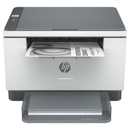
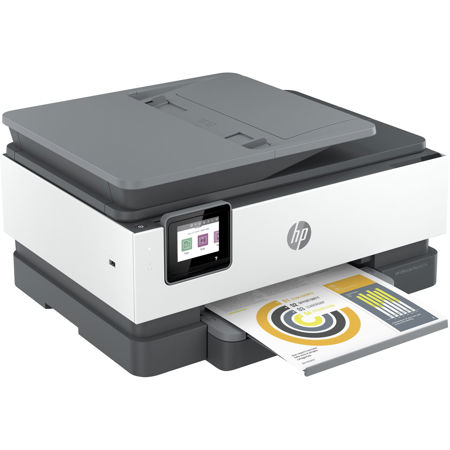
Before you settle for any printer, consider the OfficeJet Pro 8025e Wireless Duplex All-In-One Color Thermal Inkjet Printer. This revolutionary device offers swift printing speeds of up to 20 pages per minute and features automatic two-sided printing for enhanced productivity. It's not just a printer; it's an all-in-one solution that allows you to print, scan, copy, and fax with tap-and-swipe ease on a color touchscreen.
This printer is designed to work exclusively with cartridges that have new or reused HP electronic circuitry. Its dynamic security measures block cartridges using modified or non-HP circuitry, ensuring optimal performance and longevity. With periodic firmware updates, these security measures remain effective, allowing for the use of reused, remanufactured, and refilled cartridges.
The OfficeJet Pro 8025e is an eco-friendly choice, constructed from recycled plastic. It's equipped with the HP+ Smart Printing System, which keeps the printer up-to-date and ready to print. The first six months of Instant Ink are included with the activation of HP+, ensuring you never run out of ink when you need it most.
Experience the convenience of mobile printing and elevate your productivity with features like an automatic document feeder and scan-to-email via the HP Smart app. This printer simplifies repetitive tasks with Shortcuts, allowing you to scan to the cloud, email, and more in just a tap. Work fast and hands-free with the 35-page auto-feeder and enjoy automatic two-sided printing.
The OfficeJet Pro 8025e is designed to save you time and make printing brilliantly simple. It offers advanced productivity features for two years with HP+, and puts our planet first with net zero-deforestation prints and closed-loop cartridge recycling.
With the HP Smart app, you can print and scan from anywhere, receive helpful notifications, and rely on chatbot support. The printer's self-healing Wi-Fi ensures reliable connections and reduces interruptions, while its security essentials help maintain privacy and control. Share resources easily with wireless networking and enjoy the convenience of smart ink cartridge delivery with Instant Ink. This printer truly offers a comprehensive, eco-friendly, and efficient printing solution.