



This item is no longer available.
Review Summary
2013-03-06T19:00:00
My printer shows the Bluetooth connection but neither my iPad or iPhone will show a new Bluetooth device . I have checked all settings but still nothing. My printer dose have a Bluetooth menu so I'm not sure why it will not be recognized . I guess you get what you pay for.
Mike65

2013-02-09T19:00:00
I couldn't use this product as it was incompatible with the new HP desktop I had just purchased. Had to return it.
Susan1973
2013-02-08T19:00:00
I have tried for several hours to install this product and have not yet succeeded. I had hoped that my owming an HP desktop computer would minimize connection and installation problems between the computer and the Bluetooth adapter. But so far, no luck. The screens that the manual and the instructions say will pop up do not pop up. One screen says the installation is complete but the adpater icon does not appear in my system tray where the instructions say it will be. Thus, I cannot go further into the installation. The installation procedure starts with a DVD and the manual says to wait until the DVD instructs you to plug the adapter into the USB port. But no such instruction ever appears. As a result, the installation shuts down because it says it is unable to find the installed hardware. So I tried to put the adpater into the USB port first and then run the DVD. This seems to get me further into the installation process (although the My Computer listing does not show anything plugged into any of my drives). But I always end up with a screen telling me that the installation cannot find an available port that it not open on my computer. My computer shows I have 33 serial ports available. I have tried to switch the port setting to each of these 33 ports. Each time, I get a screen saying that port is not available. That cannot be possible, as I have shut down every other program I am using and every connection to the internet while I am attemoting to install the product. There is a 66 page manual that comes with the software which I have downloaded and have found to be of no use in trouble shooting this problem. Not a good expereince and not at all what I expected from an HP product.
MrPC1266
2013-01-28T19:00:00
I can't evaluate this product objectively because I could never get it to work.
downer
2012-12-24T19:00:00
I bought this item to make my regular printer into a wireless printer. It didn't work at all.
NotwhatIthought
2012-12-22T19:00:00
I have had this for a few years and used it on several computers and operating systems and never had a problem. I am currently using it on a Dell XPS430 desktop running windows 8 and it is working just fine. I highly recommend this Bluetooth Adapter.
buckwldwd
2012-07-24T20:00:00
THE IDEA DEHIND THIS PRODUCT IS GREAT. iT WORKS GREAT WITH MY PHONE BUT WILL NOT WORK WITH MY LAPTOP DUE TO NON COMPATABLE WITH WINDOWS 7. SOME ONE NEED TO WORK THIS OUT. DUE TO THIS BEING THE PERMIER os
bestefa1
2012-06-03T20:00:00
I'm Not Sure Of Why I'm Unable To Activate Connection Between Lap Top & Printer?
Cootie
2012-03-20T20:00:00
Although I'm past 75, use a Mac, and am by no means beyond low intermediate skills, I managed to install and use this bluetooth adapter. I'll admit, I did have to read the instructions and follow them. I just thought that just went along with computer use.
Rdrunr
2012-03-07T19:00:00
I am able to connect a blue tooth device, but am unable to transfer the information directly to the printer. That very much disappointed me.
DonnaMae
2012-02-27T19:00:00
I love being able to print text and photos from the printer without having to download.
Pdavis
2012-02-08T19:00:00
I recently purchased a new HP laptop and had bought this bluetooth connector for my HP printer for my old HP computer that it worked great with. I bought a bluetooth connector for my new laptop and after hours of disappointment, I checked on here to find a solution and found the comment about that it doesnt work with Windows 7. Guess what program is on my new HP laptop ??? (WINDOWS 7) Rendering this $30 connector useless....I bought a 2.0 bluetooth adapter for my laptop - am I to understand that all i need is another one of these to be able to print wireless on my HP printer?
Shellfitz
2012-02-02T19:00:00
This Bluetooth is all that they said it would be. The instillation went smoothly and using it, couldn't be better. All you have to do is read the directions and follow what they saw. It is that simple. I was concerned about this device after reading what others and written. Glad I didn't let that change my mind.
0FlyBoy0
2012-01-26T19:00:00
"Print wirelessly, straight from your PDA, laptop, camera phone, or other Bluetooth-enabled device." Unless it's a bluetooth-enabled iOS device, such as iPhone or iPad, in which case - according to the support forums - it's not supported (even though iOS is a "Bluetooth-enabled device.") I'm very disappointed with this product. Given the number of iOS devices out there, it should be made clear it doesn't work - or even better, it'd be good if HP wrote a driver for the App Store so that it actually worked!
steward
2012-01-13T19:00:00
Provides bluetooth connectivity between my HP laptop w/o bluetooth & my fantastic new Jambox by Jawbone speakers!
Pondmanhank
2011-11-16T19:00:00
Difficult to configure and it simply doesn't work out of the box so now its sitting on my desktop doing nothing. Steve
danst01
2011-11-10T19:00:00
If your running windows7 don't bother buying this product outdated software. There are other places selling 3.0 adapters that have Win7 software for their product..
DeltaForce
2011-10-21T20:00:00
O don't know if its the hardware or the drivers but I have had numerous issues with this device.
nostrings
2011-10-13T20:00:00
Lets just say it came with a manual that every language in the world and the instructions in english were only one page and 3 lines......you can figure out what im thinking from there :(
dounloadin
2011-08-28T20:00:00
Sets up quickly and very reliable operation
Teknut
2011-08-26T20:00:00
This adapter was super easy to install and set up and it connects all of my Bluetooth devices.
TechSavyRN
2011-08-01T20:00:00
Works like it says. What else can you say about such a simple device, it has one purpose and that seems to work OKAY.
tgpifer
2011-07-27T20:00:00
I can't get the product to work, documentation isn't very helpful
Sanibelske
2011-06-04T20:00:00
The package states it has a 30 foot range but I have got my to work with no problem out to 100 feet. I find the interface nice and easy to use. I got this for my W408g cell phone for picture transfers but have found it nice for other things as well.
David2026
2010-12-12T19:00:00
HP needs to have a bluetooth adapter that works with Windows 7, 64 bit, if they are going to sell their new notebooks ONLY with W7, 64 bit!
Windows7Art
2010-08-04T20:00:00
I own the HP Officejet H470b printer. For a few months I kept it near my computer attached to a cable. I just purchased the HP bt500 and think this product is just great. For less than the price of a quality cable, you get so much. Besides eliminating the cost and mess of running cables it allows you to place your printer anywhere you want. Also it was very easy to install and use. I only pushed it into its little nook and a few clicks on the PC and thats it. This little device is very well worth its small price. I only wish I bought it sooner. Nice job HP. The Great CC
TheGreatCC
2010-07-16T20:00:00
How could it be possible that the device is plugged in, but the installation software won't recognize it? Totally frustrating that I've installed hundreds of software and I have to call technical help to install a Bluetooth device???? Maybe a little problem solving section on the instructions booklet instead of the 100's of languages it comes in. This is a total waste of time of my time.
Beaulieu99
2010-06-10T20:00:00
I live out in the boonies and my wireless connection stinks as is and I figured this would help but it doesn't.
soinlove
2010-01-14T19:00:00
I have issues printing from my 64 bit win 7 puter to my 32 bit W7 host sharing over ethernet. I was at a stalemate as far as where to go. My Photosmart c5580 is less than a year old, and i just could no justify replacing it. Compatability is lsited as far as Vista for the adapter, but I took a shot, and had the printer connected to by desktop in less than 5 minutes. Win 7 recognized the BT connection, and printed evem before I installed the drivers on my desktop... Gotta love it when something works right... AND easy breezy
sk205
2009-11-30T19:00:00
Exactly What I was looking for! Easy installation
TheBentley101
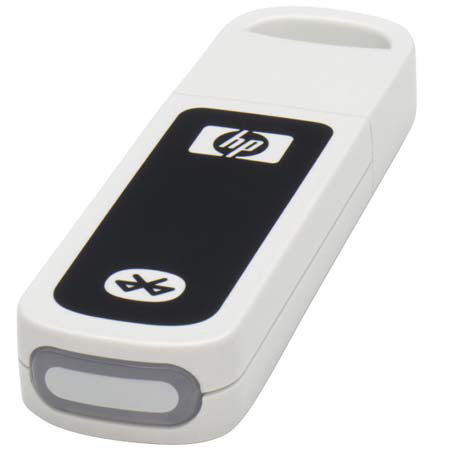
Print wirelessly, straight from your PDA, laptop, camera phone, or other Bluetooth-enabled device. Listen to music wirelessly from your PC (when using HP Bluetooth-enabled headphones) What can make this happen? The bt500 Bluetooth USB 2.0 Wireless Adapter.
Works with HP PCs, HP Bluetooth-enabled printers, and Microsoft Windows Vista.