This item is no longer available.
Review Summary
2023-08-21T20:00:00
While this printer prints fine, it is the WORST design ever for when the paper ejects. The paper will cut and then dump into the flimsy mesh basket below and curl up into balls. When you print a 50 page blue print you will have 50 curled up out of order pages that have to be flattened, reordered by page number and realigned so that the corners line up before you can even bind it or staple it. SOOOOO time consuming!!! Also, if the paper roll runs out of paper in the middle of printing the job it will end the job in the que and you will have to figure out where it stopped (after sorting thru all the already printed rolled up tubes of paper) and then resend the job. Paid way too much money for this garbage printer. Customer support had me send them videos and pictures of the issue and they never responded after multiple emails sent to them. Would NEVER buy this printer!
LYNN191

2022-09-12T20:00:00
Excellent print quality. Very user friendly. Highly recommended.
JaredBN

2022-09-07T20:00:00
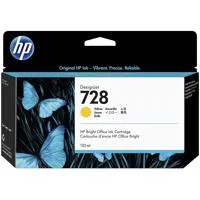
Still can't use this plotter. Right out of the box--yellow cartridge bad. Can't plot until replaced.
Douglas O.

2022-02-26T19:00:00
Good quality print on multiple media types. Switching between roll and tray seems like it automatically changes however it will eject the roll to switch to tray but once the roll ejects it can not switch back and must be manually loaded which is disappointing. For CAD user this is a good quality for the price.
KVSteve

2021-11-03T08:35:18
works great, the unit came in exactly how the Sales person Said.
CHRIS Y.
2021-06-08T20:00:00
Easy to figure out and use for a first time large printer.
WOldham

2021-04-18T20:00:00
Easy to add to network. the printer is a true plug and play.
Southeastern S.

2021-01-21T19:00:00
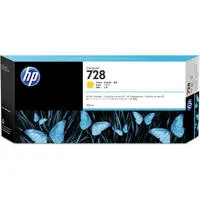
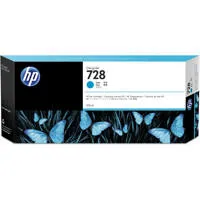
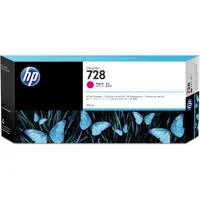
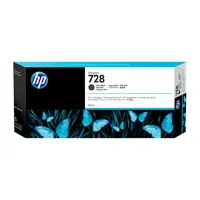
This is an excellent plotter for architecture and graphics. Very fast printing. Wireless, easy paper roll 36 inch wide install and will take letter size paper, can take 40 ml or 300 ml no 728 ink cartridges and cuts paper fast.
rbullmb

2020-10-12T13:32:27
Works great
MICHAEL A.
2019-11-26T19:00:00
We bought this a few weeks ago. It was easy to put together. But, as of right now we can't get the automatic cutting to work. This is extremely important. So until that issue is resolved I cannot give 5 stars.
Shallu77

2019-03-10T20:00:00
We use it for printing blueprints and it works great. Much faster than our old printer and the ability to print from mobile devices is great.
Augi

2018-01-11T19:00:00
The T 730 printer is excellent with one exception. If it linked to my laptop as easy as it linked to my android phone it would easily be HP's greatest 36" printer.
printDawg730

2017-09-06T20:00:00
I really dig the ability to print letter pages and the occasional poster. Helps keep the print heads active since I don't make posters everyday. Convenient replacement, as well, since both my printers seemed to be having print head issues that I could not resolve.
CentralAZ

2017-08-22T20:00:00
I purchased the T730 to replace a Designjet 800. The printer was easy to assemble - right out of the box - and seems easy to use.
themerc

2017-07-17T20:00:00
This product works as designed for printing engineering drawings for our team. Please note that a roll of paper is not included with this printer and you will have to buy separately. Other than that it works great. The wireless printing is definitely a huge help for our company.
RMT215

2017-05-14T20:00:00
Very Slow form computer to printer, (reading)
Wiseguys

Accidents happen where life happens. Protect your favorite Adorama products and purchase a protection plan to stay covered from accidental damage, mechanical or electrical failure, and more.
If we can’t fix it, we’ll replace it at no additional cost.
Protect your product from drops, spills, and more.
Enjoy your gear without fear. We have you covered!
When regular use of your product over time results in mechanical or electrical failure.
We will never charge you a deductible after the purchase of a plan.
Our claims process is simple & easy and our customer service team is happy to help.
Adorama Protect powered by Extend is available for purchase to customers in the United States. Not available for purchase Internationally or in U.S. Territories.
Browse our FAQ
25 sec/page on D, 82 D prints per hour
Up to 2400 x 1200 optimized dpi
HP Thermal Inkjet
Roll: 0.2 x 0.2 x 0.2 x 0.2" (5 x 5 x 5 x 5mm)
Sheet: 0.2 x 0.2 x 0.2 x 0.2" (5 x 5 x 5 x 5mm)
Dye-based (C, M, Y); pigment-based (mK)
6 pl (C, M, Y); 12.6 pl (mK)
1 (C, M, Y, mK)
1376
+/-0.1%
0.0008" (0.02mm) HP-GL/2 addressable
8 Lxmin/2.10 D
Sheet feed, roll feed, input tray, media bin, automatic horizontal cutter
11 to 36" (279 to 914mm)
Input tray: 8.3 x 11 to 13 x 19" (210 x 279 to 330 x 482mm)
Manual feed: 13 x 19 to 36 x 74.7" (330 x 482 to 914 x 1897mm)
Input tray: A, B
Manual feed: C, D, E
60 to 280 g/sq. m (roll/manual feed); 60 to 220 g/sq. m (input tray)
Up to 11.8 mil
Line drawings; Renderings; Presentations
1 GB
None
Gigabit Ethernet (1000Base-T), Wi-Fi 802.11b/g/n
HP-GL/2, HP-RTL, TIFF, JPEG, CALS G4, URF
Wi-Fi Direct to enable mobile printing via HP ePrint, Apple AirPrint and HP Smart app for Android and iOS devices, Windows and macOS printer drivers, print from USB pen drive
HP-GL/2, HP-RTL drivers for Windows
Raster driver for macOS and Windows
HP Click, HP Smart app, HP Support Assistant, HP Print Preview for Windows, HP DesignJet Utility for macOS and Windows
41 to 104 Degree F (5 to 40 Degree C)
-13 to 131 Degree F (-25 to 55 Degree C)
20 to 80% RH
48 dB(A) (operating), <16 dB(A) (idle)
6.5 B(A) (operating), <3.4 B(A) (idle)
35 watts (printing), 3.5 watts (sleep), 0.2 watts (standby)
Input voltage (auto ranging): 100-240 V ( +/-10%), 50/60 Hz ( +/-3 Hz), 1.2 A max
USA and Canada (CSA certified)
Compliant with Class B requirements, including: USA (FCC rules), Canada (ICES)
ENERGY STAR, EPEAT Silver, CE marking
55.2 x 23.4 x 45.5" (1403 x 605 x 1155mm)
96.3 lbs (43.7kg)
194850951749


EXCELLENT COLOR PLOTTER
By rbullmb
This is an excellent plotter for architecture and graphics. Very fast printing. Wireless, easy paper roll 36 inch wide install and will take letter size paper, can take 40 ml or 300 ml no 728 ink cartridges and cuts paper fast.
Excellent Plotter
By JaredBN
Excellent print quality. Very user friendly. Highly recommended.
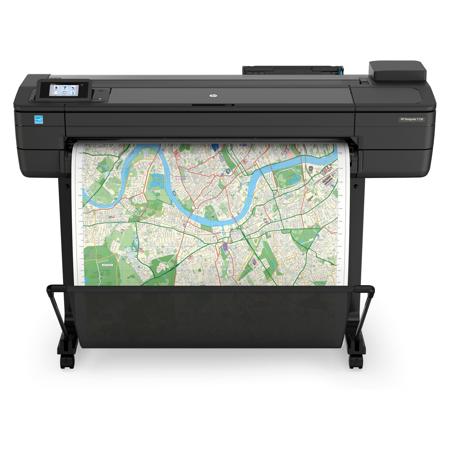
A smart investment for architects, engineers, and construction professionals, this robust, compact 36-inch printer easily fits your business. You can reduce time/waste with convenient features. Print conveniently on-the-go with HP Mobile Printing. AEC, GIS, and MCAD professionals who want to print maps, technical drawings, posters, and renders with precise, accurate line quality and crisp text You can confidently invest in the HP DesignJet T730 Printer-a robust, compact, professional printer that fits your needs and work space.
Easy-to-use-and offering mobile printing capabilities-this printer makes it easier than ever to print on-the-go.FCC Class A emissions device for use in commercial environments, not residential environments Dynamic security enabled printer. Only intended to be used with cartridges using an HP original chip. Cartridges using a non-HP chip may not work, and those that work today may not work in the future.
Smart - Invest in a robust printer
Robust, compact, and professional-this printer fits your business and gives you space to work. Produces prints 3 times faster than previous HP models-see A1/D-size prints delivered in 25 seconds. Choose from 130/300-ml HP ink cartridges to fit your print volume, large supplies can reduce interventions.
Easy - Convenient printing helps reduce time, waste
Cut waste by 50%-print at half scale with automatic sheet feeder/tray; cut extra work, waste of wide rolls. No LAN needed-move this printer any time, any place your Wi-Fi signal can reach with wireless connectivity. Easily print project sets and PDF documents with HP Click printing software. Redesigned stand reduces C02e up to 130 tons/year by units sold.
Mobile - Easily print from smartphone or tablet
Print from mobile devices in a few simple clicks with HP Mobile Printing -quickly work through revisions. If you're on-the-go, attach your document to an email and send it directly to your printer via ePrint. Use the HP Smart app to access additional print features when printing from a mobile device. The printer creates its own Wi-Fi network for easy connectivity with Wi-Fi Direct.