+4
more
more

This item is no longer available.
Review Summary
2021-07-29T20:00:00
I've owned for 5 years the multi-function version of this printer and I love it. It's super reliable, ink cost is very low when used with the XL cartridges. Print speed is impressive and the paper drawer fits a full pack of paper. I needed a second printer for my office and I didn't hesitate a minute to buy this one since I didn't need a second multi-function printer.
NATUR d.

2021-02-11T19:00:00
My previous printer broke and it worked great. Purchase this brand and model because I was very please with the easy functionality of it.
Teressafree

2020-12-06T19:00:00
I assumed that PageWide was edge to edge printing. It does not. Very misleading, but the print quality is good.
MarcD
2020-06-28T20:00:00
We have had the HP PageWIde Pro 452dw printer for about two weeks now and so far it's been a great addition to our small office! This machine is SO FAST. It's a bit loud, but not something I mind too much since it's not constantly running. If you work in an office that is pumping out print projects all day, I'd recommend keeping the machine in a separate room from where you may be taking phone calls. The Bluetooth printing is an awesome feature when I have a document on my phone that I need printed in a hurry! Setup was quick and painless as well. Color is vibrant and black is true (not gray).
Printing A.
2020-06-09T20:00:00
Note the (72ZX cartridge that is noted to be used on HP web site does not work.. ) Staples sent me 2 cartridges same issue both times...
mikepatch1010
2020-05-17T20:00:00
I had the model printer like this one only it was black. I loved that one but after 5 or 6 years it finally gave out. Now I have this one and it prints faster and does what my other one did. I love it! I print a lot so this printer works great for me. I still haven't printed any pictures yet so I am hoping it works good for that too.
apmanager
2020-01-28T19:00:00
For the past 20 or so years, we have purchased many HP laser and inkjet printers and they were workhorses. So about 3 ½ years ago, we purchased a Pagewide Pro 452dn printer because we needed a printer with laser printer speed, but with lower ink cost and the 452dn was the perfect solution. We could not have been happier! After about 3 or 4 months, the black ink printing had white vertical stripes. HP sent a tech out and the printer was replaced. After another four or five months, the white stripes were back. HP sent another refurbished replacement. Yeap, you guessed it, another three months and the same problem came back only this time, HP told us we were beyond the original 1 year warranty period, so we were out of luck. We dumped the printer at Goodwill recycle center. Several months went by and someone suggested that maybe the bugs had been ironed out in the new Pagewides, so we purchased an Officejet Pro 476dw. After the 1 year warranty ran out and with only 17k pages printed, this printer has the same problem. We called HP and as suspected, no help. We are on our own. Called local HP repair service and was told repair is over $1000. I guess this one will eventually end up in the Goodwill recycle center along with $400 worth of new HP cartridges we had bought for it. Here is the kicker. The 452dn and 476dw specs claim a monthly duty cycle of 50,000 pages. The three 452dn each had less than 10,000 pages TOTAL when they died, and the 476dw has only 17,000 pages TOTAL. And yes, the printers are used every day, so there is no chance for the ink to dry. In fact, on the 476dw, we ran a small print job with no problems and immediately ran another small print job, and there were the white stripes again. By the way, we have always used HP cartridges, and yes we tried level 1, 2, 3 and advanced cleaning, but to no avail. These are great printers when they work, but pass the year warranty, from our experience, they are throwaways. We could always count on HP products being above the rest, but now I am not so sure.
Tom43
2019-05-13T20:00:00
First printer arrived defective and had to send back. The second printer print quality is poor. I have completed all levels of cleaning, alignment, color desenity calibration, ink cartridge replacements with HP ink and the blacks still fade to barely readable throughout the print jobs. I have also ensured that I had the latest updates on the printer as well. It's just progressively getting worse.
RAD924
2019-02-28T19:00:00
Bought this printer to use for printing addresses on mailers for my small business advertising and so far has performed great for that purpose. It handles the heavier paper very well, prints at least twice as fast as the old printer we had and has a pretty good standard paper capacity. I was a little concerned initially because during set-up and test printing it had a lot of fine white lines on the page that wouldn't seem to go away with print head cleaning, etc. However now that I have run 5000+ of the mailers through the machine and printed a few regular pages again the lines appear to be gone although I am still concerned right now that they might come back. Overall though I am very happy with the purchase and anytime I need to print a large amount of pages in a short period of time this printer has proven a huge time saver and a good investment.
BDot
2019-01-09T19:00:00
We purchased this about 3 weeks ago and so far have been happy with the HP PageWide Pro 452 dw printer. We are a small office and have 5 computers hooked up to the network, all using this printer. It is much quicker than our previous printer. Our previous printer was a laser jet so I was a little worried about ink jet printing. But so far the quality has been good. It does a better job using higher quality paper instead of standard copier paper but for the most part, it is sufficient for our purposes. I use higher quality on reports or material being sent out of the office. I would say this is a good printer and have found HP to be a reliable company.
JackieBlue
2018-12-27T19:00:00
The printer was easy to set up but, it was a total disappointment, the colors were “streaking” with all sorts of shades of color. I used several test PDFs that had printed on various other HP Laserjets but, the Pagewide results bore no resemblance.
MCiment18
2018-11-15T19:00:00
PROS: Fast. Quiet. Using it via WiFi on 3 home computers. Bought extra tray too. Initial ink cartridges still 1/2 full after 6 months of use, including lots of full page color photos. CONS: It's BIG and heavy. You'll probably need a separate table for this. Big replacement pagewide ink cartridges cost $130 each (X4) USD. In Windows 10 tool box / set up / options I can't find anything to let me tell it to pull paper from drawer 3, when 2 is empty. I keep both drawers loaded with the same 8 1/2 by 11 white paper and want it to pull automatically from the next drawer when the first is empty. Hopefully it's AUTO. No ethernet connection. Paper drawer 1 folds down like an airline tray table from the left side and sticks way out. Luckily it's used rarely for envelopes etc.
RRKa
2018-05-27T20:00:00
Color printing in the office has always been a pain. We've been through inkjet printers that clog because they aren't used frequently enough, and three generations of laser printers whose color fidelity leaves a lot to be desired. This is the first color printer I have LOVED. As a long-time plain paper + laser user, committing to proper inkjet papers takes some time to get used to, but I love the result. Highlights: (1) it's blindingly FAST, outpacing the production HP and Xerox printers in the office; (2) color saturation and consistency is superb, especially on "presentation" paper (and definitely on photographic stocks); (3) it's easily networkable either over USB or wirelessly; (4) toner replacement is straightforward and unmessy. Honestly my only disappointment is that there isn't yet a version for tabloid sized paper. Otherwise this is probably my favorite printer ever, and I'd recommend it without reservation.
jhhny
2018-01-14T19:00:00
Printer stopped working at 2868 pages printed with error code 0xc6fd0413. Hp wouldn't fix it 1 month out of warranty .
Austen23
2018-01-09T19:00:00
This printer does not print 23 or so envelopes but only about 3. so we are very disappointed.
Printer11
2017-11-27T19:00:00
Before discussing the merits of this specific printer, one must acknowledge that PageWide technology is an amazing achievement in printing. Depositing four colors of ink across the width of the paper at up to 40 ppm (higher for other models) is clearly an astounding technical challenge requiring mind-boggling precision and calibration, something that (to my knowledge) only HP has figured out. We do a lot of printing of graphic designs on card stock, and were looking for a way to get faster output (than a traditional inkjet printer) without moving to color laser, which has a different look and feel than ink. Since I couldn't find any PageWide printers in local stores, I bought the cheapest PageWide I could find on hp.com after getting confirmation that I could return it if I wasn't happy. My main concern was that the PageWide, not having the straight paper path of our current inkjet, would have difficulty handling stiff card stock without jamming. The printer is easy to set up and the ink cartridges are easy to install. After running the very slick web-based automated software installer on my Mac, I was printing within minutes. Well, I was hitting the "print" command within minutes. After many years of using a non-PostScript printer that simply sends the rasterized print image direct from Adobe Illustrator within moments, I was surprised by how long it took for the complex illustrations I create to be sent in PostScript over ethernet, and converted into dots. About three minutes later, my first print emerged. The first print looked worse than I expected, but only because I had not yet found the option in the print driver to set the quality level properly, and it was on "normal" by default. Once I switched from normal to presentation mode, the image got much crisper, though print time certainly didn't improve. In fact, one particularly complex illustration seemed to be too much for the device, and its status screen showed a "processing job"-type message for several hours until I finally just killed the power, at which point the device got "stuck" on a "shutting down"-type message and I had to eventually just pull the plug. Subsequent tests with simpler illustrations worked fine, though it still took 2-3 minutes just to ingest each job before it started printing. I would call the 452dw's color quality adequate, but not bright enough for our purposes. In general, it just wasn't as vivid as the output we get from our existing 5-color inkjet made by a well-known Japanese brand. And now that I'm used to a USB-connected device that prints directly from Illustrator, I'm not sure I'd want to go back to a PostScript-over-ethernet-based driver. (In fact, I noticed some geometric anomalies in the output that were clearly the result of PostScript emulation that wasn't working quite right, another worrying sign.) However, for typical office settings with many users sharing the device on a network, the ethernet (and wireless) connectivity should work well. And the color quality will likely satisfy mainstream office users, particularly those who need to print multiple copies of the same document quickly. The biggest surprise was how well the PageWide handled card stock--no jams at all, despite a paper path that bends the sheet. However, I ultimately returned the printer because the processing time and color quality for complex Illustrator designs was simply not as good as what I'm currently using, even if the actual print speed is slower. If HP ever develops a wider-format PageWide printer aimed at graphic arts users, particularly one with brighter output, a straight-through paper path, and the option to do direct raster printing rather than PostScript, I'd have to consider it. In its current form, PageWide is a solid general-purpose workgroup printer but not one really tuned to demanding graphics output.
DakotaThinker
2017-05-24T20:00:00
Impressive speed, reliable, good color
nitajo77

Accidents happen where life happens. Protect your favorite Adorama products and purchase a protection plan to stay covered from accidental damage, mechanical or electrical failure, and more.

If we can’t fix it, we’ll replace it at no additional cost.

Protect your product from drops, spills, and more.

Enjoy your gear without fear. We have you covered!

When regular use of your product over time results in mechanical or electrical failure.

We will never charge you a deductible after the purchase of a plan.

Our claims process is simple & easy and our customer service team is happy to help.
Adorama Protect powered by Extend is available for purchase to customers in the United States. Not available for purchase Internationally or in U.S. Territories.
Browse our FAQ
Automatic (standard)
ISO Speed: Up to 40 ppm black and color
Maximum, Letter: Up to 55 ppm black and color
Black (ready): As fast as 6.5 seconds; Color (ready): As fast as 7 seconds
Black (best): Up to 1200x1200 optimized dpi from 600x600 input dpi (on unspecified plain paper, HP Premium Inkjet Presentation Paper Matte and HP Inkjet Brochure Paper Matte); Color (best): Up to 2400x1200 optimized dpi from 600x600 input dpi (on HP Advanced Photo Papers)
HP PageWide Technology with pigmented inks
4 (1 each black, cyan, magenta, yellow)
HP ePrint, HP Mobile Apps, Google Cloud Print v2, Apple AirPrint, Mopria-certified, Android Plug-in, Windows 8/10, Windows 10 Mobile, Chromebook
No
HP PCLXL (PCL6), native PDF, HP Postscript Level 3 emulation
HP Web Jetadmin; Embedded Web Server; HP UPD Printer Administrator Resource Kit; HP Utility (Mac)
HP ePrint, HP Mobile Apps, HP EasyColor, print preview, automatic two-sided printing, print multiple pages per sheet (2, 4, 6, 9, 16), collation, booklet printing, cover pages, tray selection, scaling, Portrait/Landscape orientation, High Quality Grayscale and Black Ink Only, General office/Professional/Presentation/Maximum dpi print modes, front USB port, Control Panel Shortcuts; Google Cloud Print v2, Apple AirPrint
1x Hi-Speed USB 2.0 Host; 1x Hi-Speed USB 2.0 Device; 1x Ethernet 10/100 Base-TX network; 802.11 b/g/n Station; 802.11 b/g Access Point
Standard (built-in Ethernet, Wi-Fi 802.11b/g/n)
Standard (built-in Ethernet and Wi-Fi 802.11b/g/n)
512MB
Up to 50,000 pages; Recommended monthly page volume: 750 to 4500 pages
500-sheet input tray, 50-sheet multi-purpose tray; 2x 500 sheet paper tray and stand
300-sheet face-down output bin
Plain paper (light, intermediate, mid-weight, heavy, extra heavy, prepunched, recycled, bond, other inkjet plain paper), photo (glossy, gloss, soft gloss, satin, matte, other inkjet photo), envelopes, labels, cards, specialty papers (glossy brochure, matte brochure, tri-fold brochure, Hagaki, greeting cards, other inkjet specialty paper
Tray 1: 16 to 32lbs (plain paper); 33 to 80lbs (photo); 20 to 24lbs (envelope); 32 to 48lbs (brochure); 90 to 110lbs (card); Tray 2: 16 to 32lbs (plain paper); 33 to 66lbs (photo); 20 to 24lbs (envelope); 32 to 48lbs (brochure); 90 to 110lbs (card)
Tray 1: 3 x 5" to 8.5 x 14"; Tray 2: 4.0 x 8.3" to 8.5 x 11.7"
Windows 10, Windows 8, Windows 7, Mac OS X v10.6, Mac OS X Lion, Mac OS X Mountain Lion, Linux
2.0" MGD (Monochrome Graphic Display)
Internal (Built-in) Universal Power Supply
Input voltage: 100-240VAC (+/- 10%), 50/60Hz (+/- 3Hz)
100W (Maximum), 70W Average (Printing), 9.5W (Ready), 4.5W (Sleep), 0.95W (Auto-Off), 0.2W (Manual-Off)
Typical Electricity Consumption (TEC) Number: 0.826 kWh/Week
Acoustic power emissions: 6.9 B(A) Acoustic pressure emissions: 56 dB(A) (Mono/color printing), inaudible (idle)
ENERGY STAR qualified
59 to 86 deg. F / 15 to 30 deg. C
-40 to 140 deg. F / -40 to 60 deg. C
5 to 90% RH
20 to 80% RH
Windows 8, Windows 7, Windows 10, Mac OS X v10.6, Mac OS X Lion, Mac OS X Mountain Lion, Windows 2003 Server (Standard Edition, Enterprise Edition, 32bit & 64-bit), Windows 2003 Server R2 (Standard Edition, Enterprise Edition, 32bit & 64-bit), Windows Small Business Server 2003 (32bit & 64-bit), Windows 2008 Server (Standard Edition, Enterprise Edition, 32bit & 64-bit),
Windows Small Business Server 2008 (64-bit), Windows 2008 Server R2 (Standard Edition, Enterprise Edition, 64-bit), Windows Small Business Server 2011, Windows Server 2012, Windows Cluster (Windows Server 2008 R2), Windows Terminal Services (Windows Server 2008 R2), Windows 2003 Server Terminal Services with Citrix Metaframe XP with Feature Release 3, Windows Server 2003 Terminal Services with Citrix Presentation Server 4.0/4.5
Windows Server 2008 Terminal Services, Windows Server 2008 Terminal Services with Citrix XenApp, Citrix (Print): Xen Server 5.6, Xen Desktop 5.5, Citrix XenApps 6.0, Citrix XenApp 6.5, Novell Netware 6/6.5/Open Enterprise Server 6.5 (Novell iPrint support only), Linux, SAP
PC: Windows 10, 8.1, 8, 7: 32-bit or 64-bit, 2GB available hard disk space, CD-ROM/DVD drive or Internet connection, USB port, Internet Explorer. Windows Vista: (32-bit only), 2GB hard disk space, CD-ROM/DVD drive or Internet connection, USB port, Internet Explorer 8.
Windows XP SP3 or higher (32-bit only): any Intel Pentium II, Celeron or 233MHz compatible processor, 850MB hard disk space, CD-ROM/DVD drive or Internet connection, USB port, Internet Explorer 8 Mac: Apple OS X Yosemite, OS X Mavericks, OS X Mountain Lion; 1GB HD; Internet required; USB
Minimum: 20.9 x 16 x 14.9" / 53.09 x 40.64 x 37.85cm
Maximum: 31.6 x 27.3 x 14.9" / 80.26 x 69.34 x 37.85cm
36.10lbs / 16.37kg
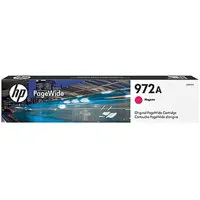
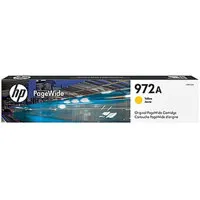
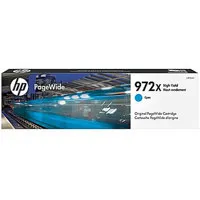
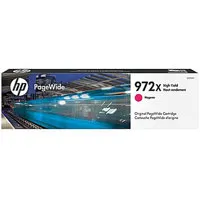
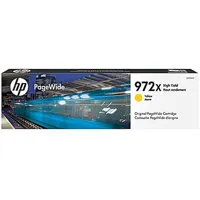
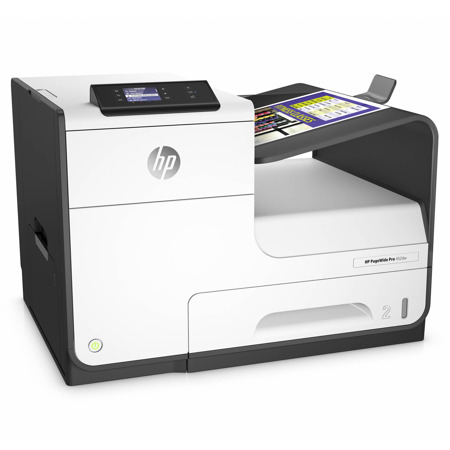
Get the best combination of lowest total cost of ownership, print quality and speed. HP PageWide Pro is faster than any color printer in its class, for an exceptional value. Ultimate value and speed - HP PageWide Pro delivers the lowest total cost of ownership and fastest speeds in its class. Get professional-quality color plus best-in-class security features and energy efficiency.
• Count on exceptional value and the results businesses need - print professional-quality color documents for the lowest total cost of ownership in its class.
• Minimize interruptions and downtime with efficient, reliable performance. Conserve resources and use significantly less energy than laser printers, with HP PageWide Technology designed for today's busy office.
• Help protect your fleet, data and documents with best-in-class security and fleet management features. Help secure important information and get the tools you need to work efficiently and confidently.
Professional color, breakthrough total cost
• Results you expect and lasting value - breakthrough total cost of ownership, the lowest in its class.
• Print professional-quality color on a variety of papers - perfect for office use.
• Print more pages and replace cartridges less often, using Original HP PageWide high-yield cartridges.
• Spend less time and budget on scheduled maintenance with streamlined HP PageWide Technology.
The fastest printer in its class
• Keep productivity on track with best-in-class speeds and fast printing from sleep mode. Documents are ready fast, so there's less waiting.
• Grab pages and go - without waiting. This device wakes up and prints fastest in its class.
Proven technology. Superior energy efficiency
• Minimize downtime with HP PageWide Technology that delivers reliable performance businesses demand.
• Conserve with HP PageWide Technology - designed to use much less energy than any printer in its class.
• Get professional-quality color documents and the performance you expect with Original HP PageWide cartridges.
Best-in-class security and management features
• Help protect your investment and extend capabilities as your needs grow with a portfolio of solutions.
• Help ensure the security of confidential information. Enter a PIN at the device to retrieve your print job.
• Help keep your printer secure - from boot up to shutdown - with secure boot and secure code integrity validation.