This item is no longer available.
Review Summary
2020-01-19T19:00:00
We've only had this printer a week, but it seems well build and able to handle the heavy volume of our office. We print and scan hundreds of pages per day, so a less durable device would wear out very quickly. I am hopeful I will get several years out of this without major issues.
TF27

2019-06-23T20:00:00
I bought this MFP to supplement the other HP MFP and help our office be more efficient.
JJSM

2019-06-10T20:00:00
I installed this printer a month ago and it's been a great printer@
MaryKemp

2019-04-01T20:00:00
Owned for around a year. After about 8 months of use, the print quality went down hill and no matter what I did there were lines going through all prints and copies. I called support and they sent a tech to repair the unit. The tech improved the print quality but was unable to totally fix the problem. I was still getting lines through copies and prints. The amazon warranty company that I had purchased sent me a check as a buy out payment. Great, but now I'm still stuck with full ink cartridges that I had purchased separately. I continued to use the printer despite the lower quality for 2 more weeks until the whole machine stopped working and I started receiving error codes that HP wouldn't elaborate on. Way too expensive schedule a tech out of pocket.
jimmydanger

2018-10-17T20:00:00
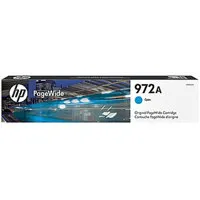
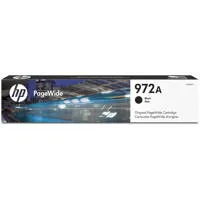
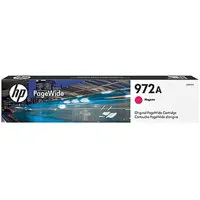
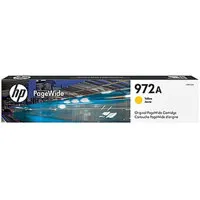
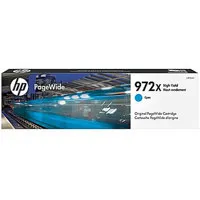
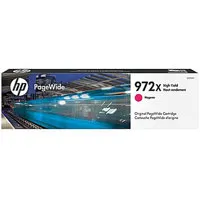
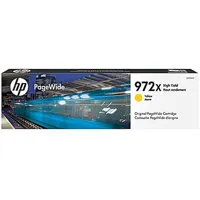
I had the old version of this printer that worked like a champ for 5 or 6 years until the document feeder decided to go. The replacement is very similar to operate. There was one problem out of the box. It is supposed to be ready to use with a wired network, but the printer would NOT see the network and I could find nothing in the documentation that came with it and nothing in the online FAQs to help. I finally called in for Tech Support, and after being on hold off and on for 45 minutes and after being shuttled to 4 or 5 people, I found one that walked me thru the "secret" menus to reset all the necessary setting to make it work. My other complaint is that the ink cartridges (972s) took to be an almost exact copy of the ones for the older model (971s). However HP made a teeny tiny adjustment in a "notch" on the bottom of the new 972 cartridge that means you can NOT use the old 971 cartridge which is really mean spirited. When my old printer blew up it had four (4) almost full 971 cartridges in it (at $119 each) which are now unusable. There was no reason to make the 971s unusable going forward.
Altonite

2018-01-29T19:00:00
We have had our 477dn for about a year. Shared amongst four executive non-techno savy guys. I would by another in a heartbeat.
FlyMatt

2017-07-30T20:00:00
$85-$150 TO REPLACE!
DayWin

Accidents happen where life happens. Protect your favorite Adorama products and purchase a protection plan to stay covered from accidental damage, mechanical or electrical failure, and more.
If we can’t fix it, we’ll replace it at no additional cost.
Protect your product from drops, spills, and more.
Enjoy your gear without fear. We have you covered!
When regular use of your product over time results in mechanical or electrical failure.
We will never charge you a deductible after the purchase of a plan.
Our claims process is simple & easy and our customer service team is happy to help.
Adorama Protect powered by Extend is available for purchase to customers in the United States. Not available for purchase Internationally or in U.S. Territories.
Browse our FAQ
Print, copy, scan, fax
Yes
Normal: Up to 40 ppm (Black and Color)
Black: As fast as 6.5 seconds
Color: As fast as 7 seconds
Up to 50,000 pages
750 to 4500
HP PageWide Technology with pigmented inks
Up to 1200 x 1200 optimized dpi from 600 x 600 input dpi (on Unspecified, Plain, HP Premium Presentation Matte and HP Brochure Matte)
Up to 2400 x 1200 optimized dpi from 600 x 600 input dpi (on HP Advanced Photo Papers)
HP PCLXL (PCL6), Native PDF, HP Postscript Level 3 emulation
4.3" CGD (color graphics), IR touchscreen
Yes
Yes
HP ePrint, HP Mobile Apps, Android Plug-in, Windows 8/10, Windows 10 Mobile, Chromebook
2x Hi-Speed USB 2.0 Host, 1x Hi-Speed USB 2.0 Device, 1x Ethernet 10/100 Base-TX network, 2x RJ-11 modem port/phone line
Standard (built-in Ethernet)
Windows 10, 8.1, 8, 7: 32-bit or 64-bit, 2GB available hard disk space, CD-ROM/DVD drive or Internet connection, USB port, Internet Explorer. Windows Vista: (32-bit only), 2GB available hard disk space, CD-ROM/DVD drive or Internet connection, USB port, Internet Explorer 8. Windows XP SP3 or higher (32-bit only): any Intel Pentium II, Celeron or 233MHz compatible processor, 850MB available hard disk space, CD-ROM/DVD drive or Internet connection, USB port, Internet Explorer 8
Apple OS X Yosemite, OS X Mavericks, OS X Mountain Lion
1GB HD
Internet required
USB
Windows 10, Windows 8, Windows 7, Mac OS X v10.6, Mac OS X Lion, Mac OS X Mountain Lion, Linux
768MB
768MB
500-sheet input tray
50-sheet multi-purpose tray
300-sheet face-down output bin
Up to 300 sheets
Automatic (standard)
Sheetfed; ADF
Tray 1: Letter, oficio, legal, statement, executive, 3 x 5 in, 4 x 6 in, 5 x 7 in, 5 x 8 in, envelopes (No. 10, Monarch)
Tray 2: Letter, statement, executive, envelopes (No. 10)
Tray 3: Letter, oficio, legal, statement, executive
Tray 1: 3 x 5" to 8.5 x 14"; Tray 2: 4.0 x 8.3" to 8.5 x 11.7"
Plain paper (light, intermediate, mid-weight, heavy, extra heavy, prepunched, recycled, bond, other inkjet plain paper), photo (glossy, gloss, soft gloss, satin, matte, other inkjet photo), envelopes, labels, cards, specialty papers (glossy brochure, matte brochure, tri-fold brochure, Hagaki, greeting cards, other inkjet specialty paper)
Tray 1: 16 to 32lbs (plain paper); 33 to 80lbs (photo); 20 to 24lbs (envelope); 32 to 48lbs (brochure); 90 to 110lbs (card); Tray 2: 16 to 32lbs (plain paper); 33 to 66lbs (photo); 20 to 24lbs (envelope); 32 to 48lbs (brochure); 90 to 110lbs (card); Tray 3: 16 to 32lbs (plain paper); 33 to 66lbs (photo); 32 to 48lbs (brochure); 90 to 110lbs (card)
Flatbed, ADF
Scan File Type supported by Software: Bitmap (.bmp), JPEG (.jpg), PDF (.pdf), PNG (.png), Rich Text (.rtf), Searchable PDF (.pdf), Text (.txt), TIFF (.tif)
Up to 1200 dpi
216 x 356mm
Up to 25 ipm (mono and color)
Yes
Standard, 50 sheets
Front panel applications: Copy, Scan to E-mail with LDAP e-mail address lookup, Scan to Network Folder, Scan to USB, Scan to Sharepoint, Scan to Computer with SW. Client applications: EWS, HP Scan App, Compatible with HP Capture and Route
Black Text, Color Text and Graphics: Up to 600 dpi
25 to 400%
Up to 99 copies
Yes, color
4 sec per page
Up to 100 pages (black and white); Up to 8 pages (color)
300 x 300 dpi
Up to 199 numbers
20
Input voltage: 100 to 240VAC (+/- 10%), 50/60Hz (+/- 3Hz)
100 watts (Maximum), 70 watts average (Printing), 10 watts (Ready), 4.8 watts (Sleep), 1.0 watt (Auto-Off), 0.2 watts (Manual-Off)
Minimum: 20.9 x 16.0 x 18.4" / 53.09 x 40.64 x 46.74cm
Maximum: 31.6 x 27.3 x 18.4" / 80.26 x 69.34 x 46.74cm
48.83lbs / 22.15kg
889894484666


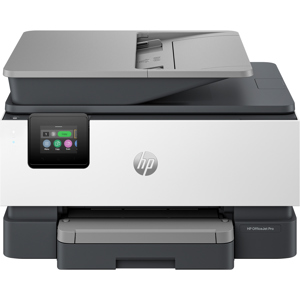
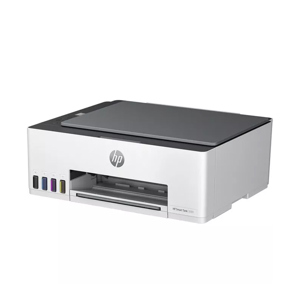
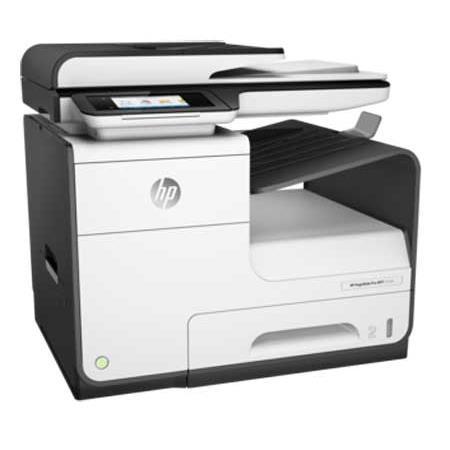
Not inkjet. Not laser. Introducing HP PageWide business printers. Get the best combination of lowest total cost of ownership, print quality and speed. Ultimate value and speed - HP PageWide Pro delivers the lowest total cost of ownership and fastest speeds in its class. Get quick two-sided scanning, plus best-in-class security features and energy efficiency.
Professional color, breakthrough total cost
Results you expect and lasting value - breakthrough total cost of ownership, the lowest in its class.
Print professional-quality color on a variety of papers-perfect for office use.
Print more pages and replace cartridges less often, using Original HP PageWide high-yield cartridges.
Spend less time and budget on scheduled maintenance with streamlined HP PageWide Technology.
The fastest MFP in its class
Wait less, do more with unmatched speeds - up to 40 ppm - and the fastest first-page printing in its class.
Get fast two-sided scanning directly to email and the cloud with this LDAP-enabled MFP.
Manage tasks from a 4.3-inch (10.9 cm) touchscreen. Print Microsoft Word and PowerPoint files from USB.
Proven technology. Superior energy efficiency
Minimize downtime with HP PageWide Technology that delivers reliable performance businesses demand.
Conserve with HP PageWide Technology-designed to use less energy than any MFP in its class.
Get professional-quality color documents and the performance you expect with Original HP PageWide cartridges.
Best-in-class security and management
Help protect your investment and extend capabilities as your needs grow, with a portfolio of solutions.
Help ensure the security of confidential information. Enter a PIN at the device to retrieve your print job.
Regulate color use and reduce printing costs with HP Color Access Control.
Help keep your printer secure-from boot up to shutdown-with secure boot and secure code integrity validation.