



This item is no longer available.
Built with 7th Generation Intel Core i3 processors to deliver innovation for the small space and embedded solutions that your customers want.
Built with a 7th Generation Intel Core i3 processor
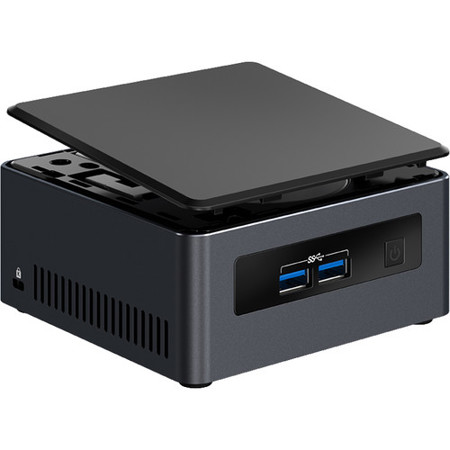
Perfect for digital signage, intelligent vending, enterprise solutions, or wireless collaboration hubs, the Intel NUC Kits NUC7i3DNHE built with 7th Generation Intel Core i3 processors deliver innovation for small space and embedded solutions that your customers want. The two kits are preinstalled with Intel Wireless-AC 8265 into one of two M.2 slots, while the other slot is available for a lightning fast SSD. And whether it's Windows 10 or Linux or another OS, the NUC7i3DNHE is verified to run a wide range of operating systems so you can build the exact solution your clients want.
NUC7i3DNHE has room for a 2 TB 2.5" drive, so clients can store data or sensitive files locally. The Intel NUC7i3DNHE is also Intel Optane memory ready. By pairing Intel Optane memory with high capacity HDD storage media, you get amazing performance and responsiveness as well as shorter boot times, faster application launches, and more responsive browsing-exactly what you need for digital signage and kiosks that are streaming content or enterprise solutions where clients are connecting to cloud-based apps. There's also an internal expansion area on the back of the chassis to encourage your innovation. Create a system with a DB9 connection for serial ports or build out internal expandability for 10/100 GbE-the possibilities are only limited by your imagination.
New features let you customize any way you want
Both the Intel NUC7i3DNHE has some new features including an exposed USB 3.0 port on the internal header, in addition to 4 USB 3.0 ports on the chassis. For the first time, the kits also come with dual full-sized HDMI 2.0a ports to power brilliant 4K displays at 60 Hz. Suddenly your clients' digital signage and intelligent vending machines have images that really pop and draw people in. The power button is now located on the front panel for easy on/off no matter where you locate the Intel NUC.