

This item is no longer available.
Review Summary
2017-09-26T11:52:21
I wish I could give this minus one star. I had the original NX And liked it very much so I wanted to use NX 2 when I got my new D 7200. So I bought the upgrade. Only to find out they will not read the new NEF files and that is totally useless. Put your money elsewhere
MICHAEL C.
2012-06-27T21:00:00
I plan to work with this software in fine tuning photos saved in the "RAW" or net extension.
jerrytc2
2012-01-22T19:00:00
I was disappointed to find that this new program did not add sufficient advances over the original NX.
Ilene K.
2010-01-24T19:00:00
I chose to upgrade a good program rather than spend more money to purchase one that specializes in organizing files. I rarely take hundreds of pictures in any one shoot. I am pleased with the additional editing features of NX2. Nikon deserves credit for including a comprehensive User's Manual at no additional cost. Nikon's Website provides helpful advice for new users.
Ilene K.
2010-01-24T19:00:00
This is a lot stronger than Photoshop Elements 8 in a number of areas and has a great batch processing work flow. It is really easy to import, rename, do some basic every-photo manipulation and then store them for further processing. The noise reduction is very good.
jim
2009-08-08T21:00:00
Control point technology is, in my opinion, the best feature of Capture NX2. Control point technology can be added as a plug-in to other programs such as Apple Aperture but the plug-in is, I believe, as expensive as the entire Capture NX2 program.
David S.
2009-06-26T21:00:00
Go to Nikons website and download Nikon Transfer and Nikon View both are free. This will give you a complete and powerful workflow that works extremely well with Nikon cameras. It has a learning curve but all software does. NX2 is for photographers not graphic artists. I would recommend this program to anybody that wants to improve their images.
Bobby M.
2009-02-21T19:00:00
A marked improvement over Capture NX. While not as robust, NX2 is at a price point much lower than Photoshop CS products which makes it an attractive tool for the amateur and prosumer photography market. Relatively easy to use, but for those not familiar with programs of this type, it is important that you have a user's manual for reference. For this reason, I would strongly recommend the CD ROM package over the internet download version, which lacks any written user documentation (with the exception of the programs's help application).
George
2008-12-23T19:00:00
I used the trial version until 2-3 days before the trial expired and then upgraded to the full download version. However, after a few weeks it stopped working and despite numerous attempts to input the activation code(S) it still does not work. Nikon even sent me a replacement code but that did not work either. Nikon have, so far tried very hard to help but from my reading of the internet this is a major issue experienced by many other Nikon users. It is a great pity that this product is tarnishing the reputation of a very professional company. If I can get the software to run again I will update this review.
FrankFitz
2008-09-07T21:00:00
This is an excellent upgrade from the previous version. [...]
Mark S.

In this lesson, Blair Bunting demonstrates how to use an extra small OctoDome®, which is available at the Read more
“He should have moved around the market for a better vantage point.”—Monica Cipnic
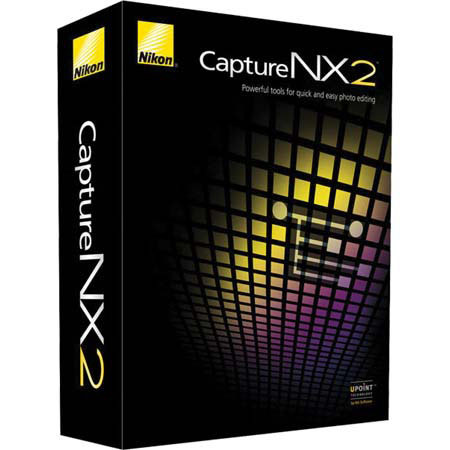
Capture NX 2 is a full-featured non-destructive photo editing program that provides photographers powerful tools to quickly and easily edit their photographs. Choose the reduced-price Upgrade Version (Product Number 25386) which requires a valid serial number from version 1.x of Capture NX. You can selectively edit photographs without the need to manually outline or mask the area for editing.
Simply place a Selection Control Point anywhere on the photograph then choose from almost any adjustment such as D-Lighting, Unsharp Mask or Noise Reduction, while limiting the "reach" of that adjustment to just the selected area. Capture NX 2 features award-winning U Point technology for precision selection and application of enhancements without complicated selections or layer masks.
Designed to closely match the way photographers work with their images, Capture NX 2 is easy to learn and creates the highest quality results. Capture NX 2 adds an automatic retouch tool to its image editing toolbox allowing users to seamlessly remove blemishes, dust and other distracting elements from photographs while maintaining the integrity of the image.
With just a simple slider adjustment you can easily open up shadows or recover blown-out highlights. Highlight recovery is most effective for RAW (NEF) files however it will work with JPEG and TIFF files as well.