+27
more
more

This item is no longer available.
Digital Voice Recorder - Redesigned
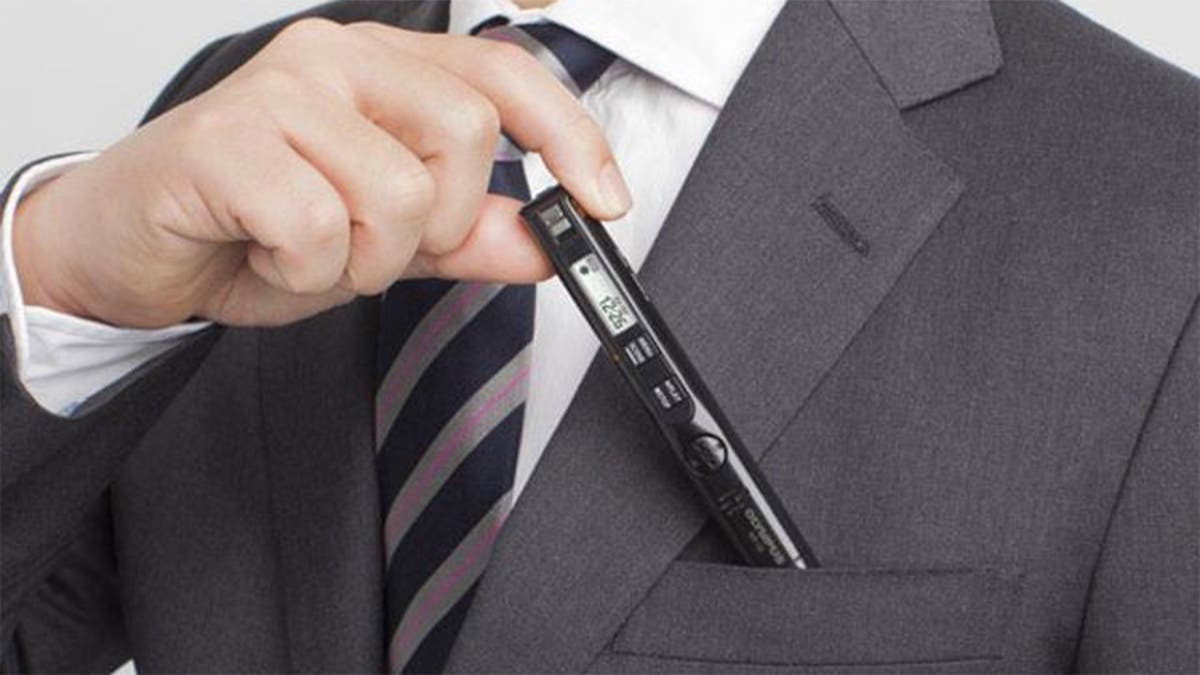
The new sleek design of the VP-10 allows you to capture conversations naturally, even while having the recorder in your pocket. This innovative recorder features new technologies optimum for business use, to achieve high-quality recording.
High-Quality Stereo Recording In All Environments
The VP-10 recorder has omni-directional stereo microphones in order to securely capture every sound and voice, whether recording from your pocket, clipped to your notebook or from anywhere else. The recorder has low noise, high-quality microphones in its compact slim body.
"Anti-Rustle Filter"
Their unique "Anti-Rustle filter" technology identifies the difference between a voice and a rustling sound from its characteristics and effectively suppresses the noise only. This enables powerful exclusion of the rustling noise generated when recording from your pocket, to achieve a low-noise, clear sound.
One-Touch Recording
You can silently and quickly activate the recording with one-touch even in your pocket, thanks to the REC slide switch. You can start recording without making the other party self-conscious. Moreover, even when the power is off, you can start recording in an instant with just a touch, so you will never miss a recording opportunity.
USB Direct Connection
A USB built into the body lets you connect directly to a PC simply by removing the cover. Not only can you easily exchange data between a PC without the need for cable or software, you can also recharge the unit from the PC without taking out the battery. Of course, you can also use it as an USB memory stick.
Four Recording Scene Modes, Including "Pocket Mode"
By simply selecting from the menu, you can choose optimum recording settings according to specific scenes. The "Pocket" mode is effective for recording a wide range of voices from your pocket and with the "Dictation" "Conference" or "Meeting" modes, anyone can easily make flawless high-quality recordings, even in an environment requiring a quick response.
Search Files Quickly With "Date Search" Function
When you have many files in the recorder, the "Date Search" function helps you select the target file easily and conveniently. You can access this function by holding down the Menu/Scene button, When the Intro Playback function is on, it will playback the first few second of the file. This is even more useful when used together with the "Date Search" function.
New Noise-Cancellation Function
The world's top level noise cancellation technology has been made even more powerful, strongly cutting out background noise recorded with the voice. With the new algorithm, it performs a more natural voice reproduction while having improved noise exclusion.
Voice Balancer Function
When recordings contain multiple speakers, the Voice Balancer makes smaller voices louder and ensures that louder voices stay below a given level, providing playback where everyone can be heard clearly. This comes in handy when recording sound sources from multiple positions, such as at a meeting. The prominent noise produced when amplifying small sounds is reduced. By eliminating the lower and higher frequency, the voice is even more enhanced.
Create Meeting Minutes Efficiently With "Transcription Mode"
"Transcription mode" is convenient when you want to create minutes or notes from your meeting recordings. While you transcribe, you would frequently repeat play and stop to check the content. Therefore when you resume, the recorder will automatically playback 3 seconds before, so that you can check the contents you need. On the other hand, fast forward will be preset to 2.0x so that you can conveniently skip the silence. Also, since the volume level of a speaker tends to differ in a meeting, the Voice Balancer helps to normalize the audio level.