
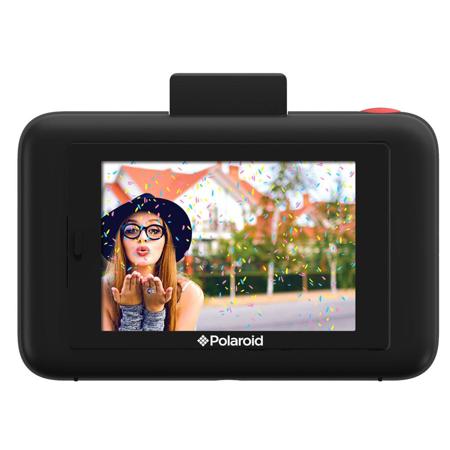
Polaroid Snap Touch Instant Print Digital Camera with LCD Display, Black

SKU: IPDPOLSTB

This item is no longer available.

Overview
Compare
Specs
Protection

Reviews about this item

Review Summary

Polaroid Snap Touch Specifications

About Polaroid Snap Touch

Polaroid Snap Touch Instant Print Digital Camera with LCD Display with ZINK Zero Ink Printing Technology
Polaroid Snap Touch instant digital camera allows you to snap, print, and share all of your favorite photos instantly with app-driven creative & new Bluetooth connectivity.

• Capture details with 13 Megapixels
• Micro SD storage up to 128 Gigabytes
• ZINK Zero Ink technology - 2x3" full color prints

The Polaroid Snap Touch camera makes it fun and easy to snap, print, and share. Its built-in printer lets you share on the spot with high-quality, full color photos on adhesive-backed paper. Best of all, there's no ink or toner cartridges to contend with. You can choose to print right away or later. You can also capture the moment in high-definition video. Customize your photos with borders, filters, and digital stickers. Bluetooth connectivity lets you connect to the Polaroid print app for more editing features.

Polaroid Snap Touch Features

  • Instant 2x3" color prints
  • 3.5" LCD touchscreen viewfinder
  • 13MP photos
  • 1080p/720p video
  • Bluetooth connectivity
  • Photobooth mode
  • Burst mode
  • Filters, borders, and digital stickers
  • Auto timer
  • Built-in selfie mirror
  • MicroSD card slot (up to 128GB)
  • Micro USB port
  • Microphone & speaker
  • Built-in rechargeable lithium-ion battery
  • Integrated Printer Features:
    Snap and print - no computer connections needed
    2x3" full color, waterproof prints using Zink Zero Ink Printing Technology
    No Ink. No Hassles.- no ink cartridges or ribbons to throw away
  • Polaroid Print App:
    App for iOS and Android
    Edit, add extras, and print from other sources

What's in the box:

  • Polaroid Snap Touch Camera
  • Micro USB Cable
  • Zink Photo Paper 10-pack
  • Wrist Strap
  • User Guide