2017-03-12T19:37:50
Rated 4 out of 5
I have had this scanner over 3 years and am very happy with it
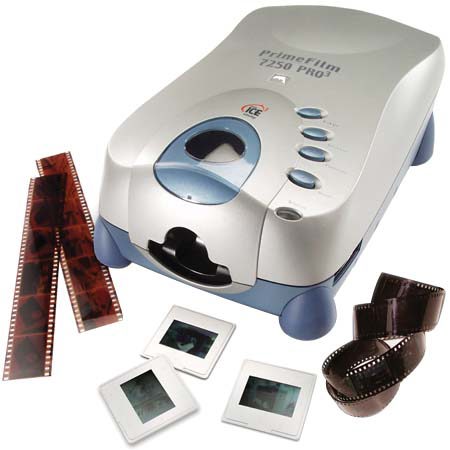
I have had this scanner over 3 years and am very happy with it. I have scanned many thousand slides and many rolls of B&W and negative film. The software that came with this scanner was terrible at best. With the help of their phone service technician Wendy I was able to down load a updated version of Cyber View. It has worked well ever since. I have published several slides straight from the scanner with no help from Photoshop. Slide scanning is easy to use. Roll batch scanning also works well if the images are evenly spaced. Since it has no sensor as to image spacing I have to manually advance the image on a roll film to center the image. There is a window to see the image and set the alignment to center. The color and focus is right on. I normally scan at 3600 dpi saving as tiff’s. There is flexibility in the software as how you want to use, edit or correct an image before scanning it.
I have a friend who also has this scanner who uses it with his Mac and downloaded software. He is also very pleased with this scanner.
I did an ABC test with this scanner, the now discontinued Nikon cool scan and a similar priced Plustek film scanner. In a “blind” comparison the Pacific Image came out ahead although the images were all very close in color and quality.
This model is discontinued, but there seems to be little difference between this and its replacement (XA). The dynamic range is 3.6 an the replacement is 4.2 and the replacement has Silver Fast 8.8 software. I would highly recommend the this (PF 7250Pro3) scanner and not think twice about buying it again.
Alan F.
2013-02-09T19:00:00
Rated 1 out of 5
Not a professional grade scanner
The setup of the scanner was not too dificult; we have had many scanners in the past.
The scans are not as good as would hope for.
ALEX B.
2012-08-16T21:00:00
Rated 4 out of 5
Good for Kodachromes
The old Kodak RFS3600 but about the only one left that does Kodachromes half way decent. Scanner is incredibly noisy, slow, and black areas are a bit noisy, but little other option as all other scanners are just E6 machines.
Kay
2012-03-10T19:00:00
Rated 2 out of 5
Not a Pro scanner. And not 7200dpi
The major advantage of this scanner is the ability to batch-scan a whole roll of 35mm film. Unfortunately the scanner cannot reliably align all frames correctly so you cannot use the batch function without supervising it.
sbaechler
2009-07-30T21:00:00
Rated 1 out of 5
unable to use under Vista or Windows 7
Despite other informations on the manufacturers site,the drivers for this product do not work under Windows Vista nor Windows 7. No support from manufacturer: does not answer requests for support.
nickyrio
2009-04-27T21:00:00
Rated 3 out of 5
Good, but uneven
Negatives come out fine, but for some reason slides come out with less detail and less quality colors. Film transport works most of the time, but produces occasional hiccups, so it needs monitoring.
Kjell
2009-03-23T21:00:00
Rated 1 out of 5
Out-dated for the price!
I don't know why this product is still on the market, and the price is a joke! It claims to be Firewire Interfaced, but it is not, and states so on the manual. The software is out-dated and not compatible with Vista O/S.
Larry C.
2009-02-05T19:00:00
Rated 4 out of 5
It works, but upgrade the software
We have been archiving negatives for a museum. The software that comes in the box is junk. Just call for an upgrade. When we called the stuff in the box was five versions behind.
It works, but sometimes it does some strange stuff.
Steve