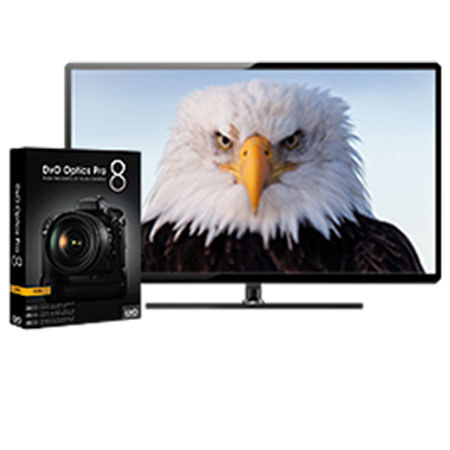
DxO Labs DXO Optics Pro 8 Standard Edition Photo Enhancing Software for Macintosh & Windows - Free Upgrade to Version 9 when Released

SKU: ISWDXOPS8

This item is no longer available.

Overview
Compare
Specs
Protection

Reviews about this item

Review Summary

2013-07-15T21:00:00

Rated 5 out of 5

Easy to use

First, Adorama's free shipping is faster than any other retailers. I ordered the box version rather than download from DxO as I like to have the CD, which DxO charges extra for- so ordering from Adorama saved me $15. I've used several Raw processors, and find DxO Optics Pro the easiest to use, even in Advanced mode. I didn't want Lightroom, as the catalog system can cause problems, and DxO uses a file browser mode instead. However, when the selected folder files load in DxO's own browser, it performs the default edits on all the thumbnails, which is very slow. Selecting and editing an image is fast on a decent system, and the tools are fast and responsive. DxO default settings for camera and lens combinations throw you in the ballpark, but I usually have to use Advanced Mode to tweak them. The file process and output is a little slow, and the 16 bit tiff output doesn't allow for any standard compression selections- a step behing other prgrams. I waited awhile to buy this program until DxO supported all of the cameras and lenses I have. If your equpment isn't supported you won't get much benefit from the program, which is it's main drawback.

RONALD Y.

DxO Labs DxO Optics Pro V8 Specifications

About DxO Labs DxO Optics Pro V8

The DXO Optics Pro 8 Standard Edition Photo Enhancing Software is photo editing software based on your specific camera and lens combination. DXO has tested all compatible lens and camera combinations, considering each piece of equipment's weaknesses and automatically compensating for these shortcomings when editing. The result is highly optimized photo editing that's faster than the norm. Whether you're a pro, a student, or a beginner, this software ramps up your workflow and allows you to spend more time shooting and less time in post-production.

In addition to the intimate knowledge DXO has gleaned from all the compatible cameras and lenses, Optics Pro 8 features presets that make your workflow even smoother. The interface is also extremely user-friendly and able to be customized for your specific needs. Other important functions like dust removal, color management, exposure and contrast and RAW conversion give you the ability to tweak and modify to suit each specific situation.