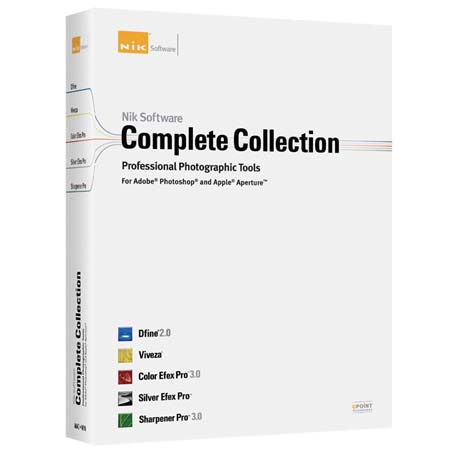
Nik Software Complete Collection with Dfine 2.0, Viveza 2, Color Efex Pro 4.0, Silver Efex Pro 2 , Sharpener Pro 3.0 & HDR Efex pro ,Plug-in Softwares , Free upgrade to HDR Efex pro 2.0
SKU: ISWNIK1090BB
This item is no longer available.
Share:
Overview
Compare
Specs
Protection
Reviews about this item
Review Summary
2012-03-11T21:00:00
Rated 4 out of 5
Excellant suite of tools.
Very powerful photo editing suite which integrates well with Photoshop and Lightroom.
Frank
2012-01-26T19:00:00
Rated 4 out of 5
Outstanding Feature Packed Bundle
A feature packed bundle comprised of amazing technology for editing photos. The U-Point based Control Point Technology is a unique and extremely powerful method for creating masks within the products. When the programs are launched as Smart Objects from PhotoShop, even the settings are retained for subsequent editing. Includes No Charge upgrade to Color Efex Pro 4.
ROBERT G.
2012-01-26T19:00:00
Rated 5 out of 5
best plugin software ever!!!!
Use Nik on all my photos. Makes editing photos simple. Easy to use. No more creating layer mask after layer mask.
BRIAN W.
2012-01-22T19:00:00
Rated 5 out of 5
Great Plug-in Software
Nik software is excellent. There isn't anything these folks have not thought of in developing these plug-ins, and the webinars offered on each program make them easy to install, navigate and apply. The image quality which results is absolutely superb
J C.
2011-11-27T19:00:00
Rated 3 out of 5
Great bargain but now outdated
I have used this package for much of my photographic work, which includes everything from a trip to the Colorado region to photographs of a string ensemble. However, I recently learned that Nik has released a new version of Color Efex and I am sorely tempted to buy it--I feel as if this package is already outdated. But the new package is rather pricey. For a bargain, though, or for a starter package of software, this package can't be beat.
Joel B.
2011-10-01T21:00:00
Rated 5 out of 5
All I need in 90 % of my images.
By far in most of my images my workflow is limited to Camera Raw and Nik complete suite, I only go to Photoshop for cloning and when difficult and precise selections are needed. The time that this software save you is amazing. My only problem is the guilty feeling I feel when people are impressed with some of my results and I don't tell them how easy was that to achieve with this powerful and easy to use software.
ROBERT C.
2011-09-17T21:00:00
Rated 5 out of 5
It doesn't get better than this!
Already said it all I think. This suite of programs is my primary "go to" inside of Photoshop.
MIA P.
2011-09-06T21:00:00
Rated 5 out of 5
Great product. Highly recomend!!!
Wow, I never really never used my CS3, becuase there was so much to remember. Now with NIK its easy and it writes its own layers. Now my CS3 is my #1 program of choice!
Old U.
2011-09-04T21:00:00
Rated 5 out of 5
Amazing
I really love Nik's products. The versatility of all of their plugins makes this suite a must have. With the control points, you can easily achieve the effect you want right inside of the plugin, rather than needing many tweeks with photoshop or lightroom. I especially love HDREfex & SilverEfex!
Jake p.
2011-09-03T21:00:00
Rated 5 out of 5
Money well spent!
A very powerful suite of plugins that work with Photoshop and Lightroom. Excellent manual provided and extensive information on the NIK website regarding use of each plugin. UPoint is a very powerful tool that gives photographers the edge they need to duplicate what the eyes see. This is a must have for any photographer who wants to take their creativity to the next level.
JOSEPH L.
2011-01-11T19:00:00
Rated 5 out of 5
Software
I used this project as add on with CS5. Easy to edit HDR and Portraits ( so far I used)
Siri
2010-04-11T21:00:00
Rated 4 out of 5
Saves time
I do most all my editing of the shots in Lightroom then Photoshop if required then use any of the Nik programs if necesary in either of the programs. However, Nik's programs are used to save time in PS, so the workflow depends what you need to accomplish with a particular shot.
Barry H.
2010-03-20T21:00:00
Rated 5 out of 5
Pro results even for novices
I consider myself a novice photographer. After doing amateur digital photography for about fifteen years I recently moved up to a DSLR and finally got serious about editing my images to a pro level to include in the image databases on the websites I manage.The Nik Software suite gives you a number of professional looking options for any image. You can quickly find an option close to what you want, then tweak it with their handy controls until it's got just the right look. I use Photoshop CS4 on WinXP and have had no problems with the program.The Viveza system took a little while to learn, but once you get the hang of it you'll see how much time you save not having to do all the work of selections and masking. I've already found Color Efex and Silver Efex really useful and from what I've seen I know I'll be using Sharpener and Dfine a lot as I get the hang of it. As another reviewer mentioned, you won't use all the filters on every image. But, if you are serious about image editing you will eventually have images that could benefit from one or more of these filters. To me that makes the bundle worth it.Like any new tool, there's a certain learning curve involved. I would recommend the tutorials on the Nik site as they really helped me to not only see what these filters could do but how to accomplish those results. I also found the Nik customer service department very helpful and responsive to email inquiries.I had been waiting for a good price on the complete bundle and when I saw Adorama's sale I knew it was time to go for it. I consider this one of the best investments I've made as a photographer. [...]
Dennis D.
2010-02-16T19:00:00
Rated 5 out of 5
A $ darkroom on your computer.
This is, in my opinion, one of the absolute best photo editing plug-in suites available. Powerful, easy to use, functional, and the effects and filters are top-notch quality - as close as I've seen to analog film, darkroom and on-camera effects. If you're a novice, this software lets you save less than stellar exposures and will instantly make you look good. And you'll learn a lot about darkroom manipulation in the process to boot. For more advanced and pro users, editing workflow efficiency and effectiveness will improve exponentially. Control and creativity are key highlights here. I'm a big believer in knowing what you're shooting for when you make the exposure - in which case, the software is even more powerful - but there are so many options available to you in post it's unbelievable. Whether I'm shooting for specific effects, performing minor cleanups or lighting adjustments or altering the image full-on, I love this software. To use one of a hundred examples - you can choose from a number of film effects to make your images look like they were shot on specific film brands and types - in color or black and white - and they're spot on and tweakable. So. Awesome. I'm using Aperture 2 and Photoshop CS4 and the suite interfaces seamlessly with both. The functionality differs slightly between the two programs (for example, Photoshop incorporates the use of brushes and quick previews during setting changes), but all effects work on both platforms. I recommend the full version for both. It's more expensive, but very helpful to be able to use the suite anywhere during my workflow as opposed to going back and forth between one or the other. If you don't care about that, you can save a little money and just get it for either one (or Nikon Capture NX2 as well). Either way, you can't go wrong.
LOREN F.
2010-01-10T19:00:00
Rated 4 out of 5
Making editing easier even for pro's
As a wedding photographer, i like to spend as much time behind the Camera as possible. Though you can really make your photo's pop, by spending more time behind photoshop, it isn't just my cup of tea.But now the Nik Software, complete collection makes editing fun. It is so easy to get a quick result by using their u Point Technology. Oke, some of the programs included in the Complete Collection arn't needed on every photo when you have professional skills. But if you really want to make a difference between the regular pro and the best, the Nik Software Complete Collection can really help you. For your special photo's Color efex Pro really adds something. And dit you have poor light conditions, Dfine helps you out, redusing the noise of the high ISO rate. Want to give that classic B/W feel? You really should use Silver Efex Pro (This was the reason i tried the NIUK software in the first place)Offcourse there are allways points for improvement, but i just seem to have forgotten them. The only thing i hope for in the future, is that Adobe buys Nik Software and implements the U Point Technology standard in their software.
Roy K.
2009-08-18T21:00:00
Rated 5 out of 5
World Class!
One of the best decisions I made!! All the cumbersome selection work with Photoshop has turned into an easy and much more precise work. On top of it, it's quick and fun to use. Everyone of the 5 applications has top professional quality. To my surprise, Color Efex opened up new ways to think about my pictures and to bring out its core message. Sharpener 3.0 misses the natural organizational flow of the other applications, but still works very well compared to the photoshop options. Very good investment, highly recommended!!
Amadeus
2009-02-05T19:00:00
Rated 5 out of 5
excellent deal on all nik software
if you buy them seprate - it is too expensive to have but this package really makes it worth buying . I pretty much use all software in this package - especially viveza for quick color maniplations and nik color efex 3.0 filters for effects . the noise reduction software and sharpener - a must have for the workflow too. It so easy to use and can be used in photoshop as layers and be applied or removed by brushes .
screwdriver
2008-12-28T19:00:00
Rated 5 out of 5
Bargain Price for the Entire Lineup!
A great price on all the photoshop plugins that Nik offers. If you need a couple, you can get them all for about the same price. Their stuff is top notch. Great products that I find more uses for everyday. Installs easily, great presets, easy to modify, they all look super.
JAY P.
Nik Software SHARPENER Specifications
About Nik Software SHARPENER
The Nik Software Complete Collection includes all of Nik Software's latest award-winning plug-in software titles for Adobe Photoshop, Adobe Lightroom ,and Apple Aperture including Dfine 2.0, Viveza, Color Efex Pro 4.0, Silver Efex Pro and Sharpener Pro 3.0. All products now feature Nik Software's patented U Point technology, giving photographers the most powerful tools for precise and natural photographic enhancements and corrections without the need for complicated selections or layer masks.
The Complete Collection offers two editions, the Complete Collection for Adobe Photoshop, Adobe Lightroom, and Apple Aperture includes support for every plug-in to work in both Photoshop and Aperture and offers Color Efex Pro 3.0 to work in Capture NX 2 as well.
What's in the box:
- Nik Software Dfine 2.0
- Viveza 2
- Color Efex Pro 4.0
- Silver Efex Pro 2
- Sharpener Pro 3.0
- HDR Efex pro And Nik Software Warranty