


This item is no longer available.
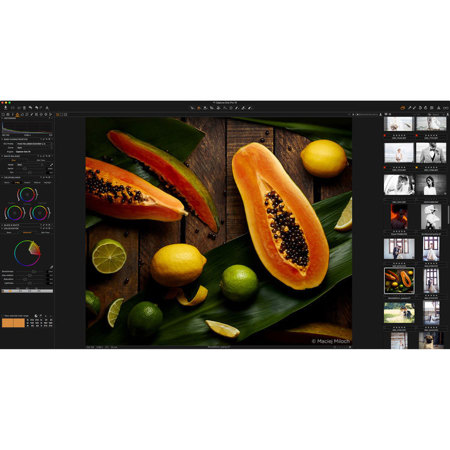
The standard choice in image editing software.
What's new in Capture One Pro 10
High Performance Engine
The Capture One Pro 10 Engine increases Performance for faster browsing, zooming, panning, adjusting and faster switching between images.
Three Step Sharpening
Full control over the sharpening process from Capture to Output. Diffraction Correction, new creative tools for Halo Control makes sharpening easier and recipe independent output sharpening remove the need to guess amounts for final size.
Output Proofing
Instantly take the guess work out of resizing images: Proof ICC Profile, scale, compression and output sharpening from the Recipe in new one-click Proofing.
Camera Focus Tool
Focus your tethered camera from the computer. Those tough overhead shots have never been easier.
Tangent Panel Support
Support for the Tangent range of professional input panels takes adjustment to the next level. The analogue solution for your digital darkroom.
Professional Grading Systems by Tangent
Professional Color Workflow
Grading decks are used by professional video editors to leverage powerful color adjustments. Now this power is demonstrated in a stills app for the first time. Gain full tactile interface into the Capture One adjustments without loosing focus on the screen and achieve a new level of control: adjust contrast and saturation at the same time using multi input support. Ramp Sharpening with Radius simultaneously. Or cool shadows and warm highlights with the unique 3D tracker ball interface.
Color grading: Upgraded
Full tactile interface to color. The color balance tool was designed to utilize the pro grading panel. Now you can edit stills like Pro film graders with maximum efficiency.
Custom mapping
Full control over the Capture One tool set and fully customizable short cut map.
Full product range support
By utilizing the Tangent Mapper, all of Tangent's products are supported with fully customizable layouts.
Multiple adjustment input
Input multiple adjustments simultaneously using knobs or tracker balls.
Faster workflow
Seamless integration and subtle control - deliver edits faster and more accurately than ever before.
Supercharged LCC creation
LCC has been reworked with multi-threading support, making LCC's up to 10 times faster to analyze.
Folder Merging In Catalogs
Folders can now be moved, re-organized and merged in Catalogs using a simple drag drop.
Filter By Orientation
Images can now be filtered by orientation to find Landscape, Portrait or Square images.
Auto Mask for All
Auto mask functionality is now extended to images formats other than Bayer, like Fuji Xtrans, mRAW and sRAW.
Improved sRAW and mRAW Support
Capture One's full feature set for Lens Correction, Chromatic Aberration Analysis and LCC generation can now be used with most compressed formats from Canon and Nikon. See release notes for full table of support.
Apple Script Extended (Mac Only)
Meta data fields, variant selection and EIP pack state can now be targeted for automation routines.